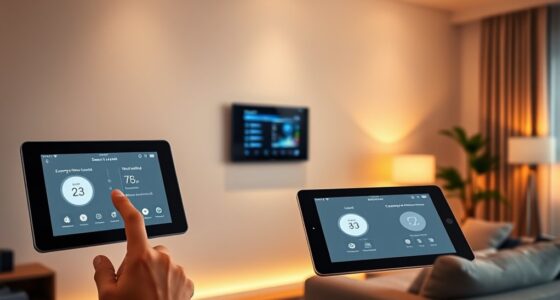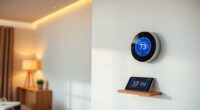
To sync your smart thermostat with your weather station, first confirm compatibility and connect the weather station to your Wi-Fi or wireless network. Then, access your thermostat’s app or control panel, usually under “Weather Data” or “Outdoor Sensor Settings,” and pair the devices by entering network info or scanning for available sensors. Setting outdoor parameters like temperature and humidity helps optimize your system. Keep up with updates and proper sensor placement for best results—more tips await if you continue.
Key Takeaways
- Confirm compatibility between your smart thermostat and weather station before setup.
- Connect the weather station to your home Wi-Fi or wireless network.
- Access the thermostat’s app or control panel and navigate to “Weather Data” or “Outdoor Sensor Settings.”
- Pair the weather station by entering network details or scanning for devices within the thermostat app.
- Configure outdoor data parameters, such as temperature and humidity thresholds, to optimize system responses.

Syncing your smart thermostat with a weather station can considerably improve your home’s climate control by providing real-time outdoor data. When your thermostat receives accurate weather information, it can make smarter adjustments to temperature settings, which boosts energy efficiency and enhances user comfort. Instead of relying solely on indoor sensors or preset schedules, your system becomes dynamic, responding immediately to changing conditions outside. This means you can reduce unnecessary heating or cooling, saving money on energy bills while maintaining a consistent, comfortable environment indoors.
Syncing your smart thermostat with a weather station enhances comfort and energy efficiency by responding to real-time outdoor conditions.
To get started, ensure your weather station is compatible with your smart thermostat. Most contemporary models support integration through Wi-Fi or other wireless protocols. Once compatibility is confirmed, connect your weather station to your home Wi-Fi network if it isn’t already. Next, access your smart thermostat’s app or control panel, and look for the settings menu related to weather or outdoor sensor integration. Many thermostats have a dedicated section for syncing with external weather stations, often labeled as “Weather Data” or “Outdoor Sensor Settings.” Follow the prompts to pair your weather station by entering its network details or scanning for available devices.
Once connected, you’ll want to configure how the outdoor data influences your thermostat’s behavior. Typically, you can set parameters such as outdoor temperature thresholds, humidity levels, or wind speed limits. These settings help your thermostat determine when to adjust indoor temperature ranges more aggressively or conserve energy. For example, if the outdoor temperature rises above a certain point, your system can reduce cooling efforts, preventing overcooling and wasting energy. Conversely, during colder days, your thermostat can preemptively increase heating to ensure consistent comfort without overexerting your HVAC system.
Regular calibration and updates are essential to keep your system performing at its best. Check for firmware updates for both your weather station and thermostat, as these often include improvements for data accuracy and compatibility. Keep the outdoor sensor clean and correctly positioned—ideally in an open area away from direct sunlight or heat sources—to ensure the data it provides is reliable. When set up correctly, syncing with a weather station transforms your smart thermostat into a more intelligent, adaptive device that improves energy efficiency and user comfort simultaneously.

Bluevua Official 5-IN-1 RO Filter
- Replacement Filter: Compatible with Bluevua 5-in-1 RO system
As an affiliate, we earn on qualifying purchases.
Frequently Asked Questions
Can I Sync Multiple Weather Stations to One Smart Thermostat?
Yes, you can sync multiple weather stations to one smart thermostat, but be aware of potential data overlap. Using multiple sensors provides more accurate readings by covering different areas, but it can also cause conflicting data that confuses your thermostat. To avoid this, make certain your thermostat supports multiple sensors and set priority levels. Proper configuration helps optimize comfort and energy efficiency without confusion from overlapping data.
What Is the Cost Difference Between Different Smart Thermostat Brands?
Did you know that smart thermostat brand pricing can vary by up to 50%? You’ll find budget-friendly options around $100, while high-end models can reach $250 or more. The cost comparison shows that premium brands often offer advanced features like better compatibility and more precise control. So, choose your brand wisely based on your budget and desired features, ensuring you get the best value for your investment.
How Does Weather Data Improve Energy Efficiency in My Home?
You improve your home’s energy efficiency by using weather data to optimize heating and cooling. When your smart thermostat detects high outdoor temperatures, it can activate solar shading or insulative curtains to reduce heat gain. Conversely, if it’s cold outside, the system can boost indoor heating. This proactive adjustment minimizes energy waste, keeps your home comfortable, and lowers utility bills by responding smartly to real-time weather conditions.
Are There Compatibility Issues With Specific Smart Thermostat Models?
You might run into compatibility issues or device limitations with certain smart thermostat models, especially if they’re from different brands or generations. Imagine your thermostat as a puzzle piece; if it doesn’t fit perfectly, syncing becomes a challenge. Check manufacturer specifications and supported integrations first. Staying informed helps you avoid frustration, ensuring your device seamlessly connects with your weather station, so you enjoy smooth, efficient climate control without hiccups.
What Troubleshooting Steps if the Weather Station Data Isn’t Updating?
If your weather station data isn’t updating, start by checking sensor calibration to make certain accurate readings. Next, look for signal interference from nearby devices that might disrupt data transmission. Restart both your weather station and smart thermostat to reset the connection. Confirm the Wi-Fi signal is strong, and update firmware if needed. These steps help resolve issues with outdated data, keeping your thermostat synced and functioning efficiently.
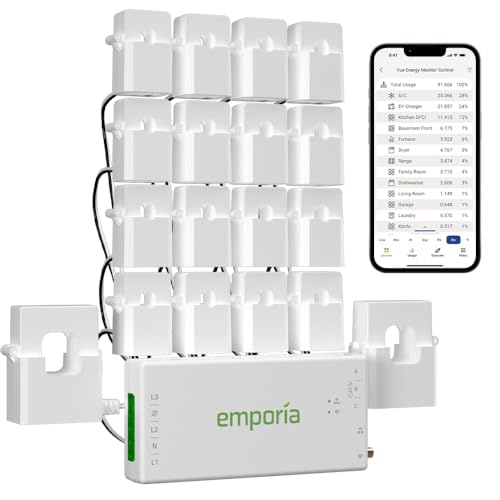
Emporia Vue 3 Home Energy Monitor - Smart Home Automation Module and Real Time Electricity Usage Monitor, Power Consumption Meter, Solar and Net Metering for UL Certified Safe Energy Monitoring
- UL Certified for Safety: Certified for electrical safety in US and Canada
- Easy Installation: Fits in most circuit panels with clamp-on sensors
- Supports Various Systems: Compatible with single, split-phase, and 3-phase systems
As an affiliate, we earn on qualifying purchases.
Conclusion
Syncing your smart thermostat with a weather station is like tuning a fine instrument; when everything harmonizes, your home stays perfectly comfortable. By following these simple steps, you guarantee your system responds accurately to outdoor conditions, saving energy and boosting efficiency. Just like a well-choreographed dance, the connection between your devices brings seamless comfort. Once set up, you’ll enjoy a home that adapts effortlessly, making every season feel just right without you having to lift a finger.

Smart Home Energy Monitor with 16 50A Circuit Level Sensors, Real-Time Power Usage & Electricity Cost Tracking, Ideal for Rental Homes & Shared Apartments, App History, Compatible with Home Assistant
- Easy Installation: Clamp-on sensors for most circuit panels
- Real-Time Power Monitoring: Track power usage anytime, anywhere
- Electricity Cost Tracking: Monitor costs and energy consumption
As an affiliate, we earn on qualifying purchases.

eMylo 2 Channel WiFi Power Meter 80A+80A Smart Power Monitor,Clamp Ammeter Power Monitor,2.4GHz WiFi,Real Time Monitoring,Smart Life/TUYA APP, Compatible with Alexa and Google Assistant
- Real-Time Energy Monitoring: Track hourly, daily, monthly, yearly consumption
- Home Automation Integration: Automate devices and receive notifications
- Multi-Parameter Monitoring: Voltage, current, power factor, power, frequency
As an affiliate, we earn on qualifying purchases.