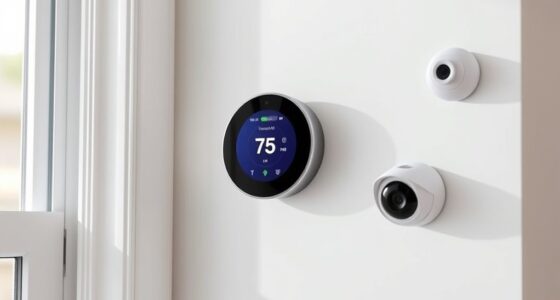
Controlling your smart thermostat with wearable devices lets you manage your home’s temperature instantly and hands-free. Using voice commands through smartwatches or fitness trackers allows quick adjustments without stopping what you’re doing. Apps on your wearable provide detailed controls and scheduling options, making it easy to optimize comfort and energy use. Combining both methods ensures seamless management, so you stay connected and comfortable at all times. Exploring these options further reveals how to make your home even smarter.
Key Takeaways
- Wearable devices like smartwatches enable remote, hands-free control of smart thermostats through voice commands or app interfaces.
- Voice assistants integrated with wearables (Alexa, Google Assistant, Siri) allow real-time temperature adjustments via natural language.
- Mobile apps synced with wearables offer detailed thermostat management, scheduling, and energy optimization from your wrist.
- Combining voice commands and app controls ensures continuous, convenient access to home climate settings regardless of device usage.
- Wearables enhance comfort and convenience by extending thermostat control seamlessly into daily routines and multitasking scenarios.

Have you ever wondered how to make the most of your smart thermostat? If you’re looking for a seamless way to control your home’s climate, wearable devices can be a game-changer. These gadgets don’t just keep you connected; they allow you to manage your thermostat effortlessly, using voice commands and app integration. Imagine walking into a room and adjusting the temperature without lifting a finger—sounds convenient, right? That’s the power of combining wearable tech with smart home systems.
Wearable devices make controlling your smart thermostat effortless and seamless.
Using voice commands is one of the simplest ways to control your smart thermostat via your wearable device. If you have a smartwatch equipped with a microphone or are connected to a voice assistant like Alexa, Google Assistant, or Siri, you can give quick, natural commands. For example, you can say, “Hey Siri, set the thermostat to 72 degrees,” or “Ask Google to turn down the heat by two degrees.” These voice commands work in real-time, so you don’t have to navigate through menus or open apps. It’s all about convenience—you can make adjustments even when you’re busy cooking, working out, or just relaxing on the couch. Plus, voice commands are especially handy in situations where manual control isn’t feasible, like when your hands are full or you’re lying in bed.
App integration, on the other hand, offers a more detailed level of control. Many smart thermostats come with dedicated apps that sync seamlessly with your wearable device. Once connected, you can monitor and adjust your home’s temperature from your wrist or other wearables. The app interface is typically intuitive, allowing you to set schedules, view energy usage, and even receive alerts about your system’s status. Most apps are compatible across multiple devices, so whether you’re using a smartwatch, fitness tracker, or even a wearable ring, you can manage your thermostat with just a few taps or swipes. This integration ensures you’re always in control, no matter where you are.
The beauty of combining voice commands and app integration is that they complement each other perfectly. Voice control provides quick, hands-free adjustments, while the app offers more detailed management options. Both methods keep you connected to your smart thermostat, making it easy to optimize your home’s climate for comfort and efficiency. With wearable devices, your smart thermostat becomes more than just a gadget—it’s an extension of your lifestyle, giving you control at your fingertips or voice, whenever you need it. Additionally, understanding transfer switch fundamentals can help ensure your smart home setup remains safe and reliable during power outages.
Top picks for "controll smart thermostat"
As an affiliate, we earn on qualifying purchases.
Frequently Asked Questions
How Secure Are Wearable Device Connections to Thermostats?
You might wonder how secure your wearable device connections to thermostats are. Typically, these links use encryption protocols to protect your data and device authentication to verify your identity. While these security measures substantially reduce risks, no system is entirely foolproof. Keep your device’s software up-to-date, enable strong authentication, and monitor activity to ensure your connections stay secure and your privacy remains protected.
Can Multiple Users Control the Thermostat Simultaneously?
Yes, multiple users can control the thermostat simultaneously. User permissions guarantee each person has appropriate access, preventing unauthorized changes. Device synchronization keeps all wearable devices connected and updated, so everyone’s commands are reflected in real-time. This setup enhances convenience and collaboration, allowing family members or colleagues to adjust the temperature without conflicts. Rest assured, permissions and synchronization work together to provide seamless, secure control for everyone involved.
What Battery Life Considerations Exist When Using Wearables?
You should consider battery optimization strategies to extend your wearable device’s battery life when controlling smart thermostats. Keep in mind that frequent Bluetooth or Wi-Fi use increases power consumption, draining your battery faster. To improve battery life, reduce screen brightness, disable unnecessary notifications, and limit constant connectivity. Balancing these factors helps you enjoy seamless thermostat control without quickly depleting your wearable’s power, ensuring reliable use throughout your day.
Are There Compatibility Issues With Certain Wearable Brands?
Yes, you might face compatibility issues with certain wearable brands when controlling smart thermostats. Wearable compatibility varies across brands, and some devices may not support the necessary apps or protocols, leading to limited functionality. Brand limitations can restrict seamless integration, so it’s essential to check if your wearable device explicitly supports the smart thermostat system you want to control. Ensuring compatibility beforehand helps prevent frustration and setup issues later.
How Does User Activity Affect Thermostat Adjustments?
A stitch in time saves nine, and your activity levels directly influence thermostat adjustments. When your wearable detects increased movement, it signals the thermostat to heat or cool accordingly. However, sensor accuracy is crucial to avoid false triggers, and your user privacy remains a top concern. Regularly updating your device and understanding its data practices help ensure your comfort while keeping your information secure.
Conclusion
By mastering the art of controlling your smart thermostat with a wearable device, you turn your home into a symphony of comfort and efficiency. Think of it as wielding a remote conductor’s baton, guiding your environment effortlessly. With just a flick or tap, you orchestrate the perfect temperature, making your living space as responsive as a living organism. Embrace this technology, and watch your home harmonize with your daily rhythms seamlessly.