Your window AC’s schedule feature can substantially boost efficiency by letting you control when it turns on and off automatically. This reduces energy waste and lowers your bills by avoiding unnecessary operation. You can program it to fit your routine, like pre-cooling mornings or saving energy at night. Plus, smart tech learns your preferences for even better performance. If you stick around, you’ll discover how this small feature makes a big difference.
Key Takeaways
- Programmable schedules optimize cooling times, reducing unnecessary energy consumption and enhancing overall efficiency.
- Pre-programmed cooling ensures comfort upon arrival without manual adjustments, saving energy during inactive periods.
- Smart learning technology adapts settings to user habits, improving efficiency over time.
- Scheduled operation prevents energy waste during nighttime or when rooms are unoccupied.
- Multiple customizable schedules allow tailored cooling patterns, maximizing energy savings and comfort.
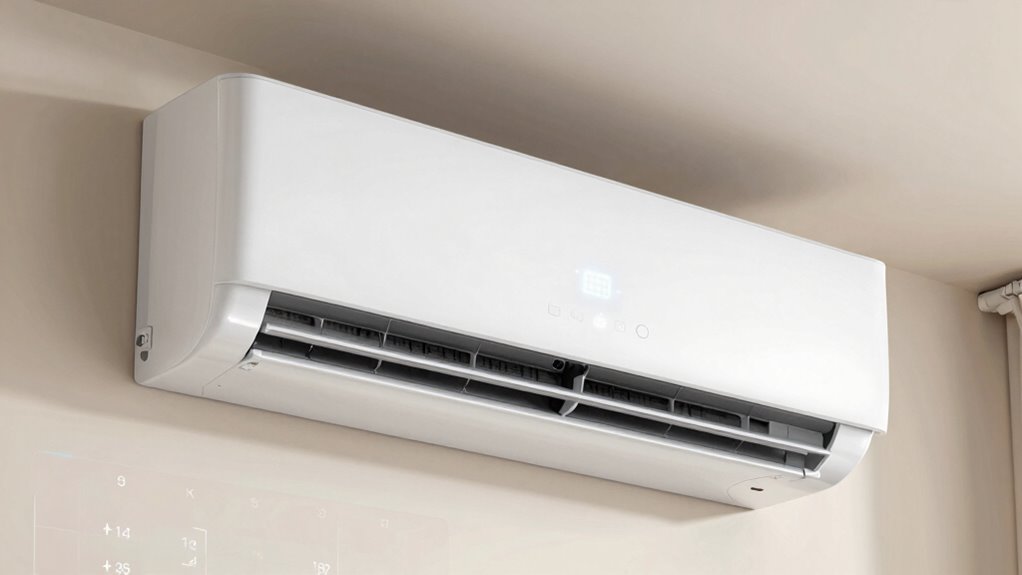
Many window air conditioners now come equipped with a schedule feature that helps you maximize cooling and save energy. This small but powerful addition can transform your experience, making your AC more efficient and user-friendly. When you set a schedule, you tell your unit exactly when to turn on and off, so it runs only when you need it. This means you’re not wasting energy cooling an empty room or running the unit all day when it doesn’t need to be on. As a result, you save money on energy bills and reduce your environmental impact. The schedule feature simplifies managing your cooling needs, giving you better control over your comfort and expenses.
Using a schedule feature on your window AC boosts efficiency, saves energy, and offers personalized comfort control.
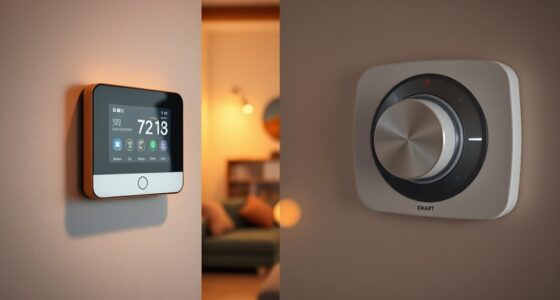
With this feature, you don’t have to manually turn your AC on or off multiple times a day. Instead, you program it to match your daily routine—like cooling your space just before you wake up or turning off when you leave for work. This user convenience means you don’t have to remember to adjust settings constantly; your AC works around your schedule. It’s especially helpful if your routine varies on weekends or holidays, as many units allow multiple schedules or customizable settings. You get the flexibility to create different cooling patterns for different days, ensuring ideal comfort and efficiency. Additionally, some units include smart technology that learns your preferences over time, further enhancing energy efficiency. Incorporating energy-saving features can lead to even greater reductions in electricity consumption. These features are often designed with environmental impact in mind, promoting sustainable living. Implementing programmable controls also helps optimize your energy use by aligning cooling periods with your actual needs, reducing waste. Moreover, software updates for smart AC units can improve their scheduling capabilities and overall performance over time.
The schedule feature also makes it easier to maintain a consistent indoor climate. You can set your AC to start cooling before you arrive home, so your space feels comfortable the moment you walk in. Conversely, you can program it to turn off after you go to bed, avoiding unnecessary energy use during the night. This level of control not only enhances user convenience but also maximizes energy savings, as your AC isn’t running unnecessarily when the room doesn’t need cooling. Over time, these small adjustments add up to notable savings on your energy bill.

Midea 12,000 BTU Window Air Conditioner with Heat, 550 Sq Ft
- Multi-Season Comfort: Cooling, dehumidification, and heating for large rooms
- Easy to Use Controls: Digital display, multiple modes, remote, app, voice control
- Energy Efficient Operation: Inverter technology with up to 35% energy savings
As an affiliate, we earn on qualifying purchases.
As an affiliate, we earn on qualifying purchases.
Frequently Asked Questions
Can the Schedule Feature Be Controlled Remotely via Smartphone?
Yes, you can control the schedule feature remotely via your smartphone. Many window ACs now offer remote access through app integration, allowing you to adjust settings and schedules from anywhere. You simply need to connect your AC to your Wi-Fi network, download the compatible app, and then you can easily manage your unit’s schedule on your phone. This makes maintaining comfort and energy efficiency more convenient than ever.
How Does Scheduling Impact Energy Consumption During Peak Hours?
You can cut your energy costs by scheduling your window AC during peak hours, saving energy and reducing peak demand. This feature acts like a smart move, ensuring your unit runs only when needed, preventing waste. By optimizing cooling times, you maximize energy savings and contribute to peak reduction. In turn, you lower your utility bills and help ease the strain on the power grid during busy times.
Is the Schedule Feature Compatible With Smart Home Systems?
Yes, the schedule feature is compatible with smart home systems, allowing you to integrate your window AC seamlessly. You can control and automate your AC using smart home integration, making it easier to set schedules remotely. Plus, with voice control, you can adjust the schedule hands-free, ensuring your cooling preferences are always convenient and efficient. This compatibility enhances energy savings and user convenience effortlessly.
Can the Schedule Be Customized for Different Days of the Week?
Did you know that 65% of users prefer weekly customization for their window ACs? Yes, you can set day-specific settings, allowing you to tailor cooling schedules for each day of the week. This flexibility helps optimize energy usage and comfort, ensuring your AC runs efficiently when needed most. With this feature, you can easily program different temperatures and times for weekdays and weekends, making your cooling experience truly personalized.
What Happens if There’s a Power Outage While the AC Is Scheduled?
If there’s a power outage while your window AC is scheduled, it typically stops running, and the schedule won’t automatically resume until power returns. Some models with a backup battery or a smart feature can remember your schedule and restart when power is restored. Check your AC’s specifications; if it has a backup battery, it might help maintain some functions, but most rely on a steady power source for scheduled operation.
Midea 12,000 BTU Window Air Conditioner with Heat, 550 Sq Ft
- Multi-Season Comfort: Cooling, dehumidification, and heating for large rooms
- Easy to Use Controls: Digital display, multiple modes, remote, app, voice control
- Energy Efficient Operation: Inverter technology with up to 35% energy savings
As an affiliate, we earn on qualifying purchases.
As an affiliate, we earn on qualifying purchases.
Conclusion
Think of the schedule feature as a seasoned captain guiding your window AC through calm and stormy weather alike. With it, your AC navigates efficiently, conserving energy just as a captain steers smoothly past treacherous waters. When you set your schedule, you’re fundamentally giving your AC a map to follow, ensuring comfort without wasted effort. Embrace this feature, and let your AC be the wise captain that keeps your home cool and energy bills low.

DELLA 6000 BTU AC Unit with Energy Saving Window Air Conditioner,WIFI Smart Controls, GEO Location, Work with Alexa, Cools Up to 250 Sq. Ft,Remote, Dehumidifier, Fan, Easy Install,Reusable Filter
- Cooling Coverage: Cools up to 250 sq. ft.
- Energy Efficiency: CEER of 11.0 for savings
- Smart Controls: Remote, app, and voice control
As an affiliate, we earn on qualifying purchases.
As an affiliate, we earn on qualifying purchases.

BreezeAero WiFi Enabled 6,000 BTU Window Air Conditioner, Smart AC Unit with Remote, Cool/Fan/Dry/Auto/Sleep Modes, 24H Timer, Cools Rooms Up To 250 Sq.Ft, Energy Efficient, Easy Install Kit
- Cooling Capacity: Cools rooms up to 250 sq ft
- Energy Efficiency: Energy-efficient operation
- Smart Control: WiFi control via SmartLife app
As an affiliate, we earn on qualifying purchases.
As an affiliate, we earn on qualifying purchases.