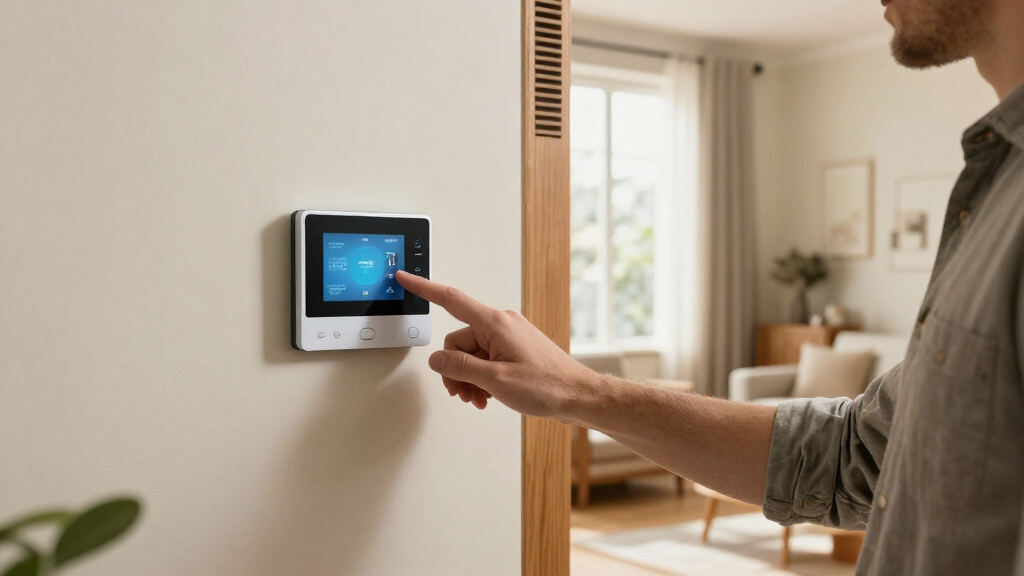

Shopping for a smart Wi-Fi thermostat is not just a choice between a longer feature list and a lower price. The real decision is whether premium automation, room sensors, and wider smart-home support will make your home more comfortable or save enough effort to justify the extra cost. Budget models can already handle the basics: remote temperature changes, schedules, and, in many cases, voice-assistant control.

Get home appliances delivered free with Prime
- Fast, free delivery on millions of items
- Prime Video, Amazon Music and more included
- Member-only deals all year

Sensi ST55 Wi-Fi Smart Thermostat
- ✔ Connectivity: Wi-Fi
- ✔ Voice and smart-home support: Amazon Alexa, Apple HomeKit, Google Assistant, SmartThings, Vera
- ✔ HVAC compatibility: Air conditioner, boiler, furnace, heat pump; confirm system fit

Honeywell Home X2S Smart Wi-Fi Thermostat
- ✔ Model: RTH2SMC/N
- ✔ Connectivity: Wi-Fi (2.4 GHz or 5 GHz, 802.11 b/g/n) and Matter
- ✔ Power requirement: C-wire required; 24 VAC

Honeywell Home RTH9585WF1004 Wi-Fi Smart Color Thermostat
- ✔ Model: RTH9585WF1004
- ✔ Connectivity: Wi-Fi
- ✔ Display: Customizable color touchscreen
This comparison looks at premium and budget smart Wi-Fi thermostats as categories, since exact features vary by brand and model. Premium units are often the better fit for larger or unevenly heated homes, complex routines, and households that want deeper integration. Budget units make more sense when you mainly want to adjust the temperature from your phone and set a dependable schedule. Compatibility with your heating and cooling system matters more than either category’s headline features, so check the thermostat’s wiring and equipment support before buying.
At a Glance
| Criteria | Premium smart Wi-Fi thermostats | Budget smart Wi-Fi thermostats | Winner |
|---|---|---|---|
| Upfront cost and value | Higher purchase price; more useful if premium features solve a real comfort or control need. | Lower purchase price; strong value when remote control and schedules are enough. | B |
| HVAC compatibility | Often supports a wider range of systems, but compatibility still depends on the exact model and wiring. | May cover common systems but can omit support for particular equipment or wiring setups. | A |
| Automation and scheduling | Usually offers more flexible routines, adaptive features, or occupancy-based controls. | Typically handles basic schedules and app adjustments without advanced automation. | A |
| Room comfort and sensors | May support remote room sensors and more detailed temperature balancing. | Usually relies on the thermostat’s own location for temperature readings. | A |
| Smart-home integration | Often offers broader platform support and more configuration options. | Often supports common voice assistants, with fewer integrations or advanced controls. | A |
| Installation and setup | Can involve more setup choices and configuration, though some models simplify installation. | Can be straightforward for compatible systems, but wiring and setup requirements still vary. | Depends |
| Energy monitoring and reports | More likely to provide detailed usage insights or tailored energy features. | Often includes basic usage information, if any, rather than detailed analysis. | A |
Sensi ST55 Wi-Fi Smart Thermostat
The Sensi ST55 earns our top spot because it combines the everyday smart controls most households want with fewer stated wiring hurdles than either Honeywell alternative. In most applications it does not require a C-wire, and its in-app installation instructions and built-in level are intended to make a do-it-yourself setup more approachable. That does not guarantee compatibility with every system, but it gives Sensi an advantage for buyers who want to check their existing setup before committing to a more wiring-dependent model.Its appeal is also in breadth: the ST55 supports Alexa, Apple HomeKit, Google Assistant, SmartThings, and Vera, while the X2S focuses on Matter and major platforms and the RTH9585WF1004 lists Alexa and Google Home. If a household spans different smart-home products, that wider stated compatibility can make the Sensi easier to fit into existing routines. App control, flexible scheduling, usage reports, equipment alerts, and filter reminders cover the practical basics without requiring buyers to choose a thermostat for its screen alone.The tradeoff is that the ST55’s broad fit is not universal. Its C-wire situation depends on the HVAC setup, and buyers still need to confirm system compatibility rather than assume the DIY label means every installation is simple. Its LED screen and plastic construction are more utilitarian than the RTH9585WF1004’s color touchscreen. We would choose Sensi for an adaptable, app-centered upgrade; for a Matter-first home with confirmed wiring, the X2S may be a more natural smart-home match.
Pros:
- C-wire is not required in most applications, potentially easing installation.
- Supports Alexa, Apple HomeKit, Google Assistant, SmartThings, and Vera.
- Offers app control, flexible schedules, usage reports, equipment alerts, and filter reminders.
- In-app installation guidance and a built-in level support DIY setup.
Cons:
- C-wire requirements depend on the specific HVAC system.
- Compatibility covers many common systems but is not universal.
- Its LED display is less visually customizable than the Honeywell color touchscreen.
Best for: Homeowners with a compatible common HVAC system who want app scheduling, broad voice-platform support, and a DIY-oriented installation path.
Not ideal for: Buyers who need guaranteed compatibility without checking their wiring, or households looking specifically for a large color touchscreen or Matter certification.
Bottom line: We recommend the Sensi ST55 as the most versatile starting point, provided buyers verify HVAC compatibility and wiring first.
“We recommend the Sensi ST55 as the most versatile starting point, provided buyers verify HVAC compatibility and wiring first.”
Honeywell Home X2S Smart Wi-Fi Thermostat
The Honeywell Home X2S makes the most sense when Matter support is a deciding factor, not just a checkbox. Its Matter certification gives it a clear role in this lineup: it is the option for buyers building a connected home around compatible platforms and devices. The Sensi lists a wider assortment of named services, while the X2S answers a different need by bringing Matter into the thermostat comparison. That distinction matters most to shoppers who want smart-home interoperability to guide their purchase.Beyond connectivity, the X2S offers app control, flexible schedules, and auto-away, which can adjust how the thermostat operates when the home is unoccupied. It supports compatible conventional systems up to 2 heat/2 cool and heat-pump systems up to 2 heat/1 cool with electric backup. An optional humidity display and filter reminders add useful household context, though they do not change the central requirement: this model needs a C-wire for 24 VAC power.That requirement makes the X2S less forgiving than the Sensi for homes without a C-wire already available. It also cannot control 120–240 V electric baseboard heat, a limitation shared with the RTH9585WF1004. Compared with that touchscreen-focused Honeywell, the X2S puts its distinction in Matter and connected-home integration rather than a customizable color display. Choose it when the wiring and HVAC system are confirmed and Matter is valuable; skip it if you need a model with a more flexible stated power requirement.
Pros:
- Matter-certified, with support for major smart-home platforms.
- Flexible schedules and auto-away support different occupancy routines.
- Works with compatible conventional and heat-pump systems within its stated limits.
- Includes filter reminders and an optional humidity display.
Cons:
- Requires a C-wire and 24 VAC power.
- Not compatible with 120–240 V electric baseboard heat.
- Its LCD interface is less visually distinctive than the RTH9585WF1004’s color touchscreen.
Best for: Households with a compatible conventional or heat-pump system, an existing C-wire, and a Matter-oriented smart-home setup.
Not ideal for: Homes without a C-wire, systems outside its listed compatibility, or anyone using 120–240 V electric baseboard heat.
Bottom line: We would choose the X2S over the Sensi when Matter integration is the priority and the home already meets its wiring and HVAC requirements.
“We would choose the X2S over the Sensi when Matter integration is the priority and the home already meets its wiring and HVAC requirements.”
Honeywell Home RTH9585WF1004 Wi-Fi Smart Color Thermostat
The Honeywell Home RTH9585WF1004 is the interface-first choice in this group. Its customizable color touchscreen gives buyers a more prominent on-wall control surface than the Sensi ST55 or the X2S LCD. That difference matters for households where people regularly adjust settings at the thermostat itself, or where a clear visual interface is more appealing than relying mostly on a phone app. It also combines that display with Wi-Fi remote control, flexible 7-day programming, and energy reports.Compared with the X2S, this model emphasizes screen experience and reporting rather than Matter certification. It supports Amazon Alexa and Google Home, while the Sensi lists additional platforms including Apple HomeKit, SmartThings, and Vera. Buyers already committed to Alexa or Google Home may find the RTH9585WF1004’s set sufficient; households with a broader mix of platforms should compare the Sensi more closely. Equipment alerts for filter changes and extreme indoor temperature or humidity add monitoring features beyond basic scheduling.The larger visual focus comes with important limits. This Honeywell requires a C-wire and does not work with 120–240 V electric baseboard heat. As with the X2S, the home’s HVAC type must fall within its compatibility range. The display alone is not a reason to overlook those checks, especially for a system with unusual wiring. We place it third because its standout advantage is more specific than the Sensi’s overall flexibility or the X2S’s Matter role—not because a touchscreen lacks value for the right buyer.
Pros:
- Customizable color touchscreen offers a more visual on-wall control experience.
- Supports flexible 7-day programming and app-based remote control.
- Provides energy reports and equipment alerts, including temperature and humidity alerts.
- Works with Alexa and Google Home for voice control.
Cons:
- Requires a C-wire.
- Not compatible with 120–240 V electric baseboard heat.
- Lists fewer smart-home platforms than the Sensi and does not claim Matter certification.
Best for: Buyers with compatible forced-air, boiler, steam, or supported heat-pump systems who want a customizable color touchscreen and energy reports.
Not ideal for: Homes without a C-wire, electric-baseboard users, or households that need Matter or wider listed smart-home platform support.
Bottom line: We recommend the RTH9585WF1004 when a customizable touchscreen is the priority and the home meets its C-wire and HVAC requirements.
“We recommend the RTH9585WF1004 when a customizable touchscreen is the priority and the home meets its C-wire and HVAC requirements.”
As an Amazon Associate we earn from qualifying purchases.
Key Differences
The biggest practical gap is not Wi-Fi control: both categories are designed to let you change settings remotely and manage a schedule. The gap is how much the thermostat can do without repeated manual adjustments. Premium models are more likely to offer adaptive scheduling, occupancy features, room sensors, and detailed integrations. Those additions can make a genuine difference when a single thermostat reading fails to represent the rooms where people spend time. They matter less in a small, even-temperature home where a basic schedule already works.
Budget thermostats win on upfront value. If you want to turn the heat down while away, make a weekly schedule, or adjust the temperature from bed, a lower-cost model may cover the practical need. Premium models cost more for capabilities, not guaranteed savings: energy reports and automation can help you spot waste, but results depend on your habits, home insulation, local climate, and HVAC system. Pay extra only when you expect to use the added controls or need compatibility that the less expensive option lacks.
Neither category is a safe buy without checking system support. Some heating and cooling equipment needs specific wiring, a common wire, or a compatible control method; features can also differ between models within the same price tier. Confirm support for your equipment and any accessory controls before focusing on app features. That check can matter more than a premium display or a long list of integrations.
Detailed Comparison
Upfront cost and value (Budget smart Wi-Fi thermostats wins — major)
Budget thermostats win on purchase price, and the gap is often the clearest difference between these categories. For a household that needs only remote control and recurring schedules, paying extra for advanced automation may add little day-to-day benefit. Premium models can still be better value when their sensors, system support, or smart-home features solve a specific problem; otherwise, the lower-cost option is the more sensible buy. This is a moderate-to-major practical difference because the premium features are optional for many homes.
Premium ranges commonly include models designed for a wider spread of heating and cooling equipment, giving them an advantage for homes with less common systems or more involved configurations. That is not a guarantee: a budget model may support your system, and a premium model may not. Check the manufacturer’s compatibility guide and wiring requirements for the exact model. The category-level gap is moderate, but for a particular home compatibility is a yes-or-no purchase condition, not a small bonus.
Both categories generally support schedules and app adjustments. Premium models more often add adaptive routines, occupancy-aware behavior, or more detailed ways to set conditions. These features reduce the need to keep editing a schedule when household routines change, but they can take time to configure and may not help someone who prefers a fixed program. Premium wins by a moderate margin for users who want the thermostat to respond automatically; for a simple weekday-and-weekend schedule, the difference is minor.
Premium models are more likely to offer separate room sensors or controls that account for temperatures away from the thermostat itself. That can help in a home where bedrooms run cold or a sunny living room warms up faster than the rest of the house. Budget units usually rely on the reading at the wall, which is adequate when temperatures are fairly even. Premium wins with a major practical benefit in uneven homes, but the advantage is minor if one thermostat location reflects the whole living space.
Budget thermostats often connect to common voice assistants, so basic spoken temperature changes may be available without spending more. Premium products are more likely to offer broader integrations, additional routines, or greater control within a smart-home platform, though support varies by specific product. Premium wins moderately for households already invested in connected devices and automations. If the only desired command is asking a voice assistant to change the set point, a budget model may be just as practical.
Installation and setup (moderate difference)
There is no dependable category-wide winner. A basic model may have fewer settings to configure, while a premium model may provide clearer setup guidance or support more installation arrangements. Either can be challenging if the existing wiring is unfamiliar or the HVAC equipment needs a particular control connection. The difference is minor for a straightforward, compatible installation and major if the chosen thermostat needs wiring or equipment support your home does not have. Check requirements first, and use a qualified installer if you are unsure.
Premium thermostats more often provide detailed usage summaries or tailored recommendations; budget units may offer only basic information. Reports can help identify patterns, but they do not automatically lower bills, and a recommendation is useful only if it fits the household’s comfort needs. Premium wins moderately for people who will review the data and adjust their behavior. If you want a thermostat to follow a schedule without analyzing reports, this feature is unlikely to justify a higher price.
Pros:
- More likely to support advanced automation and flexible routines.
- Room sensors can address temperature differences between rooms.
- Often offers broader equipment support and smart-home integrations.
- Detailed energy information may help engaged users spot patterns.
Cons:
- Higher upfront cost, which may not pay off for simple use.
- Extra features can mean more setup and settings to manage.
- Compatibility and feature sets still vary by model.
- Energy features do not guarantee lower bills.
Budget smart Wi-Fi thermostats: Pros and Cons
Pros:
- Lower purchase price for core app control and scheduling.
- A good match for straightforward heating and cooling routines.
- May include common voice-assistant control without premium pricing.
- Less expensive features are often sufficient in evenly heated homes.
Cons:
- May lack support for some HVAC systems or wiring arrangements.
- Usually offers fewer automation and reporting options.
- Limited room sensing can leave uneven temperatures unaddressed.
- Fewer integrations may restrict more involved smart-home routines.
Who Should Choose What
Choose Premium smart Wi-Fi thermostats if:
- Your home has rooms that consistently run hotter or colder and you would use remote sensors.
- Your HVAC system has specific compatibility needs that the budget models you are considering do not support.
- You want occupancy-aware routines or more advanced automation rather than a fixed schedule.
- You already use a smart-home platform and need the thermostat to participate in more than basic voice commands.
- You plan to review energy reports and act on what they show.
Choose Budget smart Wi-Fi thermostats if:
- You mainly want remote temperature changes, a phone app, and a recurring schedule.
- Your home stays reasonably comfortable with one thermostat reading.
- The exact budget model supports your HVAC equipment and wiring.
- You would rather keep the initial cost down than pay for features you may rarely use.
- Basic voice control is enough for your smart-home setup.
Skip both if: Skip these categories until you have confirmed your HVAC system, wiring, and any required accessories; if a thermostat is incompatible or you do not need Wi-Fi control, another control option may be a better fit.
Value for Money
Budget is the better value for the largest group of buyers: people who want an app, remote adjustments, and dependable schedules from a compatible thermostat. Premium is worth paying more for when its extra functions map to an actual problem, especially uneven room temperatures, demanding equipment compatibility, or a smart-home routine you intend to use. The higher price alone does not make a model more economical. Savings depend on how the thermostat is used and on the home’s heating and cooling needs.
Compare the full installed cost, not just the device price. A model that needs additional wiring work, an accessory, or professional installation can change the value calculation. Check whether the features you want are included with the thermostat or require separate sensors. If the premium option’s main appeal is a feature you will not use, keep the difference and choose a compatible budget model. If a sensor or integration fixes a recurring comfort problem, the extra spend may be worthwhile for that household.
Final Verdict
For most people with a compatible, straightforward HVAC system, choose a budget smart Wi-Fi thermostat. It delivers the central conveniences—remote control and scheduling—without charging for automation or room sensing that many households do not need. Choose a premium model when you have a clear reason: uneven room temperatures, more complex equipment, or a real plan to use advanced routines and integrations. The deciding factor is not the number of features on the box; it is whether those features fix a problem in your home. Confirm compatibility before buying either option.
Frequently Asked Questions
Are premium smart thermostats worth the extra cost?
They are worth paying more for when you will use room sensors, advanced automation, broader equipment support, or deeper smart-home integration. If you need only schedules and app control, a compatible budget model is usually better value.
Can a budget Wi-Fi thermostat save energy?
It can support energy-conscious habits through scheduling and remote adjustments, but it does not guarantee lower bills. Results depend on the home, climate, HVAC system, and how consistently settings are managed.
Do all smart Wi-Fi thermostats work with every HVAC system?
No. Equipment type, wiring, and required accessories vary. Check the exact thermostat’s compatibility information against your system before purchasing; do not assume compatibility based on price or brand.
When are room sensors worth paying for?
They are most useful when the thermostat’s location does not reflect the rooms where you spend time—for example, when a bedroom stays cold while the hallway is comfortable. If temperatures are already even, sensors may add little.
Is installation easier with a budget thermostat?
Not necessarily. A simpler feature set can make setup less involved, but wiring and HVAC compatibility determine much of the work. Review the installation requirements for the exact model and seek qualified help if your wiring is unclear.