TL;DR
Smart thermostats with voice control let you change temperatures or modes by speaking to the thermostat or a compatible speaker, but commands and compatibility vary by model. Check your HVAC wiring, voice platform, privacy controls, and offline behavior before you buy; schedules and occupancy features may help reduce unnecessary heating or cooling, though savings depend on your home and habits.
Your hands are full of groceries, the hallway feels chilly, and the thermostat is across the room. A quick spoken command can change the set temperature without putting down a bag. That small convenience is the appeal of smart thermostats with voice control, but the phrase covers products that work in different ways.

Get home appliances delivered free with Prime
- Fast, free delivery on millions of items
- Prime Video, Amazon Music and more included
- Member-only deals all year
Some models have a built-in microphone and assistant. Others rely on a separate smart speaker, display, phone, or home hub. Either way, a voice command is just one part of the setup: the thermostat still has to match your heating and cooling system, and its connected features may depend on Wi-Fi and an app.
This guide explains what you can control by voice, how to check compatibility, and where schedules, sensors, privacy settings, and installation fit in. You’ll also get a practical checklist for comparing models before cold weather—or a summer heat wave—puts your choice to the test.
Check HVAC and wiring compatibility separately from voice assistant support.
Confirm the exact voice commands you want; schedules and energy reports may need the app.
Remote sensors usually measure room temperature and do not create independent HVAC zones.
Schedules can reduce heating or cooling while you are away, but savings vary by home and habits.
Review microphone controls, data practices, Wi-Fi needs, and offline behavior before installation.
How voice commands make thermostat changes easier
Smart thermostats with voice control let you use spoken commands to check or change the temperature, switch modes, or ask for the current setting. You speak either to a thermostat with a built-in assistant or to a compatible speaker or display connected to the thermostat. Which commands work depends on the model and voice platform.
For example, you might say, “Set the living room to 20 degrees,” while you’re cooking and can’t reach the wall unit. A different setup may only recognize a request like “raise the temperature,” because the thermostat does not identify separate rooms. Voice control can feel like a light switch within reach: a quick, direct way to handle a small task.
Check the manufacturer’s command list before buying. Common functions include adjusting the set point, changing between heat and cool, and asking for the current temperature. More involved tasks—such as changing a weekly schedule, reviewing energy reports, or choosing which room sensor affects comfort—may still require the app.
The practical benefit is speed, especially when you’re carrying laundry or settling onto the sofa. But voice control cannot fix a poorly planned schedule or an incompatible heating system. The useful question is not just whether the thermostat listens, but what it can actually do when you ask.
Products Worth Considering

Dyson V8 Motorhead Origin Cordless Vacuum

Levoit EverestAir-P Smart Air Purifier for Large Rooms
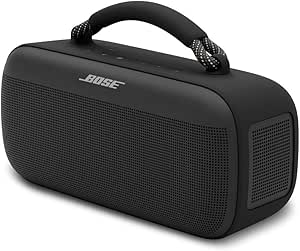
Bose SoundLink Max Portable Bluetooth Speaker, IP67 Waterproof, Black
As an affiliate, we earn on qualifying purchases.
Check your HVAC system and voice platform before buying
A voice assistant can connect to a thermostat only if the thermostat supports that platform, and the thermostat can control your home only if it fits your HVAC system and wiring. Those are separate compatibility checks. Confirm both with the manufacturer’s current guidance before you place an order.
For instance, a homeowner with a gas furnace and central air might find a model that works with a chosen speaker but still need to confirm its wiring requirements. A heat pump, electric baseboard system, or setup with multiple zones can call for different thermostat support. A familiar assistant name on the box does not guarantee that the unit can operate every type of heating and cooling equipment.
Use this checklist while comparing models:
- Identify your HVAC system and check the thermostat maker’s compatibility guide.
- Check your existing wiring against the model’s requirements; consult a qualified professional if it is unclear.
- Confirm the voice platform and the commands it supports.
- List required extras, such as a hub, speaker, app, subscription, or Wi-Fi connection.
Matter, a cross-brand smart-home standard, can improve interoperability for some devices. It does not mean every thermostat command or feature will work on every platform. If you want to say a specific phrase through a particular speaker, verify that exact setup in the current product specifications.
Use schedules and sensors to make comfort fit your day
Temperature scheduling and occupancy features let a thermostat change settings around the hours you are home, asleep, or away. Remote sensors can report temperatures in other rooms, while geofencing may use phone location to adjust the home setting. The available options differ by thermostat, app, and connected devices.
Imagine you leave for work at 8 a.m. and usually return at 5:30 p.m. A schedule could lower heating or cooling during the empty stretch and restore a comfortable setting before you arrive. If the upstairs bedroom runs warmer than the hallway, a remote sensor may help the system respond to conditions in that room at certain times.
There is a catch: a sensor normally measures a room’s temperature; it does not automatically give that room independent heating or cooling. True room-by-room control generally requires compatible zoning equipment. A family expecting a remote sensor to make a single-zone system cool only the nursery may be disappointed.
Voice control combine features can make these routines easier to adjust: use the app to build the schedule, then speak a quick change when plans shift. For example, if you stay home on a Wednesday, a spoken temperature adjustment can cover the afternoon, while the normal schedule resumes later. Treat automation as a helpful routine, not a substitute for checking what the system is doing.
Set realistic expectations for energy savings
A smart thermostat can help reduce unnecessary heating or cooling by changing the set point when you are away or asleep. It cannot promise a fixed reduction in your bill. Results depend on your climate, energy prices, insulation, HVAC equipment, household habits, and the schedule you choose.
Suppose you usually heat an empty house all day because you forget to turn the thermostat down. An away schedule may prevent hours of heating at the daytime comfort setting. If someone works from home, however, the house may need to stay comfortable through those same hours, leaving less room for automatic setbacks.
Think of scheduling as a dimmer switch for energy use: it can lower demand when conditions allow, but the result changes with the room and the people in it. A very aggressive setback may also feel uncomfortable when you return, or may not suit the heating system or household routine. Make modest adjustments, then compare usage over time instead of trusting a projected savings claim as a guarantee.
Remote adjustments with a phone app can be handy when a trip runs late or you realize the heat is still running after you leave. Those adjustments add convenience, but remote access typically depends on internet access and the service behind the app. For key facts for your decision, check whether the thermostat reports energy use and whether those reports show actual usage, estimates, or both.
Choose privacy settings you can live with
A thermostat with a built-in microphone may process voice requests locally or send them through a cloud service; the details vary by product. Before setup, check whether you can mute or disable the microphone, what voice data the company retains, and how account security and software updates work.
For example, you may be comfortable using a kitchen smart speaker for temperature changes but prefer a thermostat without a microphone in a bedroom. Another household may choose a built-in assistant for fewer devices, then use a physical mute control when voice features are not needed. The right choice depends on where the device sits and who shares the space.
Also consider who can control the thermostat through the account or connected voice platform. A shared household account can make things convenient, but review access when a roommate moves out or a guest device is removed. Use a strong, unique password where the service allows it, and install software updates offered by the manufacturer.
Privacy controls are part of everyday usability. A clear mute switch and settings you can understand make it easier to decide when the microphone is active. If the product page does not explain voice processing or data retention, check the privacy policy and support materials before bringing the device into a private room.
Plan for installation, Wi-Fi, and the occasional outage
Many smart thermostats are designed for DIY installation, but the right approach depends on the wiring and HVAC equipment already in your home. If you cannot confidently identify the wires or system type, hire a qualified HVAC professional. Electrical work can present shock risks; follow the manufacturer’s instructions, turn power off at the appropriate breaker before handling wiring, and use suitable protective equipment.
Picture replacing a thermostat on a Sunday afternoon and finding an extra wire that does not match the diagrams. That is a good point to stop and get qualified help rather than guessing. A wrong connection can damage equipment or leave heating and cooling unavailable when you need them.
Connected features also have limits. Basic heating or cooling may continue during a Wi-Fi outage, while voice commands, remote app access, and cloud features may stop working. Many models still allow manual changes at the thermostat itself, but offline behavior varies, so check the product documentation before relying on it.
Account for the full setup cost too: the thermostat, any required speaker or hub, possible professional installation, and optional services. One model may cost more at checkout but need no extra voice device; another may be less expensive yet depend on equipment you do not own. A blog article can point out these tradeoffs, but your wiring and system documentation should guide the final fit.
Frequently Asked Questions
Can I control any smart thermostat with Alexa, Google Assistant, or Siri?
No. Voice support varies by thermostat, assistant, and software version. Check the manufacturer’s current compatibility list and confirm that it supports the commands you plan to use.
Does voice control require a smart speaker?
Not always. Some thermostats have a built-in assistant, while others need a compatible speaker, display, phone, or home hub. Check what the specific model requires before comparing prices.
Can I install a smart thermostat myself?
Often, but it depends on your wiring and HVAC system. Follow the maker’s installation instructions, switch off power at the appropriate breaker before handling wiring, and contact a qualified professional if anything is unclear.
Will voice control work without Wi-Fi?
Usually, connected voice commands and remote app features need an internet connection. Basic heating or cooling and manual adjustments may continue, but check the model’s documented offline behavior.
Can a smart thermostat save money on energy bills?
It may help by reducing heating or cooling when the home is empty or people are asleep. The actual result depends on climate, energy rates, insulation, HVAC equipment, and how you use the schedule; no thermostat can guarantee a particular saving.
Do remote sensors let me control each room separately?
Usually not on their own. A remote sensor typically measures a room’s temperature so the thermostat can use that reading, while independent room control generally needs compatible zoning equipment.
Conclusion
Choose a thermostat that matches your HVAC system first, then confirm that its voice platform, privacy settings, sensors, and app fit your routine. Voice control is most useful when it makes ordinary changes easier without leaving you guessing about what the system can do.
Before you buy, check the wiring guide and say the commands you expect to use out loud. The best setup is the one that keeps your home comfortable with a simple word—and still works when the Wi-Fi goes quiet.