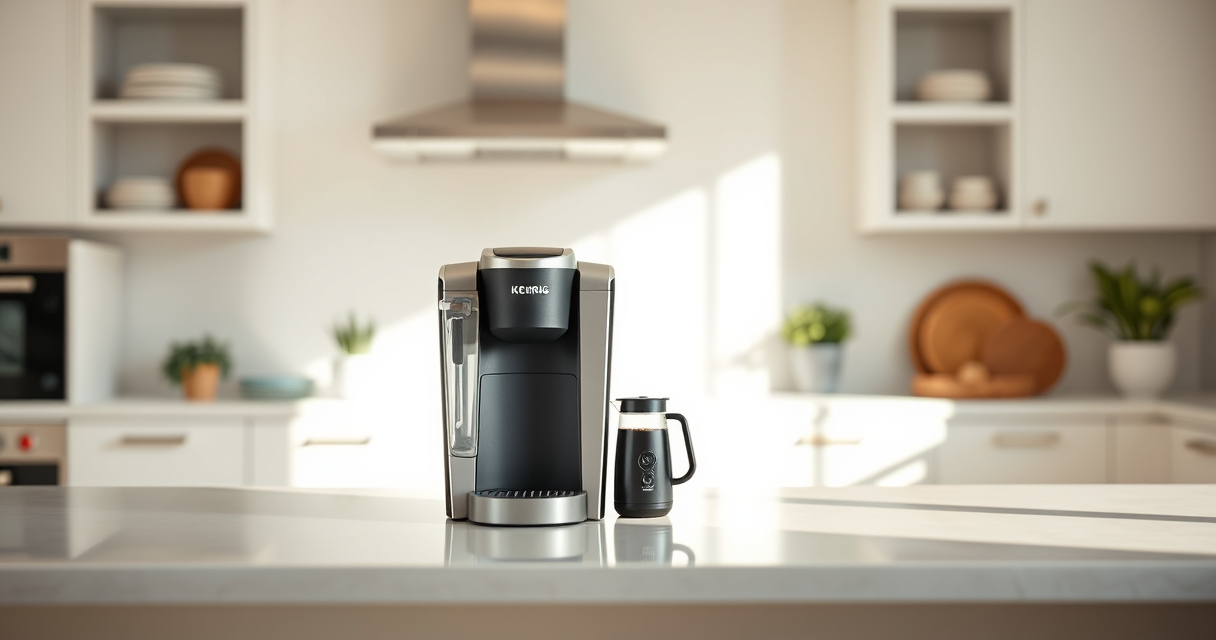

If your Keurig K-Mini Single Serve Coffee Maker isn’t turning on, it can be frustrating, especially when you need your morning brew. Sometimes, the issue is simple to fix, and other times it requires a bit of troubleshooting. This guide walks you through practical, step-by-step solutions to help you get your coffee maker back in action safely and efficiently.
Before diving into complex fixes, ensure your device is properly connected and free of any obvious issues. Let’s explore the common causes and straightforward remedies to resolve the problem.
Key Takeaways
| Power supply issues | Check the outlet and power cord for proper connection. |
| Internal blockages or mineral buildup | Descaling and cleaning may be necessary. |
| Faulty power button or internal components | Inspect and consider professional repair if needed. |
| Water reservoir or sensor issues | Ensure water reservoir is correctly positioned and filled. |

Keurig K-Mini Single Serve K-Cup Pod Coffee Maker, 6 to 12oz Brew size, with Cord Storage, Perfect for Small Spaces, Black
FITS ANYWHERE: Less than 5 inches wide, perfect for small spaces.
As an affiliate, we earn on qualifying purchases.
Check the Power Connection
- Ensure the coffee maker is plugged into a working electrical outlet. Test the outlet with another device to confirm power.
- Inspect the power cord for any visible damage or fraying. Replace if damaged.
- Make sure the power switch on the unit is fully pressed or toggled on.
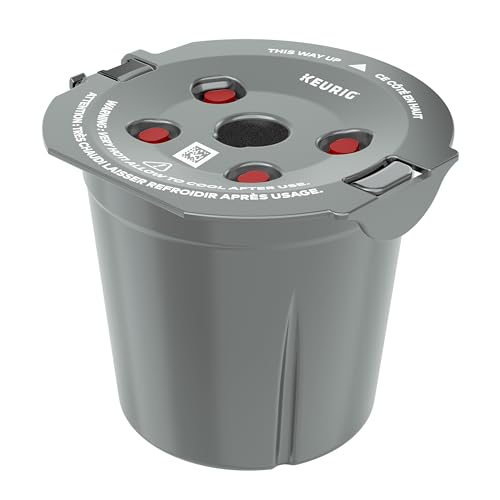
My K-Cup® Reusable Coffee Filter
BREW WITH GROUND COFFEE: Brew a single cup using your own favorite ground coffee
As an affiliate, we earn on qualifying purchases.
Verify the Water Reservoir and Placement
- Remove the water reservoir and refill it with fresh, cold water. Reinstall it securely.
- Check that the reservoir is properly seated on the machine; misalignment can prevent power from registering.
Reset the Coffee Maker
- Unplug the Keurig for at least 30 seconds to reset electronics.
- While unplugged, clean the area around the power button and reset any internal sensors.
- Plug the unit back in and press the power button to see if it turns on.
Clean and Descale the Machine
- Mineral buildup can cause internal faults. Use a descaling kit or a mixture of white vinegar and water (follow the descaling instructions for your model).
- Run a descaling cycle or a hot water brew without a coffee pod.
Inspect for Internal or Mechanical Faults
If the above steps don’t work, the internal power button or circuit board might be faulty. In such cases, professional repair or contacting Keurig customer service is recommended.
The Products in This Guide

Keurig K-Mini Single Serve K-Cup Pod Coffee Maker
- ✔ Width: Less than 5 inches
- ✔ Brew Size: 6-12oz
- ✔ Auto Off: Yes

My K-Cup® Reusable Coffee Filter
- ✔ Material: Plastic
- ✔ Capacity: Single cup
- ✔ Compatibility: Keurig models
Keurig K-Mini Single Serve K-Cup Pod Coffee Maker
The Keurig K-Mini Single Serve K-Cup Pod Coffee Maker is a sleek, space-saving device perfect for small kitchens, offices, or dorms. Its simple design and quick brewing make it a popular choice, but like all electronics, it can encounter power issues which are often easy to troubleshoot.
Pros:
- Compact design fits small spaces
- Fast brew times
- Easy to use and clean
- Removable drip tray
Cons:
- Limited to single cup brewing
- No on/off switch (power button only)
- Can be sensitive to power fluctuations
Best for: Small spaces and quick, single servings
Not ideal for: Users needing a larger capacity or advanced features
Bottom line: A compact, reliable coffee maker ideal for small spaces and quick brews.
My K-Cup® Reusable Coffee Filter
If you prefer brewing with ground coffee, the My K-Cup Reusable Coffee Filter is a fantastic addition. It allows you to enjoy your favorite ground blends using your Keurig, offering flexibility and cost savings.
Pros:
- Reusable and eco-friendly
- Compatible with Keurig models
- Brews full-flavor coffee
- Easy to clean
Cons:
- Requires filling manually
- May need regular cleaning
- Not compatible with all models
Best for: Brewing ground coffee and reducing waste
Not ideal for: If you prefer pre-packaged K-Cups only
Bottom line: A convenient, eco-friendly way to brew your favorite ground coffee with Keurig.
Frequently Asked Questions
Why won’t my Keurig K-Mini turn on?
Common causes include power supply issues, internal faults, or a problem with the power button. Follow troubleshooting steps to check the outlet, reset the machine, or clean internal parts.
How do I reset my Keurig K-Mini?
Unplug the unit for at least 30 seconds, then plug it back in and press the power button. This often resets internal electronics and resolves minor glitches.
Can mineral buildup cause my Keurig not to turn on?
Yes, mineral deposits from hard water can affect internal sensors and electronics. Regular descaling can prevent this issue.
Is it safe to clean my Keurig with vinegar?
Yes, using a mixture of white vinegar and water for descaling is safe and effective when followed by a thorough rinse cycle.
Get Your Keurig Brewing Again with Simple Fixes
Most issues with a Keurig K-Mini not turning on are related to power or mineral buildup and can be fixed with straightforward troubleshooting. Always start by checking the power source and water reservoir, then proceed to resetting and cleaning your machine. If problems persist, professional repair may be necessary. Keeping your Keurig well-maintained ensures it works reliably and brews delicious coffee every time.
Affiliate disclosure: As an Amazon Associate we earn from qualifying purchases. Prices and availability are accurate as of the time of publishing.