After a power outage, you should start by checking your thermostat to guarantee it’s set to your preferred temperature and functioning properly. Inspect other smart devices for operational status and recalibrate if needed. Look at surge protectors and appliances for any signs of malfunction. Don’t forget to troubleshoot any connectivity issues and monitor your air quality. These steps are essential for restoring your smart climate setup. Want to discover each step in detail?

Get home appliances delivered free with Prime
- Fast, free delivery on millions of items
- Prime Video, Amazon Music and more included
- Member-only deals all year
Key Takeaways
- Inspect the thermostat to ensure it’s functioning and set to the desired temperature after power restoration.
- Check all smart devices for operational status and recalibrate if necessary to ensure synchronization.
- Examine surge protectors for tripped circuits and reset any appliances that were in use before the outage.
- Troubleshoot connectivity issues for devices not reconnecting to Wi-Fi, ensuring they are visible on the network.
- Monitor air quality readings from smart devices and run air purifiers to maintain optimal indoor air quality.

After a power outage, it’s vital to check a few key areas to confirm your home is safe and functional again. First off, you’ll want to inspect your smart climate setup. Power outages can disrupt your temperature settings, leaving your home uncomfortably warm or cold. As soon as the power returns, check your thermostat to verify it’s back online and set to your preferred temperature. If it doesn’t seem to respond, a thermostat reset might be necessary.
Inspect your smart climate setup after a power outage to ensure your thermostat is functioning and set to your preferred temperature.
Next, you should assess device functionality. Sometimes, smart devices can lose their programming during an outage. Go through each piece of equipment, from your smart thermostat to air purifiers, and confirm they’re operating normally. You might need to recalibrate your system to get everything back in sync. This step is essential for maintaining energy usage efficiency. An uncalibrated system can lead to unnecessary energy consumption, which isn’t just wasteful but can also increase your bills.
Don’t forget to evaluate equipment safety as well. During a power outage, surge protectors can trip, and appliances might be at risk of damage if they aren’t properly reset. Check for any signs of malfunction or overheating, especially in devices that were in use just before the outage. Keeping an eye on this can prevent future costs and potential hazards. Additionally, inspecting your electrical system can help identify any hidden issues caused by the outage. It’s also a good idea to review your home wiring to ensure everything is intact and functioning correctly.
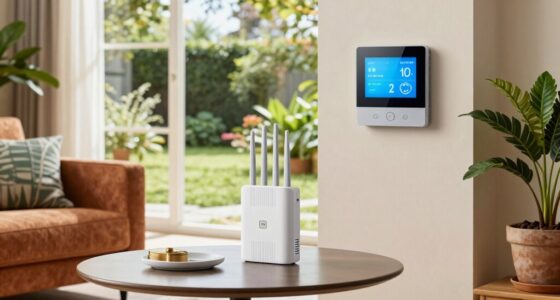
Connectivity issues can also arise after an outage. Your smart home devices may not reconnect to Wi-Fi automatically. Make sure to troubleshoot and reconnect any devices that aren’t showing up on your network. This is particularly important for maintaining air quality since many smart air purifiers and HVAC systems rely on constant internet connectivity for peak performance. Additionally, verifying your network’s stability can help prevent ongoing communication issues with your devices.
Lastly, assess the air quality in your home. If your smart air quality monitor isn’t functioning correctly, it could lead to an unhealthy environment. Once all systems are back online, monitor the readings to verify everything is operating as it should. Proper indoor air quality is crucial for health and comfort, especially after disruptions like power outages. If you notice any irregularities, consider running your air purifier at a higher setting until things stabilize.
As an affiliate, we earn on qualifying purchases.
Frequently Asked Questions
Will My Smart Devices Automatically Reconnect After a Power Outage?
Yes, your smart devices usually reconnect automatically after a power outage, but it can depend on the specific device. Most smart devices are designed to handle outage recovery efficiently, resuming normal operation once power returns. However, some may require you to manually restart them or check their settings. It’s a good idea to keep an eye on your devices after an outage to guarantee everything’s functioning as it should.
How Can I Reset My Smart Thermostat if It Malfunctions?
If your smart thermostat malfunctions, start with thermostat troubleshooting by power cycling it. Unplug the device or turn off the circuit breaker, wait a minute, then restore power. This often resets your thermostat. If it still doesn’t work, check your Wi-Fi connection and verify the app is updated. Sometimes, a factory reset might be necessary, so consult the user manual for specific instructions. You’ve got this!
Are There Any Risks to Using Smart Devices During a Power Surge?
Using smart devices during a power surge can be like inviting a tornado into your living room! The risks are real, as surge protection isn’t always foolproof. Your devices’ sensitivity can make them vulnerable to damage, leading to costly repairs or replacements. It’s best to disconnect your smart devices during storms or outages. Consider investing in surge protectors to shield your tech and keep your home safe from unexpected electrical chaos!
Can I Remotely Control My Devices During a Power Outage?
You can’t remotely control your devices during a power outage. When the power’s out, your smart devices lose connectivity, so remote access isn’t possible. Once power restoration occurs, your devices should reconnect to the network, allowing you to manage them again. It’s a good idea to check your settings and verify everything’s functioning properly after the outage. In the meantime, consider backup power solutions to maintain control during future outages.
How Do I Protect My Smart Setup From Future Outages?
To protect your smart setup from future outages, invest in a reliable battery backup and surge protection. A battery backup keeps your devices running during an outage, guaranteeing you maintain control. Surge protection shields your equipment from voltage spikes when power returns. By combining these solutions, you safeguard your smart home, enhance its resilience, and secure uninterrupted service. Don’t wait for the next outage; take proactive steps for peace of mind today!
As an affiliate, we earn on qualifying purchases.
Conclusion
After a power outage, it’s vital to guarantee your smart climate setup is back on track. Double-check your devices, reset any schedules, and confirm your thermostat’s settings. Don’t forget to assess any potential damage to your equipment. Isn’t it reassuring to know that a few quick checks can help restore your comfort? By staying proactive, you can enjoy a seamless return to your ideal climate in no time.
As an affiliate, we earn on qualifying purchases.
As an affiliate, we earn on qualifying purchases.
Fall Picks
fall essentials
As an affiliate, we earn on qualifying purchases.