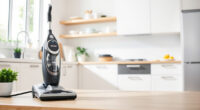
Congratulations on your new Dyson V15 Detect™ Origin Cordless Vacuum! Setting up your new vacuum properly ensures it performs at its best and lasts longer. This guide provides clear, practical steps to assemble, configure, and troubleshoot your Dyson V15, so you can enjoy deep cleaning with confidence.

Get home appliances delivered free with Prime
- Fast, free delivery on millions of items
- Prime Video, Amazon Music and more included
- Member-only deals all year
Whether you’re new to Dyson or upgrading from a different model, these instructions will help you get started quickly and safely. Read through each step carefully, follow safety tips, and you’ll be ready to tackle dirt, dust, and pet hair in no time.
Key Takeaways
| Powerful Cleaning | The Dyson V15 Detect offers 100% more power and intelligent debris detection. |
| Long Battery Life | Up to 60 minutes of run time with advanced power modes. |
| Easy Assembly | Simple steps to assemble and configure your vacuum securely. |
| Maintenance Alerts | LCD screen displays real-time performance and maintenance needs. |
| Versatile Attachments | Includes cleaner heads and crevice tools for all cleaning tasks. |
Unboxing and Inspecting Your Dyson V15 Detect™ Origin
Begin by carefully unboxing your Dyson V15 Detect™ Origin. Check the package contents against the included list: the main vacuum body, two advanced cleaner heads (the Fluffy Optic and Digital Motorbar), a crevice tool, and a charging station. Ensure all parts are present and undamaged. It’s a good idea to inspect each component for any visible defects before proceeding.
Lay out all parts on a clean, flat surface. Read any included instructions or manuals to familiarize yourself with the parts and safety warnings. This initial step helps prevent missing components and sets the stage for a smooth setup process.
Assembling the Vacuum
- Attach the Cleaner Head: Connect your preferred cleaner head (either Fluffy Optic or Digital Motorbar) to the main wand. Align the connectors and push until you hear a click, indicating a secure fit.
- Connect the Wand: Insert the wand into the main body of the vacuum until it clicks into place. Make sure the connection is tight and secure for optimal operation.
- Install the Crevice Tool: For detailed cleaning, attach the crevice tool to the wand or directly to the main body if needed. It’s useful for tight corners, edges, and hard-to-reach spots.
Once assembled, double-check all connections are secure. Your vacuum is now ready for initial charging and configuration.
Charging Your Dyson V15 Detect™
Place the vacuum on its charging station. The V15 Detect™ features a built-in battery that requires charging before first use. The LCD screen will display the charging status. It typically takes around 4 hours to fully charge from empty.
During charging, the vacuum’s LCD screen may show the remaining charging time or status indicators. Once fully charged, the vacuum’s battery indicator will show a full charge, and the vacuum is ready for operation.
For safety, avoid charging in damp or wet areas and keep the charging station away from direct sunlight or heat sources.
Powering On and Configuring Your Vacuum
Press the power trigger to turn on the vacuum. The LCD screen will light up, displaying debris detected, remaining run time, and selected power mode. Use the power mode button to choose between Eco, Auto, or Boost modes depending on your cleaning needs.
Familiarize yourself with the LCD features: it shows total debris picked up, maintenance alerts, and battery status. Adjust the power settings as needed, and ensure the vacuum is functioning smoothly before starting your cleaning session.
Routine Maintenance and Troubleshooting
Regular maintenance keeps your Dyson V15 Detect™ performing optimally. Clean the pre-filters every 2-3 months by rinsing them with water and allowing them to air dry completely. Replace filters if they show signs of damage or excessive dirt buildup.
If the vacuum’s suction seems weak, check for blockages in the wand, cleaner head, or crevice tool. Ensure the filters are clean and properly installed. The LCD will display maintenance alerts if filters need replacing or other issues arise.
For troubleshooting, consult the LCD screen for specific alerts or error codes. Restart the vacuum or perform a reset by turning it off and on again if needed.
Additional Tips for Optimal Use
- Use the Crevice Tool: Ideal for tight spaces and corners, attach it to the wand for detailed cleaning.
- Switch Cleaner Heads: Use the Fluffy Optic for hard floors and the Motorbar for carpets and deep cleaning.
- Battery Preservation: Avoid letting the battery fully deplete frequently; recharge when the battery indicator shows low power.
- Storage: Keep the vacuum in a dry, clean place, and detach the wand if storing for long periods.
Following these tips will extend your vacuum’s lifespan and enhance cleaning efficiency.
The Products in This Guide

Dyson V15 Detect™ Origin Cordless Vacuum
- ✔ Weight: Approx. 6.8 lbs
- ✔ Run Time: Up to 60 minutes
- ✔ Charging Time: Up to 4 hours

LANMU Crevice Tool Vacuum Attachments Compatible
- ✔ Compatibility: Multiple Dyson models
- ✔ Length: Approx. 18 inches
- ✔ Material: High-strength plastic
Dyson V15 Detect™ Origin Cordless Vacuum
The Dyson V15 Detect™ Origin offers powerful suction, intelligent debris detection, and versatile cleaning options. Its LCD screen provides real-time feedback, making it easy to maintain and optimize for different surfaces. Ideal for whole-home cleaning, pet owners, and anyone seeking a reliable cordless vacuum.
Pros:
- Powerful 100% more suction
- Intelligent debris detection
- Long 60-minute runtime
- Multiple cleaning heads
- LCD screen with real-time info
Cons:
- Heavier than some cordless models
- Requires regular filter cleaning
- Higher price point
Best for: Deep cleaning, pet hair, hard-to-reach spaces
Not ideal for: Light, quick clean-ups or small apartments
Bottom line: A powerful, intelligent vacuum suitable for comprehensive home cleaning.
LANMU Crevice Tool Vacuum Attachments Compatible
The LANMU Crevice Tool Vacuum Attachments are perfect for reaching tight spots and detailed cleaning around your Dyson V15. Their slim and flexible design allows effortless navigation into small corners and hard-to-reach areas, enhancing your cleaning versatility.
Pros:
- Narrow nozzle for tight spaces
- Compatible with multiple Dyson models
- Easy to attach and detach
- Durable build
Cons:
- May be too narrow for larger debris
- Requires additional storage space
- Not suitable for heavy-duty cleaning
Best for: Cleaning edges, corners, car interiors
Not ideal for: Large debris or deep carpet cleaning
Bottom line: Enhance your Dyson cleaning with this versatile crevice tool.
Frequently Asked Questions
How often should I replace the filters in my Dyson V15?
It’s recommended to wash the filters every 2-3 months and replace them if they show signs of damage or excessive dirt buildup, typically every 6-12 months.
Can I use any third-party attachments with my Dyson V15?
Only attachments designed to be compatible with Dyson V15 and similar models should be used to ensure proper fit and function. The LANMU crevice tool is a recommended compatible accessory.
What should I do if my vacuum has weak suction?
Check for clogs in the wand, cleaner head, and crevice tools. Clean or replace filters if dirty, and ensure all connections are secure. Refer to the LCD alerts for specific maintenance needs.
How long does the battery last on a full charge?
The Dyson V15 Detect™ offers up to 60 minutes of run time on a full charge, depending on the power mode used.
Is the Dyson V15 suitable for hard floors and carpets?
Yes, it comes with two advanced cleaner heads: the Fluffy Optic for hard floors and the Digital Motorbar for carpets and deep cleaning.
Start Your Deep Clean with Confidence
With proper setup, your Dyson V15 Detect™ Origin Cordless Vacuum is ready to deliver powerful, intelligent cleaning across your home. Regular maintenance and using the right attachments will ensure your vacuum performs optimally for years to come. Enjoy effortless cleaning and a healthier living space with your new Dyson!
Affiliate disclosure: As an Amazon Associate we earn from qualifying purchases. Prices and availability are accurate as of the time of publishing.