
To connect your smart thermostat to Home Assistant or open-source platforms, start by ensuring your device is Wi-Fi-connected and compatible with protocols like MQTT, Zigbee, or Z-Wave. Access the platform’s interface via app or web, then locate device integration options. Follow step-by-step guides to add your thermostat, entering credentials or scanning QR codes for security. Once connected, explore automation and customization features. Keep going to discover how to optimize your home’s comfort and energy efficiency even further.
Key Takeaways
- Verify device compatibility and ensure the smart thermostat supports protocols like MQTT, Zigbee, or Z-Wave for integration.
- Use the platform’s device integration options to connect the thermostat via QR code, credentials, or network discovery.
- Configure device settings, automations, and monitor real-time data through the platform’s user-friendly interface.
- Leverage open-source community plugins and add-ons to extend functionality and customize energy-saving features.
- Utilize mobile apps or dashboards for remote control, troubleshooting, and optimizing thermostat performance.
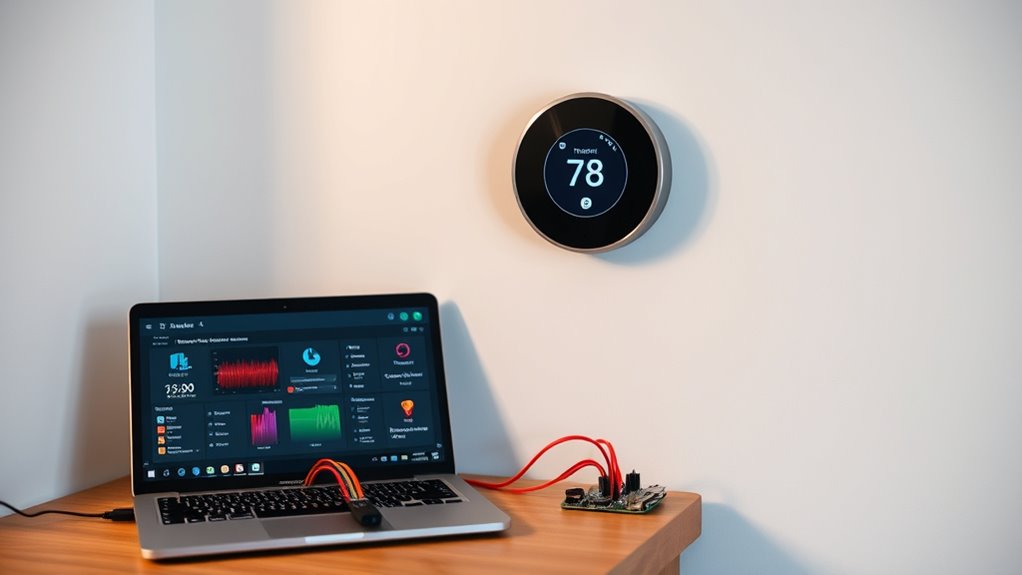
Connecting smart thermostats is a straightforward process that can substantially enhance your home’s comfort and energy efficiency. When you integrate your thermostat with home automation platforms like Home Assistant or open-source alternatives, you gain more control over your heating and cooling systems. This integration allows you to customize settings, automate routines, and monitor energy usage, leading to better energy efficiency and cost savings. The key to a successful connection lies in understanding the user interface of your chosen platform, which acts as the control center for your smart device. A clear, intuitive user interface makes it easier to configure, troubleshoot, and optimize your thermostat’s performance.
Most smart thermostats come with built-in Wi-Fi capabilities, enabling seamless communication with your home network. To connect it to Home Assistant or other platforms, you typically start by ensuring your device is powered on and connected to Wi-Fi. Then, you access the platform’s interface—often through a web browser or mobile app—and locate the device integration options. Many smart thermostats support popular protocols like MQTT, Zigbee, or Z-Wave, which your platform needs to recognize. You’ll usually need to input credentials or scan QR codes to establish a secure connection. As you do this, the user interface guides you step-by-step, simplifying what might seem complex at first. Additionally, understanding sound healing science can inspire creative ways to incorporate calming sounds into your smart home environment.
Once connected, you’ll want to explore the platform’s configuration options. The user interface of Home Assistant, for example, offers a dashboard where you can see real-time data from your thermostat, adjust temperature settings, and set automation rules. This visual feedback helps you understand your energy consumption patterns and identify opportunities for increased efficiency. You can create routines that adjust the temperature based on time of day, occupancy, or external weather conditions—saving energy without sacrificing comfort. With a well-designed user interface, you can easily tweak these settings, test different scenarios, and see immediate results.
Another advantage of connecting your smart thermostat to open-source platforms is the ability to customize and extend its functionality beyond basic features. Open-source communities often develop plugins and add-ons that enhance energy management capabilities, all accessible through straightforward interfaces. This flexibility empowers you to fine-tune your system for maximum energy efficiency, ensuring your home remains comfortable while minimizing waste. Plus, many platforms offer mobile apps, so you can control and monitor your thermostat remotely, all through a simple, user-friendly interface.
Frequently Asked Questions
Which Smart Thermostats Are Compatible With Open Source Platforms?
Many smart thermostats are compatible with open source platforms like Home Assistant, especially those supporting custom integrations and open firmware. Devices like Nest, Ecobee, and Tado often require community plugins or custom firmware updates to guarantee seamless device compatibility. You should regularly check firmware updates, as they can enhance compatibility and add features, making it easier to connect your thermostat to open source platforms and maintain long-term functionality.
How Secure Is the Connection Between Smart Thermostats and Home Assistant?
Think of your connection as a fortress guarding your home. When you connect your smart thermostat to Home Assistant, robust encryption protocols like TLS shield your data, ensuring it stays private. While no system is infallible, using strong passwords and keeping software updated greatly enhances security. This setup offers a secure bridge, so you can manage your thermostat confidently, knowing your data privacy is well protected.
Can I Control Multiple Thermostats With a Single Platform?
Yes, you can control multiple thermostats with a single platform. Most platforms support multi-thermostat control, allowing you to manage each device individually or set group controls. However, be aware of platform integration challenges, such as compatibility issues or syncing problems between thermostats. To guarantee smooth operation, choose a platform that explicitly supports multi-thermostat control and regularly updates for peak performance.
What Are the Troubleshooting Steps for Connection Issues?
Ever wondered why your thermostat isn’t connecting properly? First, check for firmware updates to make certain your device is current. Then, look for signal interference from other electronics or Wi-Fi devices that might disrupt the connection. Restart your thermostat and router to refresh the network. Confirm that your Wi-Fi signal is strong and stable. These steps typically resolve most connection issues quickly and effectively.
Are There Any Privacy Concerns When Integrating Thermostats?
You should consider privacy concerns when integrating thermostats, especially regarding data encryption and user privacy. Make certain the platform uses strong data encryption to protect your information from unauthorized access. Be aware of what data is collected, stored, and shared, and review privacy policies. By understanding these factors, you can better safeguard your personal data and maintain control over your privacy while enjoying the convenience of smart thermostat integration.
Conclusion
So, now you’re all set to turn your smart thermostat into the ultimate home dictator. Just imagine, controlling your comfort with a few clicks—no more arguing over the thermostat. Who needs warmth or coolness, right? Just embrace the power of open-source freedom, and let your house stay perfectly unpredictable. After all, why settle for a cozy home when you can have the thrill of constant technological chaos? Happy tinkering!