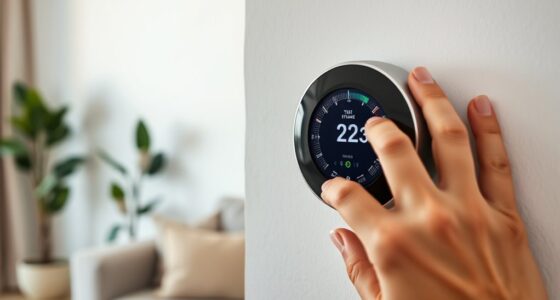
To set up voice control with your smart thermostat, first make certain it’s compatible with your preferred voice assistant like Alexa, Google Assistant, or Siri. Then, download the appropriate app, connect your thermostat to Wi-Fi, and link it to your voice platform within the app. Customize commands and test the system for responsiveness. If you follow these steps, you’ll soon enjoy seamless voice control—stay tuned to learn more tips to optimize your setup.
Key Takeaways
- Verify your smart thermostat supports voice control and is compatible with your voice assistant platform.
- Download and set up the relevant app (Alexa, Google Home, Apple HomeKit) and connect the thermostat to Wi-Fi.
- Link the thermostat to your voice assistant within the app and ensure a stable Wi-Fi connection for responsiveness.
- Customize voice commands by assigning names or wake words, and test for accurate recognition.
- Thoroughly test voice commands and recheck connections to ensure seamless integration and optimal performance.
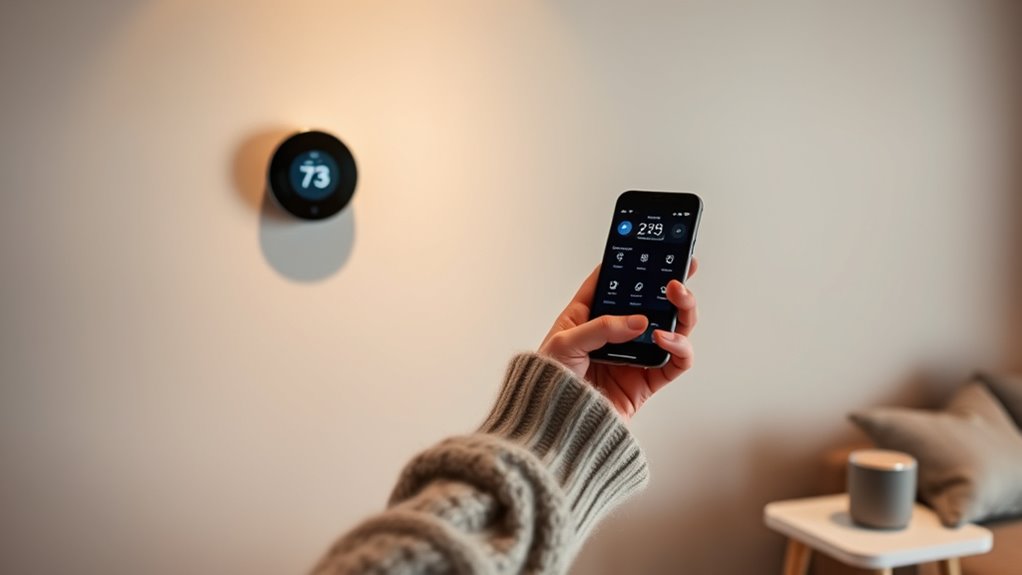
Voice control has become a popular feature in smart thermostats, allowing you to adjust your home’s climate quickly and effortlessly. To harness this convenience, you need to understand the essentials of voice command setup. First, verify your smart thermostat supports voice control features. Many devices work seamlessly with popular voice assistants like Amazon Alexa, Google Assistant, or Apple Siri, but not all are compatible. Checking compatibility considerations before purchasing or setting up your device saves you time and frustration later.
Once you’ve confirmed compatibility, the setup process typically involves linking your smart thermostat to your chosen voice assistant platform. This often starts with downloading the corresponding app—be it the Alexa app, Google Home, or Apple HomeKit—and creating an account if you haven’t already. Follow the app’s instructions to add your thermostat as a new device. During this process, you’ll need to connect your thermostat to your Wi-Fi network, ensuring a strong and stable connection. A reliable network is vital for responsive voice commands, so consider placing your router in a central location to minimize lag or disconnection issues.
Link your thermostat to the app and connect it to Wi-Fi for reliable voice control.
After pairing your thermostat with your voice assistant, you’ll want to customize voice command settings. This involves assigning a name or specific wake word for your device, making it easier to activate with voice commands. For example, saying “Hey Google, set the temperature to 72 degrees” should work smoothly once everything is linked properly. To improve accuracy, some platforms allow you to train the system by repeating commands or adjusting sensitivity settings.
Compatibility considerations extend beyond just the voice assistant platform. Double-check whether your smart thermostat integrates well with other smart home devices you own. For example, if you have a smart home hub or other connected devices, ensure they can communicate with your thermostat through the same platform. This integration allows for more complex voice commands, like “When I arrive home, turn on the heat to 70 degrees,” which can involve multiple devices working together seamlessly.
Finally, test your voice command setup thoroughly. Try various phrases and commands to ensure your thermostat responds as expected. If it doesn’t, revisit the setup steps, recheck compatibility, and adjust settings as needed. Properly configuring voice control not only makes managing your home’s climate easier but also enhances your overall smart home experience.
Frequently Asked Questions
Can Voice Control Be Used With Multiple Smart Thermostats Simultaneously?
Yes, you can use voice control with multiple smart thermostats simultaneously. Many smart home systems support multi-thermostat synchronization, allowing you to manage all your devices with a single command. This enables seamless multi-room voice control, so you can adjust temperatures across different zones effortlessly. Just guarantee your system is compatible with multi-room setups and voice assistants, and you’ll enjoy unified control over all your thermostats at once.
What Privacy Concerns Are Associated With Voice-Controlled Thermostats?
When using voice-controlled thermostats, you should be aware of voice data security and user privacy risks. Your voice commands are often stored and processed in the cloud, which could expose sensitive information if not properly secured. Always review privacy settings, choose devices with strong security measures, and be cautious about sharing personal details through voice commands. Protecting your data helps prevent unauthorized access and maintains your privacy.
How Do I Troubleshoot Voice Recognition Issues With My Thermostat?
You notice your thermostat isn’t responding, so start by checking the microphone placement—make sure nothing blocks it, like a thick cover or dust. Then, redo the voice training, speaking clearly and slowly to help the system recognize your commands. Imagine your voice as a gentle breeze, guiding the thermostat smoothly. Adjust the microphone if needed, and repeat the process until your voice commands feel like second nature to your device.
Are There Compatibility Issues With Different Smart Home Ecosystems?
You might face compatibility issues if your smart thermostat doesn’t support certain third-party integrations or ecosystem platforms. To prevent this, check your thermostat’s compatibility with your smart home system before purchasing. Keep firmware updates current, as they often improve compatibility and add new features. Regular updates ensure seamless integration, and consulting the manufacturer’s compatibility list helps you determine if your ecosystem is supported for smooth voice control.
Can Voice Commands Override Manual Thermostat Settings?
Think of voice commands as a gentle whisper in a busy room—they can influence your thermostat, but they might not always have the final say. Voice command limitations mean manual override concerns remain; you can usually override voice control manually at any time. So, while voice commands can adjust your settings effortlessly, your manual adjustments always hold the power to take priority, ensuring you stay in control amidst the digital symphony.
Conclusion
Now that you’ve set up voice control with your smart thermostat, you’ll find managing your home feels like conducting an orchestra with a simple command. It’s seamless, intuitive, and puts comfort at your fingertips—no more fiddling with buttons or screens. Just speak, relax, and enjoy the harmony of a perfectly tuned environment. With this setup, your home becomes a symphony of convenience, where every note is played effortlessly, making daily life smoother and more enjoyable.