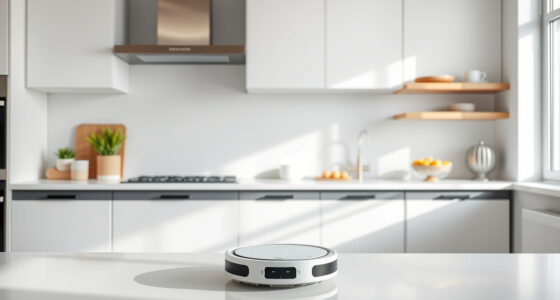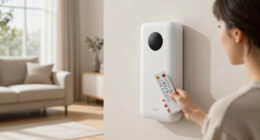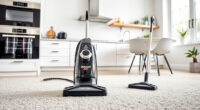
Connecting your Roborock Q7 M5+ Robot Vacuum and Mop to WiFi is essential for app control and smart home integration. If your device won’t connect, it can disrupt your cleaning routine and cause frustration. This guide provides practical, step-by-step solutions to resolve WiFi connection problems effectively.
Follow these instructions carefully to troubleshoot common causes, and get your Roborock back online with confidence.
Key Takeaways
| Check WiFi Compatibility | Ensure your network meets Roborock’s requirements. |
| Restart Devices | Reboot your WiFi router and the vacuum for a fresh connection. |
| Update Firmware | Keep the Roborock app and firmware up-to-date. |
| Reset Network Settings | Reset WiFi on the vacuum and reconnect. |
| Proximity Matters | Place the vacuum close to the router during setup. |

roborock Q7 M5+ Robot Vacuum and Mop, Upgraded from Q5 Max+, Up to 7-9 Weeks Self-Empty, 10000Pa Suction, Dual Anti-Tangle System for Pet Hair & Carpet, PreciSense LiDAR Navigation, App Control, Black
𝗨𝗽 𝘁𝗼 𝟳-𝟵 𝗪𝗲𝗲𝗸𝘀 𝗛𝗮𝗻𝗱𝘀 𝗙𝗿𝗲𝗲 𝗖𝗹𝗲𝗮𝗻𝗶𝗻𝗴: With a 2.7L sealed dust bag, the RockDock Plus efficiently collects...
As an affiliate, we earn on qualifying purchases.
Verify Your WiFi Network
- Ensure your WiFi network is 2.4GHz, as Roborock devices typically do not support 5GHz networks.
- Check that your WiFi password is correct and that the network is operational.
- Make sure your router is not blocking the device via MAC filtering or firewall settings.

4 Pack Washable Filter For Roborock Q5 Pro/Pro+(Plus)/ Max+(Plus)/ DuoRoller+, Q7/ Q7+, Q7 Max/Max+, Q8 Max/Max+ Robot Vacuum Cleaner Accessories Replacement Part True HEPA Filter For Robotic
Compatible Models: The True HEPA washable filter replacement parts are compatible with Roborock Q7, Q7+(Plus), Q7 Max, Q7...
As an affiliate, we earn on qualifying purchases.
Restart Your Devices
- Power off your WiFi router and wait for 30 seconds before turning it back on.
- Reboot your Roborock vacuum by turning it off and on again.
- Open the Roborock app and try reconnecting.
Update Firmware and App
- Open the Roborock app and check for firmware updates for your vacuum.
- Update the app to the latest version from your app store.
- Follow prompts to complete any firmware updates.
Reset Network Settings on the Vacuum
- Navigate to the vacuum’s settings via the Roborock app.
- Select the option to reset network settings or WiFi.
- Follow instructions to reconnect your device to WiFi.
Optimize Placement and Connection
- Place the vacuum within 3-5 feet of your WiFi router during setup.
- Avoid obstacles and interference from thick walls or electronic devices.
- Ensure your phone or tablet is connected to the same WiFi network during setup.
The Products in This Guide

roborock Q7 M5+ Robot Vacuum and Mop
- ✔ Dust Capacity: 2.7L
- ✔ Cleaning Cycles: 7-9 weeks
- ✔ Color: Black

4 Pack Washable Filter
- ✔ Filter Material: HEPA
- ✔ Number of Filters: 4
- ✔ Washable: Yes
roborock Q7 M5+ Robot Vacuum and Mop
The Roborock Q7 M5+ Robot Vacuum and Mop offers powerful suction, advanced navigation, and a self-emptying dock, making it a top choice for smart home cleaning.
Pros:
- Up to 7-9 weeks of self-emptying capacity
- 10000Pa suction power
- PreciSense LiDAR navigation
- App control for convenience
Cons:
- Higher price point
- Requires stable WiFi connection for full features
- Limited to 2.4GHz WiFi networks
Best for: Homeowners seeking a high-performance, low-maintenance robot vacuum with app connectivity.
Not ideal for: Users with inconsistent WiFi or those needing a budget-friendly option.
Bottom line: A smart, powerful cleaning robot ideal for busy households with stable WiFi.
4 Pack Washable Filter
This 4-pack washable HEPA filters is compatible with various Roborock models including Q7, Q7+, and Max+, ensuring your vacuum maintains peak performance.
Pros:
- Effective HEPA filtration
- Reusable and washable
- Easy to install
- Compatible with multiple models
Cons:
- Requires regular cleaning
- Not OEM but high quality
Best for: Owners who want to keep their vacuum’s filtration system fresh and effective.
Not ideal for: Users seeking OEM parts or with very specific filtration needs.
Bottom line: A cost-effective way to keep your vacuum’s filtration system in top shape.
Frequently Asked Questions
Why won’t my Roborock connect to WiFi?
Possible causes include incompatible network settings, weak signal, incorrect WiFi password, or firmware issues. Follow the troubleshooting steps to resolve.
Can I connect the Roborock to a 5GHz WiFi network?
Most Roborock models, including the Q7 M5+, are designed to work with 2.4GHz WiFi networks. Check your router settings to ensure compatibility.
How do I reset my Roborock’s WiFi connection?
Access the device settings via the app, select ‘Reset Network’ or similar, then follow prompts to reconnect to your WiFi network.
What should I do if the app still can’t find the vacuum?
Ensure your phone is on the same WiFi network, restart the app, reboot your router and vacuum, and try reconnecting again.
Getting Your Roborock Back Online
WiFi connection issues with Roborock are common but usually straightforward to resolve. By verifying your network, restarting devices, updating firmware, and ensuring proper placement, you can restore your vacuum’s connectivity quickly.
Following these steps not only solves the immediate problem but also helps maintain a stable connection for optimal cleaning performance. Stay patient and systematic — your Roborock will be back to smart cleaning in no time.
Affiliate disclosure: As an Amazon Associate we earn from qualifying purchases. Prices and availability are accurate as of the time of publishing.