To create energy-saving automations with your smart home hub, start by customizing voice commands to control devices quickly and set up schedules for lights and thermostats to run only when needed. Combine voice triggers with routines that turn off multiple devices at once, like saying “Good night”. Over time, your hub can learn your habits and suggest new routines, helping you save energy effortlessly—keeping your home efficient and eco-friendly. Keep exploring to discover more ways to optimize your smart home.
Key Takeaways
- Use scheduling automation to turn off devices during non-peak hours and reduce unnecessary energy consumption.
- Create customized voice commands to quickly control multiple devices and enable energy-efficient routines.
- Integrate voice triggers with automation routines, such as “Good night,” to turn off lights and lower thermostats simultaneously.
- Leverage learning features of smart hubs to optimize routines based on user habits, enhancing energy savings over time.
- Automate outdoor lighting and thermostats based on daylight hours and occupancy to minimize waste and improve efficiency.

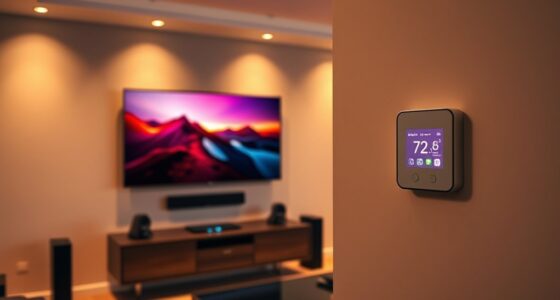
Smart home hubs offer a simple way to reduce energy consumption by automating everyday tasks. When you set up your hub, you can customize voice commands to control devices effortlessly, making it easier to turn off lights or adjust thermostats without needing to find a switch or open an app. Voice command customization allows you to create personalized phrases that suit your routine, so you don’t have to remember complicated instructions. For example, saying “Good night” can turn off all your lights and lower the thermostat, saving energy while providing convenience. This instant control helps prevent energy waste caused by leaving devices on accidentally.
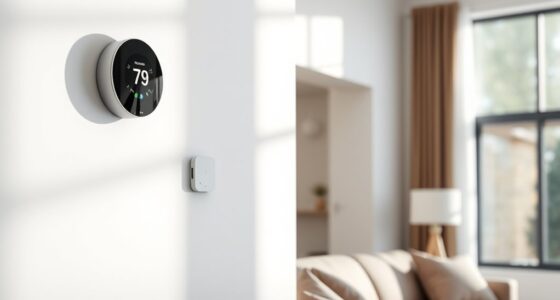
Scheduling automation is another powerful feature you can leverage with your smart home hub. By setting specific times for devices to turn on or off, you ensure they operate only when necessary. For instance, you can schedule your outdoor lights to turn off during daylight hours or set the thermostat to lower the temperature at night. This proactive approach keeps energy consumption in check without requiring manual intervention. Many hubs allow you to create routines that activate multiple devices at once, streamlining your energy-saving efforts. With scheduling automation, you don’t have to remember to switch off appliances or lights; the hub takes care of it based on your preferences.
You can combine voice command customization with scheduling automation for even greater efficiency. For instance, you might create a voice command like “I’m leaving” that triggers a series of actions—turning off all unnecessary lights, locking doors, and lowering the thermostat. This integration simplifies your routine and ensures your home is optimized for energy savings without extra effort. Plus, many smart hubs learn your habits over time, suggesting automation routines that fit your lifestyle. This learning capability means you can continually refine your energy-saving strategies as your routines change.
Additionally, understanding the importance of home automation helps you maximize the benefits of your smart home hub by making informed decisions when setting up automations. With your smart home hub managing these automations, you gain both convenience and peace of mind. You’ll spend less time manually controlling devices and more time enjoying the benefits of a more energy-efficient home. Over time, these small adjustments add up to significant savings on your energy bills. And because the automations are customizable, you can tailor them to suit your specific needs and schedule. Whether it’s adjusting the thermostat, controlling lights, or managing appliances, your hub helps you make smarter choices effortlessly. In the end, creating energy-saving automations with your smart home hub not only reduces your environmental impact but also makes your daily routines more efficient and manageable.
Frequently Asked Questions
Can Smart Home Hubs Integrate With All Existing Appliances?
Smart home hubs offer universal compatibility, but they can’t integrate with all existing appliances. You’ll need to check if your appliances support common standards like Z-Wave or Zigbee for seamless appliance integration. If not, you might require additional hubs or smart plugs. While many devices work well together, some older or non-smart appliances may need extra accessories to connect, so verify compatibility before setting up your energy-saving automations.
What’s the Typical Setup Time for Energy-Saving Automations?
Did you know that 60% of users report automations take less than an hour to set up? Typically, your installation timeline for energy-saving automations ranges from 30 minutes to a few hours, depending on customization complexity. You can streamline the process by choosing user-friendly hubs and pre-configured routines, making it easier to start saving energy quickly. Keep in mind, more complex automations may require extra time and fine-tuning.
Are There Security Risks With Automating Energy Controls?
Yes, automating energy controls can pose security risks like hacking vulnerabilities and privacy concerns. You should guarantee your smart home hub uses strong passwords, regular firmware updates, and secure Wi-Fi networks. Be cautious about sharing access and review privacy settings often. Staying vigilant helps protect your data and prevents unauthorized access, so you can enjoy energy savings without compromising your security.
How Much Can I Realistically Save on Energy Bills?
You can realistically save around 10-30% on your energy bills by automating your home. Think of your smart hub as a financial wizard, trimming costs like a gardener pruning excess branches. These energy savings come from efficient heating, cooling, and lighting controls that adapt to your habits. While the exact savings depend on your home’s size and usage, consistent automation can lead to significant cost reduction over time.
Do Automations Work During Power Outages or Internet Failures?
During a power outage or internet failure, most automations stop working since they rely on electricity and connectivity. You won’t be able to control or trigger smart devices remotely, and some automations may not execute until power or internet is restored. To guarantee critical functions remain active, consider backup options like battery-powered devices or local automation rules that operate independently of internet or power interruptions.
Conclusion
By setting up energy-saving automations with your smart home hub, you turn your house into a well-orchestrated symphony of efficiency. When your devices work together seamlessly, they not only cut costs but also reduce your environmental footprint. Think of your smart hub as the conductor guiding this eco-friendly orchestra, transforming simple actions into powerful habits. Embrace these automations, and watch your home become a beacon of intelligent sustainability.