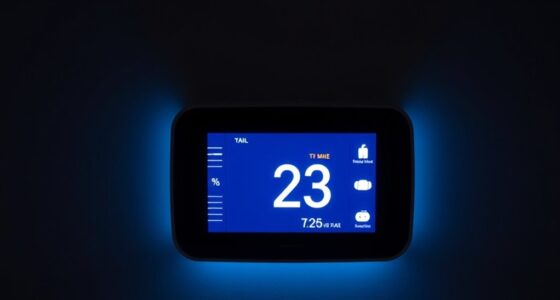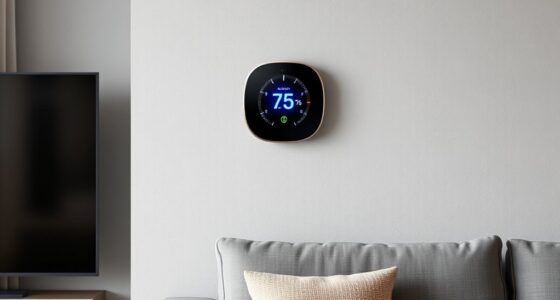
The ecobee Smart Thermostat Premium is my best overall pick for its room sensor, broad smart-home features, and useful built-in capabilities. For adaptive scheduling, the Google Nest Learning Thermostat (4th Gen) stands out, while the Cielo Breez Max serves homes with mini-split, window, or portable AC instead of conventional central HVAC. The right choice depends on your equipment, wiring, preferred smart-home platform, and whether you need temperature control in more than one room. A feature-rich thermostat may be a poor fit if it cannot control your system or its sensors and app do not suit your household. Read on for the full breakdown of all 12 picks and the tradeoffs that separate them.

Get home appliances delivered free with Prime
- Fast, free delivery on millions of items
- Prime Video, Amazon Music and more included
- Member-only deals all year
Complete the kit


Key Takeaways
- Equipment compatibility separates the field: most picks are designed for conventional HVAC, while the Cielo Breez Max targets mini-split, window, and portable AC units.
- Room sensors are a meaningful differentiator: the Honeywell T10+ Pro, ecobee Premium, and Nest Learning bundle offer ways to address rooms that do not match the thermostat’s temperature.
- Premium features are not necessary for every home: the ecobee Essential and Sensi Lite focus on core smart control, while higher-tier options add sensors, automation, or richer interfaces.
- Smart-home preference can settle the choice: the Aqara W200 is a distinct option for Apple Adaptive Temperature users, while Nest and ecobee offer different approaches to scheduling and connected features.
- Ease of setup and display vary: the Honeywell RTH9600WF and Vine touchscreen emphasize on-device controls, while compact, simpler models may suit buyers who mainly use an app.
| Honeywell Home RTH9600WF Smart Color Wi-Fi Thermostat |  | Best for a Clear, Customizable Display | Model: RTH9600WF | Connectivity: Wi-Fi | Display: Color LCD touchscreen | VIEW ON AMAZON | See Our Full Breakdown |
| Honeywell T10+ Pro Smart Thermostat Kit with Sensor |  | Best for Multi-Room Sensor Control | Model number: YTHM1004R3000/U | Connectivity: Wi-Fi | Display: Digital touchscreen | VIEW ON AMAZON | See Our Full Breakdown |
| Google Nest Learning Thermostat (4th Gen) with Nest Temperature Sensor (2nd Gen), Silver |  | Best for Adaptive Scheduling | Connectivity: Wi-Fi | Display: 3.5-inch touchscreen | Voltage: 24 volts | VIEW ON AMAZON | See Our Full Breakdown |
| ecobee Smart Thermostat Enhanced |  | Best for Broad Smart-Home Compatibility | Connectivity: Wi-Fi | Display: 4-inch LCD screen | HVAC compatibility: Compatible with 90% of HVAC systems | VIEW ON AMAZON | See Our Full Breakdown |
| ecobee Smart Thermostat Premium with SmartSensor |  | Best Premium Climate and Air-Quality Control | Connectivity: Wi-Fi | HVAC compatibility: Compatible with 95% of HVAC systems | Included accessory: SmartSensor | VIEW ON AMAZON | See Our Full Breakdown |
| Aqara Smart Thermostat W200 with Apple Adaptive Temperature |  | Best for Multi-Platform Smart Homes | Display: 4-inch full-color touchscreen | HVAC compatibility: About 85% of HVAC systems, including furnaces, air conditioners, heat pumps, boilers, and PTAC units | Connectivity: Dual-band Wi-Fi, Matter 1.4, Zigbee, and Thread | VIEW ON AMAZON | See Our Full Breakdown |
| Google Nest Smart Thermostat, Charcoal | 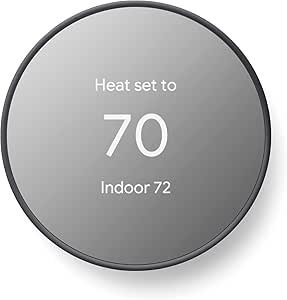 | Best for Google Home Beginners | Display: 2-inch LCD | Connectivity: 2.4 GHz and 5 GHz Wi-Fi, plus Bluetooth Low Energy | Power: Battery powered; two AA batteries included | VIEW ON AMAZON | See Our Full Breakdown |
| Vine Smart Wi-Fi Thermostat with 4.3-Inch Touchscreen and Nightlight |  | Best for a Large, Easy-to-Read Display | Model: TJ-919T-V2 | Display: 4.3-inch LCD touchscreen | Connectivity: Wi-Fi | VIEW ON AMAZON | See Our Full Breakdown |
| ecobee Smart Thermostat Essential |  | Best for Simple Cross-Platform Control | Display: 3.74-inch LCD touchscreen | Connectivity: Wi-Fi | Compatible systems: Most 24 VAC systems, including gas, oil, electric, heat pumps, and boilers | VIEW ON AMAZON | See Our Full Breakdown |
| Sensi ST55 Wi-Fi Smart Thermostat |  | Best for C-Wire-Free DIY Installs | Model: ST55 | Connectivity: Wi-Fi | Display: 5-inch LED screen | VIEW ON AMAZON | See Our Full Breakdown |
| Sensi Lite Wi-Fi Smart Thermostat, ST25 | 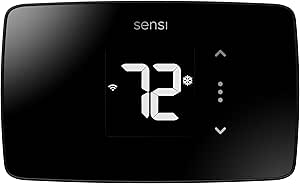 | Best for Straightforward DIY Installation | Model: ST25 | Connectivity: 2.4 GHz Wi-Fi | Voice assistants: Amazon Alexa and Google Assistant | VIEW ON AMAZON | See Our Full Breakdown |
| Cielo Breez Max Smart Wi-Fi Thermostat for Mini-Split, Window, and Portable AC |  | Best for Ductless and Portable Air Conditioners | Compatible equipment: Mini-split, window, and portable air conditioners with compatible IR remote controls | Wi-Fi: 2.4 GHz | Sensors: Temperature and humidity | VIEW ON AMAZON | See Our Full Breakdown |
| smart home climate control systems for | Connectivity | Display | Power |
|---|---|---|---|
| Honeywell Home RTH9600WF Smart | Wi-Fi | Color LCD touchscreen | — |
| Honeywell T10+ Pro Smart Therm | Wi-Fi | Digital touchscreen | — |
| Google Nest Learning Thermosta | Wi-Fi | 3.5-inch touchscreen | — |
| ecobee Smart Thermostat Enhanc | Wi-Fi | 4-inch LCD screen | 24 volts |
| ecobee Smart Thermostat Premiu | Wi-Fi | — | — |
| Aqara Smart Thermostat W200 wi | Dual-band Wi-Fi, Matter 1.4, Zigbee, and Thread | 4-inch full-color touchscreen | — |
| Google Nest Smart Thermostat | 2.4 GHz and 5 GHz Wi-Fi, plus Bluetooth Low Energy | 2-inch LCD | Battery powered; two AA batteries included |
| Vine Smart Wi-Fi Thermostat wi | Wi-Fi | 4.3-inch LCD touchscreen | Hardwired; C-wire required |
| ecobee Smart Thermostat Essent | Wi-Fi | 3.74-inch LCD touchscreen | Battery powered |
| Sensi ST55 Wi-Fi Smart Thermos | Wi-Fi | 5-inch LED screen | — |
| Sensi Lite Wi-Fi Smart Thermos | 2.4 GHz Wi-Fi | — | Two included AAA batteries or C-wire; C-wire required for heat pumps and heat/cool-only systems |
| Cielo Breez Max Smart Wi-Fi Th | — | — | USB powered |
More Details on Our Top Picks
Honeywell Home RTH9600WF Smart Color Wi-Fi Thermostat
I’d choose the RTH9600WF when a readable, customizable wall display matters as much as app control. Its color touchscreen puts temperature and energy-use information at a glance, while scheduling, remote access, and voice-assistant compatibility add useful control when you’re away. Compared with the Google Nest Learning Thermostat (4th Gen), this Honeywell emphasizes manual visibility and straightforward scheduling rather than learning household routines or including a room sensor. It supports several common systems, including heat pumps with electric backup, but the C-wire requirement can complicate installation, and electric baseboard heat is unsupported. I’d pick it for a conventional, compatible HVAC setup where people regularly adjust settings at the thermostat; buyers focused on room-by-room comfort should look to the Nest or ecobee models instead.
Pros:- Customizable color touchscreen makes local settings and status easy to see.
- App-based remote monitoring and control support adjustments away from home.
- Works with Amazon Alexa, Google Assistant, and other smart home partners.
- ENERGY STAR certified, with flexible scheduling and energy-use tracking.
Cons:- Requires a C-wire or compatible power adapter, which may add installation work.
- Does not support 120–240V electric baseboard heating.
- Lacks an included remote room sensor for prioritizing comfort away from the thermostat.
Best for: Households with compatible central HVAC that want an easy-to-read touchscreen, remote control, and scheduled energy management.
Not ideal for: Homes with 120–240V electric baseboard heat or no C-wire and no suitable power adapter.
- Model:RTH9600WF
- Connectivity:Wi-Fi
- Display:Color LCD touchscreen
- Compatible systems:Forced air, hot water, steam, and heat pumps with electric backup
- Wiring requirement:C-wire required
- Voltage:24 volts
- Mounting:Wall mount
Our verdict“Choose the RTH9600WF if you want a customizable touchscreen and scheduled control for compatible central HVAC, and skip it if you need baseboard support or room sensing.”
Honeywell T10+ Pro Smart Thermostat Kit with Sensor
The T10+ Pro is the strongest fit here for households trying to reduce temperature differences between rooms. Its room-prioritization features and support for up to 20 RedLINK 3.0 sensors let buyers build a more tailored setup than the single included sensor with the Google Nest Learning Thermostat (4th Gen). Geofencing can also adjust settings around household arrivals and departures, while seven-day scheduling gives those who prefer predictable routines direct control. That flexibility comes with added setup complexity: some systems need an Equipment Interface Module, and connected functions depend on Wi-Fi and the app. Compared with the simpler Honeywell RTH9600WF, this model suits more involved zoning and sensing needs, but it is a less appealing choice for buyers who want basic remote scheduling without configuring extra hardware.
Pros:- Supports up to 20 RedLINK 3.0 sensors for broader room monitoring.
- Room prioritization can direct comfort control toward selected spaces.
- Geofencing, manual control, and seven-day scheduling offer flexible routines.
- Supports heat pumps, conventional and dual-fuel systems, and radiant hot water.
Cons:- Some system configurations require a separate Equipment Interface Module.
- Connected features rely on Wi-Fi and app connectivity.
- The sensor-rich feature set may take more setup than a basic thermostat needs.
Best for: Owners of larger or multi-level homes with uneven room temperatures who want to prioritize rooms and add multiple sensors.
Not ideal for: Buyers seeking a simple thermostat replacement, or households unwilling to depend on Wi-Fi and app access for connected features.
- Model number:YTHM1004R3000/U
- Connectivity:Wi-Fi
- Display:Digital touchscreen
- System compatibility:Heat pumps, conventional, dual fuel, and radiant hot water systems
- Maximum system capacity:Up to 4 heat/2 cool with EIM
- Sensor compatibility:Up to 20 RedLINK 3.0 sensors
- Sensor range:200 ft.
- Scheduling:7-day programmable; four periods per day
Our verdict“Pick the T10+ Pro if you want to build room-aware comfort across a larger home and are prepared for a more involved setup.”
Google Nest Learning Thermostat (4th Gen) with Nest Temperature Sensor (2nd Gen), Silver
I’d shortlist the Nest Learning Thermostat (4th Gen) for households that want the thermostat to adapt to routines instead of relying only on manually built schedules. Learning behavior pairs with app and voice control, while the included second-generation temperature sensor gives buyers a way to address a hot or cold room without buying a sensor separately. That makes it a more adaptive alternative to the schedule-focused Honeywell RTH9600WF, though the Honeywell’s display may suit people who prefer to see and change settings directly at the wall. Nest works with most 24V systems and usually does not need a C-wire, but compatibility still depends on the home’s wiring and equipment. Some functions also depend on Google Home or a compatible smart speaker, so buyers seeking platform-neutral simplicity may prefer another option.
Pros:- Learns temperature preferences and household routines.
- Includes a second-generation temperature sensor for room-level comfort adjustments.
- Supports app and voice control across listed smart home platforms.
- C-wire is not required for installation in most homes.
Cons:- System compatibility depends on the home’s heating and cooling equipment.
- Some features require the Google Home app or a compatible smart speaker.
- The included sensor offers less expansion capacity than the Honeywell T10+ Pro’s support for up to 20 sensors.
Best for: Households with compatible 24V HVAC that want learned routines, app or voice control, and a sensor for one problem room.
Not ideal for: Homes with incompatible HVAC or buyers who prefer manual scheduling and do not want to rely on Google Home for some features.
- Connectivity:Wi-Fi
- Display:3.5-inch touchscreen
- Voltage:24 volts
- Compatibility:Most 24V heating and cooling systems
- Included sensor:Nest Temperature Sensor (2nd gen)
- C-wire:Not required for installation in most homes
- Energy certification:ENERGY STAR
- Mounting:Wall mount
Our verdict“Choose this Nest if you want adaptive scheduling and one included remote sensor, but check HVAC compatibility before choosing it over a more manually controlled thermostat.”
ecobee Smart Thermostat Enhanced
The ecobee Smart Thermostat Enhanced makes the most sense for buyers who want occupancy-aware temperature adjustments and a thermostat that fits into several major smart-home ecosystems. It works with Alexa, Google Assistant, Apple HomeKit, and SmartThings, giving it broader listed platform support than the Google Nest Learning Thermostat (4th Gen). Occupancy, schedules, and humidity all inform its adjustments, which can help avoid heating or cooling an empty home without asking users to manage every change themselves. Its Power Extender Kit also offers a route for many homes without a C-wire. The tradeoff is that room-by-room sensing requires separately purchased SmartSensors; the Premium includes a SmartSensor, air-quality monitoring, and a built-in speaker. I’d choose Enhanced for connected-home flexibility, not for an all-in-one sensing package.
Pros:- Supports Alexa, Google Assistant, Apple HomeKit, and SmartThings.
- Adjusts temperature based on occupancy, schedules, and humidity.
- Includes a Power Extender Kit for homes without a C-wire.
- Includes a trim kit and has a three-year warranty.
Cons:- SmartSensors for room-by-room comfort are sold separately.
- HVAC compatibility should be checked for the specific system.
- Does not include the Premium model’s air-quality monitor or built-in speaker.
Best for: Smart-home owners who use multiple platforms and want occupancy-based control without needing an included room sensor.
Not ideal for: Buyers who want room-by-room sensing out of the box, or whose HVAC system is outside the model’s compatibility range.
- Connectivity:Wi-Fi
- Display:4-inch LCD screen
- HVAC compatibility:Compatible with 90% of HVAC systems
- Smart home compatibility:Amazon Alexa, Google Assistant, Apple HomeKit, SmartThings
- Included accessories:Power Extender Kit and trim kit
- Power:24 volts
- Certification:ENERGY STAR
- Warranty:3 years
Our verdict“Pick the Enhanced if broad smart-home compatibility and occupancy control matter more than included room sensors or air-quality features.”
ecobee Smart Thermostat Premium with SmartSensor
The ecobee Smart Thermostat Premium is the most feature-rich pick in this group for people who want climate control to reach beyond a central temperature setting. Its included SmartSensor can account for room use, while the built-in air-quality monitor adds another layer of home-condition awareness. The built-in speaker supports Siri or Alexa, making this a more complete hub than the ecobee Smart Thermostat Enhanced, which leaves room sensors as an additional purchase and does not list those Premium extras. That extra capability is not a fit for every household: Siri requires an Apple home hub, and some security features require an ecobee Smart Security subscription. Buyers who only need occupancy scheduling may get a simpler setup from the Enhanced. I’d reserve Premium for households that will use its sensor, air-quality information, and voice features.
Pros:- Includes a SmartSensor for adjusting comfort around room use.
- Built-in air-quality monitor and filter reminders add home-condition information.
- Built-in speaker supports Siri or Alexa.
- Includes installation accessories, including a Power Extender Kit.
Cons:- Siri requires an Apple home hub.
- Some security features require an ecobee Smart Security subscription.
- HVAC compatibility depends on the home’s specific system.
Best for: Households wanting a room sensor, air-quality monitoring, and built-in voice control in one thermostat.
Not ideal for: Buyers who only need basic app-based climate scheduling or who do not want to rely on an Apple home hub for Siri or a subscription for some security features.
- Connectivity:Wi-Fi
- HVAC compatibility:Compatible with 95% of HVAC systems
- Included accessory:SmartSensor
- Voice assistants:Siri and Alexa
- Air-quality monitor:Built in
- Energy certification:ENERGY STAR
- Warranty:3 years
Our verdict“Choose the Premium if you’ll use its included room sensor, air-quality monitoring, and voice features; otherwise, the ecobee Enhanced is a less feature-heavy fit.”
Aqara Smart Thermostat W200 with Apple Adaptive Temperature
The W200 is the most connected choice in this group: Matter support links it with Apple Home, Google Home, Alexa, and SmartThings, while built-in Zigbee and Thread features can serve other compatible devices too. Its mmWave presence detection can support occupancy-based temperature changes and routines, giving it more automation potential than the simpler Google Nest Smart Thermostat. A 4-inch touchscreen also makes direct adjustments easier to read than the smaller Nest display. The tradeoff is setup complexity: Apple Adaptive Temperature needs a compatible home hub and recent iPhone or Apple Watch software, and homes without a C-wire need a separately sold adapter. I’d choose the W200 for a connected home that can use its broader hub features; buyers who only want app scheduling may find those extras unnecessary.
Pros:- Matter support spans Apple Home, Google Home, Alexa, and SmartThings
- Built-in mmWave presence detection supports occupancy-based routines
- Zigbee hub, Matter controller, and Thread border router add smart-home connectivity
- Large touchscreen and included trim kit support everyday operation and installation
Cons:- C-wire adapter is sold separately for homes without a C-wire
- Apple Adaptive Temperature depends on compatible hardware and software
- Apple Clean Energy Guidance is available only in the contiguous United States
Best for: Households using multiple Matter-compatible platforms that want presence-based climate routines and a built-in Zigbee and Thread hub.
Not ideal for: Buyers seeking a basic thermostat, or Apple users without a compatible home hub and supported iPhone or Apple Watch software.
- Display:4-inch full-color touchscreen
- HVAC compatibility:About 85% of HVAC systems, including furnaces, air conditioners, heat pumps, boilers, and PTAC units
- Connectivity:Dual-band Wi-Fi, Matter 1.4, Zigbee, and Thread
- Built-in features:mmWave presence detection, Zigbee hub, Matter controller, and Thread border router
- Smart home compatibility:Apple Home, Google Home, Amazon Alexa, Samsung SmartThings, and Home Assistant
- C-wire:Adapter sold separately
- Clean Energy Guidance:Available in the contiguous United States only
Our verdict“Choose the W200 if you want one thermostat to anchor a multi-platform smart home, but skip it if you need only straightforward scheduling.”
Google Nest Smart Thermostat, Charcoal
This Nest is a straightforward entry point for households already using Google Home: app-based remote control, programmable schedules, and automatic adjustments cover the main daily tasks without the more involved hub features of the Aqara W200. Its DIY-oriented design and compact 2-inch display suit buyers who want a simple wall control rather than a large touchscreen. ENERGY STAR certification and HVAC monitoring add useful energy-management and system-alert functions. The tradeoff is that its feature set is more basic than the ecobee Smart Thermostat Essential, which also offers indoor humidity detection and fan control. Some installations need a C-wire or compatible power accessory, and remote controls and notifications depend on working Wi-Fi and internet. I’d pick it for a Google-centered home, not for buyers seeking broad automation controls.
Pros:- ENERGY STAR certified with programmable scheduling and automatic adjustments
- Remote control through the Google Home app
- Designed for DIY installation
- HVAC monitoring alerts and support for compatible voice assistants
Cons:- Some HVAC systems need a C-wire or compatible power accessory
- Remote access and notifications depend on working Wi-Fi and internet
- Smaller 2-inch display offers less on-device viewing area than the Vine touchscreen
Best for: Google Home households that want app control, automatic away adjustments, and a thermostat designed for DIY installation.
Not ideal for: Buyers who want a large display, advanced presence-based routines, or dependable remote control during internet outages.
- Display:2-inch LCD
- Connectivity:2.4 GHz and 5 GHz Wi-Fi, plus Bluetooth Low Energy
- Power:Battery powered; two AA batteries included
- Voltage:24 volts
- Control:Remote and voice control
- Compatibility:Google Assistant and Matter-certified voice assistants
- Features:Programmable schedule, HVAC monitoring, and automatic energy-saving adjustments
- Mounting:Wall mount
Our verdict“Choose this Nest for a simple Google Home setup with scheduled and remote control, provided your wiring and Wi-Fi are suitable.”
Vine Smart Wi-Fi Thermostat with 4.3-Inch Touchscreen and Nightlight
The Vine puts basic controls front and center with a 4.3-inch touchscreen and nightlight, making it a fit for buyers who want a prominent wall display rather than the smaller screen on the Google Nest Smart Thermostat. Its 7-day scheduling, home/away automation, fan control, and Alexa or Google Assistant support cover familiar climate routines through Wi-Fi. Compared with the more ecosystem-focused Aqara W200, Vine offers fewer built-in smart-home connection features, but its feature set is easier to keep focused on heating and cooling. The main constraint is wiring: it requires a C-wire, so it is a poor match for homes where adding compatible power is difficult. HVAC compatibility also needs checking before purchase. I’d favor it when the display matters and the wiring is already in place.
Pros:- Large 4.3-inch touchscreen with a nightlight
- Seven-day scheduling and home/away automation
- Alexa and Google Assistant voice control
- Fan control and Wi-Fi auto-reconnect
Cons:- C-wire is required for installation
- Compatibility is limited to supported 24V AC systems and should be checked
- Does not list the broader Matter, Zigbee, or Thread hub features of the Aqara W200
Best for: Homeowners with a C-wire who want a large, legible touchscreen, weekly schedules, and Alexa or Google Assistant control.
Not ideal for: Renters or owners without a C-wire, and buyers whose HVAC system compatibility has not been confirmed.
- Model:TJ-919T-V2
- Display:4.3-inch LCD touchscreen
- Connectivity:Wi-Fi
- Voice assistants:Amazon Alexa and Google Assistant
- Scheduling:7-day programmable
- Compatibility:Many 24V AC conventional, heat pump, heat-only, and cool-only systems
- Power:Hardwired; C-wire required
- Dimensions:1.02 x 4.84 x 3.35 inches
Our verdict“Pick Vine if you want a large, easy-to-read thermostat and already have a compatible C-wire installation.”
ecobee Smart Thermostat Essential
The ecobee Essential balances familiar thermostat controls with Apple HomeKit, Google Assistant, and Alexa support, making it a practical middle ground for households that do not want to commit to one voice platform. Its auto-scheduling and auto-away features can reduce manual adjustments, while fan control and indoor humidity detection add useful climate information beyond basic temperature setting. Compared with the Google Nest Smart Thermostat, the Essential offers a wider stated smart-home mix and humidity sensing; unlike the Aqara W200, it does not list a built-in Zigbee hub, Thread border router, or presence sensor. The tradeoff is that a Power Extender Kit may be needed and is sold separately for homes without a C-wire, and SmartSensors are also separate. I’d choose it for capable everyday automation without paying for a broader device hub.
Pros:- Works with Apple HomeKit, Google Assistant, and Amazon Alexa
- Auto-scheduling and auto-away can reduce routine manual changes
- Indoor humidity detection and fan control add climate information
- Designed for DIY installation with touchscreen and app controls
Cons:- Power Extender Kit is sold separately for homes without a C-wire
- SmartSensors are sold separately
- Compatibility varies across HVAC systems
Best for: Households with mixed Apple, Google, and Alexa devices that want automatic schedules, away mode, and humidity detection.
Not ideal for: Buyers who need included remote room sensors, built-in smart-home hubs, or a power solution included for C-wire-free homes.
- Display:3.74-inch LCD touchscreen
- Connectivity:Wi-Fi
- Compatible systems:Most 24 VAC systems, including gas, oil, electric, heat pumps, and boilers
- Smart home compatibility:Apple HomeKit, Google Assistant, and Amazon Alexa
- Features:Auto-away, auto-scheduling, fan control, and indoor humidity detection
- Power:Battery powered
- C-wire:Power Extender Kit sold separately for homes without a C-wire
- Mounting:Wall mount
Our verdict“Choose the ecobee Essential for flexible voice-platform support and automatic routines, but budget for separate accessories if your setup needs them.”
Sensi ST55 Wi-Fi Smart Thermostat
The Sensi ST55 stands out for buyers who want guided DIY setup without assuming every home has a C-wire: one is not required in most applications. Its scheduling, remote access, usage reports, equipment alerts, and filter reminders make it more informative than the simpler Google Nest Smart Thermostat, while Alexa, Apple HomeKit, Google Assistant, and SmartThings compatibility gives it flexibility across common platforms. The tradeoff is a more traditional control experience: its LED display and buttons do not offer the large touchscreen presentation of the Vine thermostat or Aqara W200. “Most applications” also leaves room for HVAC-specific wiring needs, so compatibility still needs checking. I’d place the ST55 ahead of more feature-heavy picks for homes prioritizing installation flexibility and system reminders, but not for shoppers seeking presence sensing or a connected-device hub.
Pros:- C-wire is not required in most applications
- App-guided DIY installation includes a built-in level
- Remote access, flexible scheduling, and usage reports
- Equipment alerts and filter replacement reminders
Cons:- C-wire needs vary by HVAC system and installation
- Compatibility depends on the home’s HVAC equipment
- LED display is less visually prominent than the Vine’s large touchscreen
Best for: DIY-minded homeowners who want broad voice-platform support, usage reports, and a thermostat that often works without a C-wire.
Not ideal for: Buyers who want a large color touchscreen, built-in presence sensing, or guaranteed C-wire-free operation for every HVAC setup.
- Model:ST55
- Connectivity:Wi-Fi
- Display:5-inch LED screen
- Control:Buttons, app, touch, and voice
- Smart home compatibility:Amazon Alexa, Apple HomeKit, Google Assistant, SmartThings, and Vera
- Voltage and power:24 V AC; corded electric; two AA batteries included
- Supported HVAC systems:Air conditioner, boiler, furnace, and heat pump
- Mounting:Wall mount
Our verdict“Choose the Sensi ST55 if you want guided installation and useful system reminders, especially when your home may not have a C-wire.”
Sensi Lite Wi-Fi Smart Thermostat, ST25
The Sensi Lite ST25 is a practical choice for homeowners who want app-based scheduling and remote temperature changes without paying for a thermostat built around learning routines or room sensors. Its guided DIY installation, built-in level, and compatibility with Alexa and Google Assistant make it less intimidating to set up than feature-heavy options such as the Google Nest Learning Thermostat (4th Gen). Geofencing and energy reports add useful ways to adjust heating and cooling around your routine, while ENERGY STAR certification gives efficiency-minded buyers a clear point of comparison.
The tradeoff is a more basic control experience: there is no listed room sensor, and the display is a simple LCD rather than the more feature-rich interfaces on some alternatives. Check wiring before buying, since heat pumps and heat/cool-only systems require a C-wire. It also connects only to 2.4 GHz Wi-Fi.
Pros:- DIY-friendly setup includes a built-in level and step-by-step instructions.
- App control, scheduling, and geofencing support routine-based adjustments.
- ENERGY STAR certified and provides energy usage reports.
- States that personal data and thermostat activity are not used for third-party sales or ad targeting.
Cons:- A C-wire is required for heat pumps and heat/cool-only systems.
- Wi-Fi connectivity is limited to 2.4 GHz.
- Lacks the room-sensing and advanced learning features available with options such as the Google Nest Learning Thermostat.
Best for: Homeowners with a compatible 24-volt HVAC system who want guided DIY setup, scheduling, and remote control without advanced learning features.
Not ideal for: People with heat pumps or heat/cool-only systems who cannot provide a C-wire, or households that need room sensors or 5 GHz Wi-Fi support.
- Model:ST25
- Connectivity:2.4 GHz Wi-Fi
- Voice assistants:Amazon Alexa and Google Assistant
- Power:Two included AAA batteries or C-wire; C-wire required for heat pumps and heat/cool-only systems
- Voltage:24 volts
- Compatible systems:Air conditioner, boiler, furnace, and heat pump
- Display and mounting:LCD; wall mount
- Dimensions:0.88 in deep x 5.0 in wide; height not provided
- Warranty:3 years
Our verdict“Choose the Sensi Lite if you want a capable, DIY-friendly smart thermostat for a compatible system and do not need room sensors or advanced automation.”
Cielo Breez Max Smart Wi-Fi Thermostat for Mini-Split, Window, and Portable AC
The Cielo Breez Max fills a gap that conventional wall thermostats such as the Sensi Lite ST25 do not: it adds smart control to compatible mini-split, window, and portable air conditioners that use an infrared remote. App and touch controls, scheduling, geofencing, and temperature and humidity sensing let buyers manage these units without replacing their existing AC. Its schedules keep running during internet outages, a useful distinction for households that want routines to continue even when cloud access drops.
Its broad stated compatibility—more than 20,000 AC models—still depends on the specific unit using a compatible IR remote. The controller also needs a clear line of sight and should sit within 6–12 feet of the air conditioner, making placement more restrictive than a thermostat wired into central HVAC. Alexa, Google Assistant, Siri Shortcuts, and several smart-home platforms offer flexibility, but this is a focused AC controller, not a replacement for a central heating-and-cooling thermostat.
Pros:- Adds smart control to compatible mini-split, window, and portable air conditioners.
- Weekly schedules continue to run during internet outages.
- Temperature and humidity sensors support more informed climate adjustments.
- Offers app, touch, and voice control, with SmartThings, IFTTT, Home Assistant, and Cielo Linked compatibility.
Cons:- Requires a compatible air conditioner with an IR remote.
- Needs clear line of sight and placement within 6–12 feet of the AC.
- Requires a 2.4 GHz Wi-Fi network.
Best for: Households using a compatible IR-controlled mini-split, window, or portable AC that want app scheduling, geofencing, and voice control.
Not ideal for: Homeowners seeking a wired thermostat for central HVAC, or buyers whose air conditioner lacks an IR remote or cannot be positioned within clear line of sight.
- Compatible equipment:Mini-split, window, and portable air conditioners with compatible IR remote controls
- Wi-Fi:2.4 GHz
- Sensors:Temperature and humidity
- Power:USB powered
- Controls and display:App and touch screen; LCD
- Voice assistants:Alexa, Google Assistant, and Siri Shortcuts
- Smart-home compatibility:Samsung SmartThings, IFTTT, Home Assistant, and Cielo Linked
- Mounting and material:Wall mount; ABS
- Placement requirement:Clear line of sight, within 6–12 feet of the air conditioner
Our verdict“Pick the Cielo Breez Max to add smart scheduling and remote control to a compatible ductless or portable AC, rather than to manage central HVAC.”

How We Picked
I ranked these systems by how well they match real household needs: equipment compatibility, temperature control across rooms, ease of setup and daily use, smart-home integration, and the usefulness of their included features. I also weighed how much flexibility each product offers without making buyers pay—in added complexity, not price—for capabilities they may never use. Because a central-HVAC thermostat cannot replace a controller for a room AC, I treated the Cielo Breez Max as a specialized pick rather than comparing it as a direct substitute.
The order favors strong all-around fit, useful control options, and clear value for a broad range of households. Products with sensors or more adaptable automation rank well for homes with uneven temperatures; simpler models make more sense when basic remote control is the goal. I also account for platform preferences and installation limits, since a feature-rich thermostat is not a good recommendation if it does not work with a reader’s HVAC system or smart-home setup.
Factors to Consider When Choosing 12 Best Smart Home Climate Control Systems For
Before choosing by brand or feature list, match the controller to your heating and cooling equipment, then decide what problem you want it to solve. I would prioritize compatibility and room comfort first; app extras matter only after those basics are covered.
Match the controller to your heating and cooling equipment
Start by identifying whether you have central HVAC, a heat pump, a boiler, or a ductless or room AC system. These products do not all control the same equipment, and a thermostat made for conventional HVAC may not operate a mini-split. Check your system’s model and wiring against the manufacturer’s compatibility guidance before buying. Pay particular attention to multi-stage heating or cooling and any auxiliary heat, since those can affect installation and control. If you rent or cannot alter wiring, prioritize options that suit your existing setup rather than assuming an adapter will solve every issue. Choosing the right equipment category matters more than adding advanced app features.
Decide whether one thermostat can represent the whole home
A thermostat measures conditions where it is installed, which may not reflect a sunny upstairs bedroom or a chilly room at the end of a hallway. If temperature differences are a regular problem, look at whether a system supports room sensors and how its scheduling uses them. A sensor can improve comfort in a chosen room, but it does not create separate heating zones or fix weak airflow. For zoned HVAC, verify that the thermostat works with the zone control equipment rather than treating sensors as a substitute. Households with one consistently occupied problem room may need only one sensor, while broader imbalance may call for HVAC service. This distinction can save buyers from expecting a thermostat to fix a ductwork issue.
Choose a smart-home platform before choosing extra features
Think about which phone, voice assistant, and home automation platform your household already uses. Integration affects whether temperature changes fit naturally into existing routines or require a separate app and extra setup. Apple-focused households may value the Aqara W200’s platform-specific approach, while other buyers may prefer the ecosystems and control styles offered by Nest or ecobee. Confirm the exact integrations and functions supported for your region and devices, since compatibility can differ by feature. Avoid buying on a platform logo alone; check whether the thermostat supports the controls you actually plan to use. A smooth everyday workflow is usually more useful than a long list of integrations that never leave the setup screen.
Weigh automation against predictable control
Learning schedules and occupancy-based adjustments can reduce manual changes, but they work best when household routines are reasonably consistent. If people come and go at irregular times, clear schedules and easy overrides may feel more dependable than automation. Consider who will manage the settings and whether other household members can change the temperature without confusion. A thermostat with more modes can be helpful, but only if the interface makes those controls easy to find. Think through a typical week, including holidays and work-from-home days, before deciding how much automation you need. The best system is the one whose behavior makes sense to everyone in the home.
Check wiring, installation, and ongoing upkeep
Installation difficulty can change the total effort of a smart thermostat project. Check for a compatible common wire, power requirements, and any included wiring accessories before opening the box. Older or specialized HVAC systems may need professional help, even if the thermostat advertises simple installation. Also consider whether you are comfortable maintaining Wi-Fi connectivity, app permissions, sensor batteries, and software settings over time. A straightforward model can be a better fit than a feature-heavy one if you want fewer devices to manage. If a system’s operation depends on a stable wireless connection, consider how reliable Wi-Fi is near the thermostat.
Pay for capabilities that solve a real comfort problem
Premium models make the most sense when their added functions address a clear need, such as room sensors, richer automation, or a particular smart-home integration. If you mainly want to adjust the temperature remotely, a simpler thermostat may cover the job without adding settings you will not use. For mini-split or room AC owners, spend attention on the dedicated control method and equipment fit rather than comparing central-HVAC features. Make a short list of must-haves and treat the rest as optional. This prevents a polished display or long feature sheet from distracting from the controls that affect comfort every day. A good purchase is the one that fits your equipment and routine, not the one with the most features.
Frequently Asked Questions
Can I use one of these thermostats with a mini-split or window AC?
Most smart thermostats in this roundup are intended for conventional HVAC and are not direct replacements for a ductless or room-AC controller. The Cielo Breez Max is the specialized option here for compatible mini-split, window, and portable AC equipment. Check the unit’s exact model and control method before buying, since compatibility can depend on the AC’s infrared remote or other supported connection. A thermostat’s Wi-Fi label alone does not mean it can control every kind of heating or cooling system. If your home has both central HVAC and a separate room AC, you may need different controls for each.
Do I need a room sensor if my thermostat already measures temperature?
A room sensor can help when the thermostat’s location is a poor proxy for the rooms where people spend time. It can be useful for a hot upstairs bedroom or a room that cools more slowly than the rest of the home. It will not independently control a zone unless your HVAC setup supports zoning, and it cannot correct airflow or insulation problems. Before buying sensors, note where temperature differences occur and whether they follow a predictable schedule. If the home is already comfortable throughout, the added device may bring little benefit.
How can I tell whether my wiring will support a smart thermostat?
Take a photo of the wiring at your current thermostat and identify the system type before choosing a replacement. Many smart thermostats need a common wire or another supported way to receive power, but requirements vary by model and HVAC setup. Check the manufacturer’s compatibility tool and installation instructions against your system’s terminals, including any heat-pump or auxiliary-heat connections. Do not rely only on wire colors, which can vary between installations. If the wiring is unclear or your system is unusual, ask an HVAC professional to confirm fit before you purchase.
Is a learning thermostat a better choice than a scheduled thermostat?
A learning thermostat may suit a household with routines that repeat and members who prefer the system to adjust with less manual scheduling. A scheduled thermostat can be easier to predict when work hours, occupancy, or temperature preferences change often. Learning features also do not remove the need to review settings and override the system when plans change. Compare how each model lets you edit schedules and make temporary adjustments, not just whether it advertises automation. If straightforward control matters more than hands-off behavior, a simpler schedule may be the more comfortable fit.
Which features are worth paying extra for?
For a home with uneven room temperatures, sensor support may be more useful than a decorative display or extra app options. Buyers with an established smart-home setup may value compatible automations, while households that only want remote temperature changes can favor a simpler model. A built-in voice assistant or air-quality feature is only useful if you expect to use it and its operation fits your home. Set your must-haves before comparing models, then check whether the extra feature solves a recurring problem. The right upgrade depends on your equipment and routine rather than the number of capabilities listed.
Conclusion
For the broadest mix of connected controls and room-comfort features, I would choose the ecobee Smart Thermostat Premium as best overall. The ecobee Smart Thermostat Essential is my best value-style pick for buyers who want core smart control without a premium feature set, while the Google Nest Learning Thermostat (4th Gen) is the best premium choice for households drawn to adaptive scheduling and its bundled sensor. Beginners who want a familiar touchscreen interface can start with the Honeywell Home RTH9600WF; buyers seeking a simpler setup may also compare the Sensi models. For Apple Adaptive Temperature needs, choose the Aqara W200, and for compatible mini-split, window, or portable AC, look to the Cielo Breez Max. Check equipment compatibility first, then choose the control style and features that match how your household uses its rooms.
Cold & flu season Picks
humidifiers
As an affiliate, we earn on qualifying purchases.