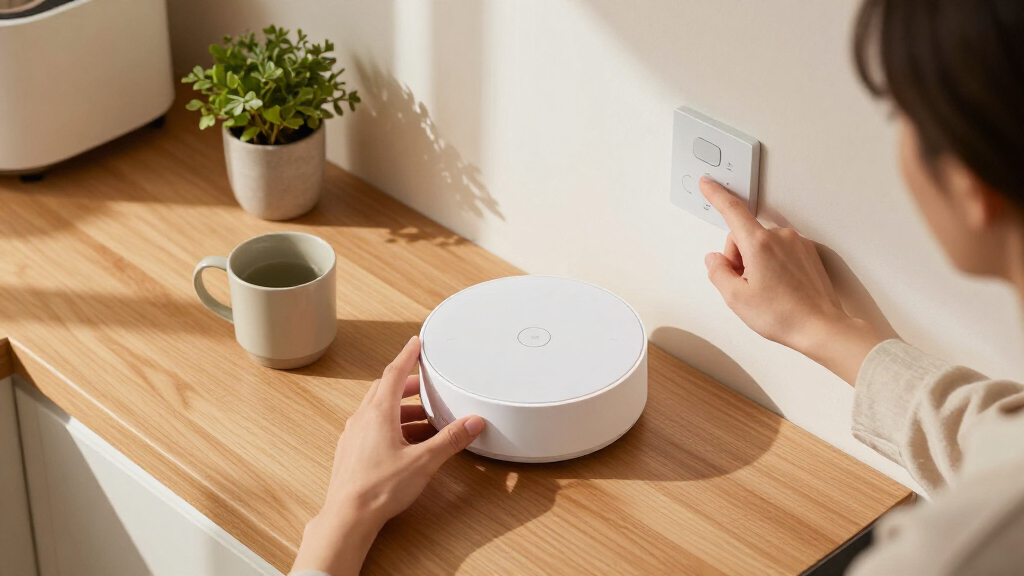

The best smart home hub for most homes is the Aeotec Smart Home Hub, thanks to its broad mix of SmartThings compatibility, Zigbee, Z-Wave, and Matter support. For deeper customization, Home Assistant Green gives technically confident users more control, while the Echo Hub makes everyday device control more approachable with a dedicated touchscreen. The main tradeoff is breadth versus simplicity: a hub built for one brand or device type may be easier to set up, while a multiprotocol hub can take more planning. Local automation, internet dependence, and compatibility also vary widely across this group. Read on for the full breakdown and a guide to matching a hub to the devices and routines you actually use.

Get home appliances delivered free with Prime
- Fast, free delivery on millions of items
- Prime Video, Amazon Music and more included
- Member-only deals all year
Complete the kit


![[Genuine] Waterdrop PF-01A Water Filter Replacement for W...](https://m.media-amazon.com/images/I/41+5tl9EiKL._SX342_SY445_QL70_FMwebp_.jpg)
Key Takeaways
Aeotec Smart Home Hub is the strongest all-around fit for shoppers who want several major device protocols in one SmartThings-compatible system.
Home Assistant Green and Hubitat Elevation C-8 Pro favor control over simplicity; they suit people willing to spend time configuring automations and integrations.
Brand-specific hubs can be the smarter buy when your home centers on Lutron Caséta lighting, Philips Hue, Aqara, Tapo, or YoLink devices.
Matter support does not make every device interchangeable; check the exact product, required controller, and supported features before buying.
Some products solve narrower problems than whole-home coordination: the SwitchBot Hub 2 adds IR control and environmental sensing, while Echo Hub provides a dedicated control screen.
| Aqara Hub M1S Gen 2 Smart Home Bridge for Alarm System and Home Automation |  | Best for Aqara Zigbee Homes | Device capacity: Up to 128 Aqara Zigbee devices | Wireless protocol: Zigbee 3.0 | Wi-Fi: 2.4 GHz only | VIEW LATEST PRICE | See Our Full Breakdown |
| Home Assistant Green Smart Home Hub |  | Best for Home Assistant Control | Operating system: Home Assistant OS | Processor: Quad-core | Memory: 4 GB LPDDR4X | VIEW LATEST PRICE | See Our Full Breakdown |
| Aqara Smart Hub M100 Matter Controller |  | Best Compact Matter Bridge | Zigbee capacity: Up to 20 Aqara Zigbee devices | Thread capacity: Up to 20 Thread devices | Connectivity: Zigbee, Thread, and 2.4 GHz Wi-Fi 6 | VIEW LATEST PRICE | See Our Full Breakdown |
| Lutron Caséta Smart Hub for Alexa, Apple HomeKit, Google Assistant, and More | 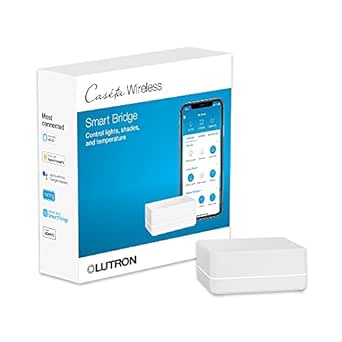 | Best for Lighting and Shade Control | Model: L-BDG2-WH | Device capacity: Up to 75 Caséta devices | Wireless technology: Clear Connect | VIEW LATEST PRICE | See Our Full Breakdown |
| TP-Link Tapo H110 Matter-Certified Smart IR Hub with Chime |  | Best for Infrared Appliances | Connectivity: 2.4 GHz Wi-Fi, infrared, and Matter | IR compatibility: More than 8,000 brands across 18 appliance types | Voice assistants: Amazon Alexa, Google Assistant, and Apple Home via Matter | VIEW LATEST PRICE | See Our Full Breakdown |
| Aeotec Smart Home Hub – SmartThings compatible, Z-Wave, Zigbee, Matter gateway, works with Alexa & Google Assistant |  | Best Overall for Mixed-Protocol Homes | Model: V3 – Smart Home Hub (2020) | Model number: GP-AEOHUBV3US | Connectivity: Ethernet, Wi-Fi, Z-Wave, Zigbee, Matter | VIEW LATEST PRICE | See Our Full Breakdown |
| Tapo H100 Smart Hub with Built-In Chime |  | Best for Tapo Sensor Setups | Compatible devices: Tapo smart sensors, switches, and buttons | Connectivity: Wireless; 2.4 GHz Wi-Fi required | Maximum range: 30 meters | VIEW LATEST PRICE | See Our Full Breakdown |
| Echo Hub (8″) – Redesigned Smart Home Control Panel |  | Best for Alexa-Centered Control | Display size: 8 inches | Connectivity: Wi-Fi, Bluetooth, Zigbee, Matter, Sidewalk, Thread | Power options: Wall outlet; optional PoE adapter | VIEW LATEST PRICE | See Our Full Breakdown |
| Philips Hue Bridge Pro Smart Lighting Hub |  | Best for Large Hue Lighting Systems | Model: 582114 | Connectivity: Zigbee, Matter | Supported devices: 150+ lights and 50+ accessories | VIEW LATEST PRICE | See Our Full Breakdown |
| Aqara Smart Home Hub M3 with Matter, Zigbee, Thread, and IR |  | Best for Local Automation and IR Control | Model: HM-G01E | Connectivity: Zigbee, Thread, Bluetooth, dual-band Wi-Fi (2.4/5 GHz), Ethernet with PoE, USB-C | Device capacity: Up to 127 Aqara Zigbee devices and 127 Thread devices | VIEW LATEST PRICE | See Our Full Breakdown |
| Hubitat Elevation C-8 Pro Smart Home Hub |  | Best for Local Automation | Model: C-8 Pro | Supported protocols: Matter 1.5, Z-Wave 800 Series with Long Range, Zigbee 3.0, Bluetooth | Voice assistant compatibility: Amazon Alexa, Google Home, Apple HomeKit | VIEW LATEST PRICE | See Our Full Breakdown |
| Tapo Smart Hub H200 with Built-in Chime | 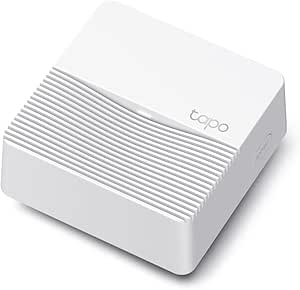 | Best for Tapo Sensors and Cameras | Compatible devices: Tapo C420, Tapo C400, Tapo D230, and other Tapo devices | Maximum connected devices: Up to 64 switches, sensors, or buttons and 4 cameras or video doorbells | Connectivity technology: Wireless Sub-1G low-power protocol | VIEW LATEST PRICE | See Our Full Breakdown |
| SwitchBot Hub 2 (2nd Gen) – Wi-Fi Thermometer, Hygrometer, Light Sensor & Smart IR Remote |  | Best Compact Hub for Sensors and IR Devices | Connectivity: 2.4 GHz Wi-Fi and Bluetooth | Maximum supported devices: 6 | Matter support: Yes | VIEW LATEST PRICE | See Our Full Breakdown |
| SONOFF Bridge Max Smart Home Hub |  | Best for Home Assistant and Local Control | Connectivity: Wi-Fi, Ethernet, and Zigbee | Bridged device protocols: Zigbee, BTHome, and eWeLink | Matter support: Matter bridge | VIEW LATEST PRICE | See Our Full Breakdown |
| YoLink Smart Home Hub (YS1603) |  | Best for Long-Range YoLink Devices | Model: YS1603 | Protocol: YoLink LoRa | Maximum stated range: Up to 2,034 feet | VIEW LATEST PRICE | See Our Full Breakdown |
| smart home hub | Connectivity | Dimensions |
|---|---|---|
| Aqara Hub M1S Gen 2 Smart Home | — | 3.15 × 3.15 × 1.63 inches |
| Home Assistant Green Smart Hom | Ethernet and USB | 4.41 × 4.41 × 1.26 inches |
| Aqara Smart Hub M100 Matter Co | Zigbee, Thread, and 2.4 GHz Wi-Fi 6 | — |
| Lutron Caséta Smart Hub for Al | — | 1.44 × 2.94 × 4.69 inches |
| TP-Link Tapo H110 Matter-Certi | 2.4 GHz Wi-Fi, infrared, and Matter | — |
| Aeotec Smart Home Hub | Ethernet, Wi-Fi, Z-Wave, Zigbee, Matter | — |
| Tapo H100 Smart Hub with Built | Wireless; 2.4 GHz Wi-Fi required | 2.83 × 2.01 × 2.24 inches |
| Echo Hub | Wi-Fi, Bluetooth, Zigbee, Matter, Sidewalk, Thread | — |
| Philips Hue Bridge Pro Smart L | Zigbee, Matter | 3.68 × 3.68 × 1.06 inches |
| Aqara Smart Home Hub M3 with M | Zigbee, Thread, Bluetooth, dual-band Wi-Fi (2.4/5 GHz), Ethernet with PoE, USB-C | — |
| Hubitat Elevation C-8 Pro Smar | — | 3.23 x 2.95 x 0.67 inches |
| Tapo Smart Hub H200 with Built | — | 2.81 x 2.81 x 1.23 inches |
| SwitchBot Hub 2 | 2.4 GHz Wi-Fi and Bluetooth | — |
| SONOFF Bridge Max Smart Home H | Wi-Fi, Ethernet, and Zigbee | — |
| YoLink Smart Home Hub | — | 4.33 x 4.33 x 1.06 inches |
More Details on Our Top Picks
Aqara Hub M1S Gen 2 Smart Home Bridge for Alarm System and Home Automation
I’d choose the Aqara Hub M1S Gen 2 for a home built around Aqara sensors and accessories: it can connect up to 128 Aqara Zigbee 3.0 devices and links with Apple HomeKit, Google Assistant, Alexa, and IFTTT. Its speaker and RGB night-light add alarm and doorbell functions, so it does more than bridge devices. Compared with the Aqara M100, the M1S Gen 2 supports a much larger Aqara Zigbee device count, while the M100 adds Thread and Matter bridging for a smaller setup. The M1S Gen 2 is less flexible if you want to mix brands: it does not support third-party Zigbee devices. It also relies on 2.4 GHz Wi-Fi, and its listed wireless range is about 33 feet, so placement matters.
Pros:- Connects up to 128 Aqara Zigbee 3.0 devices.
- Works with Apple HomeKit, Google Assistant, Alexa, and IFTTT.
- Built-in speaker and RGB night-light provide alarm and doorbell functions.
- WPA3 Wi-Fi security and a perforated base for airflow.
Cons:- Does not support third-party Zigbee devices.
- Uses 2.4 GHz Wi-Fi only, with no 5 GHz or Wi-Fi 6 support.
- Listed wireless range is about 33 feet.
Best for: Aqara-focused households that want a bridge for many Aqara Zigbee devices plus an integrated alarm or doorbell speaker.
Not ideal for: Buyers building a mixed-brand Zigbee network, or homes where the hub must connect over 5 GHz Wi-Fi or cover a larger distance.
- Device capacity:Up to 128 Aqara Zigbee devices
- Wireless protocol:Zigbee 3.0
- Wi-Fi:2.4 GHz only
- Compatible platforms:Apple HomeKit, Google Assistant, Alexa, and IFTTT
- Built-in features:2-watt speaker, RGB night-light, and illumination sensor
- Security:WPA3
- Listed wireless range:33 feet
- Dimensions:3.15 × 3.15 × 1.63 inches
Our verdict“Pick the M1S Gen 2 if you want one hub for a large Aqara Zigbee setup and built-in alerts, but skip it for an open, mixed-brand network.”
Home Assistant Green Smart Home Hub
Home Assistant Green is my pick for buyers who want a locally managed automation system and are comfortable building it out. Home Assistant OS comes preinstalled, and the fanless design keeps the hub quiet while it runs. Its two USB ports allow optional Zigbee, Z-Wave, or Thread adapters, giving it room to grow beyond its included Ethernet connection. That flexibility differs from the Aqara Hub M1S Gen 2, which includes Zigbee but ties that network to Aqara devices. Green’s tradeoff is that wireless protocols are not built in: adapters are extra, and the hub needs a wired Ethernet connection. I’d favor it over simpler bridges when broad automation control matters more than a quick, wireless-first setup.
Pros:- Home Assistant OS is preinstalled.
- Fanless operation keeps the hub silent.
- Two USB ports allow optional Zigbee, Z-Wave, or Thread expansion.
- Quad-core processor, 4 GB RAM, and 32 GB storage support a dedicated automation hub.
Cons:- Zigbee, Z-Wave, and Thread require separate USB adapters.
- Requires an Ethernet connection rather than Wi-Fi.
- More configuration-oriented than a straightforward single-brand bridge such as the Aqara Hub M1S Gen 2.
Best for: Smart-home hobbyists who want Home Assistant OS ready to configure and plan to expand with USB radio adapters.
Not ideal for: Buyers who need built-in Zigbee, Z-Wave, or Thread, or who cannot place a hub near a wired Ethernet connection.
- Operating system:Home Assistant OS
- Processor:Quad-core
- Memory:4 GB LPDDR4X
- Storage:32 GB
- Connectivity:Ethernet and USB
- USB ports:2
- Wireless protocol expansion:Optional USB adapters for Z-Wave, Zigbee, or Thread
- Dimensions:4.41 × 4.41 × 1.26 inches
Our verdict“Choose Home Assistant Green if you want an expandable Home Assistant base and can supply Ethernet and any needed radio adapters.”
Aqara Smart Hub M100 Matter Controller
The Aqara M100 suits smaller setups that need a bridge between compatible Aqara devices and Matter ecosystems, rather than a hub for a large device fleet. It supports up to 20 Aqara Zigbee devices and 20 Thread devices, and its local automations can continue without Wi-Fi or cloud access. Compared with the Aqara Hub M1S Gen 2, it trades capacity and built-in speaker features for Thread support, Matter bridging, and Wi-Fi 6. It can also work with platforms including Apple Home, Alexa, and Home Assistant, though third-party Matter devices need a Matter-enabled hub. Expect some setup extras: the USB-A power adapter is not included, and cloud push notifications still depend on a cloud connection.
Pros:- Bridges compatible Aqara Zigbee products to Matter ecosystems.
- Supports up to 20 Aqara Zigbee devices and 20 Thread devices.
- Local automations can run without Wi-Fi or cloud access.
- Supports 2.4 GHz Wi-Fi 6 with WPA3.
Cons:- Does not support third-party Zigbee devices.
- USB-A power adapter is required but not included.
- Some functions, including cloud push notifications, require a cloud connection.
Best for: Aqara users with a modest device count who want local automations and a bridge into Matter or Thread-based setups.
Not ideal for: Households with a large Aqara Zigbee network, buyers seeking third-party Zigbee compatibility, or anyone expecting an included power adapter.
- Zigbee capacity:Up to 20 Aqara Zigbee devices
- Thread capacity:Up to 20 Thread devices
- Connectivity:Zigbee, Thread, and 2.4 GHz Wi-Fi 6
- Matter function:Matter Bridge; third-party Matter devices require a Matter-enabled hub
- Automation:Local execution for Zigbee and Matter devices
- Security:WPA3
- Power:USB-A, 5 V / 0.5 A adapter required; adapter not included
- Listed connectivity range:1,500 square feet
Our verdict“Choose the M100 for a compact Aqara-to-Matter setup with local control, but choose the M1S Gen 2 if your priority is connecting many Aqara Zigbee devices.”
Lutron Caséta Smart Hub for Alexa, Apple HomeKit, Google Assistant, and More
Lutron Caséta Smart Hub makes the most sense when the goal is reliable control of compatible dimmers, switches, and Serena shades—not a general-purpose hub for every device category. Its Clear Connect technology keeps Caséta devices off the home Wi-Fi network, while support for Alexa, Apple HomeKit, Google Assistant, Ring, and Sonos gives those controls a place in wider routines. It handles up to 75 Caséta devices, making it a more focused lighting choice than the Home Assistant Green, which is built for broader automation and expansion. That focus is also the limitation: Caséta accessories are separate, and the hub needs a router connection and the Lutron app. I’d pick it for a dedicated lighting and shade system, not as the center of a mixed-protocol smart home.
Pros:- Supports up to 75 Caséta devices.
- Clear Connect technology avoids competing with Wi-Fi devices.
- Works with Alexa, Apple HomeKit, Google Assistant, Ring, and Sonos.
- Supports app and voice control, schedules, and scenes.
Cons:- Compatible dimmers, switches, and accessories are sold separately.
- Requires a router connection and the Lutron app.
- Focused on Caséta devices and Serena shades rather than serving as a broad multi-protocol hub.
Best for: Homeowners planning a Caséta lighting or Serena shade setup who want app, voice, scheduling, and scene control across major platforms.
Not ideal for: Buyers seeking a universal hub for Zigbee, Thread, or mixed-brand sensors, or those who want a wireless-only setup without a router connection.
- Model:L-BDG2-WH
- Device capacity:Up to 75 Caséta devices
- Wireless technology:Clear Connect
- Compatible platforms:Amazon Alexa, Apple HomeKit, Google Assistant, Ring, Serena shades, and Sonos
- Network connection:Connects to router
- Operating voltage:120 V
- Dimensions:1.44 × 2.94 × 4.69 inches
- Color and material:White plastic
Our verdict“Choose the Caséta hub when lighting and shade control are your priority, but look to Home Assistant Green for a broader automation foundation.”
TP-Link Tapo H110 Matter-Certified Smart IR Hub with Chime
The TP-Link Tapo H110 stands apart from the other hubs here by adding infrared control for appliances that still rely on a traditional remote. It supports devices from more than 8,000 brands across 18 appliance types, while Matter support and Alexa, Google Assistant, and Apple Home compatibility can bring supported controls into wider routines. Its built-in chime and 93 dB alarm also give it an alert role that the Lutron Caséta Smart Hub does not target. Core automations can run locally during internet outages, though IR control still depends on the hub being within the appliance’s infrared range. I’d choose it to add remote and scheduled control to compatible IR equipment, not as a replacement for a hub built around extensive Zigbee or Z-Wave support.
Pros:- Controls compatible infrared appliances from more than 8,000 brands.
- Matter support and compatibility with Alexa, Google Assistant, and Apple Home.
- Built-in 93 dB alarm and chime provide audible alerts.
- Core automations can run locally during internet outages.
Cons:- Infrared control is limited to appliances within the hub’s IR range.
- Requires a 5 V / 2 A USB power adapter, sold separately.
- Its IR-focused feature set is less suited to buyers seeking a broad sensor-network hub.
Best for: Households that want app, voice, or scheduled control of compatible infrared appliances alongside Tapo and Matter-connected devices.
Not ideal for: Buyers whose priority is a broad Zigbee or Z-Wave network, or who cannot position the hub within infrared range of their appliances.
- Connectivity:2.4 GHz Wi-Fi, infrared, and Matter
- IR compatibility:More than 8,000 brands across 18 appliance types
- Voice assistants:Amazon Alexa, Google Assistant, and Apple Home via Matter
- Built-in alarm:93 dB
- Automation:Core automations can run locally during internet outages
- Power:5 V / 2 A USB adapter required; adapter sold separately
- Mobile app compatibility:iOS 12+ and Android 6.0+
- Operating temperature:32°F–104°F (0°C–40°C)
Our verdict“Choose the Tapo H110 if you want to bring compatible IR appliances into app and voice routines, but skip it if your main need is a large Zigbee or Z-Wave network.”
Aeotec Smart Home Hub – SmartThings compatible, Z-Wave, Zigbee, Matter gateway, works with Alexa & Google Assistant
The Aeotec Smart Home Hub is my strongest fit for households building around SmartThings and a mix of device brands. Its support for Z-Wave, Zigbee, and Matter, along with Wi-Fi and Ethernet, gives it broader reach than the Tapo H100, which is limited to compatible Tapo sensors, switches, and buttons. Local processing can also make supported automations respond without waiting on a cloud round trip. Alexa and Google Assistant support adds convenient voice control, while setup runs through the SmartThings app. The tradeoff is that this is a powered, stationary hub with no battery backup, and its North American frequency limits where it can be used. Choose it for cross-brand automation, not as a simple chime or a lighting-only controller like the Hue Bridge Pro.
Pros:- Supports Z-Wave, Zigbee, and Matter for broad device compatibility
- Local processing can speed up supported automations
- Offers Wi-Fi and Ethernet setup options through the SmartThings app
- Works with Alexa and Google Assistant
Cons:- Designed for North American frequency bands
- Needs continuous power and has no battery backup
Best for: SmartThings households combining Z-Wave, Zigbee, and Matter devices from multiple brands.
Not ideal for: Buyers outside North America, or anyone who needs a battery-backed hub or a dedicated smart-lighting system.
- Model:V3 – Smart Home Hub (2020)
- Model number:GP-AEOHUBV3US
- Connectivity:Ethernet, Wi-Fi, Z-Wave, Zigbee, Matter
- Frequency:908.42 MHz
- Controller compatibility:Amazon Alexa, Android, Google Assistant, Ring, SmartThings, iOS
- Weight:1.1 pounds
- Color:White
- Warranty:1 year
Our verdict“Choose the Aeotec hub if you want a SmartThings-based controller for a mixed-protocol home; skip it if regional compatibility or backup power is a priority.”
Tapo H100 Smart Hub with Built-In Chime
The Tapo H100 makes sense when the goal is to connect Tapo sensors, switches, and buttons, rather than build a universal smart home. It can handle up to 64 compatible devices and adds a practical extra: a built-in 90 dB siren and selectable chimes when paired with a Tapo Smart Button. That focused approach is simpler than the Aeotec Smart Home Hub, which supports a wider mix of protocols and brands, but it also limits what the H100 can control. The listed compatibility excludes Tapo smart plugs and lighting, so it is not a general-purpose hub for an entire Tapo setup. Setup requires 2.4 GHz Wi-Fi, and the stated range is up to 30 meters. I’d pick it for sensor-led alerts and actions, not for broad device integration.
Pros:- Connects up to 64 compatible Tapo sensors, switches, and buttons
- Built-in siren reaches up to 90 dB
- Offers up to 19 chime tones with a Tapo Smart Button
- Low-power wireless protocol can help extend connected device battery life
Cons:- Requires a 2.4 GHz Wi-Fi network for setup
- Does not directly connect to Tapo smart plugs or smart lighting
Best for: Tapo users building a sensor-and-button setup who want local chimes, alerts, and smart actions.
Not ideal for: Households seeking one hub for smart plugs, lighting, and devices from multiple brands.
- Compatible devices:Tapo smart sensors, switches, and buttons
- Connectivity:Wireless; 2.4 GHz Wi-Fi required
- Maximum range:30 meters
- Maximum connected devices:64
- Siren volume:Up to 90 dB
- Selectable chime tones:Up to 19 when paired with a Tapo Smart Button
- Dimensions:2.83 × 2.01 × 2.24 inches
- Weight:0.07 kg
Our verdict“Pick the H100 for a focused Tapo sensor and alert system, but choose the Aeotec hub if you need broader device and protocol coverage.”
Echo Hub (8″) – Redesigned Smart Home Control Panel
The Echo Hub is the pick for people who want to see and control the home from a shared dashboard, rather than manage everything through a phone app. Its 8-inch screen can display devices and cameras, organize controls, and launch Alexa routines. Built-in Zigbee, Matter, and Thread support gives it more hub functionality than a screen-only controller, while the Aeotec Smart Home Hub is the better fit for someone prioritizing a SmartThings-centered mix of Z-Wave and other devices. The Echo Hub’s main tradeoff is ecosystem dependence: its strongest fit is an Alexa home, and full Ring camera integration requires a subscription. Mounting and power flexibility also involve extra purchases, since stands and a PoE adapter are sold separately. Pick it for visible household control, not for a low-accessory, screen-free setup.
Pros:- Customizable 8-inch dashboard for device controls and routines
- Supports Wi-Fi, Bluetooth, Zigbee, Matter, Sidewalk, and Thread
- Can be wall-mounted or placed on a tabletop with the relevant accessories
- Includes a microphone-off privacy control and recycled materials
Cons:- Stand and PoE adapter are sold separately
- Full Ring camera integration requires a subscription
Best for: Alexa households that want a wall-mounted or tabletop panel for routines, device controls, and camera views.
Not ideal for: Buyers who want a screen-free hub, avoid Ring subscriptions, or expect mounting and PoE accessories in the box.
- Display size:8 inches
- Connectivity:Wi-Fi, Bluetooth, Zigbee, Matter, Sidewalk, Thread
- Power options:Wall outlet; optional PoE adapter
- Mounting:Wall mount or tabletop stand; accessories sold separately
- Recycled content:27%
- Packaging:97% wood fiber-based
Our verdict“Choose the Echo Hub if a visible Alexa control panel is central to your home; for a screen-free controller, the Aeotec hub is a better match.”
Philips Hue Bridge Pro Smart Lighting Hub
The Philips Hue Bridge Pro is a specialist choice: it gives a large Hue lighting system room to grow, with support for more than 150 lights and 50 accessories. It also stores up to 500 scenes and automations, which suits homes that rely on distinct lighting setups across rooms. Matter support connects Hue lighting with platforms such as Apple Home, Alexa, and Google, but this remains a lighting-first hub, not the broad controller offered by the Aeotec Smart Home Hub. Its MotionAware feature can detect movement using compatible Hue devices, though the feature requires at least three Hue devices. That threshold makes it less compelling for a small setup. It also needs corded power, so buyers wanting a flexible, all-purpose hub should look elsewhere.
Pros:- Supports more than 150 lights and 50 accessories
- Matter compatibility works with major smart home platforms
- Stores up to 500 scenes and automations
- MotionAware can detect movement through compatible Hue devices
Cons:- MotionAware requires at least three Hue devices
- Requires corded electric power
- Focused on Hue lighting rather than broad device control
Best for: Hue owners with many lights and accessories who want extensive scene storage and cross-platform lighting integration.
Not ideal for: Buyers starting with only a few lights or seeking a general hub for mixed-brand devices and non-lighting automations.
- Model:582114
- Connectivity:Zigbee, Matter
- Supported devices:150+ lights and 50+ accessories
- Scene capacity:Up to 500 scenes
- Processor:1.7 GHz quad-core Cortex-A35
- Memory:4 GB DDR4 SDRAM
- Dimensions:3.68 × 3.68 × 1.06 inches
- Power:Corded electric; 5 watts
Our verdict“Choose the Bridge Pro to manage a large Hue lighting system, but opt for the Aeotec hub if your priority is mixed-brand automation.”
Aqara Smart Home Hub M3 with Matter, Zigbee, Thread, and IR
The Aqara Hub M3 is the most feature-dense pick here for buyers who want local automations plus control of traditional infrared devices. It connects Aqara Zigbee and Thread devices, supports Matter, and offers an IR blaster with status feedback—a useful combination for adding compatible air conditioners and other IR-controlled equipment to routines. Its dual-band Wi-Fi and Ethernet with PoE give more network options than the Hue Bridge Pro, which is focused on Hue lighting and corded power. The M3 also has 8 GB of encrypted local storage, though some cloud notifications still need internet access. Its limits are specific: the USB power adapter is not included, and only one IR-controlled air conditioner can be exposed to Matter. It suits a connected Aqara setup better than a plug-and-play universal hub.
Pros:- Supports Aqara Zigbee and Thread devices with Matter integration
- Local automations and 8 GB encrypted local storage
- 360° IR blaster provides status feedback and learning
- Offers dual-band Wi-Fi and Ethernet with PoE
Cons:- 2A USB power adapter is not included
- Some cloud notifications require an internet connection
- Only one IR-controlled air conditioner can be exposed to Matter
Best for: Aqara households that want local automations, Zigbee and Thread support, PoE options, and IR control in one hub.
Not ideal for: Buyers who need the power adapter included, rely on cloud-independent notifications, or want multiple IR air conditioners exposed to Matter.
- Model:HM-G01E
- Connectivity:Zigbee, Thread, Bluetooth, dual-band Wi-Fi (2.4/5 GHz), Ethernet with PoE, USB-C
- Device capacity:Up to 127 Aqara Zigbee devices and 127 Thread devices
- IR blaster:360° with status feedback and learning
- Local storage:8 GB end-to-end encrypted
- Compatibility:Matter, Apple HomeKit, Alexa, SmartThings, Home Assistant
- Power adapter:2A USB power adapter not included
- Warranty:12 months
Our verdict“Pick the Aqara M3 for local Aqara automation and IR control, but choose the Echo Hub if an on-wall visual control panel matters more.”
Hubitat Elevation C-8 Pro Smart Home Hub
The Hubitat Elevation C-8 Pro is my pick for buyers who want automations to keep running even when their internet connection drops. It processes routines locally and supports Matter, Z-Wave, Zigbee, and Bluetooth, making it more flexible across device types than the Tapo Smart Hub H200, which is focused on Tapo products. Compatibility with Alexa, Google Home, Apple HomeKit, and Ring cameras adds reach without requiring a subscription.
The tradeoff is control complexity: its advanced automation tools and routine builder offer more room to customize, but can take time to learn. Compared with the more focused SwitchBot Hub 2, the C-8 Pro is a stronger choice for a home with many devices and varied protocols, not simply a way to control a few appliances. I’d skip it if you want a quick, guided setup and basic routines.
Pros:- Local automations can continue without an internet connection.
- Supports Matter, Z-Wave, Zigbee, and Bluetooth.
- Works with Alexa, Google Home, Apple HomeKit, and Ring cameras.
- No subscription is required, and advanced automation tools are included.
Cons:- Setup and advanced routines can take time to learn.
- Its broad capabilities may be excessive for a small or simple smart-home setup.
Best for: Smart-home enthusiasts with devices across several protocols who want dependable local automations and no recurring subscription.
Not ideal for: Beginners who want a simple plug-and-play hub or households that only need basic control of a small number of devices.
- Model:C-8 Pro
- Supported protocols:Matter 1.5, Z-Wave 800 Series with Long Range, Zigbee 3.0, Bluetooth
- Voice assistant compatibility:Amazon Alexa, Google Home, Apple HomeKit
- Device compatibility:1,000+ devices across 100+ brands
- Ring camera integration:Yes
- Antennas:2 dedicated external antennas
- Subscription required:No
- Dimensions:3.23 x 2.95 x 0.67 inches
Our verdict“Choose the C-8 Pro if you want broad device support and locally run automations and are willing to spend time learning its controls.”
Tapo Smart Hub H200 with Built-in Chime
The Tapo Smart Hub H200 makes the most sense as the center of a Tapo-focused setup: it can connect up to 64 switches, sensors, or buttons and four cameras or video doorbells. Its built-in chime and alarm turn motion and visitor alerts into something the household can hear, while optional local microSD storage gives compatible video a place to be recorded. That makes it more security-oriented than the SwitchBot Hub 2, which emphasizes sensing, IR control, and buttons.
The limitation is ecosystem scope. The H200 is designed around compatible Tapo devices, rather than the broad mix of protocols supported by the Hubitat Elevation C-8 Pro. Its listed wireless connection uses a regional Sub-1G protocol, and local recording requires a separately purchased microSD card. I’d choose it for a growing Tapo security setup, but not as a universal hub for unrelated brands.
Pros:- Connects up to 64 switches, sensors, or buttons and four cameras or video doorbells.
- Built-in chime and alarm support motion and visitor alerts.
- Optional local microSD video storage supports cards up to 512 GB.
- Works with Alexa and Google Home voice control.
Cons:- Designed primarily for compatible Tapo devices rather than broad cross-brand integration.
- The microSD card for local video storage is sold separately.
- Uses a Sub-1G wireless protocol whose availability can vary by region.
Best for: Tapo owners adding multiple sensors, switches, cameras, or a video doorbell who want audible alerts and optional local recording.
Not ideal for: Households building a mixed-brand smart home that needs broad protocol support or a hub independent of the Tapo ecosystem.
- Compatible devices:Tapo C420, Tapo C400, Tapo D230, and other Tapo devices
- Maximum connected devices:Up to 64 switches, sensors, or buttons and 4 cameras or video doorbells
- Connectivity technology:Wireless Sub-1G low-power protocol
- Maximum range:30 meters
- Alert type:Motion
- Control method:App and voice
- Local storage:microSD up to 512 GB
- Dimensions:2.81 x 2.81 x 1.23 inches
Our verdict“Pick the H200 if Tapo devices are the core of your setup and you want one hub to handle their alerts, cameras, and sensors.”
SwitchBot Hub 2 (2nd Gen) – Wi-Fi Thermometer, Hygrometer, Light Sensor & Smart IR Remote
The SwitchBot Hub 2 is a compact, specialized hub for buyers who want environmental readings and control of infrared appliances in one unit. It measures temperature, humidity, and ambient light, shows readings on an adaptive display, and acts as an IR remote for compatible devices. Matter support and connections to Alexa, Google Assistant, and Apple Home help it fit into broader routines, while two smart buttons give people another way to trigger actions without a phone or voice command.
That mix makes it more useful for a few appliances and household routines than the Tapo Smart Hub H200, which is better suited to Tapo cameras and sensors. The SwitchBot’s limit is scale: it supports up to six devices and must stay plugged in on 2.4 GHz Wi-Fi. Compared with the Hubitat Elevation C-8 Pro, it offers a simpler, more focused role, but not the same breadth of protocol support or automation depth.
Pros:- Measures temperature, humidity, and ambient light with an adaptive display.
- Built-in IR remote can control compatible infrared appliances.
- Matter support and compatibility with major voice assistants broaden integration options.
- Two smart buttons let household members trigger routines without voice or phone control.
Cons:- Supports a maximum of six devices.
- Requires a 2.4 GHz Wi-Fi network and does not support 5 GHz.
- Must remain plugged in because it has no battery.
Best for: People who want room-condition readings, IR control for appliances, and simple physical automation buttons in a compact hub.
Not ideal for: Buyers who need a large device network, battery-powered placement, or advanced automation across many protocols.
- Connectivity:2.4 GHz Wi-Fi and Bluetooth
- Maximum supported devices:6
- Matter support:Yes
- Sensors:Temperature, humidity, and ambient light
- Control features:Universal IR remote and two smart buttons
- Voice assistant compatibility:Alexa, Google Assistant, Apple Home
- Power:No batteries required; must remain plugged in
- Weight:36 g
Our verdict“Choose the SwitchBot Hub 2 for a small setup centered on room sensing, IR appliances, and easy physical controls rather than broad hub capacity.”
SONOFF Bridge Max Smart Home Hub
The SONOFF Bridge Max is aimed at buyers who want to bridge Zigbee, BTHome, and eWeLink devices into Matter while keeping more control on their local network. Its local web console avoids cloud dependence, and MQTT support connects it to Home Assistant for custom automation. A built-in 90 dB alarm adds a practical security function that the SwitchBot Hub 2 lacks, while Alexa, Google Home, and Apple Home support can help connect the hub to familiar platforms.
This flexibility comes with a setup cost. Configuring local LAN access may call for networking knowledge, so it is less approachable than the Tapo Smart Hub H200 for someone building a straightforward, single-brand sensor system. The Bridge Max is a better fit for technically confident households that want local integration; buyers seeking a polished, low-effort route into home automation may find its configuration demands frustrating.
Pros:- Bridges Zigbee, BTHome, and eWeLink devices to Matter-compatible platforms.
- Local web console works without cloud dependence.
- Supports Home Assistant integration through MQTT.
- Built-in 90 dB alarm and mobile notifications can support security alerts.
Cons:- Local LAN configuration may require networking knowledge.
- Its advanced integration options can add setup work for buyers who want basic control.
Best for: Home Assistant users and technically confident smart-home owners who want local device bridging, MQTT integration, and a built-in alert alarm.
Not ideal for: Beginners who want guided setup or households that do not need local network control and custom integrations.
- Connectivity:Wi-Fi, Ethernet, and Zigbee
- Bridged device protocols:Zigbee, BTHome, and eWeLink
- Matter support:Matter bridge
- Voice platform compatibility:Alexa, Google Home, and Apple Home
- Home Assistant integration:MQTT
- Built-in alarm:90 dB
- Voltage:5 volts
- Warranty:2 years
Our verdict“Choose the Bridge Max if local control and Home Assistant integration matter more to you than a beginner-oriented setup.”
YoLink Smart Home Hub (YS1603)
The YoLink Smart Home Hub YS1603 stands apart from the other picks through its YoLink LoRa protocol, with a stated range of up to 2,034 feet. That makes it worth a look for buyers placing compatible devices across a large property or in spots where ordinary short-range links may be a concern. The hub connects through Wi-Fi or Ethernet and offers control through Alexa, IFTTT, and Home Assistant.
Its strength is also its boundary: the listed range applies to the YoLink system, so it is not a substitute for a multi-protocol hub such as the Hubitat Elevation C-8 Pro or the SONOFF Bridge Max. The YS1603 also has no battery backup, so it depends on powered network access. I’d choose it for a YoLink-centered setup with distant devices, but skip it if cross-brand protocol flexibility is the priority.
Pros:- YoLink LoRa protocol has a stated range of up to 2,034 feet.
- Connects to the network through Wi-Fi or Ethernet.
- Supports voice and automation links through Alexa, IFTTT, and Home Assistant.
Cons:- The long-range connection is for compatible YoLink devices, not a broad range of smart-home protocols.
- No battery backup is included.
Best for: YoLink users connecting compatible devices across a large home or property who want Alexa, IFTTT, or Home Assistant control.
Not ideal for: Buyers who need broad support for Matter, Zigbee, or Z-Wave devices, or who need the hub to stay powered during an outage.
- Model:YS1603
- Protocol:YoLink LoRa
- Maximum stated range:Up to 2,034 feet
- Network connectivity:Wi-Fi or Ethernet
- Voice and automation compatibility:Alexa, IFTTT, and Home Assistant
- Battery backup:None
- Dimensions:4.33 x 4.33 x 1.06 inches
- Weight:0.19 kg
Our verdict“Pick the YS1603 if your compatible YoLink devices need long-range connectivity, but choose a multi-protocol hub for a mixed-brand system.”
How We Picked
I compared these hubs by how well they address the main reasons people buy one: connecting devices across protocols, making automations practical, and reducing dependence on separate apps. I gave more weight to broad compatibility and useful control options than to a long feature list alone. Ease of setup, clarity about the system a hub belongs to, and the likely effort required to maintain it also shaped the rankings.
The order reflects the kind of buyer each product serves, not a claim that one hub is best for every home. Multiprotocol options rank higher for general-purpose use, while focused bridges rank well when they offer a clearer fit for a particular ecosystem or device category. I also accounted for tradeoffs such as a learning curve, reliance on cloud services, a limited device scope, or the need to buy into a matching product family.
Factors to Consider When Choosing Best Smart Home Hubs
Before choosing a hub, I would start with the devices you already own and the routines you want to run. A larger protocol list can help, but only when it covers your actual devices and the features you plan to use.
Match Protocols to Your Existing Devices
Make a list of your sensors, bulbs, locks, switches, and remotes before choosing a hub. Check each device’s supported protocols and whether it requires a specific bridge, since a product may use Zigbee, Z-Wave, Thread, Wi-Fi, or a vendor-specific connection. Matter support is useful but not a universal compatibility guarantee; device features can still vary across platforms. A hub with many radios may be wasted effort if most of your equipment belongs to one ecosystem. Avoid buying on protocol names alone: confirm that the hub supports the device type and the actions you need. For a small, single-brand setup, a focused bridge can be easier to manage than a general-purpose controller.
Decide How Much Local Control You Need
Some buyers mainly want convenient voice control and app access, while others want automations to keep running when internet service is interrupted. Those are different requirements, so check where routines are processed and which functions depend on a vendor’s cloud. Local control can improve resilience and responsiveness, but it may require more setup or limit remote access and integrations. Do not assume that a hub’s wireless protocols tell you whether its automations run locally. Look for clear details about internet outages, remote control, and which features stop working offline. If reliability matters for a routine, such as lighting or a sensor-triggered alert, verify its behavior before building your system around it.
Choose a Setup Experience You Will Maintain
A hub is only useful if you can keep its devices and automations organized as your home changes. App-led systems generally suit people who want guided setup, while flexible platforms can ask for more troubleshooting and configuration. Think about the time you want to spend managing the system, not just the controls available on day one. A technically capable hub may become frustrating if you do not want to manage integrations, updates, or automation logic. On the other hand, a simpler system may feel restrictive once you want detailed conditions and custom routines. Favor the least complex option that can handle your real plans.
Separate a Hub from a Control Panel or Bridge
The word “hub” covers products that do different jobs. Some coordinate devices and automations across a home; others primarily bridge a brand’s accessories, translate infrared commands, or provide a screen for controlling devices. Buy for the job you need done, rather than assuming every hub can replace every other one. A touchscreen can make controls more visible to household members, but it does not automatically add broader device compatibility. An IR hub can help manage older remotes without coordinating every sensor and switch. If you need both broad automation and a dedicated display, plan for the possibility that one product will not cover both roles.
Plan for Household Scale and Placement
Hub placement and the number of connected devices can affect day-to-day reliability, especially in larger or multi-floor homes. Check whether the hub’s supported network, device limits, and connection options fit the layout you have, rather than relying on a general claim of whole-home coverage. Wireless range is shaped by walls, floors, and interference, so a single central hub may not reach every device reliably. Some ecosystems offer ways to extend coverage through powered devices or additional network equipment, but that can add cost and complexity. Keep the hub near a suitable network connection and away from obvious sources of interference when possible. If you are planning a large installation, research expansion options before committing to a platform.
Compare the Full Cost of Building Around a Hub
The hub itself is only one part of the system: compatible sensors, switches, bridges, and subscription features can shape the overall commitment. A focused hub may make sense if it supports the devices you already own, but starting a new ecosystem can involve replacing equipment or adding extra bridges. Map the next few devices you expect to add before selecting a platform. Check whether essential features require a separate service, a companion app, or another controller. A lower-complexity setup can save time even when it does not offer the widest range of automations. Think about future flexibility too, particularly if you plan to mix brands rather than standardize on one.
Frequently Asked Questions
Can one smart home hub control devices from different brands?
Often, but support depends on the hub, the device protocol, and the features each brand makes available. A device may connect while some settings or advanced functions remain limited to its own app. Matter can help products from different manufacturers work together, but it does not remove every compatibility gap. Check the hub’s supported device list and the exact functions you need, such as dimming, sensor history, or automation triggers. If you already own several products from one ecosystem, confirm their current setup requirements before adding another platform.
Do I need a hub if my smart devices connect directly to Wi-Fi?
Not always: Wi-Fi devices can often be controlled through their own apps or a voice assistant without a separate hub. A hub becomes more useful when you want one place to coordinate devices, connect products using Zigbee or Z-Wave, or create routines across brands. It can also reduce dependence on a collection of individual apps, though it may introduce another platform to maintain. Consider whether your current setup has a real problem to solve before adding hardware. If you only have a few Wi-Fi devices and their apps meet your needs, a hub may not add enough value.
Will my automations keep working if my internet goes down?
That depends on the hub, the automation, and whether the devices can communicate locally. Some routines may continue on a local network, while cloud-based voice control, remote access, or certain integrations can stop during an outage. Do not infer offline behavior from a product’s protocol support alone. Look for specific information about local processing and test important routines before relying on them. If you need lights, sensors, or alerts to work during outages, choose a platform that clearly supports those local functions and plan for any network equipment it requires.
Should I choose a broad multiprotocol hub or a hub made for one brand?
A multiprotocol hub makes more sense when you have devices from several ecosystems or expect to add them over time. A brand-focused hub can be simpler and more dependable when most of your equipment already belongs to one family. The wider option may bring a more involved setup, while the focused option can leave gaps if you later add unrelated devices. Compare the devices you own now with the products you are likely to buy next. If the overlap is small, prioritizing your main ecosystem can be more practical than paying for unused flexibility.
Can I use two smart home hubs in the same home?
Yes, and it can be a sensible choice when one hub handles a specialist ecosystem while another coordinates broader automations. For example, a dedicated lighting bridge can serve its own devices alongside a general-purpose controller. The tradeoff is extra apps, possible overlap between automations, and more setup to keep organized. Decide which hub should own each routine to reduce conflicting commands. Before adding a second controller, check whether it can connect to your existing platform and whether that connection exposes the controls you actually need.
Conclusion
For most mixed-device homes, I would choose the Aeotec Smart Home Hub as the best overall because its SmartThings compatibility and range of protocols make it a strong general-purpose starting point. Best for advanced customization goes to Home Assistant Green, while Hubitat Elevation C-8 Pro is another fit for buyers who want detailed automation control and accept a more hands-on setup. For beginners who prefer visible, straightforward controls, the Echo Hub is the clearest starting point in this group. The best value depends on what you already own: a focused Aqara, Tapo, Hue, Lutron, or YoLink hub may be the practical choice when it supports your existing devices without asking you to rebuild your setup. For specific needs, choose Lutron Caséta for its lighting ecosystem, SwitchBot Hub 2 for IR control and environmental sensing, or Philips Hue Bridge Pro for Hue-focused lighting. Match the hub to your devices, desired automation depth, and willingness to manage a broader system.
Halloween Picks
halloween
As an affiliate, we earn on qualifying purchases.