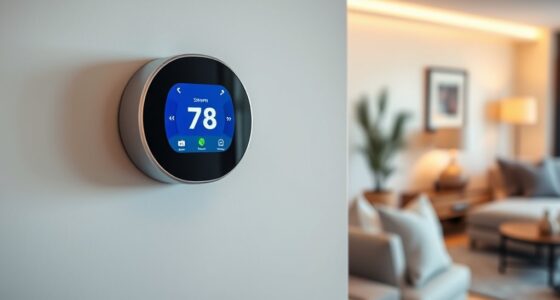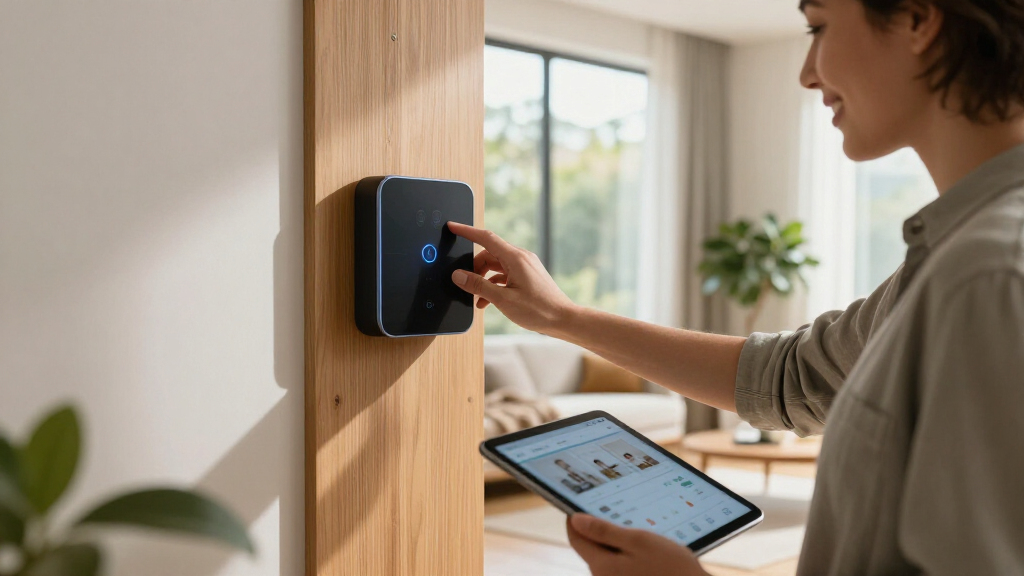

Smart home hub controllers are the command center that ties your lights, locks, sensors, and thermostats into one coherent system, and the right one depends heavily on how much control you want over the details. The Amazon Echo Hub (newest model) takes my best overall spot because it pairs an 8-inch wall-mounted touchscreen with the Alexa+ dashboard, making whole-home control genuinely approachable. If privacy and self-hosted automation matter more to you than a slick screen, the Home Assistant Green and Hubitat Elevation C-8 Pro both run automations locally without relying on a cloud connection. The main tradeoff in this category is convenience versus control: touchscreen panels like the Echo Hub are effortless but cloud-dependent, while enthusiast hubs like Hubitat are powerful but demand setup effort. Read on for the full breakdown of all seven controllers and which one fits your home.

Get home appliances delivered free with Prime
- Fast, free delivery on millions of items
- Prime Video, Amazon Music and more included
- Member-only deals all year
Complete the kit

Key Takeaways
- The lineup splits cleanly into two camps: touchscreen control panels (Echo Hub, both variants) and protocol hubs (Hubitat, Home Assistant Green, Aeotec, both Aqara models) — and picking the wrong camp is the most common buying mistake.
- Local processing is the biggest differentiator at the premium end: Hubitat Elevation C-8 Pro and Home Assistant Green keep automations running during internet outages, while the Echo Hub variants depend on Amazon‘s cloud for most functions.
- The refurbished Echo Hub delivers roughly 80% of the newest model’s experience at a lower price, with Alexa+ being the main thing you give up — making it the strongest value play for Alexa households.
- Protocol support varies more than spec sheets suggest: the Aeotec Smart Home Hub 2 covers Zigbee and Matter but drops Z-Wave, while the Aqara M3 compensates with an IR blaster and multi-protocol connectivity that can control legacy devices no other hub here reaches.
- The Aqara M100 and M3 are not interchangeable — the M100 is a compact budget Matter controller for small setups, while the M3 is the better pick once you add Aqara sensors or need to control air conditioners and TVs via infrared.
| Amazon Echo Hub (newest model), 8-inch smart home control panel with Alexa+ |  | Best Overall | Display: 8-inch touchscreen | Protocols: WiFi, Bluetooth, Zigbee, Matter, Sidewalk, Thread | Voice Assistant: Alexa+ (newest model) | VIEW LATEST PRICE | See Our Full Breakdown |
| Home Assistant Green | Smart Home Hub with Advanced Automation |  | Best for Tinkerers and Local Control | Processor: Quad-core | RAM: 4GB | Storage: 32GB | VIEW LATEST PRICE | See Our Full Breakdown |
| Amazon Echo Hub 8″ Smart Home Control Panel with Alexa (Refurbished) |  | Best Value | Display: 8-inch touchscreen | Protocols: WiFi, Bluetooth, Zigbee, Matter, Sidewalk, Thread | Compatibility: Alexa devices, smart locks, thermostats, cameras | VIEW LATEST PRICE | See Our Full Breakdown |
| Aeotec Smart Home Hub 2 – V4, Zigbee & Matter Gateway |  | Best for SmartThings Users | Protocols: Zigbee, Matter | Z-Wave Support: No | Connectivity: WiFi, Ethernet | VIEW LATEST PRICE | See Our Full Breakdown |
| Aqara Smart Hub M100 for Home Automation, Matter Controller |  | Best Compact Pick | Protocols: Zigbee, Thread, Matter controller | Device Capacity: Up to 20 Zigbee and 20 Thread devices | Wi-Fi: Wi-Fi 6 (802.11ax), WPA3 security | VIEW LATEST PRICE | See Our Full Breakdown |
| Hubitat Elevation C-8 Pro Smart Home Hub |  | Best for Power Users | Processor: 2.0 GHz | RAM: 2 GB | Connectivity: Wi-Fi, Ethernet | VIEW LATEST PRICE | See Our Full Breakdown |
| Aqara Smart Home Hub M3 |  | Best for Aqara Ecosystems | Protocols Supported: Zigbee, Thread, Matter | Device Capacity: 127 Zigbee devices, 127 Thread devices | Connectivity: Wi-Fi 2.4/5 GHz, PoE, USB-C | VIEW LATEST PRICE | See Our Full Breakdown |
| smart home hub controller | Protocols |
|---|---|
| Amazon Echo Hub | WiFi, Bluetooth, Zigbee, Matter, Sidewalk, Thread |
| Home Assistant Green | Smart H | — |
| Amazon Echo Hub 8" Smart Home | WiFi, Bluetooth, Zigbee, Matter, Sidewalk, Thread |
| Aeotec Smart Home Hub 2 | Zigbee, Matter |
| Aqara Smart Hub M100 for Home | Zigbee, Thread, Matter controller |
| Hubitat Elevation C-8 Pro Smar | — |
| Aqara Smart Home Hub M3 | — |
More Details on Our Top Picks
Amazon Echo Hub (newest model), 8-inch smart home control panel with Alexa+
The Echo Hub earns the top spot because it solves the problem most hubs ignore: how your household actually interacts with the smart home. A touchscreen dashboard on the wall means family members don’t need an app — they tap a camera feed or slide a thermostat the way they’d use a light switch. Compared with the Aeotec Smart Home Hub 2, which has no screen and relies entirely on automations and voice via other speakers, the Echo Hub puts visible, glanceable control front and center. Its protocol support is unusually broad too, spanning Zigbee, Thread, Matter, and Sidewalk, so it can act as a border router rather than just a controller.
The tradeoffs are real, though. The stand and Ethernet adapter cost extra, and advanced camera history leans on a Ring subscription. Unlike Home Assistant Green, your automations live partly in Amazon’s cloud, which matters if privacy or offline reliability tops your list.
Pros:- 8-inch touchscreen dashboard makes smart home control accessible to the whole household without apps
- Broad protocol support including Zigbee, Thread, Matter, and Sidewalk
- Strong privacy controls including a physical mic-off button
- Built with 27% recycled materials and sustainable packaging
Cons:- Stand, Ethernet adapter, and Power-over-Ethernet hardware sold separately
- Advanced security and camera features require a Ring subscription
- Deeper automations depend on Alexa’s cloud rather than fully local processing
Best for: Households that want a wall-mounted touchscreen everyone can use, already living in the Alexa ecosystem with Ring cameras and Matter devices
Not ideal for: Privacy-first buyers or anyone wanting fully local control — automations depend on Amazon’s cloud and some features on paid subscriptions
- Display:8-inch touchscreen
- Protocols:WiFi, Bluetooth, Zigbee, Matter, Sidewalk, Thread
- Voice Assistant:Alexa+ (newest model)
- Privacy Features:Mic off button, multiple privacy controls
- Materials:27% recycled materials
- Installation:Wall mount included; stand and PoE adapter sold separately
Our verdict“Buy this if you want the most approachable whole-family command center; skip it if you refuse cloud dependence and subscription fees.”
Home Assistant Green | Smart Home Hub with Advanced Automation
Home Assistant Green is the power pick for anyone who bristles at cloud dependence. Unlike the Echo Hub, where Amazon’s servers mediate your automations, Green runs everything locally on a fanless quad-core box that draws only a few watts — your lights keep obeying complex rules even when the internet drops. The software ships pre-installed, so setup is far less intimidating than the old Home Assistant route of flashing a Raspberry Pi.
Where the Aqara M100 caps you at 20 Zigbee devices and locks out third-party Zigbee gear, Green accepts whatever radios you plug into its USB ports — Z-Wave, Zigbee, or Thread — making it the most expandable option in this lineup. The catch: it’s a headless box. There’s no screen like the Echo Hub’s dashboard, and you’ll manage everything through a web interface. Initial setup also demands a wired Ethernet connection, and 32GB of storage limits heavy add-on projects.
Pros:- Fully local processing keeps data private and automations running during outages
- Pre-installed Home Assistant makes setup far easier than a DIY server build
- USB expandability lets you add Z-Wave, Zigbee, and Thread radios as needed
- Fanless, silent operation at just a few watts of power draw
Cons:- Requires a wired Ethernet connection for initial setup
- No screen or built-in voice control — everything runs through a web interface
- 32GB storage constrains large databases or add-on-heavy installations
Best for: DIY-minded users who want unlimited automation logic, total data privacy, and don’t mind managing their smart home through a web UI
Not ideal for: Casual users or non-technical households — there’s no touchscreen, no voice assistant built in, and configuration requires real effort
- Processor:Quad-core
- RAM:4GB
- Storage:32GB
- Power Consumption:A few watts
- Expandability:USB radios for Z-Wave, Zigbee, and Thread (sold separately)
- Cooling:Fanless, silent
Our verdict“This is the hub for builders who want maximum control and privacy; anyone wanting plug-and-play simplicity should stick with the Echo Hub or Aeotec.”
Amazon Echo Hub 8″ Smart Home Control Panel with Alexa (Refurbished)
The refurbished Echo Hub is the budget route to the same wall-mounted dashboard experience as the new model — same 8-inch display, same Zigbee, Thread, and Matter support, same privacy controls. If the headline features of the newest Echo Hub (mainly Alexa+ and updated internals) don’t matter to you, buying refurbished frees up cash for the accessories Amazon sells separately anyway, like the table stand or the Power-over-Ethernet adapter that enables clean in-wall wiring.
Compared with the Aeotec Smart Home Hub 2 at similar money, you get an actual screen for household members who don’t want to use voice commands or apps — but you give up Aeotec’s local automation engine, so an internet outage can take your routines down. Expect generic packaging and the usual refurb caveats: cosmetic blemishes are possible and stock is inconsistent. It’s the same core product, just with a less polished unboxing and older software on arrival.
Pros:- Same 8-inch dashboard, protocol support, and privacy features as the new Echo Hub at a lower price
- Flexible installation with wall mount, in-wall cable pass-throughs, or optional PoE
- Refurbished pricing leaves budget for the stand and Ethernet accessories you’ll likely want
Cons:- Ships in generic packaging and may carry cosmetic wear
- Older software version without Alexa+ enhancements found on the newest model
- Stand and Power-over-Ethernet hardware still cost extra
Best for: Budget-conscious buyers who want the Echo Hub touchscreen experience without paying the new-model premium
Not ideal for: Gift-givers and anyone who wants Alexa+ features, pristine hardware, and predictable availability — buy the new model instead
- Display:8-inch touchscreen
- Protocols:WiFi, Bluetooth, Zigbee, Matter, Sidewalk, Thread
- Compatibility:Alexa devices, smart locks, thermostats, cameras
- Condition:Refurbished, generic packaging
- Materials:27% recycled materials
- Installation:Wall mount; stand, cable pass-throughs, and PoE sold separately
Our verdict“A smart way to get Echo Hub hardware for less, as long as you accept refurb quirks and can live without Alexa+.”
Aeotec Smart Home Hub 2 – V4, Zigbee & Matter Gateway
Aeotec’s Smart Home Hub 2 occupies the sensible middle ground between the Echo Hub’s polished-but-closed world and Home Assistant Green’s do-it-yourself depth. It’s the go-to if you’ve committed to the SmartThings ecosystem: Zigbee and Matter radios are built in, setup is a ten-minute affair over WiFi or Ethernet, and local automations keep essentials running during internet outages — something the Echo Hub can’t promise. It also plays nicely with both Alexa and Google Assistant, so you’re not locked into one voice platform the way Amazon’s panel nudges you to be.
The limitation to weigh seriously is the absence of Z-Wave support. If you own older Z-Wave locks or sensors — common in US installations — this hub simply won’t see them, whereas Home Assistant Green with a USB stick handles Z-Wave without complaint. It’s also headless: no screen, so household interaction depends on the SmartThings app or voice speakers.
Pros:- Local automation engine keeps routines running during internet outages
- Supports current Zigbee and Matter standards for broad device compatibility
- Works with both Alexa and Google Assistant, avoiding voice-platform lock-in
- Quick setup over either WiFi or Ethernet
Cons:- No Z-Wave support, which strands many older smart locks and sensors
- Full functionality depends on the SmartThings ecosystem and its app
- No display — every interaction happens through a phone or voice speaker
Best for: SmartThings households that want simple, reliable Zigbee and Matter automation with local execution and dual voice-assistant support
Not ideal for: Homes with legacy Z-Wave devices — there’s no Z-Wave radio, so those devices will need a different hub or replacement
- Protocols:Zigbee, Matter
- Z-Wave Support:No
- Connectivity:WiFi, Ethernet
- Compatible Ecosystems:SmartThings, Alexa, Google Assistant
- Local Processing:Yes
- Display:None (app and voice controlled)
Our verdict“The right pick for SmartThings loyalists who want local control without DIY complexity; Z-Wave owners should look at Home Assistant Green instead.”
Aqara Smart Hub M100 for Home Automation, Matter Controller
The Aqara M100 wins on discretion. It’s a palm-sized puck with an internal antenna that disappears on a shelf, yet it still carries Zigbee, Thread, and Matter duties with Wi-Fi 6 and WPA3 security — more modern wireless than anything else in this lineup offers. Compared with its sibling, the Aqara Hub M3, the M100 trades the IR blaster and multi-protocol extras for a lower price and smaller footprint, which is exactly the right trade for an apartment or a single room.
Its constraints define who should buy it. The 20-device-per-protocol ceiling is fine for a starter setup but laughable next to Home Assistant Green’s effectively unlimited capacity, and third-party Zigbee devices aren’t supported — you’re buying into Aqara’s own sensor ecosystem. The hub must also sit within roughly 6–19 feet of your router for a solid connection, and the 5V power adapter isn’t in the box, so factor that small extra cost in before checkout.
Pros:- Compact, antenna-free design fits anywhere and covers 1,500–2,000 sq ft
- Wi-Fi 6 with WPA3 gives it the most modern wireless security in this roundup
- Matter controller with Zigbee and Thread support bridges devices into major ecosystems
- Local automation keeps routines working without internet access
Cons:- Limited to Aqara’s own Zigbee devices — no third-party Zigbee support
- Caps at 20 Zigbee and 20 Thread devices, restricting growth
- Power adapter not included and placement is constrained by a 6–19 ft router range
Best for: Apartment dwellers and Aqara-ecosystem buyers who want a compact, affordable Matter-capable hub for a small device fleet
Not ideal for: Large homes or mixed-brand households — the 20-device limits and third-party Zigbee lockout will be reached fast
- Protocols:Zigbee, Thread, Matter controller
- Device Capacity:Up to 20 Zigbee and 20 Thread devices
- Wi-Fi:Wi-Fi 6 (802.11ax), WPA3 security
- Coverage:1,500–2,000 sq ft
- Router Range:6–19 feet recommended placement
- Power:USB-A, 5V/0.5A adapter (not included)
- Antenna:Internal
Our verdict“A tidy, inexpensive hub for small Aqara-based setups in apartments; scale up to the Aeotec or Home Assistant Green once your device count grows.”
Hubitat Elevation C-8 Pro Smart Home Hub
The Hubitat Elevation C-8 Pro earns its spot as the enthusiast’s choice because it does something the Amazon Echo Hub simply cannot: it runs your entire automation engine locally, so rules execute in milliseconds and keep working when the internet drops. Compared with the Aqara M3, the C-8 Pro casts a wider protocol net — adding Z-Wave 800 Series and Z-Wave Long Range alongside Zigbee and Matter — which matters if you’ve already invested in Z-Wave locks or sensors. That flexibility comes at a cost, though. Where an Echo Hub works out of the box, Hubitat expects you to build automations yourself, and some advanced features mean digging through documentation. The payoff is speed, privacy, and a community that has solved nearly every problem you’ll hit.
Pros:- Local automation processing delivers millisecond response and works during internet outages
- Broadest protocol support in this lineup: Z-Wave 800, Z-Wave Long Range, Zigbee 3.0, Matter 1.5, and Bluetooth
- Works with Alexa, Google Home, and Apple HomeKit for voice control
- Free lifetime software updates and an unusually active user community
Cons:- Setup and rule-building assume technical comfort — this is not a beginner hub
- Advanced features often require reading documentation rather than a guided app flow
- Device compatibility varies; some gear needs verification before buying
Best for: Tinkerers and privacy-focused homeowners with mixed Z-Wave, Zigbee, and Matter devices who want fast local automations
Not ideal for: Buyers who want a plug-and-play touchscreen experience — there’s no display, and configuration demands real technical patience
- Processor:2.0 GHz
- RAM:2 GB
- Connectivity:Wi-Fi, Ethernet
- Protocols Supported:Z-Wave 800 Series, Z-Wave Long Range, Zigbee 3.0, Matter 1.5, Bluetooth
- Product Dimensions:2.95 x 3.23 x 0.67 inches
- Item Weight:2.56 ounces
- Voice Assistant Integration:Alexa, Google Home, Apple HomeKit
Our verdict“If you treat your smart home as a hobby and want local, outage-proof control over a mixed-protocol setup, this is the hub to buy — anyone wanting simplicity should look elsewhere.”
Aqara Smart Home Hub M3
The Aqara Hub M3 makes the most sense for one specific buyer: someone already living in the Aqara world, or planning to. Its Thread border router and Matter controller support give it a modern foundation the Aeotec Smart Home Hub 2 matches on paper, but the M3 adds a 360° IR blaster that can learn commands from legacy remotes — a rare trick that pulls dumb air conditioners and TVs into your automations. Compared with the Hubitat C-8 Pro, the M3 is dramatically easier to set up and supports PoE for clean, reliable wiring, but it’s notably closed: third-party Zigbee devices aren’t supported, so it’s Aqara Zigbee or nothing. Factor in the missing power adapter and the short router-distance requirement, and this is a great hub with clearly drawn borders.
Pros:- Built-in Thread border router and Matter controller for future-proof connectivity
- 360° learning IR blaster integrates non-smart TVs, AC units, and media gear
- Local automation and edge computing keep data on-device for privacy and reliability
- Flexible connectivity with Wi-Fi, PoE, and USB-C, plus included mounting hardware
Cons:- Only supports Aqara Zigbee devices; third-party Zigbee hardware won’t pair
- Power adapter not included, adding an extra purchase
- Needs placement within roughly 6 to 19 feet of your router for a stable connection
Best for: Aqara device owners who want Thread and Matter readiness plus IR control of older TVs and air conditioners
Not ideal for: Households running mixed-brand Zigbee sensors — the M3 only pairs with Aqara Zigbee devices
- Protocols Supported:Zigbee, Thread, Matter
- Device Capacity:127 Zigbee devices, 127 Thread devices
- Connectivity:Wi-Fi 2.4/5 GHz, PoE, USB-C
- Storage:8GB encrypted local storage
- IR Blaster:360° with feedback and learning
- Power:PoE and USB-C port (adapter not included)
Our verdict“A polished, privacy-friendly hub that’s excellent inside the Aqara ecosystem but too closed for buyers wanting brand-agnostic Zigbee support.”

How We Picked
I ranked these seven smart home hub controllers around four factors that actually decide buyer satisfaction. Control model came first: whether the hub runs locally or depends on the cloud affects reliability, speed, and privacy, so hubs that keep automations working during outages scored higher for serious setups. Ecosystem compatibility was next — support for Matter, Zigbee, Z-Wave, Alexa, Google Assistant, and Home Assistant determines how many existing devices a hub can actually unify, and gaps here (like the Aeotec’s missing Z-Wave) moved products down the list. Setup and daily usability separated beginner-friendly picks from enthusiast gear, and value tied it together by weighing price against long-term flexibility, subscription requirements, and platform lock-in.
The ranking reflects a simple logic: products that serve their intended buyer exceptionally well placed higher than jack-of-all-trades options. The Echo Hub’s newest model earns best overall for making whole-home control accessible without sacrificing much capability, while Hubitat and Home Assistant Green hold the enthusiast slots because their local-control advantages are unmatched by screen-first devices. The refurbished Echo Hub, Aeotec, and both Aqara hubs fill specific niches — budget Alexa households, SmartThings loyalists, and compact or multi-protocol setups — rather than competing for the top spot directly.
| smart home hub controller | Protocols |
|---|---|
| Amazon Echo Hub | WiFi, Bluetooth, Zigbee, Matter, Sidewalk, Thread |
| Home Assistant Green | Smart H | — |
| Amazon Echo Hub 8" Smart Home | WiFi, Bluetooth, Zigbee, Matter, Sidewalk, Thread |
| Aeotec Smart Home Hub 2 | Zigbee, Matter |
| Aqara Smart Hub M100 for Home | Zigbee, Thread, Matter controller |
| Hubitat Elevation C-8 Pro Smar | — |
| Aqara Smart Home Hub M3 | — |
Factors to Consider When Choosing Smart Home Hub Controllers
Choosing a smart home hub controller is less about finding the most powerful box and more about matching the hub to your existing devices, your tolerance for setup work, and how much you value privacy. Before pulling the trigger on any of the seven picks above, work through these factors.Cloud vs. Local Control
The single biggest decision is whether your automations run in someone else’s cloud or on hardware sitting in your house. Cloud-based hubs like the Echo Hub variants offer easier setup, better voice integration, and automatic updates, but a server outage at Amazon can pause your automations and your data passes through third-party servers. Local hubs such as the Hubitat C-8 Pro and Home Assistant Green execute rules on the device itself, which means faster response times, offline resilience, and no subscription risk — but you accept a steeper learning curve and manual maintenance. A common mistake is buying a cloud hub, then discovering it can’t handle time-critical automations like motion-triggered lighting without noticeable lag. If reliability and privacy sit near the top of your list, lean local; if convenience wins, cloud is the pragmatic choice.
Protocol Support and Device Compatibility
Matter was supposed to solve fragmentation, but in 2026 the reality is that most homes still run a mix of Zigbee, Z-Wave, Wi-Fi, and older infrared devices, so protocol coverage still matters. Check what your existing bulbs, locks, and sensors actually use before buying — a household full of Z-Wave devices will be poorly served by the Aeotec hub, which dropped Z-Wave support in this generation. Zigbee remains the most widely supported protocol among budget sensors, while Matter is the safest bet for future purchases from major brands. The Aqara M3’s IR blaster is an underrated feature if you have air conditioners, TVs, or fans that predate smart home tech entirely. My advice: list your five most important devices, confirm protocol compatibility for each, and let that list drive the decision rather than marketing claims about ecosystem size.
Screen or No Screen
A wall-mounted touchscreen like the Echo Hub changes how you interact with your home — instead of pulling out a phone, you glance at a dashboard, tap a light, or check a camera feed as you walk past. That convenience is real, but it comes with tradeoffs buyers often underestimate: the screen becomes a single point of failure, placement is permanent once wired in, and you’re paying for a display rather than raw automation capability. Hub-only options like the Hubitat or Home Assistant Green cost less and pack more processing into the same price because there’s no panel to fund. Plenty of experienced users run both — a powerful local hub doing the heavy lifting, with a cheap tablet as the visual front-end. If you’re unsure, start hub-first and add a screen later; the reverse path usually means rebuying hardware.
Ecosystem Lock-In and Exit Costs
Every hub nudges you deeper into its ecosystem, and the exit cost grows with every device you pair. Amazon’s ecosystem is convenient but nudges you toward Alexa-compatible hardware and Ring cameras; SmartThings via the Aeotec ties you to Samsung’s platform direction; Aqara hubs work best with Aqara sensors despite Matter support. Home Assistant is the most portable option since it integrates with nearly everything and stores your configurations locally, but it demands the most from you technically. Before committing, ask what happens if the manufacturer changes course, discontinues the product, or introduces a subscription — history is full of hubs bricked by corporate decisions. Buying one extra-protocol hub like the M3 or a Matter-certified controller hedges against that risk, since Matter devices can be migrated to future controllers.
Scalability and Home Size
A hub that handles ten devices gracefully can choke on eighty, and manufacturers rarely publish clear device-count limits. Compact hubs like the Aqara M100 are ideal for apartments and small homes but were never designed for multi-floor setups with dozens of sensors; scaling beyond their comfort zone leads to laggy automations and dropped connections. Larger homes should prioritize hubs with strong radios, wired ethernet (a notable advantage of the Hubitat C-8 Pro), and mesh-friendly Zigbee or Z-Wave support that lets mains-powered devices relay signals. Consider future plans too — if you intend to add energy monitoring, presence detection, or camera integrations down the road, a hub with an active developer community like Home Assistant will grow with you far longer than a closed platform. Matching hub capacity to realistic five-year ambitions saves a painful migration later.
Budget Reality: Purchase Price vs. Total Cost
The sticker price of a hub is rarely the full story, and chasing the cheapest option often costs more over time. A refurbished Echo Hub looks like a bargain until you factor in the ecosystem’s reliance on Alexa-compatible hardware, and some platforms quietly introduce subscription tiers for premium features or cloud storage. Local-control hubs carry higher upfront prices but almost never carry recurring fees, which evens out within a couple of years for larger setups. There’s also a hidden cost in buying underpowered hardware: replacing a hub that can’t keep up means re-pairing every device you own, an afternoon-long chore nobody enjoys. A sensible rule is to spend on capability at the hub level and save at the peripheral level, since sensors and bulbs are cheap to swap but the hub is the piece that anchors everything.
Frequently Asked Questions
Can I use the Echo Hub as my only hub, or do I still need something like Hubitat?
For a typical household of 20–40 Alexa-compatible devices — lights, plugs, thermostats, cameras — the Echo Hub works fine as a standalone controller, and its touchscreen adds a control surface Hubitat simply doesn’t offer. The gap appears when you want complex conditional automations, offline reliability, or support for protocols Alexa handles poorly, like large Zigbee sensor networks or Z-Wave locks. Cloud dependence is the other factor: if your internet drops, cloud-based routines stop firing even though basic device control sometimes continues. Many experienced users run both, with Hubitat or Home Assistant managing the automation logic and the Echo Hub acting as the friendly wall-mounted interface. If your automations are simple and your internet is stable, the Echo Hub alone is a reasonable choice.
Is the refurbished Echo Hub worth it compared to the newest model?
The refurbished unit makes sense if you’re comfortable with the previous generation of Alexa, since the core hardware — the 8-inch screen, Wi-Fi radio, and dashboard functionality — is identical between versions. What you give up is Alexa+, the newer AI-driven assistant that handles more natural voice commands and smarter routines, and that’s a meaningful upgrade if voice control is central to how you use your home. Refurbished stock also typically carries a shorter warranty, which matters for a device mounted on a wall and wired into your home. My guidance: if the price gap exceeds roughly 25%, the refurb is a defensible buy for a secondary room or a first smart home. If the gap is small, the newest model’s longer software support window justifies the extra spend.
Does missing Z-Wave on the Aeotec Smart Home Hub 2 actually matter?
It depends entirely on what’s already in your house. Z-Wave remains the protocol of choice for many smart locks, leak sensors, and older home-security gear, and there’s no software update that adds it back — it’s a hardware radio the hub simply doesn’t include. If your devices are Zigbee, Wi-Fi, or Matter-based, the omission costs you nothing, and the Aeotec’s tight SmartThings integration is among the best in this price band. New buyers building from scratch can route around the gap by choosing Zigbee or Matter devices going forward, since both ecosystems are well stocked. Established Z-Wave households, however, should look at Hubitat’s C-8 Pro instead, which covers both radio families. The mistake to avoid is assuming Matter makes protocol support irrelevant — it doesn’t, at least not yet.
Which Aqara hub should I choose, the M100 or the M3?
The M100 suits small, single-room setups or anyone starting with a handful of Aqara sensors — it’s inexpensive, compact, and handles Matter control competently for its price. The M3 justifies its premium once you outgrow that: multi-protocol connectivity supports more device types simultaneously, and the built-in IR blaster can control air conditioners, TVs, and fans that no other hub in this lineup can reach. The M3 is also the better long-term anchor if you plan to expand into Aqara’s extensive sensor catalog, since it manages larger device counts without the slowdowns the M100 shows when pushed. One caution: Aqara’s hubs work best within the Aqara ecosystem, so if brand neutrality matters to you, weigh them against the Home Assistant Green. For most buyers deciding between the two, the question is simply whether IR control and headroom are worth roughly double the price.
How much technical skill does Home Assistant Green or Hubitat actually require?
Home Assistant Green sits in the middle of the difficulty curve — initial setup is genuinely simple thanks to preloaded software, but building advanced automations involves YAML configuration or a visual editor with a real learning curve, and troubleshooting usually means community forums rather than phone support. Hubitat is somewhat friendlier day-to-day, with a mature rule-builder app and an active user community that has solved most common problems, though its interface feels dated compared to modern apps. Neither requires programming knowledge for basic automations like motion-triggered lights or schedules; the skill demand rises only for complex conditional logic. If you can set up a router and don’t mind reading a guide occasionally, you’re qualified for either. Buyers who want zero configuration effort should stick with the Echo Hub or Aqara options instead.
Conclusion
After comparing all seven, the right choice comes down to what kind of smart home owner you are — or want to become. Best overall goes to the Amazon Echo Hub (newest model), which balances an intuitive 8-inch touchscreen, Alexa+ intelligence, and broad device support better than anything else here. For best value, the refurbished Echo Hub delivers nearly the same experience for less, and the Aqara M100 is the value pick if you prefer a compact protocol hub over a screen. The premium crowd — large homes, privacy-focused users, automation tinkerers — should choose the Hubitat Elevation C-8 Pro for local processing and dual-protocol radios, or the Home Assistant Green if maximum flexibility matters more than polish. Beginners get the gentlest onboarding from the Echo Hub, while SmartThings loyalists should stick with the Aeotec Smart Home Hub 2, and anyone with legacy IR devices or a growing Aqara sensor collection will find the Aqara M3 is the only hub that covers those bases. Match the hub to your devices and your patience for setup, and you’ll end up with a system that still feels right three years from now.