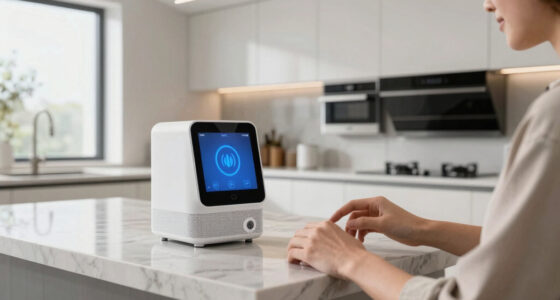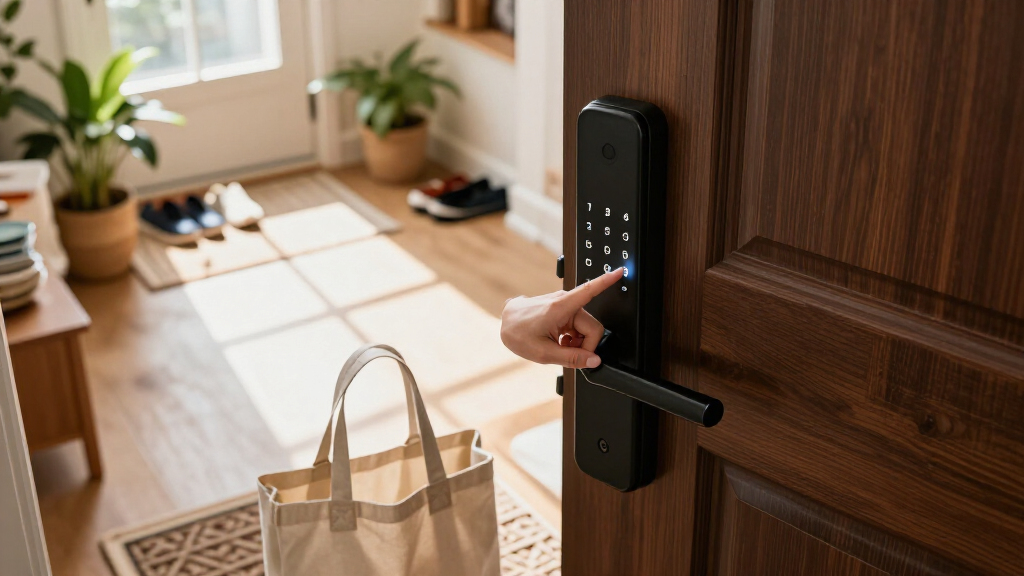
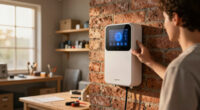
For most buyers, I’d start with the Philips WiFi Keypad Door Lock with Handle: its built-in Wi-Fi and mix of keypad, app, voice, and fingerprint access make it the most versatile listed option. The TEEHO TE001 is a simpler keypad deadbolt choice, while the Wyze Auto-Lock Bolt v2 stands out for buyers who want fingerprint entry and Wi-Fi in a bolt-style lock. The main tradeoff is between a connected lock with more ways to enter and a simpler keypad model with fewer setup demands. Door compatibility matters just as much as smart features, particularly when choosing between a deadbolt, knob, or handle set. Read on for how I separate the 15 options and what to check before choosing one.

Get home appliances delivered free with Prime
- Fast, free delivery on millions of items
- Prime Video, Amazon Music and more included
- Member-only deals all year
Complete the kit



Key Takeaways
- The Philips WiFi Keypad Door Lock with Handle has the broadest stated access mix in this lineup, combining keypad, app, voice, and fingerprint entry with built-in Wi-Fi.
- TEEHO TE001 appears in three finishes, so buyers can choose its keypad-deadbolt format without changing to a different listed model.
- Several Philips products include both a keypad deadbolt and a handle, while other Philips listings are deadbolt-only; check the exact package rather than relying on the brand name.
- Fingerprint access is a recurring differentiator across options from Philips, Veise, Ulecoce, and Wyze, but it is not listed for every keypad lock.
- The lineup includes deadbolts, knob locks, and handle sets. Matching the lock style to the existing door hardware can matter more than adding another unlocking method.
| Philips WiFi Keypad Door Lock with Handle, Built-in WiFi, APP Remote Control, Voice & Fingerprint Unlock, Satin Nickel |  | Best Overall | Connectivity: 2.4GHz Wi-Fi | Entry methods: App, voice, fingerprint, passcode | Fingerprint speed: 0.3 seconds | VIEW LATEST PRICE | See Our Full Breakdown |
| Smart Door Handle Lock with Keypad and Fingerprint for Front Door |  | Best for Flexible Shared Access | Model: YR01 | Entry methods: Fingerprint, app, passcode, key fob, mechanical key | Voice control: Alexa; Wi-Fi gateway required | VIEW LATEST PRICE | See Our Full Breakdown |
| Keypad Door Lock with Handle, Smart Keyless Entry with Code for Front Door |  | Best for a Simple Offline Keypad | Model: Z1A | Control: Touchpad | Passcode capacity: Up to 20 codes | VIEW LATEST PRICE | See Our Full Breakdown |
| Veise VE017 Fingerprint Smart Door Lock with App Control, Matte Black |  | Best for Multi-Method Entry | Entry methods: Fingerprint, app, password, key fob, mechanical key | Connectivity: Wi-Fi via separately sold G1 Gateway | Voice assistants: Alexa and Google Assistant | VIEW LATEST PRICE | See Our Full Breakdown |
| Ulecoce U68 Fingerprint Keypad Deadbolt with Knob Set, Matte Black | 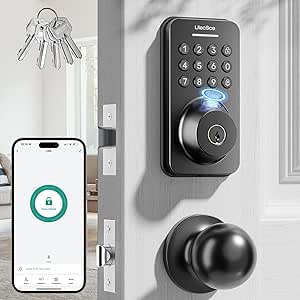 | Best for High-Capacity Fingerprint Access | Model: U68 | Fingerprint capacity: 512 fingerprints | Passcode capacity: 512 codes | VIEW LATEST PRICE | See Our Full Breakdown |
| TEEHO TE001 Keyless Entry Deadbolt with Keypad for Front Door, Matte Black |  | Best Value for Code-Based Access | Material: Aluminum alloy | Color: Matte Black | Battery life: Up to 365 days | VIEW LATEST PRICE | See Our Full Breakdown |
| Philips WiFi Keypad Deadbolt with Handle, Built-in WiFi, App Remote Control |  | Best for Remote Access | Connectivity: 2.4 GHz Wi-Fi | Auto-lock: Customizable from 0 to 180 seconds | Battery life: Up to 6 months | VIEW LATEST PRICE | See Our Full Breakdown |
| Keypad Smart Door Knob Lock with Fingerprint & Keyless Entry |  | Best for Multiple Entry Methods | Model: YR05 | Material: Aluminum | Finish and color: Brushed finish, Matte Black | VIEW LATEST PRICE | See Our Full Breakdown |
| Veise VE06-L Smart Deadbolt Lock with 2 Lever Handle Set, Matte Black |  | Best for Rental Property Management | Material: Zinc alloy | Finish: Matte Black | Certification: BHMA/ANSI Grade 3 | VIEW LATEST PRICE | See Our Full Breakdown |
| Teeho TE001 Keyless Entry Deadbolt with Keypad for Front Door, Bronze |  | Best Bronze Finish Pick | Model: TE001 | Material: Aluminum alloy | Weather resistance: IP54 | VIEW LATEST PRICE | See Our Full Breakdown |
| Keypad Smart Door Knob Lock with Handle | 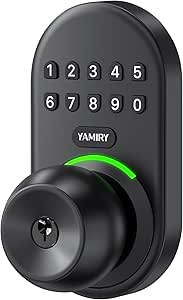 | Best Simple Keypad Knob | Material: Aluminum alloy | Finish: Matte black | User codes: Up to 20 | VIEW LATEST PRICE | See Our Full Breakdown |
| Philips Wi-Fi Smart Deadbolt Lock, Keyless Entry Door Lock |  | Best for Flexible Access Methods | Model: DDL242X-1HW | Access methods: App, passcode, fingerprint, physical key, and voice commands | Custom passcodes: Up to 100 | VIEW LATEST PRICE | See Our Full Breakdown |
| TEEHO TE001 Keyless Entry Deadbolt with Keypad for Front Door, Satin Nickel |  | Best Value Offline Deadbolt | Access codes: Up to 20 plus one-time guest code | Lock grade: ANSI Grade 3 | Weather resistance: IP54 | VIEW LATEST PRICE | See Our Full Breakdown |
| Philips WiFi Keypad Door Lock with Handle, App Control Smart Deadbolt Lock |  | Best Keypad Lock with Handle and Remote Access | Model: DDL242X-15HW-L | Included hardware: Door lock and two lever handles | Access methods: Keys, passcodes, and voice commands | VIEW LATEST PRICE | See Our Full Breakdown |
| Wyze Auto-Lock Bolt v2 Fingerprint Keyless Entry Smart Lock with Wi-Fi |  | Best for Fast Fingerprint Entry | Model: WLCKB2 | Access methods: Fingerprint, keypad, app, and physical key | Fingerprint unlock: Under 0.5 seconds | VIEW LATEST PRICE | See Our Full Breakdown |
| smart door locks with keypad | Model | Battery life |
|---|---|---|
| Philips WiFi Keypad Door Lock | — | — |
| Smart Door Handle Lock with Ke | YR01 | — |
| Keypad Door Lock with Handle | Z1A | 8-12 months |
| Veise VE017 Fingerprint Smart | — | At least 12 months |
| Ulecoce U68 Fingerprint Keypad | U68 | — |
| TEEHO TE001 Keyless Entry Dead | — | Up to 365 days |
| Philips WiFi Keypad Deadbolt w | — | Up to 6 months |
| Keypad Smart Door Knob Lock wi | YR05 | — |
| Veise VE06-L Smart Deadbolt Lo | — | Claimed to exceed 10 years |
| Teeho TE001 Keyless Entry Dead | TE001 | Up to 365 days |
| Keypad Smart Door Knob Lock wi | — | — |
| Philips Wi-Fi Smart Deadbolt L | DDL242X-1HW | — |
| TEEHO TE001 Keyless Entry Dead | — | Up to 365 days |
| Philips WiFi Keypad Door Lock | DDL242X-15HW-L | — |
| Wyze Auto-Lock Bolt v2 Fingerp | WLCKB2 | Up to 8 months |
More Details on Our Top Picks
Philips WiFi Keypad Door Lock with Handle, Built-in WiFi, APP Remote Control, Voice & Fingerprint Unlock, Satin Nickel
I’d rank this Philips first for buyers who want a keypad lock that can also handle remote access without a separate gateway. Its built-in 2.4GHz Wi-Fi supports app control, user management, and access monitoring, while fingerprint entry in 0.3 seconds offers a faster alternative to entering a code. The included handle set also makes it a more complete door-hardware replacement than the NICE DIGI Z1A, which keeps things simpler by skipping apps and Wi-Fi altogether.
The tradeoff is dependence on Wi-Fi for the connected features, along with eight AA batteries that aren’t included. I’d choose the Z1A instead for a keypad-only setup with fewer connected components; this Philips makes more sense for households that will use remote management and voice control. Check door thickness before ordering, since compatibility is specified for a limited range.
Pros:- Built-in Wi-Fi enables app-based remote control and access monitoring without a separate gateway.
- Fingerprint recognition is specified at 0.3 seconds for quick entry.
- Offers permanent, one-time, periodic, and recurring passcodes.
- Includes a matching handle set and supports Alexa and Google Assistant.
Cons:- Eight AA alkaline batteries are required and not included.
- Connected functions depend on a 2.4GHz Wi-Fi connection.
- Door thickness must be checked against the 1-3/8 to 1-3/4 inch compatibility range.
Best for: Households that want built-in Wi-Fi, keypad and fingerprint entry, and app-based access management in one handle set.
Not ideal for: Buyers who want a keypad lock that works without Wi-Fi, or whose door thickness falls outside the specified range.
- Connectivity:2.4GHz Wi-Fi
- Entry methods:App, voice, fingerprint, passcode
- Fingerprint speed:0.3 seconds
- Passcode types:Permanent, one-time, periodic, recurring
- Auto-lock:Adjustable from 0 to 180 seconds
- Included hardware:Matching handle set
- Door thickness:1-3/8 to 1-3/4 inches (38 to 50 mm)
- Batteries:8 AA alkaline batteries, not included
Our verdict“Choose this Philips if built-in Wi-Fi, flexible codes, and fingerprint access matter more than avoiding batteries or connected features.”
Smart Door Handle Lock with Keypad and Fingerprint for Front Door
I’d give the Yamiry YR01 the shared-access role because it combines a keypad, fingerprint reader, key fobs, and mechanical keys in one handle lock. That variety can suit a household with different entry preferences or a landlord managing several users. Compared with the Philips WiFi Keypad Door Lock, it lists more physical entry choices, but the Philips is clearer about built-in Wi-Fi; Yamiry’s remote access and Alexa voice control require a separate gateway.
The product data also leaves battery life and durability less clearly specified, so I’d be cautious about choosing it for a door where long-term maintenance details matter most. Its reversible handle and tool-free installation are useful for standard doors, but app setup may add steps, and some functions may depend on additional services. I’d pick it for access-method flexibility, not for the most straightforward connected setup.
Pros:- Combines passcodes, fingerprint recognition, app control, key fobs, and mechanical keys.
- Includes two key fobs and two mechanical keys.
- Reversible handle supports left- and right-handed doors.
- Tool-free installation is described as suitable for most standard doors.
Cons:- Remote control and Alexa voice unlocking require a separate Wi-Fi gateway.
- Battery life and durability details are not specified in the supplied product data.
- Some functions may involve extra app setup or subscriptions.
Best for: Landlords and households that need several ways for different users to enter, including codes, fingerprints, fobs, and keys.
Not ideal for: Buyers who want built-in Wi-Fi or clearly documented battery-life and durability details before choosing a connected lock.
- Model:YR01
- Entry methods:Fingerprint, app, passcode, key fob, mechanical key
- Voice control:Alexa; Wi-Fi gateway required
- Included keys and fobs:2 key fobs and 2 mechanical keys
- Handle direction:Reversible for left- or right-handed doors
- Installation:Tool-free installation described for standard doors
- Recommended use:Indoor and exterior doors
Our verdict“Choose the Yamiry if multiple users need different entry methods and you’re willing to add a gateway for connected access.”
Keypad Door Lock with Handle, Smart Keyless Entry with Code for Front Door
The NICE DIGI Z1A is my pick for buyers who want keypad access without app accounts, Wi-Fi, or gateway setup. It supports up to 20 passcodes, plus passage mode and auto-lock, so a household can share individual codes while still choosing when the door should lock. That makes it a more deliberately simple option than the Veise VE017, which adds fingerprint, app, and gateway-based remote features but also brings more connected-system dependencies.
The Z1A’s IP54 weather resistance and included physical keys make it suitable for buyers who want a straightforward keypad-first lock. The compromise is clear: there’s no remote management, fingerprint entry, or voice control. Its backlight may also be less helpful in very dark conditions, and the four AA batteries are not included. I’d choose it for dependable code-based access rather than smart-home integration.
Pros:- Stores up to 20 personalized passcodes.
- Operates without an app or Wi-Fi connection.
- Includes auto-lock, passage mode, and two physical keys.
- Aluminum-alloy construction is rated IP54 for weather resistance.
Cons:- No remote control, app access, fingerprint entry, or voice control.
- Four AA batteries are not included.
- The keypad backlight may be insufficient in very dark conditions.
Best for: Homeowners or small-property operators who want multiple keypad codes and basic lock modes without Wi-Fi or app management.
Not ideal for: Buyers who need remote access, activity monitoring, fingerprint entry, or voice-assistant control.
- Model:Z1A
- Control:Touchpad
- Passcode capacity:Up to 20 codes
- Lock modes:Auto-lock and passage mode
- Weather resistance:IP54
- Material:Aluminum alloy
- Battery life:8-12 months
- Batteries:4 AA batteries, not included
- Backup keys:2 physical keys
Our verdict“Choose the NICE DIGI Z1A if you want code-based entry with useful basic modes and no connected-device setup.”
Veise VE017 Fingerprint Smart Door Lock with App Control, Matte Black
The Veise VE017 is a strong fit for buyers who want keypad access as part of a broader set of entry choices. Alongside passwords, it supports fingerprint, key fob, and mechanical-key access, with app-based user management and activity logs. That gives it more access flexibility than the NICE DIGI Z1A, which is limited to keypad and physical-key use but avoids connected setup altogether.
The main catch is that remote access and voice-assistant use depend on the separately sold G1 Gateway; the lock itself does not provide built-in Wi-Fi. Its all-metal construction, local AES128 encryption, and stated battery life of at least 12 months give buyers concrete details to weigh, though four AA batteries are still an added requirement. I’d pick it for varied entry methods and managed access, not for a ready-to-connect Wi-Fi lock straight out of the box.
Pros:- Supports fingerprint, password, key fob, and mechanical-key entry.
- App features include remote user management and activity logs when paired with the gateway.
- All-zinc-alloy, all-metal construction and local AES128 encryption are specified.
- DIY installation is described as requiring no drilling.
Cons:- Remote access and voice control require a separately sold G1 Gateway.
- Four AA/LR6 alkaline batteries are not included.
- Some smart-home functions depend on additional equipment.
Best for: Households or multi-tenant properties that want fingerprint and keypad entry, several backup methods, and app-based user logs.
Not ideal for: Buyers who expect remote access without purchasing a separate gateway or prefer a keypad-only lock with fewer setup needs.
- Entry methods:Fingerprint, app, password, key fob, mechanical key
- Connectivity:Wi-Fi via separately sold G1 Gateway
- Voice assistants:Alexa and Google Assistant
- Material:All-zinc alloy, all-metal
- Battery life:At least 12 months
- Battery type:4 AA/LR6 alkaline batteries, not included
- Local data protection:AES128 encryption
- Installation:DIY; described as 15 minutes with no drilling required
- Certification:BHMA/ANSI
Our verdict“Choose the VE017 if you want several entry methods and managed access, and are comfortable adding a gateway for remote features.”
Ulecoce U68 Fingerprint Keypad Deadbolt with Knob Set, Matte Black
The Ulecoce U68 stands apart for households or shared properties that need room for a large number of registered users: its stated capacity is 512 fingerprints and 512 passcodes. It also pairs keypad entry with fingerprint access, app control, and physical keys, while the included knob set makes this a more complete hardware package than the Veise VE017. The specified 0.3-second fingerprint unlock is useful when quick entry matters, and the three-year warranty is longer than the one-year limited warranty listed for the Veise, with an extension after registration.
Its connected features are less self-contained than those of the built-in-Wi-Fi Philips: remote and voice functions require an optional Ulecoce gateway, and app range is listed at five meters. I’d favor it for user capacity and included hardware, but not for buyers who want remote access without extra equipment.
Pros:- Supports up to 512 fingerprints and 512 passcodes.
- Fingerprint unlocking is specified at 0.3 seconds.
- Includes a knob set, latch, mounting hardware, and five backup keys.
- Includes a three-year warranty.
Cons:- Remote access and voice control require an optional Ulecoce gateway.
- No built-in Wi-Fi; listed app unlock range is five meters.
- Auto-lock timing is limited to a 5-60 second range.
Best for: Large households or shared properties that need many fingerprint and code profiles plus a deadbolt-and-knob hardware set.
Not ideal for: Buyers who want built-in Wi-Fi for remote access or who don’t need high user capacity and would rather avoid an optional gateway.
- Model:U68
- Fingerprint capacity:512 fingerprints
- Passcode capacity:512 codes
- Fingerprint unlock speed:0.3 seconds
- Auto-lock timer:5-60 seconds
- App unlock range:5 meters
- Included backup keys:5
- Warranty:3 years
- Remote connectivity:Optional gateway required
Our verdict“Choose the U68 for its unusually high code and fingerprint capacity and included knob hardware, but not if built-in remote connectivity is a priority.”
TEEHO TE001 Keyless Entry Deadbolt with Keypad for Front Door, Matte Black
I’d choose the matte-black TEEHO TE001 for a household that wants straightforward keypad access without app or Wi-Fi dependence. Its 20 user codes and one-time guest code give families, visitors, or short-term guests separate ways in, while auto-lock can reduce the chance of leaving the door unsecured. Compared with the Wi-Fi-connected Philips 4200 Series, this Teeho is simpler and avoids relying on a strong wireless signal, but it cannot offer remote app control or fingerprint entry. The IP54 rating suits exposed residential doors, and the stated battery life of up to a year limits routine battery changes. Tradeoffs include needing to buy four AA batteries, checking for the required 54 mm door hole, and resetting the lock during first-time setup to match door orientation.
Pros:- Stores up to 20 access codes and supports a one-time guest code.
- Auto-lock and one-touch locking add a simple way to secure the door.
- IP54 weather resistance suits many exterior residential doors.
- Battery life is specified for up to 365 days.
Cons:- Four AA batteries are required and are not included.
- The stated door-hole compatibility is 2-1/8 inches (54 mm), not 38 mm.
- First-use setup requires resetting the lock for the door orientation.
Best for: Households and rental hosts who want multiple keypad codes and a temporary guest code without app-based access management.
Not ideal for: Buyers who need remote control, fingerprint entry, or compatibility with a 38 mm door hole.
- Material:Aluminum alloy
- Color:Matte Black
- Battery life:Up to 365 days
- Battery type:4 AA batteries, not included
- Weather resistance:IP54
- Access codes:Up to 20, plus one-time guest code
- Locking features:Auto-lock and one-touch auto-lock
- Door-hole compatibility:2-1/8 inches (54 mm)
- Security grade:ANSI Grade 3
Our verdict“Pick this Teeho for dependable, code-focused entry and skip it if remote app features or fingerprint access are priorities.”
Philips WiFi Keypad Deadbolt with Handle, Built-in WiFi, App Remote Control
The Philips 4200 Series is the strongest fit here for buyers who want a keypad but also need to manage the door while away. Its built-in 2.4 GHz Wi-Fi enables app-based remote control and access management, unlike the simpler Teeho TE001, which focuses on local keypad codes. Philips adds fingerprint entry and voice-assistant compatibility, giving household members alternatives when entering a code is inconvenient. That feature breadth comes with more setup dependencies: the lock needs a strong Wi-Fi signal within the stated range, and the auto-lock setting must be enabled rather than assumed to be active out of the box. Battery life is listed for up to six months, shorter than the Teeho’s stated year, and batteries are not included. I’d favor it for connected homes, not for buyers seeking the fewest moving parts.
Pros:- Built-in Wi-Fi supports remote app control and access management.
- Keypad, fingerprint, and voice-assistant access provide several entry options.
- Customizable auto-lock delay can be set from 0 to 180 seconds.
- Designed to fit doors 1-3/8 to 1-3/4 inches thick.
Cons:- Requires a strong Wi-Fi signal within about 33 feet for optimal performance.
- Auto-lock is disabled by default and must be activated manually.
- Batteries are not included, and stated battery life is up to six months.
Best for: Connected households that want remote access management plus keypad and fingerprint entry, with reliable 2.4 GHz Wi-Fi near the door.
Not ideal for: Buyers with weak Wi-Fi at the entry, those who want a basic keypad-only lock, or anyone unwilling to activate auto-lock during setup.
- Connectivity:2.4 GHz Wi-Fi
- Auto-lock:Customizable from 0 to 180 seconds
- Battery life:Up to 6 months
- Battery type:Standard 1.5 V alkaline batteries, not included
- Fingerprint access:Yes; listed unlocking time is 0.3 seconds
- Voice assistants:Alexa and Google Assistant
- Door thickness compatibility:1-3/8 to 1-3/4 inches (38 to 50 mm)
- Model number:DDL242X-1HW-L
Our verdict“Choose the Philips 4200 if remote management and fingerprint entry matter more than the Teeho TE001’s longer stated battery life and simpler operation.”
Keypad Smart Door Knob Lock with Fingerprint & Keyless Entry
This YR05 smart door knob suits buyers who want more than keypad access in a knob-style format. It supports fingerprint, password, app, key-fob, and physical-key entry, so household members can use different methods rather than sharing one routine. That makes it more versatile than the deadbolt-focused Teeho TE001, which centers on codes and backup security features rather than fingerprints or fobs. The YR05 also offers passage mode and auto-lock, but remote access depends on a separately sold Wi-Fi gateway; Bluetooth and app control alone do not provide the same away-from-home access. The product data gives no battery-life or weather-resistance rating, so I would be cautious about choosing it for a fully exposed exterior door. Setup may also take more effort than a basic keypad deadbolt.
Pros:- Offers five listed entry methods: app, fingerprint, password, key fob, and physical key.
- Includes two physical keys and two key fobs.
- Auto-lock and passage modes support both secured and convenient access.
- Aluminum construction is described as corrosion resistant.
Cons:- Remote access requires a Wi-Fi gateway sold separately.
- Full functionality depends on using the smartphone app, and setup may be complex.
- The supplied product data does not state battery life or a weather-resistance rating.
Best for: Households wanting fingerprint, keypad, fob, app, and key entry options on a standard door knob.
Not ideal for: Buyers who need remote access without extra hardware, want a simpler installation, or need documented weather and battery-life ratings for an exposed entry.
- Model:YR05
- Material:Aluminum
- Finish and color:Brushed finish, Matte Black
- Dimensions:5.62 x 2.69 x 3 inches
- Weight:1.18 kg
- Entry methods:App, fingerprint, password, key fob, and physical key
- Remote access:Bluetooth; Wi-Fi gateway sold separately
- Included accessories:Two physical keys and two key fobs
- Modes:Auto-lock and passage mode
Our verdict“Choose the YR05 over the Teeho TE001 if entry-method variety matters most, but look elsewhere for simpler remote access or clearly specified outdoor ratings.”
Veise VE06-L Smart Deadbolt Lock with 2 Lever Handle Set, Matte Black
The Veise VE06-L is aimed at owners managing access across a household or rental, rather than buyers who only need a basic keypad deadbolt. Its codes, IC cards, app management, and access logs offer more ways to issue and track entry than the Teeho TE001’s code-centered setup. The included lever-handle set also makes this a fuller door-hardware package. Its IP54 rating and ANSI Grade 3 certification provide useful reference points for exterior use, while the stated fit covers many standard U.S. doors from 1-3/8 to 2 inches thick. The tradeoff is added complexity: installation may challenge less confident DIYers, and remote voice control requires a separate G2 gateway. The claimed battery life exceeds 10 years, but I’d treat that unusually long figure cautiously because the supplied data does not explain the conditions behind it.
Pros:- Supports app access, codes, IC cards, and voice commands.
- App and web portal provide remote management and access logs.
- IP54 weatherproofing and ANSI Grade 3 certification are specified.
- Includes a smart lock with handles, keys, and IC cards.
Cons:- A separate G2 gateway is required for remote voice control.
- Installation may be challenging for some DIY users.
- The stated battery life exceeds 10 years, but the product data gives no conditions for that claim.
Best for: Rental owners and households who want multiple credential types, app-based access records, and a handle set in one package.
Not ideal for: Buyers seeking a low-complexity keypad-only lock, effortless installation, or remote voice control without extra hardware.
- Material:Zinc alloy
- Finish:Matte Black
- Certification:BHMA/ANSI Grade 3
- Battery life:Claimed to exceed 10 years
- Door thickness compatibility:1-3/8 to 2 inches
- Access options:App, codes, IC cards, and voice commands
- Included components:Lock with handles, latch, strike, mounting plate, screws, keys, and IC cards
- Warranty:2 years: 1-year limited plus 1-year extension
Our verdict“Pick the Veise for access management and included handle hardware, but favor the Teeho TE001 for a simpler keypad-first installation.”
Teeho TE001 Keyless Entry Deadbolt with Keypad for Front Door, Bronze
The bronze Teeho TE001 brings the same practical keypad-first approach as the matte-black TE001, making finish the clearest reason to choose between them. Both variants list 20 access codes, a one-time guest code, auto-lock, and IP54 weather resistance; neither adds the remote app control or fingerprint entry found on the Philips 4200 Series. For buyers matching existing bronze door hardware, this version keeps the familiar deadbolt format while providing backup keys and a low-battery alert. Its stated battery life of up to 365 days is longer than the Philips model’s listed six months, though it still requires four AA batteries that are not included. Check the door preparation before ordering: it is specified for a 2-1/8-inch hole, not a 38 mm one, and initial setup requires resetting the lock for door orientation.
Pros:- Provides up to 20 access codes plus a one-time guest code.
- Bronze finish offers an alternative to the matte-black TE001.
- Includes two backup keys and the latch and strike plate.
- IP54 weather resistance and auto-lock support exterior-door use.
Cons:- Four AA batteries are required and are not included.
- Fits the specified 2-1/8-inch (54 mm) door hole, not 38 mm holes.
- First-use setup requires resetting the lock to match door orientation.
Best for: Homeowners or rental hosts who want the TE001’s keypad and guest-code features in a bronze finish to match existing hardware.
Not ideal for: Buyers who need remote app management, fingerprint entry, or a lock compatible with a 38 mm door hole.
- Model:TE001
- Material:Aluminum alloy
- Weather resistance:IP54
- Access codes:Up to 20, plus one-time guest code
- Battery life:Up to 365 days
- Battery type:4 AA batteries, not included
- Locking features:Automatic lock and one-touch auto-lock
- Door-hole compatibility:2-1/8 inches (54 mm)
- Included components:Two backup keys, latch, strike plate, and installation and programming instructions
Our verdict“Choose this version over the matte-black Teeho TE001 when bronze hardware is the better match; the keypad functions are otherwise the same.”
Keypad Smart Door Knob Lock with Handle
I’d choose this keypad knob for a buyer who wants coded entry without adding app setup or a Wi-Fi connection. Its 20 user codes, temporary-code support, and included backup keys make it practical for household members and occasional visitors, while the backlit keypad helps with nighttime use. Compared with the TEEHO TE001, it offers a knob-style form rather than a deadbolt, so check that this is the lock format you need for your door. The tradeoff is limited remote management: no connectivity protocol is specified, leaving keypad and key access as the stated options. Its IP54 rating adds weather resistance, but battery replacement remains part of ownership. The advertised quick installation may suit a straightforward replacement, though door fit still matters.
Pros:- Supports up to 20 user codes and temporary codes
- Backlit keypad supports code entry in low light
- Includes physical backup keys
- IP54 weather resistance and aluminum-alloy construction
Cons:- No app, Wi-Fi, or smart-home control is specified
- Battery replacement is required
- A knob lock may not suit buyers seeking a deadbolt replacement
Best for: Homeowners replacing a compatible door knob who want several entry codes and temporary access without app-based controls.
Not ideal for: People who need remote locking, activity notifications, or smart-home integration, since no Wi-Fi or other connectivity is specified.
- Material:Aluminum alloy
- Finish:Matte black
- User codes:Up to 20
- Auto-lock timing:5 to 99 seconds
- Weather resistance:IP54
- Backup keys:Included
- Dimensions:5.62 x 2.7 x 3 inches
Our verdict“Choose this for straightforward keypad access at a compatible knob-style door, but skip it if remote control is a requirement.”
Philips Wi-Fi Smart Deadbolt Lock, Keyless Entry Door Lock
I’d put this Philips deadbolt on the shortlist for households that want a keypad but don’t want every entry to depend on one method. It combines passcodes, fingerprint access, app control, a physical key, and voice commands, with capacity for up to 100 custom passcodes. Compared with the TEEHO TE001, which keeps access centered on its keypad and key, this model offers remote access and more ways to get in. That flexibility comes with more setup and a dependency on 2.4GHz Wi-Fi for remote features; it won’t suit a home relying only on other Wi-Fi bands. Notifications and away mode can help manage access remotely, but there is no door sensor for open/close status. AA batteries are also not included, so plan for that before installation.
Pros:- Offers passcodes, fingerprint, app, key, and voice-command access
- Supports up to 100 custom passcodes
- Remote access and real-time notifications over 2.4GHz Wi-Fi
- Includes auto-lock and away mode
Cons:- Remote functions depend on a 2.4GHz Wi-Fi connection
- AA alkaline batteries are not included
- No door sensor is specified for open/close detection
Best for: Households that want high guest-code capacity plus fingerprint and remote app access over a 2.4GHz home network.
Not ideal for: Buyers seeking a simple offline keypad lock, or anyone who needs door-open detection or a lock compatible with a Wi-Fi network limited to 5GHz.
- Model:DDL242X-1HW
- Access methods:App, passcode, fingerprint, physical key, and voice commands
- Custom passcodes:Up to 100
- Connectivity:2.4GHz Wi-Fi
- Remote features:App control and real-time notifications
- Locking features:Auto-lock and away mode
- Batteries:AA alkaline batteries; not included
Our verdict“Pick this Philips model if varied entry methods and remote code management matter more than keeping the lock fully offline.”
TEEHO TE001 Keyless Entry Deadbolt with Keypad for Front Door, Satin Nickel
The TEEHO TE001 makes the most sense for buyers who want a keypad deadbolt with simple code management, not a connected-home hub. It stores 20 access codes and adds a one-time guest code, while auto-lock and low-battery alerts cover useful everyday basics. Against the Philips Wi-Fi Smart Deadbolt, the TE001 gives up remote access, fingerprint entry, and app notifications, but its simpler feature set may be preferable for someone who wants codes and a physical backup key without Wi-Fi setup. Its IP54 weather resistance and stated battery life of up to 365 days are practical advantages, though actual battery life can vary. Check the door before buying: it requires a 2-1/8-inch hole and is not compatible with a 38mm hole. Initial setup also requires a reset.
Pros:- Stores up to 20 access codes and supports a one-time guest code
- Includes automatic and one-touch auto-lock features
- IP54 weather resistance and low-battery alerts
- Rated for up to 365 days of battery life
Cons:- No app or remote connectivity is specified
- Requires four AA batteries, which are not included
- Not compatible with 38mm holes and needs a reset during initial setup
Best for: Buyers replacing a standard-bore deadbolt who want guest codes, auto-lock, and keypad access without remote-control features.
Not ideal for: People who need app-based access, fingerprint unlocking, or a fit for a 38mm door hole.
- Access codes:Up to 20 plus one-time guest code
- Lock grade:ANSI Grade 3
- Weather resistance:IP54
- Battery life:Up to 365 days
- Battery type:Four AA batteries; not included
- Compatible door hole:2-1/8 inches (54mm)
- Backup keys:Included
Our verdict“Choose the TE001 for an uncomplicated keypad deadbolt on a compatible standard door, not for app-managed access.”
Philips WiFi Keypad Door Lock with Handle, App Control Smart Deadbolt Lock
This Philips is the better fit for someone replacing a lock-and-handle setup who wants keypad entry plus remote access in one package. Its app can manage locking and access permissions away from home, while passcodes, a physical key, and voice commands offer alternatives at the door. Compared with the Philips Wi-Fi Smart Deadbolt, which lists fingerprint entry and capacity for 100 custom passcodes, this handle-equipped model’s supplied details emphasize the two lever handles and broad door fit rather than fingerprint access or a stated code limit. That distinction matters if biometrics or a documented high code capacity is a priority. IP54 protection and a wide stated temperature range suit exposed entry points, but remote functions rely on Wi-Fi. The eight AA batteries are not included, and the stated battery life is up to six months.
Pros:- App supports remote locking, unlocking, and access permissions
- Includes two lever handles and supports passcodes, keys, and voice commands
- IP54 rating and stated operating range from -31°F to 150°F
- Fits specified standard US deadbolt and door-thickness dimensions
Cons:- Remote features require Wi-Fi
- Eight AA batteries are not included; stated battery life is up to six months
- Setup may be more involved than a basic keypad-only lock
Best for: People replacing a front- or side-door lock and handle who want app-managed access, keypad codes, and voice control.
Not ideal for: Buyers who need fingerprint entry, a specified large passcode capacity, or longer stated battery life between changes.
- Model:DDL242X-15HW-L
- Included hardware:Door lock and two lever handles
- Access methods:Keys, passcodes, and voice commands
- Connectivity:Built-in Wi-Fi
- Battery:Eight AA batteries; not included
- Stated battery life:Up to 6 months
- Weather resistance:IP54
- Door fit:Cross bore 1-1/2 or 2-1/8 inches; door thickness 1-3/8 to 2 inches
- Warranty:2 years
Our verdict“Choose this Philips when you need a handle set and remote access together, but compare its battery demands and access options with the deadbolt-only Philips.”
Wyze Auto-Lock Bolt v2 Fingerprint Keyless Entry Smart Lock with Wi-Fi
The Wyze Bolt v2 is the pick for households that want keypad backup but expect to use fingerprint entry most often. Its scanner is specified to unlock in under half a second and adapts to usage, reducing the need to type a code for routine arrivals. Wi-Fi app control adds remote management, while physical keys and USB-C emergency backup provide alternatives if the usual access method is unavailable. Compared with the TEEHO TE001, Wyze adds biometrics and remote features, but it also brings a greater reliance on electronics and a stated battery life of up to eight months. Its IP53 rating is lower than the IP54 ratings listed for the TEEHO and Philips handle lock, so it is less compelling for a harshly exposed door. Choose it for convenience, not for the strongest weather rating in this group.
Pros:- Fingerprint scanner is specified to unlock in under 0.5 seconds
- Learns from use to improve fingerprint recognition
- Wi-Fi app supports remote control and management
- USB-C emergency power and physical keys provide backup access
Cons:- Remote features depend on Wi-Fi
- IP53 weather resistance is lower than the IP54 ratings on several alternatives here
- Stated battery life is up to eight months
Best for: Households that want quick biometric entry with keypad, app, and physical-key alternatives at a home door.
Not ideal for: Buyers with a heavily exposed entry or those who prefer a basic offline keypad deadbolt with fewer connected features.
- Model:WLCKB2
- Access methods:Fingerprint, keypad, app, and physical key
- Fingerprint unlock:Under 0.5 seconds
- Connectivity:Wi-Fi
- Weather resistance:IP53
- Battery life:Up to 8 months
- Emergency power:USB-C
Our verdict“Pick the Wyze if fast fingerprint entry is your priority, but favor the TEEHO or Philips handle lock for a higher stated weather-resistance rating.”
How We Picked
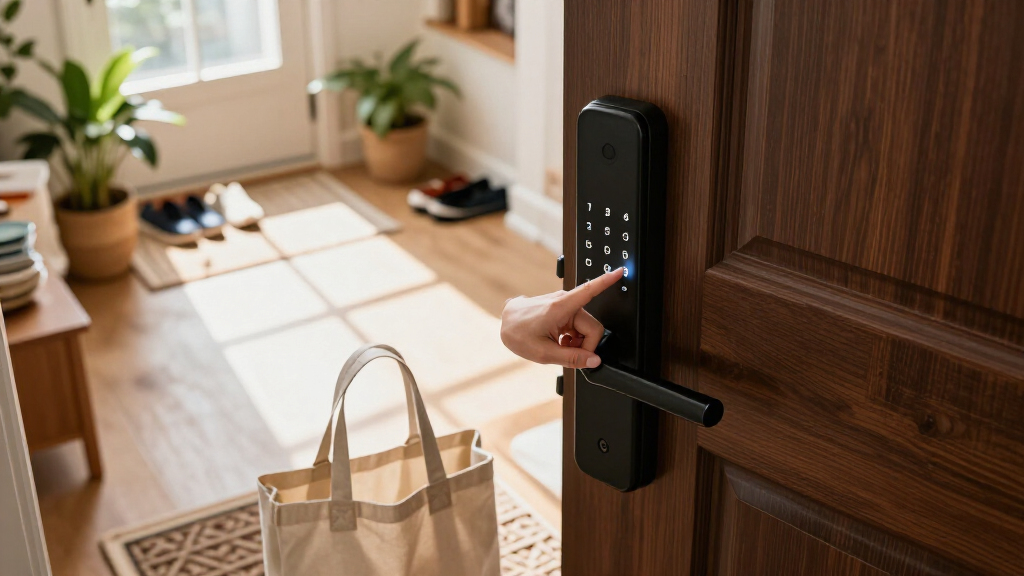
I compared these 15 keypad-equipped locks by the details supplied for each listing: lock format, stated access methods, connectivity, included hardware, and finish options. I gave more weight to products with clearly described combinations of keypad access and useful secondary entry methods, while keeping door compatibility and package type central to the comparison. A handle set, deadbolt, and knob lock do different jobs, so I did not treat them as interchangeable.
The order favors options whose stated features give buyers a clear reason to choose them, followed by simpler or less fully specified alternatives. That places the Philips WiFi keypad handle lock first for its broad access mix, while the TEEHO TE001 earns value-oriented attention for a focused keypad-deadbolt format offered in multiple finishes. I avoid making claims about durability, battery life, security certification, or app performance where the supplied product details do not establish them; buyers should verify those points and door measurements before purchasing.
Factors to Consider When Choosing Smart Door Locks With Keypad
Before choosing a model, I’d sort out the door and daily-use questions that product names can obscure. A keypad is the shared feature, but installation format, access methods, connectivity, and household routines determine whether a smart lock will suit your entry.
Match the Lock Format to Your Door
Start by identifying whether you need a deadbolt, knob lock, or handle set; they are not direct substitutes. A deadbolt-only product may leave your existing knob or lever in place, while a handle-set listing may replace more hardware. Before ordering, check the door’s bore holes, backset, thickness, handing, and existing latch arrangement against the manufacturer’s fit requirements. A frequent mistake is selecting by appearance or keypad features before confirming the lock can mount on the door. If you rent or want to keep current hardware, a deadbolt-format option may involve less visible change, but compatibility still needs checking. For an entry that needs a coordinated handle and lock, verify exactly which components come in the package.
Choose Access Methods You Will Actually Use
A keypad can handle routine entry without a physical key, but secondary methods change how useful a lock is for different households. Fingerprint access may suit people who want quick entry without remembering a code, while app or voice controls appeal to buyers already using connected-home tools. Extra methods can also mean more setup and more account or device dependencies, so avoid paying for features that will sit unused. Think through who needs access: children, visitors, cleaners, or a household member who may not want to use an app. Keep a backup entry plan in mind, including whether the specific model has a physical key or another fallback. Product listings vary, so confirm every claimed access method for the exact version you are buying.
Decide Whether Built-In Wi-Fi Is Worth It
Built-in Wi-Fi can make remote app access more convenient, but it is not automatically necessary for every keypad lock. Ask whether you need to manage access while away from home or mainly want a code for household entry at the door. Connected features may depend on your home network, app setup, and account access, so a simpler lock can be a better fit for buyers who want fewer connected systems to manage. Check whether the listing says Wi-Fi is built in rather than assuming that app control means direct internet connectivity. Also look for clear information on remote features and any additional requirements before purchase. Paying for connectivity makes the most sense when you expect to use it, not just because it appears on the feature list.
Plan for Codes, Guests, and Household Changes
Keypad convenience depends on how well you can manage access over time, not just whether a code works on installation day. Consider how many people will need entry and whether you want separate codes for household members or temporary visitors. Confirm the model’s code capacity, code-management method, and ability to change or remove codes; the supplied product names alone do not establish these details. Reusing one household code can be convenient, but it makes access harder to manage when a guest no longer needs it. Make a simple plan for who can administer codes and where backup instructions are stored. This step is particularly useful for shared homes, rentals, and households with recurring visitors.
Check Power, Backup Entry, and Maintenance
A smart lock adds a powered device to a door, so battery care and emergency access belong in the buying decision. Look up the exact model’s battery type, expected battery life, low-power warnings, and emergency power or key options rather than assuming they match another lock from the same brand. A keypad does not remove the need for a backup plan if the batteries run down or an electronic feature stops responding. Check how the lock signals low power and whether you can replace batteries from the interior side without special tools. Buyers who prefer minimal upkeep may favor a more straightforward keypad model over one with several connected functions. Include battery replacement in your household routine after installation.
Compare the Full Package, Not Just the Finish
Listings in this roundup include multiple finishes and different hardware bundles, and similar names can refer to distinct configurations. Confirm whether you are buying a deadbolt alone, a deadbolt with a lever, or a full handle set, and verify the finish matches the existing door hardware. A lower-complexity bundle may be preferable if you only need to replace the deadbolt, while a coordinated set can reduce the need to source matching hardware separately. Check what comes in the box, including keys, strike plates, and installation parts, because these details affect fit and setup. Do not assume that two listings with the same product family have identical connectivity or access features. Compare the specific model number and package contents before making the final choice.
Frequently Asked Questions
Should I choose a deadbolt or a keypad handle set?
I’d choose based on the hardware you need to replace, not on the keypad alone. A deadbolt-only lock can make sense when your existing knob or lever is staying, while a handle set may suit a door where you want the entry hardware replaced as a package. Check the listing contents and door measurements because product names do not always make the included hardware obvious. Also confirm that the lock style matches your door’s holes and latch layout. If you are uncertain, compare the manufacturer’s fit guide with your current hardware before ordering.
Is built-in Wi-Fi worth choosing over keypad-only access?
Built-in Wi-Fi is most useful if you expect to manage or check the lock remotely through an app. If your main goal is entering with a code at the door, a simpler keypad model may cover that need with fewer connected features to configure. App control and remote access are not necessarily the same thing, so verify which functions work away from home and whether any extra equipment or account setup is required. Think about who will maintain the network connection and app access in your household. I’d pay for connectivity when remote management solves a real routine problem.
Do I need fingerprint access if the lock already has a keypad?
Not necessarily: a keypad already offers key-free entry, and fingerprint access is an additional convenience rather than a requirement. It may help people who prefer not to remember or share codes, but you should check how the exact model handles fingerprints and what backup access it provides. A keypad-only lock can be a better fit if you want a simpler setup or expect guests to use temporary codes. Consider who uses the door most often and whether they would actually choose biometric entry. Avoid treating a longer feature list as a substitute for checking the lock’s fit and backup options.
How can I tell whether a smart keypad lock will fit my existing door?
Measure the door and existing hardware before choosing a model. The key checks usually include door thickness, backset, bore-hole size, latch arrangement, and whether the lock requires a particular handing or handle configuration. Compare those measurements with the manufacturer’s installation specifications for the exact model and package. A listing that says “front door” does not by itself confirm compatibility with every front door. If the lock is replacing a handle set, confirm that the included exterior and interior pieces match your door’s layout.
What should I do if the keypad lock’s batteries run low?
Plan for low batteries before installation by checking the model’s warning method and backup-entry instructions. Some locks may offer a physical key or an emergency power option, but those features differ by product and should not be assumed. Keep any backup key in a secure, accessible place and learn how the manufacturer recommends restoring power. Replace batteries when the lock signals low power rather than waiting for entry problems. If battery access requires interior access, make sure someone in the household knows how to open the battery compartment.
Conclusion
My best overall choice is the Philips WiFi Keypad Door Lock with Handle for buyers who want keypad entry alongside app, voice, and fingerprint access. For best value in a straightforward format, I’d compare the TEEHO TE001 variants: they keep the focus on a keypad deadbolt and offer three finish choices. The Philips Wi-Fi Smart Deadbolt Lock is a best premium-style option for shoppers who want a connected deadbolt format, though I’d verify the exact access features and package details before buying. For beginners, a simpler keypad deadbolt such as the TEEHO is a sensible starting point if its fit and backup-entry details match the door. If fingerprint entry is the priority, compare the Wyze Auto-Lock Bolt v2, Veise, Ulecoce, and fingerprint-equipped Philips listings; if you need a coordinated handle, focus on the handle-set listings. My final recommendation is to confirm fit and included hardware first, then choose the access methods you will use regularly.
Halloween Picks
halloween
As an affiliate, we earn on qualifying purchases.