
TL;DR

Get home appliances delivered free with Prime
- Fast, free delivery on millions of items
- Prime Video, Amazon Music and more included
- Member-only deals all year
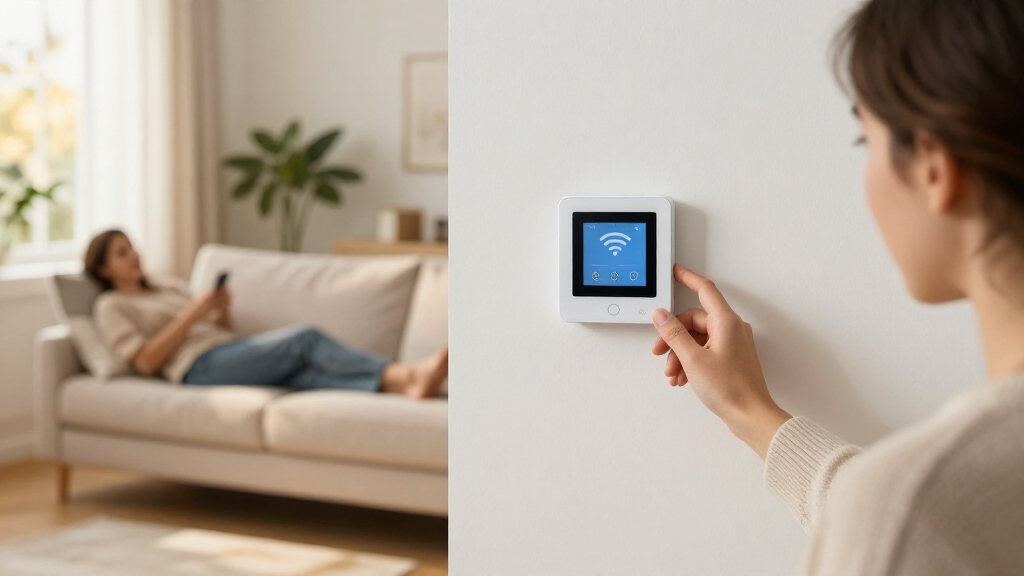
A smart Wi-Fi thermostat connects to your home network so you can adjust heating and cooling remotely, set schedules, and use automation features such as geofencing. Wi-Fi alone does not guarantee energy savings: compatibility, wiring, HVAC efficiency, and your household habits all shape the result. Check the exact model’s system support, power requirements, offline controls, data practices, and total cost before buying.
Your heating bill can climb while you’re away, even if nobody is home to feel the warmth. A smart Wi-Fi thermostat lets you check and adjust your heating or cooling from a phone, and some models can change settings automatically based on schedules, occupancy, or location.
That convenience can make daily life easier, but “smart” describes a broad mix of features. One thermostat may simply offer remote control; another may add room sensors, energy reports, or voice assistant support. The right choice depends on whether it fits your HVAC system, your home’s wiring, and the way you actually use heat and air conditioning.
This guide explains what these thermostats do, what to check before you buy, and where automation may help. You’ll also get practical examples for weighing comfort, cost, and privacy—so you can choose based on the controls you’ll use, not a shiny feature list.
Check the thermostat’s support for your exact HVAC system and wiring before buying.
Wi-Fi gives you remote access; it does not automatically provide learning or energy savings.
Schedules, geofencing, and room sensors can help with comfort, but their value depends on your routine and home.
Confirm app, cloud, and on-device behavior during an internet outage, along with data collection and account protections.
Compare the device price with installation, accessories, subscriptions, and any available incentives.
What a Smart Wi-Fi Thermostat Lets You Do
A smart Wi-Fi thermostat connects to your home’s wireless network so you can adjust heating and cooling remotely, usually from an app, voice assistant, or web interface. Many models also let you set schedules, view temperature information, or automate changes. The exact feature set varies, so the word smart alone tells you very little. The practical difference is how much work the thermostat takes off your hands: remote control helps when plans change, while automation can make routine adjustments without requiring you to remember them.
Imagine leaving for a weekend trip and realizing you left the heat at your usual daytime setting. With a supported thermostat, you can open the app and lower the temperature from the train. When you return, you can change it again before you arrive. That remote access works through the thermostat’s connection and often the maker’s app or cloud service. It is convenient, but it may depend on both your internet connection and the manufacturer’s service, so it is useful to know what controls remain available at the wall.
More advanced models can use geofencing, which uses a phone’s location to trigger a setting change when household members leave or return. Others learn or follow a schedule you create. These tools act like a household assistant that moves the temperature dial for you, but they can only respond to the information and rules the model supports. Geofencing may suit people whose plans vary, for example, but a shared home needs rules that account for everyone; otherwise one person leaving could trigger an unwanted setback while others are still home.
Wi-Fi itself does not make a thermostat save energy or learn your routine. A basic connected model may only provide remote control, while another adds occupancy sensors, reports, or smart-home integrations. For example, if you want to check the temperature at a vacation home, remote control may be enough; if your schedule changes daily, flexible automation may matter more. More features can also mean more setup, app permissions, or reliance on services, so value depends on whether a feature solves a real problem in your home.
Products Worth Considering

LEVOIT Vital 200S-P Smart Air Purifier for Large Rooms

Sonos One (Gen 2) Voice-Controlled Smart Speaker, White

Blueair Blue Pure 511i Max Smart Air Purifier
As an affiliate, we earn on qualifying purchases.
Check Your HVAC System and Wiring Before You Buy
A thermostat works only if it supports your heating and cooling equipment and has a compatible wiring setup. Before choosing a model, identify whether you have a furnace and air conditioner, a heat pump, a boiler, or a multi-stage system, then check the manufacturer’s compatibility guide against your existing wires and equipment. This is more than a plug-fit question: thermostat terminals carry instructions that tell the system when to heat, cool, or use backup equipment. Unsupported controls can mean that a system behaves incorrectly or a feature you rely on is unavailable.
This matters because two homes with similar wall controls can have very different systems behind them. A homeowner replacing a thermostat on a conventional furnace might find installation straightforward, while a home with a heat pump and auxiliary heat needs a model that supports those controls. Some boilers or dual-fuel systems also need specific compatibility. If a heat pump’s reversing valve or auxiliary heat is configured incorrectly, for instance, the system may heat inefficiently or fail to provide expected comfort, so matching the model to the equipment matters more than matching the appearance of the old thermostat.
Many smart thermostats use a C-wire, or common wire, to receive continuous power. Some models include an adapter or support another wiring arrangement, but those solutions differ. A missing C-wire is not a reason to guess: check the model instructions and your system’s wiring before purchasing, especially if you have unfamiliar terminals or a complex setup. Power requirements matter because a thermostat that cannot draw steady power may behave unreliably, and an adapter can add installation steps or be incompatible with some systems.
If you are comfortable replacing a compatible low-voltage thermostat, follow the manufacturer’s instructions and switch off the HVAC system’s power before handling wires. Take a clear photo of the existing connections first. For unfamiliar wiring, complex equipment, or any uncertainty, use a licensed HVAC professional. The added installation cost can be worthwhile when it prevents wiring damage or a system that runs incorrectly. A careful compatibility check can prevent a new thermostat from leaving you with a cold house and a return trip to the store.
Automation Can Make Comfort Easier, but Savings Vary
Smart thermostat automation can help you reduce heating or cooling when the home is empty and restore comfort before people return. Schedules, geofencing, occupancy sensing, and learning features can make those changes easier to manage. The actual energy impact depends on your climate, building, equipment, settings, and habits. The mechanism is straightforward: changing the target temperature can reduce how long the system runs, but the benefit depends on whether the change is large enough and lasts long enough to matter in your home.
For example, a household that keeps the heat high all day while everyone is at work may have room to use a lower daytime setting. A programmable schedule can make that change without asking someone to remember each morning. By contrast, if you already use a careful schedule or your home stays occupied, a smart thermostat may bring more convenience than savings. A setback that is too aggressive can also make rooms uncomfortable or prompt people to override the schedule, which reduces the value of automation.
A thermostat cannot repair leaky windows, poor insulation, or an inefficient furnace. It also cannot promise a particular reduction in your bill. Think of automation as a steering wheel: it can help you direct your system, but it cannot change the road or the condition of the car. Energy savings are possible, not guaranteed. A thermostat may help you use existing equipment more deliberately, while improvements to the building or HVAC system address the underlying reasons a home loses comfort or uses too much energy.
Room sensors can help a thermostat account for temperature or occupancy in another room, depending on the model. Say your upstairs bedroom runs warmer than the hallway where the thermostat sits; a sensor may help the system respond to the bedroom’s conditions. But a sensor does not create a separate HVAC zone or fix blocked ducts and insulation problems, so it helps to diagnose the cause of uneven temperatures too. Depending on the thermostat, the sensor may also prioritize one room at certain times rather than balance every room, so check how it uses readings before expecting whole-home consistency.
Compare Features Against the Way You Live
The best smart thermostat is the one whose useful features fit your routine and system. Compare control options, automation, sensors, integrations, and ongoing costs rather than assuming every model with Wi-Fi does the same job. A clear app and usable controls on the wall may matter more than a feature you are unlikely to turn on. It helps to start with a recurring inconvenience—such as forgetting to adjust the temperature before a trip—and see which feature addresses it, instead of paying for capabilities that add setup without changing daily life.
| Feature | What it can do | What to check |
|---|---|---|
| Remote access | Change settings while away from home | Whether app or cloud access is required |
| Schedules or learning | Change temperature at set times or based on patterns | How much control you keep over changes |
| Geofencing | Use phone location to trigger settings | Privacy controls and support for multiple residents |
| Room sensors | Report temperature or occupancy in another room | Whether sensors are included or sold separately |
| Smart-home support | Connect with voice assistants or other devices | Exact model, region, hub, and standard support |
Consider a family where one person works from home and another has a changing shift. A rigid schedule may frustrate them, while app control lets someone adjust the temperature without crossing the house. A household with a consistent weekday routine may get more from set schedules and may never need location tracking. The tradeoff is that manual flexibility puts more responsibility on residents, while automatic changes can feel intrusive or mistimed if the household’s routines do not match the thermostat’s assumptions.
Interoperability standards such as Matter, voice assistants, and utility programs can broaden what some newer models do, but support is not universal. It may depend on the thermostat generation, software version, region, hub, or utility enrollment. Confirm the exact model and any separate costs before you count those features as part of the deal. Integration can make one app or voice command control several devices, but it also adds dependencies; a feature that relies on a hub, account, or utility program may not work as simply as the product label suggests.
Keep App Access Convenient Without Ignoring Privacy
A smart thermostat can collect data about temperature, schedules, occupancy, and device use, so check the maker’s privacy information before connecting it to your home. Review what data it collects, how it is shared, and what account protections you can use. These details can matter as much as the app’s design if you want to limit location or household data. The data may reveal patterns about when people are home, so the benefit of personalized features should be weighed against the information required to provide them.
Geofencing is a good example of a useful feature with a personal tradeoff. A phone’s location can help the system prepare for your return, but a shared home may have several phones and different routines. One person leaving should not necessarily switch the whole house into an away setting, so check how the model handles multiple users and whether you can turn location features off. Disabling location may reduce automatic adjustments, but schedules or manual app control can preserve some convenience without continuous location access.
Also ask what still works when the internet goes down. Many thermostats retain basic on-device controls, while remote access, app features, or cloud-based automation may stop. If your broadband drops during a storm, you may still be able to change the temperature at the wall, but you should confirm that behavior for the model you are considering. This distinction matters most if you often rely on remote adjustments or if your home has conditions that need close monitoring; local controls provide a fallback, but not necessarily every connected feature.
Account security and software support deserve a quick check as well. Look for available protections such as multi-factor authentication and a clear policy on software updates. A thermostat is a small device, but it sits in a very personal part of your home. Choose settings and data sharing with the same care you use for other connected devices. A strong account helps protect remote access, while update support affects how long the device can receive fixes and remain compatible with connected services.
Use a Simple Buying Checklist to Avoid Costly Surprises
A short checklist helps you compare the thermostat’s total cost and practical fit before you buy. Include the device price, installation, possible accessories, subscription fees, and any available utility incentive. A model with a higher upfront price may make sense if you will use its features; it may not if all you need is a more convenient schedule. Looking at the full cost also helps distinguish a one-time purchase from features that depend on continued payments or separately purchased sensors.
- Identify your HVAC system. Note the equipment type, number of heating and cooling stages, and any heat-pump or boiler details.
- Check your wiring. Look at the existing terminals and confirm whether the thermostat requires a C-wire or offers a compatible adapter.
- Choose features you will use. Decide whether you want remote control, flexible scheduling, sensors, voice support, or geofencing.
- Check costs and support. Look for accessories, subscriptions, incentives, software-update information, and what remains usable offline.
- Plan installation. Follow the manufacturer’s safety steps for a compatible, simple replacement; call a licensed HVAC professional for complex systems or uncertain wiring.
For instance, someone with a conventional system, clear wiring, and a steady schedule may need only a well-reviewed app and basic scheduling. Someone with a heat pump, uneven room temperatures, and several household members should check system support and sensor or user options carefully. Buy for your house and routine, not for the longest list of features on the box. A little checking up front helps ensure the thermostat’s ongoing convenience is worth the purchase and installation cost.
Frequently Asked Questions
Will a smart Wi-Fi thermostat work with my HVAC system?
It depends on your equipment and wiring. Check the manufacturer’s compatibility guide for your furnace, air conditioner, heat pump, boiler, stages, and existing thermostat wires. A heat pump with auxiliary heat, for example, needs a model that supports those controls.
Do I need a C-wire?
Many models use a C-wire for steady power, but requirements vary. Some thermostats include a power adapter or support another setup. Check the exact installation instructions before buying rather than assuming your wiring will work.
Can I install a smart thermostat myself?
A simple replacement may suit someone comfortable with compatible low-voltage wiring and the manufacturer’s instructions. Turn off the HVAC system’s power before handling wires. For complex equipment, unfamiliar wiring, or uncertainty, contact a licensed HVAC professional.
Will a smart thermostat lower my energy bill?
It may help by making schedules or temperature setbacks easier to use, but savings depend on your habits, weather, insulation, and HVAC efficiency. If you already manage a careful schedule, the main benefit may be convenience rather than a lower bill.
Does a smart thermostat work without Wi-Fi?
Many models still let you change the temperature using controls on the device, but remote access, app functions, and cloud-based automation may stop during an internet outage. Check the manufacturer’s description of local controls. A power outage can disable the thermostat unless the system has backup power.
Are room sensors worth the extra cost?
Sensors can help a compatible thermostat account for conditions or occupancy in another room. They may help when a hallway thermostat misses a hot upstairs bedroom, but they do not create a separate HVAC zone or repair duct and insulation problems.
Conclusion
Choose a smart Wi-Fi thermostat by starting with your HVAC system and wiring, then pick the features that fit your daily routine. Remote control may be all you need, or schedules, room sensors, and geofencing may solve a specific comfort problem. Check compatibility, total cost, privacy, and offline controls before you commit.
A thermostat should make your home easier to manage, not turn the hallway into a control room you never use. Pick the one that quietly keeps comfort within reach.