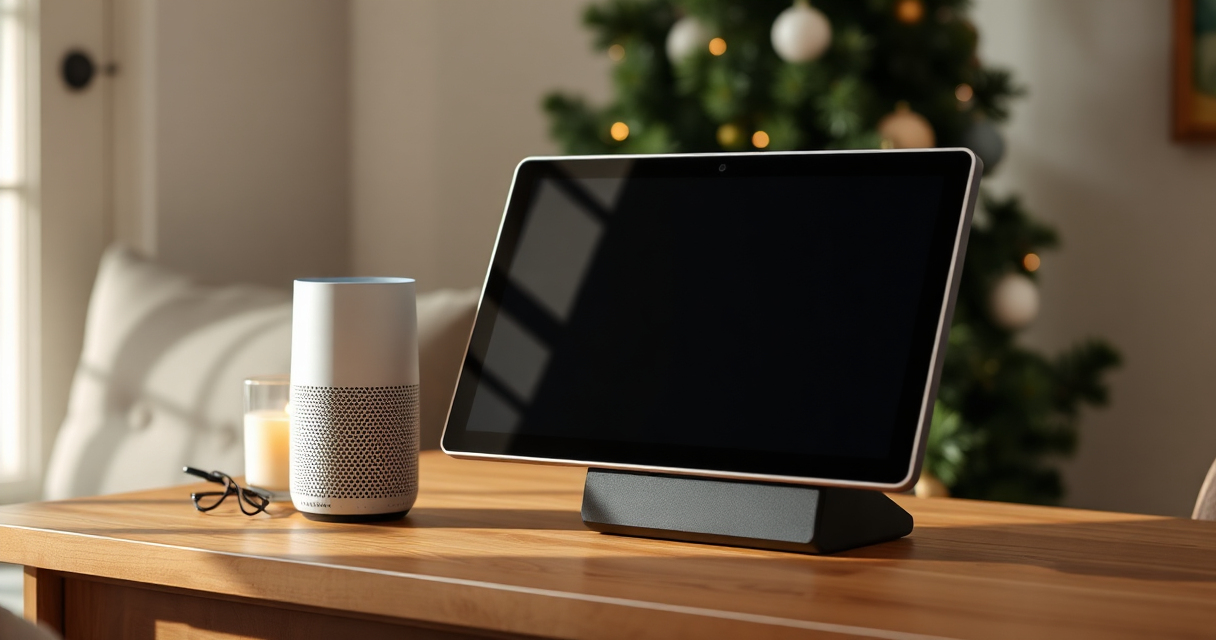
Black Friday can make a smart display feel like an easy holiday gift, but the right timing depends on whether the Echo Show 8 would solve a real need at home. Its touchscreen, video calling, and built-in smart home hub give it several useful roles beyond displaying the time.

Get home appliances delivered free with Prime
- Fast, free delivery on millions of items
- Prime Video, Amazon Music and more included
- Member-only deals all year
Here’s how to decide whether to buy it during the holiday shopping season or wait, plus practical setup ideas for the person who will use it.
Our top pick at a glance
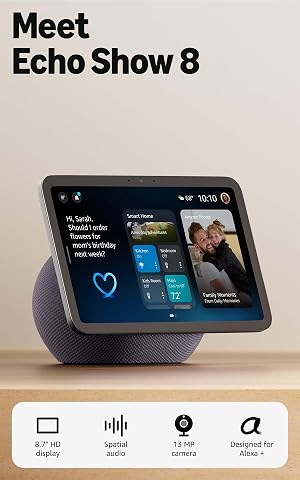
Amazon Echo Show 8 Smart Display
- ✔ Dimensions: 8.2 x 5 x 5.9 inches
- ✔ Weight: 37 oz
- ✔ Privacy: Microphone and camera disable buttons; in-app camera controls
Buy during Black Friday if it has a job at home
The Echo Show 8 makes most sense when you already know where it will live: on a kitchen counter for calls and routines, or in a shared room as a control point for compatible smart home devices. Its built-in hub supports Zigbee, Matter, and Thread devices, so it may help simplify a setup that includes those standards.
For a gift, check whether the recipient uses Alexa or wants to build a compatible smart home. If so, a holiday deal can be a good moment to buy a device they are likely to use every day. If you are still guessing about their setup, waiting until you can confirm compatibility is sensible.
What makes it more than a kitchen screen
The 8.7-inch HD touchscreen is paired with spatial audio from a woofer and two full-range drivers. The 13 MP camera has auto framing and 3.3x zoom for video calls, which can be handy for checking in with family during the holidays without holding a phone.
Presence and temperature sensors can support routines, while ambient light sensing and camera-based Omnisense technology add further sensing capabilities. Wi-Fi 6E and Bluetooth 5.4 are included. For privacy-conscious households, physical buttons disable the microphone and camera, and camera controls are also available in the app.
A practical gift and setup plan
Choose a stable spot with a nearby power outlet and a comfortable viewing angle. A kitchen counter or shared living area lets the display serve as a family touchpoint; a quieter room may suit someone who mainly wants video calls.
Before wrapping it, consider whether the recipient would appreciate a setup session. You can help connect Wi-Fi, review camera and microphone controls, and check whether their smart home devices use Zigbee, Matter, or Thread. Pairing it with compatible smart bulbs or sensors can make the hub useful from the start, but confirm the devices match their existing setup.
When waiting is the better call
Wait if the recipient has not expressed interest in Alexa, if you cannot confirm that their smart home devices are compatible, or if they would rather not have a camera-equipped display in a shared space. This is a more considered gift than a basic screen because its best features depend on the household’s routines and comfort with voice assistants.
Also consider the limits: Bluetooth speakers that require PIN codes are not supported, and hands-free voice control of connected mobile devices is not supported for Mac OS X. If those details matter to the recipient, check their needs before buying.
More Details on Our Top Picks
Amazon Echo Show 8 Smart Display
The Echo Show 8 combines an HD touchscreen, video calling, spatial audio, and a hub for Zigbee, Matter, and Thread devices. It is a thoughtful holiday buy when you already know the recipient wants an Alexa display and has a place for it.
Pros:
- Built-in Zigbee, Matter, and Thread hub
- Auto-framing camera for video calls
- Spatial audio with woofer and two drivers
- Physical microphone and camera disable buttons
Cons:
- Bluetooth speakers requiring PIN codes are unsupported
- Hands-free mobile control is unsupported for Mac OS X
- Camera-equipped displays may not suit every room
Best for: Alexa households that want a shared display, video calling, and a smart home hub.
Not ideal for: People who avoid camera-equipped assistants or need support for PIN-code Bluetooth speakers.
Bottom line: Buy during the holiday season if it fits a known Alexa and smart home setup; otherwise, wait until you can confirm it will be welcome and useful.
Affiliate disclosure: As an Amazon Associate we earn from qualifying purchases. Prices and availability are accurate as of the time of publishing.