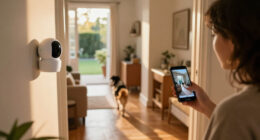
To optimize remote access for your second home or rental, start by installing smart locks. They’ll let you manage entry easily, eliminating the hassle of physical keys. Make sure you have reliable internet connectivity for seamless control and monitoring via mobile apps. Regularly update your devices to maintain security and functionality. You can also set user permissions for cleaning staff or guests, enhancing overall safety. Keep exploring for more tips on securing your property effectively.

Get home appliances delivered free with Prime
- Fast, free delivery on millions of items
- Prime Video, Amazon Music and more included
- Member-only deals all year
Key Takeaways
- Install smart locks to eliminate physical keys and manage access remotely through mobile apps for convenience and security.
- Ensure reliable internet connectivity, considering cellular systems for areas with poor Wi-Fi, to optimize remote access functionality.
- Utilize remote monitoring tools to receive real-time alerts and notifications about property status and unusual activities.
- Manage user permissions to grant temporary access to cleaning staff or guests, enhancing security and streamlining property management.
- Regularly update smart devices to benefit from enhanced security features and ensure reliable remote access technology.
As more people invest in second homes and rental properties, the need for seamless remote access has never been greater. You want to guarantee that your property is secure while allowing easy entry for guests or maintenance workers. One of the best ways to achieve this is by installing smart locks. These locks not only eliminate the hassle of physical keys but also provide the flexibility to grant temporary access to others. You can use mobile apps to control who enters your property, making it easier to manage user permissions on the fly.
Internet connectivity is another vital factor in optimizing remote access. A reliable Wi-Fi network allows you to use your smart locks and other devices effectively. If your property is in a remote area, consider using a cellular-based system to maintain consistent internet access. This guarantees that your smart locks and security systems function smoothly, allowing you to keep an eye on things from afar. Ensuring reliable internet connection is essential for maintaining uninterrupted access and security. Regularly testing your internet connection can help prevent unexpected disruptions, especially in areas with variable service.
Reliable internet connectivity is crucial for optimizing remote access, ensuring your smart locks and security systems operate seamlessly.
Integrating security systems with remote access features gives you peace of mind. You can monitor your property’s status in real-time through mobile apps, receiving alerts for any unusual activity. This remote monitoring capability helps you stay informed about your property’s security. If a guest accidentally leaves a door unlatched or if there’s a breach, you’ll get instant notifications, allowing you to take action immediately.
Additionally, you can set up user permissions for different individuals accessing your property. For example, you might want to give cleaning staff access only during specific hours while restricting guest access to their booking period. This level of control not only enhances security but also streamlines the management of your second home or rental property.
Don’t underestimate the significance of regular updates for your smart locks and security systems. Keeping your devices updated guarantees that you benefit from the latest security features and bug fixes. It’s a small but essential step in maintaining your property’s safety. Also, understanding remote access technology is crucial for ensuring that your system remains reliable and secure over time. Staying informed about security protocols can further bolster your property’s protection. Staying educated on cybersecurity best practices can help prevent potential vulnerabilities in your remote access setup.
Products Worth Considering

Levoit Air Purifier for Home, Pets, Bedroom – Smart Wi‑Fi for Large Rooms

eufy Security SoloCam E42 4-Camera Kit, 4K Solar Security Camera System

Levoit Core 400S-P Smart Air Purifier for Large Rooms up to 1718 ft²
As an affiliate, we earn on qualifying purchases.
Frequently Asked Questions
What Devices Are Best for Remote Access Setup?
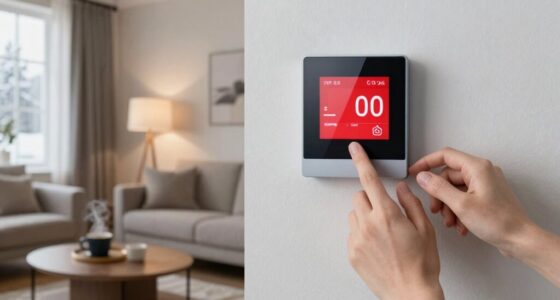
For a solid remote access setup, you’ll want to invest in reliable network devices like routers with VPN capabilities and smart plugs for remote management. A mesh Wi-Fi system can guarantee strong coverage, while a security camera allows you to monitor your property. Consider using a smart thermostat too, which you can control remotely. These devices make it easy to manage your space efficiently, giving you peace of mind while you’re away.
How Can I Improve Internet Speed at My Second Home?
To give your internet speed a much-needed boost, think of your connection as a river—sometimes it needs a little widening. Start by installing Wi-Fi extenders to stretch your signal across every corner. If that’s not enough, consider network boosters to supercharge your speed. Position them strategically, like stepping stones across the water, ensuring you’ve got a strong, steady flow of connectivity for all your devices. You’ll notice the difference in no time!
Are There Security Concerns With Remote Access?
Yes, there are security concerns with remote access. To protect your data, use strong authentication methods, like two-factor authentication, to guarantee only authorized users can access your network. Additionally, implement data encryption to safeguard sensitive information during transmission. Regularly update your software and devices to patch vulnerabilities. By taking these steps, you can notably enhance your security and enjoy peace of mind while accessing your second home remotely.
Can I Access Smart Home Devices Remotely?
Yes, you can access smart home devices remotely, and about 70% of homeowners prefer this feature for convenience and security. By using remote monitoring apps, you can control devices like thermostats and security cameras from anywhere. Just verify your devices are compatible with the app or system you choose. This compatibility guarantees smooth operation, allowing you to manage your home effortlessly, whether you’re on vacation or at work.
What Should I Do if I Lose Remote Access?
If you lose remote access, first check your internet connection and restart your router. Then, review your smart home app for any updates or settings issues. Consider implementing backup solutions like a secondary connection or a mobile hotspot. If those don’t work, use troubleshooting tips such as clearing app cache or reinstalling the app. Don’t forget to check your device’s firmware for updates; keeping everything current can often resolve access issues.
Conclusion
In today’s world, optimizing remote access for your second home or rental is key to peace of mind. By embracing smart technology, you can keep an eye on your property, even from miles away. Just like a walkie-talkie revolutionized communication, modern tools let you manage security, heating, and more with ease. So, don’t wait—set up remote access today and enjoy the freedom of worry-free ownership wherever you are!