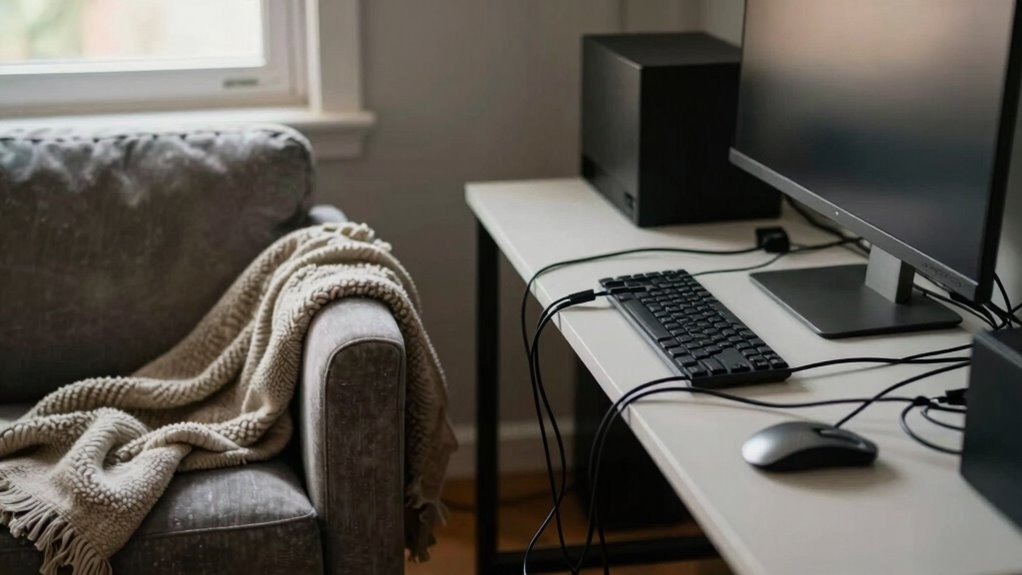

To separate comfort problems from setup issues, start by evaluating your ergonomic setup. Check if your chair height matches your desk and if your elbows form a 90-degree angle while typing. Adjust your monitor height to eye level and keep frequently used items within arm’s reach. Pay attention to your comfort preferences, like chair firmness or keyboard softness. By fine-tuning these elements, you can identify whether discomfort stems from the setup or your individual comfort needs; more insights await.

Get home appliances delivered free with Prime
- Fast, free delivery on millions of items
- Prime Video, Amazon Music and more included
- Member-only deals all year
Key Takeaways
- Assess your body posture and alignment to identify if discomfort stems from equipment positioning or personal habits.
- Experiment with different chair and keyboard options to determine if comfort issues relate to equipment rather than setup.
- Monitor for recurring strain in specific areas to distinguish between setup-related discomfort and personal comfort preferences.
- Evaluate the distance and height of your monitor to see if adjustments alleviate discomfort, indicating a setup problem.
- Keep a journal of discomfort experiences to identify patterns that separate equipment issues from personal comfort needs.

When you’re struggling with discomfort in your setup, it can be tough to pinpoint the root cause. You might find yourself adjusting your chair or shifting your monitor, but those quick fixes sometimes don’t lead to lasting comfort. To truly address discomfort, you need to separate comfort problems from setup problems. Understanding how both elements interact is vital for achieving an optimized workspace that caters to your specific user preferences.
Start by evaluating your equipment positioning. Is your chair height compatible with your desk? Make sure your elbows are at a 90-degree angle while typing. If you’re straining your neck to see your monitor or reaching too far for your keyboard, those small adjustments can make a significant difference. Pay attention to how your body feels in your setup. If you’re still feeling discomfort after making these adjustments, it might not just be the setup itself that’s the issue. Sometimes, ergonomic principles can help guide further improvements.
Evaluate your equipment positioning: ensure your chair height aligns with your desk for optimal comfort and posture.
Next, consider comfort adjustments. These can be anything from ergonomic chairs to wrist supports. But remember, comfort is subjective; what works for one person might not work for another. Take the time to identify what makes you feel at ease. Maybe you prefer a firmer chair or a softer keyboard. Experimenting with different options can help you understand your unique comfort needs. Incorporating individual preferences into your setup ensures a more personalized and effective solution.
Once you’ve made some adjustments, focus on setup optimization. Think about your workflow and how you interact with your equipment. Are you frequently reaching for items out of arm’s reach? Is your monitor at eye level? These factors play a significant role in your overall comfort. A well-organized workspace reduces strain and enhances productivity, making it essential for you to find your ideal setup. Incorporating ergonomic considerations and workspace organization into your workspace can further improve comfort and prevent future issues. This holistic approach guarantees that your setup serves you well, rather than the other way around.
Products Worth Considering

Samsung S85H 48-Inch 4K OLED Smart TV (2026)

Philips Hue Play Floor Lamp, RGBWWIC LED, 53 Inch, Black

Dyson V8 Origin+ Cordless Stick Vacuum, Purple
As an affiliate, we earn on qualifying purchases.
Frequently Asked Questions
What Are Common Signs of a Setup Problem?
Common signs of a setup problem include alignment issues, where your monitor or chair isn’t positioned correctly. You might notice discomfort from poor ergonomic adjustments or an awkward workspace layout. If your equipment isn’t compatible, you could struggle with functionality. Pay attention to your posture habits; if you’re slouching or leaning, it’s a red flag. Environmental factors, like glare or noise, can also indicate that your setup needs a serious reevaluation.
How Can I Improve Overall Comfort in My Setup?
To improve overall comfort in your setup, invest in ergonomic accessories like a chair with lumbar support and an adjustable desk. Rearranging your workspace layout can also make a huge difference; guarantee your monitor’s at eye level and your keyboard’s within easy reach. Don’t forget to take regular breaks and stretch to keep your body relaxed. Small changes can lead to a more comfortable and productive environment!
Which Tools Are Best for Setup Adjustments?
To optimize your setup, ergonomic tools like adjustable chairs and standing desks are essential. For instance, imagine you’re using a standing desk but find yourself slouching after a while. Using adjustment techniques such as elevating your monitor to eye level or using a footrest can improve your posture and comfort. Don’t forget to regularly tweak your chair height and armrests to suit your needs, ensuring a more productive work environment.
How Often Should I Reassess My Comfort Levels?
You should reassess your comfort levels regularly, ideally every few weeks or after significant changes in your setup. This comfort reassessment frequency helps you stay aware of your personal comfort metrics. Pay attention to any discomfort or changes in how you feel during activities. Keeping a journal can also help track patterns and adjustments needed, ensuring you maintain ideal comfort over time. Listening to your body is key!
Can Comfort Issues Affect My Productivity?
Absolutely, comfort issues can seriously impact your productivity. Imagine trying to focus while sitting in an uncomfortable chair or sweating in a stuffy room—it’s nearly impossible! With ergonomic furniture and a well-regulated workspace temperature, you can boost your efficiency. If you’re constantly shifting in your seat or fanning yourself, your mind’s not on the task at hand. Prioritizing comfort can make a real difference in how you perform daily.
Conclusion
In the same way a chef tastes a dish to pinpoint if it’s the ingredients or the cooking method that’s off, you can discern between comfort and setup issues. If you’re constantly shifting in your seat, it might be time to adjust your chair rather than blame your posture. Trust your instincts and take the time to investigate; the right adjustments can transform your experience from uncomfortable to blissful. Don’t settle when comfort is just a tweak away!