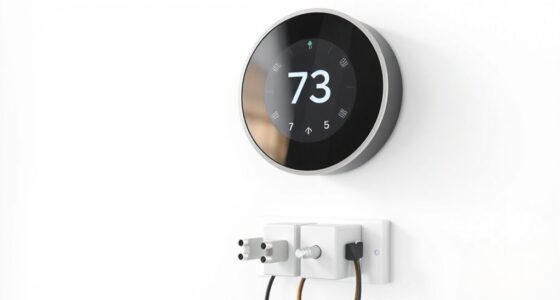
When installing a DIY smart thermostat, understanding wire color codes is key. Usually, red supplies power (Rc or R), white controls heating (W), yellow manages cooling (Y), and green handles the fan (G). However, colors can vary, so always verify with a multimeter and check your system’s wiring diagram. Properly identifying and connecting these wires guarantees a safe, functional setup. Keep going, and you’ll uncover more tips to make your installation smooth.
Key Takeaways
- Red wire usually supplies power (Rc or R); verify with a multimeter before connecting.
- White wire typically controls heating (W); confirm its function with system wiring diagram.
- Yellow wire generally manages cooling (Y); test and identify its role accurately.
- Green wire controls fan functions (G); ensure correct identification to prevent errors.
- Always verify wire functions with a multimeter and wiring diagram before connecting a smart thermostat.

Installing a smart thermostat at home can seem intimidating, but with the right guidance, wiring it yourself is achievable. Understanding the color codes and how they relate to your system is a key step. Modern smart thermostats often feature wireless compatibility, which means they can connect to your Wi-Fi network without needing physical wiring for control signals. However, they still require proper wiring to power the device and communicate with your HVAC system. Before starting, you need to verify your system’s voltage requirements—most residential systems operate on low voltage, typically 24V AC, but some might be high voltage or require different connections. Confirming this guarantees you choose a compatible thermostat and avoid damaging your equipment.
The first thing to do is turn off power to your HVAC system to prevent electrical shock or damage. Once power is shut off, remove your existing thermostat and identify the wiring. Typically, each wire is color-coded, but colors can vary by system. For example, the red wire usually supplies power (Rc or R), while the white wire controls the heating (W). The yellow wire often controls cooling (Y), and the green handles fan functions (G). Blue or black wires may serve as common (C) wires, providing continuous power to your thermostat for features like Wi-Fi connectivity. Some systems also use other colors like orange or brown for specific functions. Properly identifying these wires is essential for a safe and effective installation. Utilizing a multimeter can help verify the function of each wire and prevent wiring errors.
Wireless compatibility in your smart thermostat means it can connect to your home Wi-Fi without needing to run additional wires for network access. However, for power, most smart thermostats still rely on a C wire to keep them continuously powered. If your system lacks a C wire, you might need to install one or use a compatible power extender kit. Be sure to check your thermostat’s specifications and your existing wiring to guarantee you meet voltage requirements—using a device with incompatible voltage can cause malfunction or damage. Additionally, consulting your system’s wiring diagram can help clarify connections and prevent errors during installation. Proper identification and understanding of your system’s wiring can greatly simplify the installation process and ensure reliable operation. It is also helpful to familiarize yourself with color codes and their typical functions to avoid confusion during the wiring process.
Frequently Asked Questions
Can I Install a Smart Thermostat Without Professional Help?
You can attempt a DIY installation of a smart thermostat, but it’s important to be cautious. If you’re comfortable with basic wiring and understand your system, you might manage it yourself. However, for complex setups or if you’re unsure, seeking professional assistance is wise. This guarantees safety, proper wiring, and peak functionality, preventing potential damage or issues down the line. Always prioritize safety and don’t hesitate to call a professional if needed.
What Should I Do if Wires Are Not Color-Coded?
Did you know that nearly 30% of wiring issues stem from incorrect connections? If wires aren’t color-coded, don’t guess—use a multimeter to identify each wire’s function through color identification. Carefully document the existing wiring before replacement, and consult your thermostat’s wiring diagram. When in doubt, seek professional help to guarantee safe and correct wiring replacement, preventing costly damage or safety hazards later on.
How Do I Troubleshoot Wiring Issues With My Thermostat?
When troubleshooting wiring issues, start by checking the wire gauge to verify it’s appropriate for your thermostat. Inspect the wires for any damage or loose connections. Use wire connectors to secure each wire firmly, preventing shorts or disconnects. Turn off power before handling wires to avoid shocks. Test each connection with a multimeter to verify proper voltage. This approach helps identify issues and guarantees safe, reliable thermostat operation.
Is There a Difference Between Low-Voltage and Line-Voltage Wiring?
Ever wondered if there’s a difference between low-voltage and line-voltage wiring? It’s vital for voltage safety and wiring compatibility. Low-voltage wiring, typically 24V, powers thermostats and is safer to handle, while line-voltage, usually 120V or 240V, directly controls appliances or heating elements. Mixing these can be dangerous and damage your system. Always check your system’s voltage requirements before wiring to guarantee safe, compatible connections.
Can I Upgrade My Existing Thermostat Wiring Easily?
Upgrading your existing thermostat wiring is usually straightforward if you check wiring compatibility and voltage requirements first. Make sure your new smart thermostat matches your current wiring setup, especially the number of wires and their functions. If your system uses low-voltage wiring, most smart thermostats will work without issues. Always turn off power before starting, and consult your thermostat’s installation guide to guarantee safe, easy upgrades.
Conclusion
Now that you’ve unraveled the tangled web of wiring colors, you’re ready to bring your smart thermostat to life. Think of it as giving your home a friendly new brain, guiding comfort with a simple flick of your wrist. With your newfound knowledge, wiring becomes less of a puzzle and more like planting seeds for a smarter, cozier future. So, go ahead—trust your skills and watch your home’s comfort blossom effortlessly.