To pair your smart thermostat with Z-Wave or Zigbee devices, start by putting the device into pairing mode, usually indicated by a specific button or sequence. Use your hub or app to add the device, ensuring it’s within range. Follow prompts to complete the connection, then customize settings and create routines for better automation. Want to know how to troubleshoot or expand your setup? Keep exploring for expert tips and advice.
Key Takeaways
- Put your Z-Wave or Zigbee device into pairing mode following the manufacturer’s instructions.
- Use your compatible home automation hub or app to initiate device discovery and add the device.
- Ensure the device is within communication range of the thermostat or hub during pairing.
- Follow on-screen prompts to complete the pairing process successfully.
- Customize device settings and automation routines within your control platform post-pairing.
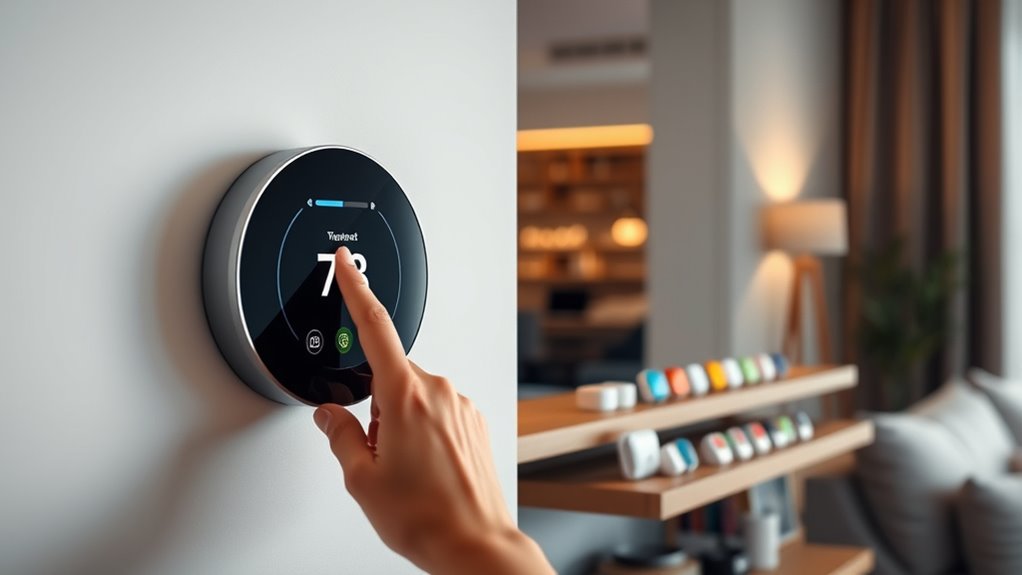
Pairing your smart thermostat with Z-Wave or Zigbee devices can considerably enhance your home automation setup. When you connect your thermostat to these protocols, you reveal a new level of control and efficiency, allowing you to optimize your energy consumption and improve your overall comfort. One of the key benefits is energy savings, which becomes more achievable as your smart system can better respond to your habits and preferences. By integrating compatible Z-Wave or Zigbee devices, your thermostat can adjust heating or cooling based on real-time data from motion sensors, window sensors, or occupancy detectors. This means you won’t waste energy cooling an empty room or heating an unoccupied space, ultimately lowering your utility bills. Additionally, understanding the benefits of vegetable juices can inspire healthier lifestyle choices that complement your smart home routines. Device compatibility is critical when expanding your smart home ecosystem. Not all Z-Wave or Zigbee devices work seamlessly with every thermostat, so it’s essential to verify compatibility before making a purchase. Most modern smart thermostats support a wide array of third-party devices, but you should double-check the manufacturer’s specifications or consult community forums for insights. When selecting compatible devices, look for certified products that adhere to standards set by the Z-Wave Alliance or the Zigbee Alliance, guaranteeing smooth integration and reliable performance. Compatibility also extends to your existing smart home hub or platform, such as Samsung SmartThings, Hubitat, or Home Assistant, which can simplify the setup process and enable centralized control. Once you’ve confirmed device compatibility, pairing becomes straightforward. Typically, you’ll need to put your Z-Wave or Zigbee device into pairing mode, then add it through your home automation app or hub’s interface. Your smart thermostat will often have a dedicated section for device management where you can initiate pairing. During this process, confirm your devices are close enough to communicate, and follow the prompts to complete the connection. After pairing, you can customize settings, create automation routines, and monitor device status directly from your app.
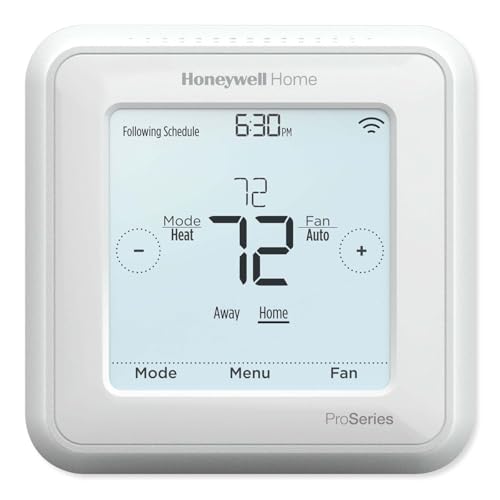
Honeywell Home TH6320ZW2007/U Z-Wave T6 Pro Programmable Touchscreen Thermostat with SmartStart, Low Voltage, UWP Mounting System, Cover Plate, Color – White
Up to 3H/2C Heat Pump systems or up to 2H/2C Conventional systems
As an affiliate, we earn on qualifying purchases.
As an affiliate, we earn on qualifying purchases.
Frequently Asked Questions
Can I Pair Multiple Thermostats With a Single Z-Wave or Zigbee Hub?
Yes, you can pair multiple thermostats with a single Z-Wave or Zigbee hub. Just guarantee your hub supports multiple devices, and each thermostat is compatible. Keep in mind, adding multiple thermostats may cause network interference, potentially affecting performance. To avoid issues, organize your smart network properly, use a robust hub, and consider placing devices strategically to minimize interference and maintain reliable communication.
What Is the Typical Range for Z-Wave and Zigbee Device Communication?
Imagine your smart home as a cozy neighborhood, with Z-Wave and Zigbee devices chatting across the street. Typically, Z-Wave reaches up to 100 feet indoors, while Zigbee can go about 10 to 100 meters outdoors. Signal interference from walls or metal objects can disrupt this harmony, so guarantee your devices stay within range. This keeps your network secure and responsive, giving you peace of mind and seamless control.
Are There Compatibility Issues Between Specific Smart Thermostat Brands and Hubs?
You might encounter compatibility issues between certain smart thermostat brands and hubs. Not all thermostats integrate seamlessly with every hub, so check brand compatibility first. Some thermostats are designed specifically for certain hubs, ensuring smooth hub integration. To avoid problems, verify that your thermostat‘s brand supports the hub you’re using. This way, you’ll enjoy reliable control and seamless operation across your smart home system.
How Do I Troubleshoot Pairing Failures With Z-Wave or Zigbee Thermostats?
Think of pairing your thermostat as tuning an instrument—sometimes, signal interference mutes the melody. To troubleshoot, move your device closer to the hub, reducing interference. If pairing still fails, perform a device reset to clear any glitches. Make sure your hub firmware is up-to-date, and try pairing again. Patience and a clear signal will help your smart thermostat harmonize seamlessly with your Z-Wave or Zigbee network.
Do Firmware Updates Affect the Pairing Process or Device Stability?
Firmware updates can considerably affect the pairing process and device stability. When you update your thermostat’s firmware, it often improves compatibility, fixes bugs, and enhances overall stability. However, sometimes updates introduce new issues or temporarily disrupt pairing. To avoid problems, make certain your device is fully charged or connected to power before updating, and follow manufacturer instructions carefully. Regular firmware updates help keep your device reliable and functioning smoothly.

THIRDREALITY Zigbee Motion Sensor, Pet Friendly, Compatible with Home Assistant, SmartThings, Aeotec, Homey, Hubitat or Echo Devices with Built-in Zigbee Hub
ZIGBEE STANDARD COMPATIBLE MOTION SENSOR: A Zigbee Hub is required. Compatible with Zigbee hubs and Echo devices with…
As an affiliate, we earn on qualifying purchases.
As an affiliate, we earn on qualifying purchases.
Conclusion
Now, with your smart thermostat seamlessly paired to Z-Wave or Zigbee devices, your home becomes a symphony of comfort and convenience. Imagine the gentle hum of a perfectly balanced system, where every device whispers in harmony, adjusting to your needs effortlessly. As you settle in, feel the warmth and coolness flow like a calming breeze, all guided by your connected devices working in perfect rhythm. Your smart home is now ready to respond, adapt, and elevate your everyday living.

Aeotec Smart Home Hub, Works as a SmartThings Hub, Z-Wave, Zigbee, Matter Gateway, Compatible with Alexa, Google Assistant, WiFi
Connect & control your smart home — Easily link thousands of compatible devices from leading brands to create…
As an affiliate, we earn on qualifying purchases.
As an affiliate, we earn on qualifying purchases.

Emerson Sensi Wi-Fi Smart Thermostat for Smart Home, DIY, Works With Alexa, Energy Star Certified, ST55
PRIVACY PROTECTION*: Sensi won’t sell your personal information to third parties
As an affiliate, we earn on qualifying purchases.
As an affiliate, we earn on qualifying purchases.