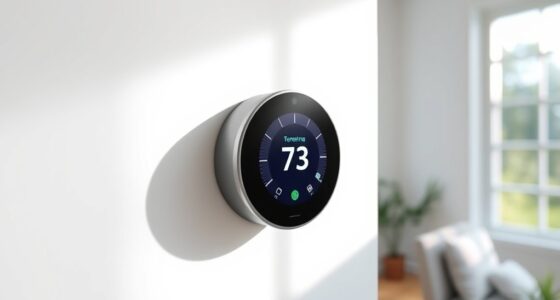
By enabling location services on your smartphone and granting your smart thermostat app permission to access your GPS or network location, you can automate your thermostat schedules. When you approach home, the system detects your proximity and adjusts the temperature for comfort. When you leave, it lowers energy use automatically. Proper setup and accurate location settings are key. Keep going to discover tips on optimizing your geo-fencing and improving reliability.
Key Takeaways
- Enable location services and grant app permissions for accurate geofencing and automated triggers.
- Set up home boundaries and define routines based on your arrival and departure.
- Keep smartphone GPS and app software updated to improve location accuracy indoors.
- Regularly review and adjust automation routines to optimize comfort and energy savings.
- Use reliable smart thermostats with strong connectivity for consistent geolocation-based control.

Many modern thermostats can now automatically adjust their settings based on your location, making it easier to save energy and stay comfortable. This feature relies heavily on smartphone apps and location accuracy to determine when you’re approaching home or leaving. When set up correctly, it can eliminate the need to manually change your thermostat, guaranteeing your home is always at the right temperature when you need it.
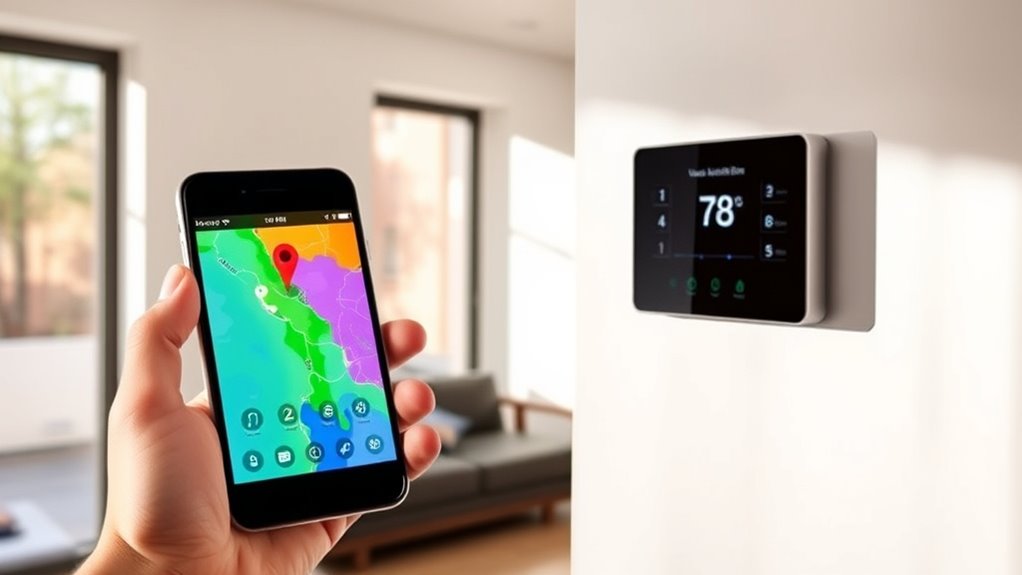
Using your smartphone’s geolocation capabilities, these smart thermostats detect your proximity to home. As you approach, the thermostat can switch to a more comfortable temperature, and when you leave, it can lower the heat or cooling to save energy. The key to making this work seamlessly is guaranteeing your smartphone apps have proper permission to access your location constantly. Without accurate location data, the system may misfire, causing discomfort or unnecessary energy use.
Smart thermostats rely on your phone’s location permissions for seamless climate control.
Most smart thermostat apps provide a simple setup process. You’ll typically enable location services on your phone and give the app permission to access your GPS or network-based location. Once enabled, the app starts monitoring your movement. It uses the data to trigger predefined schedules, such as turning on the heating when you’re within a mile of home or turning it off when you’re several miles away. This automation helps you avoid forgetting to turn off the heat or cooling when you leave, and it guarantees your home is always comfortable when you get back. Additionally, some systems incorporate clutter management features that help you organize and optimize your automation routines for better efficiency.
Location accuracy plays a vital role in this setup. If your phone’s GPS is weak or unreliable indoors, the system might not trigger correctly. To improve accuracy, keep your phone’s software updated and consider calibrating your location settings or using Wi-Fi-based positioning if available. Some apps also allow you to set geofencing boundaries—virtual perimeters around your house—so the thermostat only activates when you’re within a certain radius. This feature helps prevent false triggers when you’re just passing by or running errands nearby. Ensuring your device has the latest firmware can also improve location accuracy and overall performance. Additionally, selecting a reliable smart thermostat brand with strong connectivity features can further enhance system reliability. Regularly reviewing and adjusting your automation settings can help you maintain the perfect balance between comfort and energy savings.
Frequently Asked Questions
How Secure Is My Location Data When Using Geo-Location Features?
When you use geo-location features, your location data privacy can be a concern. Your smartphone security depends on the app’s data handling practices and your device’s security measures. Be cautious about permissions, and regularly review app privacy settings. While most apps encrypt data, there’s always some risk of data breaches or unauthorized access. Staying informed and managing your privacy settings helps guarantee your location data remains protected.
Can Geo-Location Incorrectly Trigger Thermostat Changes?
Geo-location can sometimes incorrectly trigger thermostat changes due to location accuracy issues, especially in areas with poor GPS signals or signal interference. You might notice your thermostat adjusts unexpectedly if your device misreads your position. Also, keep in mind that frequent location updates can impact your battery life. To minimize these issues, adjust settings for more precise location tracking and limit how often your device checks your location.
What Smartphone Apps Are Best for Geo-Based Thermostat Automation?
When it comes to geo-based thermostat automation, you want an app that hits the nail on the head with location accuracy and is compatible with your smart devices. Apps like Honeywell Home, Ecobee, and Google Home excel here, offering reliable geo-fencing features. They help you save energy and stay comfortable, but remember, no app is perfect—sometimes you need to take the bull by the horns and fine-tune settings yourself.
How Does Geo-Fencing Work for Thermostat Scheduling?
Geo-fencing works by setting a virtual boundary around your home, triggering your thermostat to adjust when you enter or leave that zone. Your smartphone’s location data, combined with indoor sensors, helps your system detect your presence accurately. This automation maximizes energy savings by cooling or heating only when you’re nearby, ensuring comfort when you’re home and saving energy when you’re away.
Are There Privacy Concerns With Continuous Location Tracking?
Think of your location data as a secret treasure map; it can reveal sensitive details about your daily routines. Continuous location tracking raises privacy risks, as your data could be shared with third parties or used without your consent. You should be cautious about how much data you share, and review privacy settings to protect yourself from potential misuse. Always stay informed to keep your personal information secure.
Conclusion
By using geo-location to automate your thermostat, you can save up to 10% on energy costs annually. This smart technology ensures your home’s temperature adjusts seamlessly as you come and go, enhancing comfort and efficiency. With over 60% of homeowners adopting such features, it’s clear this trend is here to stay. Embracing geo-location not only simplifies your life but also contributes to a more sustainable future. Don’t miss out on this innovative way to optimize your home’s energy use.