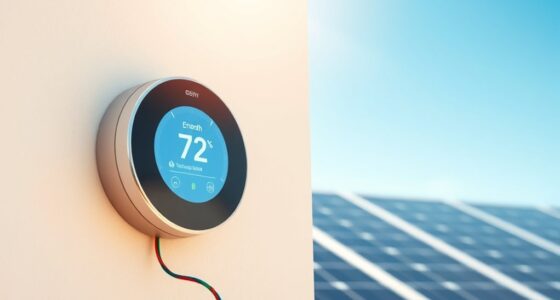
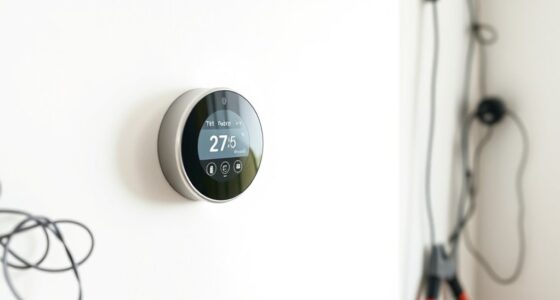
To set up schedules for vacation mode, start by automating your thermostat to lower temperatures when you’re away and program it to return to a comfortable setting before you arrive home. Use timers or smart lighting to mimic occupancy, and schedule appliances or electronics to turn off automatically. Connect security cameras and alarms to your schedule for continuous monitoring. If you keep exploring, you’ll discover how to fine-tune these settings for maximum security and energy efficiency.
Key Takeaways
- Program your thermostat to lower or raise temperatures gradually before departure and return times.
- Schedule lighting to turn on and off at specific times to mimic occupancy.
- Set smart plugs to turn off non-essential devices during your absence.
- Automate security system activation, including cameras and alarms, to run on a preset schedule.
- Adjust irrigation systems to match weather conditions and avoid overwatering during your absence.

Planning ahead is essential to guarantee your home remains secure and energy-efficient while you’re away. Setting up schedules for vacation mode allows you to control your smart devices and appliances efficiently, giving you peace of mind during your trip. One of the most effective ways to do this is by implementing automation strategies that adapt your home’s functions to your absence. These strategies help you mimic typical occupancy patterns and prevent potential issues like energy waste or suspicious activity. When establishing your vacation mode schedule, start by adjusting your thermostat to optimize energy efficiency. Many smart thermostats allow you to program temperature settings that lower heating or cooling when you’re away, saving you money without sacrificing comfort. Set your system to gradually return to your preferred temperature shortly before your return date, ensuring your home feels welcoming upon arrival.
Plan ahead with automation to keep your home secure and energy-efficient during your absence.
Next, consider automating your lighting to enhance security and energy savings. Using timers or smart lighting systems, you can schedule lights to turn on and off at specific times, mimicking your usual routines. For example, program your living room or porch lights to activate in the evenings, giving the appearance that someone is home. This not only deters potential intruders but also conserves electricity when the house is unoccupied. Incorporate sensor-based lighting where possible; these systems can turn on lights automatically when motion is detected, further enhancing security and energy efficiency. Additionally, understanding dream phenomena such as sleep paralysis and vivid dreams can help you better manage stress and ensure restful sleep before your trip.
Additionally, take advantage of automation strategies to manage appliances and electronics. Schedule your smart plugs or outlets to turn off unnecessary devices, such as TVs, chargers, or kitchen appliances, reducing standby power consumption. Some systems even allow you to set rules for specific times, ensuring that devices power down during your absence and resume operation just before your return. If you have irrigation systems, configure watering schedules that align with your landscape needs while avoiding overwatering, especially during periods of rain.
Remember to connect your security cameras and alarm systems into your vacation mode schedule. Check that these are set to alert you of any unusual activity and are functioning properly. Many security systems offer automation features that enable you to receive notifications or remotely monitor your property, giving you added control no matter where you are. By thoughtfully planning and implementing these automation strategies, you ensure your home remains secure, energy-efficient, and ready for your return. Proper scheduling not only provides peace of mind but also helps you save on energy costs, making your vacation worry-free and sustainable.
Frequently Asked Questions
Can I Customize Different Schedules for Weekdays and Weekends?
Yes, you can customize different schedules for weekdays and weekends. Most smart devices and systems allow you to create a custom schedule that distinguishes between weekday and weekend settings. This way, you can set specific temperatures, lights, or routines for your weekdays and adjust them for weekends. Simply access your device’s scheduling options, select the custom schedule, and tailor it to fit your weekday and weekend needs easily.
How Do I Override the Vacation Mode Temporarily?
Imagine you’re back in the days of dial-up internet, trying to get things just right. To temporarily override vacation mode, you simply switch to manual control. This gives you a temporary override, allowing you to adjust your settings without changing the preset schedule. Just activate manual control, make your adjustments, and once you’re done, it automatically reverts back, ensuring your system stays on schedule without hassle.
Is It Possible to Set Multiple Vacation Periods in a Year?
Yes, you can set multiple vacation periods in a year to maximize scheduling flexibility. Most smart devices or systems allow you to program several vacation modes, so you can easily switch between different dates as needed. This way, you don’t have to manually override or reset settings each time. Simply input your multiple vacation dates, and your system will automatically manage your preferences, ensuring convenience and efficiency throughout the year.
What Happens if I Manually Change Settings During Vacation Mode?
If you manually change settings during vacation mode, your adjustments will override the scheduled settings temporarily. However, be aware that manual adjustments can create system conflicts, especially if the system is set to automatically revert to the schedule afterward. To avoid conflicts, it’s best to review and update your schedule settings after making manual changes, ensuring your system functions smoothly and reflects your current preferences.
Can I Receive Notifications When Vacation Mode Activates or Deactivates?
It’s a coincidence you asked—yes, you can receive notification alerts when vacation mode activates or deactivates. You’ll get an activation confirmation, so you’re always aware of your system’s status. Make sure your app notifications are enabled, and you’ll stay informed without any surprises. These alerts give you peace of mind, ensuring you’re in control even when you’re away.
Conclusion
Now that you’ve set up your vacation mode schedule, everything should run smoothly, almost as if you never left. It’s funny how a simple plan can keep your home secure and your mind at ease, even when you’re miles away. Sometimes, the smallest details—like timing your system’s activation—make the biggest difference. So, trust your setup, and enjoy your trip, knowing that everything’s working just as it should, thanks to your careful planning.