
To enhance your summer cooling without constant app use, automate your smart thermostat for temperature adjustments based on your habits. Set up humidity control to maintain comfort and prevent mold. Use automated shades to block harsh sunlight, reducing reliance on air conditioning. Coordinate ceiling fans with your cooling system for even air distribution, and schedule ventilation to bring in fresh air during cooler times. Stick around to explore more ways to keep your home cool efficiently.

Get home appliances delivered free with Prime
- Fast, free delivery on millions of items
- Prime Video, Amazon Music and more included
- Member-only deals all year
Key Takeaways
- Smart Thermostats automatically adjust temperatures based on user habits, ensuring optimal cooling without manual input.
- Automated Shades can block sunlight during peak hours, reducing the need for air conditioning and enhancing indoor comfort.
- Fan Automation synchronizes ceiling fans with the cooling system, distributing air evenly and improving energy efficiency without user intervention.
- Scheduled Ventilation utilizes cooler outdoor air by opening windows at optimal times, refreshing indoor air naturally without constant monitoring.
- Humidity Control adjusts indoor humidity levels automatically, enhancing comfort and preventing mold growth without needing frequent adjustments.

As summer heat rolls in, you might find yourself searching for ways to keep your home comfortable without breaking the bank. One of the best solutions is to automate your cooling systems, which can enhance energy efficiency while minimizing your need for constant app use. With a few smart upgrades, you can create a cool oasis that adjusts itself based on your preferences and the weather outside.
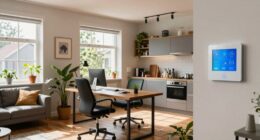
Start with smart thermostats. These devices learn your habits and adjust the temperature accordingly, ensuring you’re not cooling an empty house. You can set schedules for when you’re home and away, allowing for ideal energy usage. Incorporating remote sensors into your setup can take this a step further. They help monitor temperatures in different rooms, ensuring every space remains comfortable without wasting energy in unused areas. Additionally, smart home integrations can make managing these devices more seamless and intuitive.
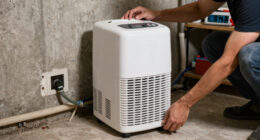
Humidity control is another vital factor in making your home feel cooler. Many smart thermostats offer humidity monitoring features that help you maintain a balanced indoor environment. When humidity levels rise, your thermostat can automatically adjust the cooling to keep you comfortable. This not only improves your comfort but also helps in preventing mold growth, which can be a concern during the summer months. Implementing indoor air quality solutions can further enhance overall comfort and health. Additionally, integrating air purification systems can help reduce allergens and pollutants, contributing to a healthier indoor environment.
Humidity control is essential for summer comfort; smart thermostats adjust cooling to prevent discomfort and mold growth.
Automated shades are a game changer for managing heat. By blocking out harsh sunlight during the hottest parts of the day, they greatly reduce the need for air conditioning. You can set schedules for your shades to open and close, ensuring you’re maximizing natural light in the mornings while keeping the heat out in the afternoons. This simple automation can lead to considerable energy savings.
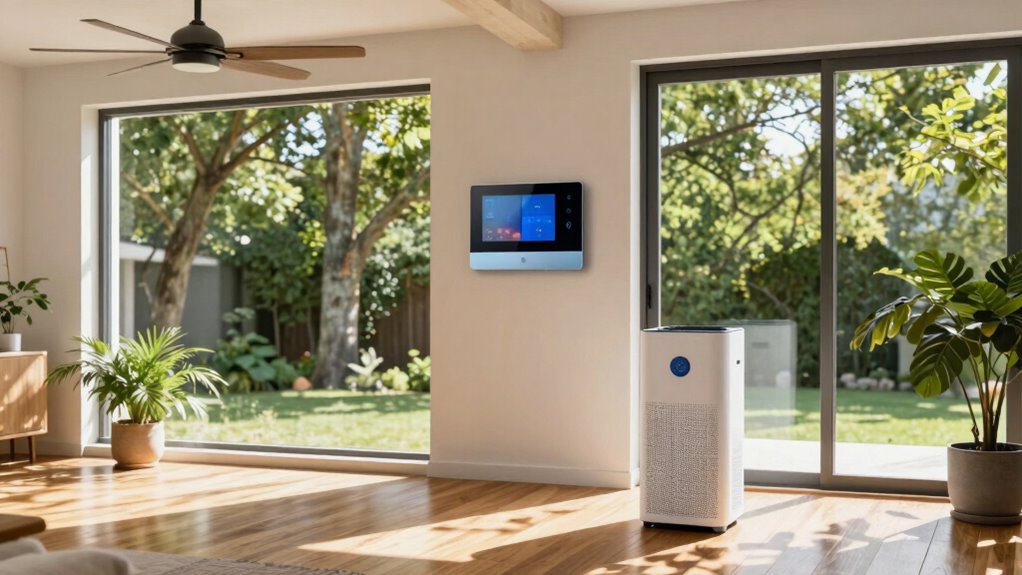
Fan schedules also play an important role. Instead of running ceiling fans constantly, you can automate them to operate in conjunction with your cooling system. When the thermostat kicks in, your fans can activate, distributing cool air more evenly throughout your home. To optimize efficiency, consider integrating home energy management systems, which coordinate multiple devices for maximum savings.
Finally, consider scheduled ventilation. Opening windows at cooler times of the day can help bring in fresh air without raising indoor temperatures. Automating this process allows you to enjoy natural breezes without having to constantly check the weather. Additionally, understanding vintage motorcycle documentation can help ensure your home automation setup complies with local regulations related to energy and safety standards.
Products Worth Considering

Levoit EverestAir-P Smart Air Purifier for Large Rooms

TCL 65-Inch QM6K QLED Mini-LED 4K HDR Smart Google TV, 144Hz

PHILIPS Hue Smart LED Candle Light Bulb, B39, E12, 2-Pack
As an affiliate, we earn on qualifying purchases.
Frequently Asked Questions
How Can I Automate My Blinds for Better Cooling?
You can automate your blinds by choosing the right blinds types, like roller or cellular shades, that enhance energy efficiency. Smart controls allow you to schedule when your blinds open or close, maximizing summer benefits by blocking out heat during peak hours. For installation, opt for DIY kits or professional help, keeping cost considerations in mind. This way, you’ll enjoy cooler indoor temperatures without constantly adjusting them yourself.
What Sensors Are Best for Monitoring Indoor Temperature?
When the heat feels like a relentless hug, you need reliable temperature sensors to keep your cool. Smart thermostats are your best allies here, offering precise readings and easy integration with your home system. Look for models with features like Wi-Fi connectivity and mobile alerts to stay informed. With the right sensors, you can effortlessly monitor indoor temperature and keep your space comfortable without constant app checking. Embrace the chill!
Can I Integrate Smart Fans With My Cooling System?
Yes, you can integrate smart fans with your cooling system! By connecting them to your smart thermostat, you’ll enhance energy efficiency and guarantee consistent airflow. Set schedules or use sensors to optimize performance based on your home’s temperature. This way, you’ll keep your space cool without constantly adjusting settings. Plus, following energy efficiency tips can help reduce your utility bills while maximizing comfort during those hot summer days.
How Does Humidity Affect My Cooling Automation?
Humidity levels greatly affect your cooling automation. When humidity’s high, your system struggles to cool effectively, reducing overall cooling efficiency. You might notice that your space feels warmer even if the temperature is set low. Automating your fans to run when humidity spikes can help balance moisture, enhancing comfort. Consider integrating humidity sensors to adjust your cooling system automatically, ensuring maximum efficiency without constant manual adjustments.
What Maintenance Is Required for Automated Cooling Systems?
To keep your automated cooling system running efficiently, regular maintenance is essential. Did you know that a dirty air filter can reduce your system’s efficiency by up to 15%? For peak performance, schedule system upkeep at least once a year. Don’t forget to replace the filters every 1-3 months, depending on usage. This simple step not only enhances air quality but also prolongs your system’s lifespan, ensuring you stay cool all summer long.
Conclusion
By automating your summer cooling, you’re not just beating the heat; you’re stepping into a modern-day Garden of Eden, where comfort reigns supreme. Imagine a system that anticipates your needs, adjusting the temperature as the sun climbs higher. With smart controls in place, you’ll enjoy a cool oasis without the constant hassle of manual adjustments. Embrace this technological harmony and let your summer be a rejuvenating escape, turning the sweltering days into a breeze of comfort.