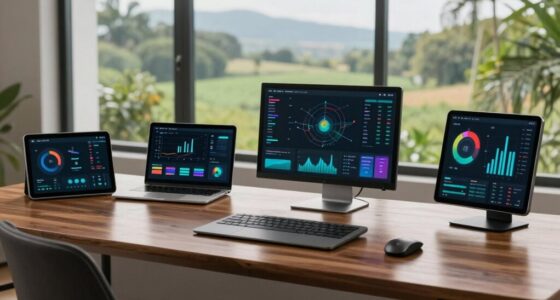
To prevent automation loops in climate-control scenes, you should establish clear triggers for each device and guarantee your sensors are well-calibrated. Misaligned triggers can lead to devices reacting to each other unnecessarily, wasting energy. Introducing brief delays between actions lets systems assess conditions before responding. Regularly test your automation setups to fine-tune interactions and keep everything running smoothly. There’s a lot more you can explore for a more efficient and comfortable home.
Open a free Amazon Business account
Business pricing, bulk buying and tax-exempt orders.
As an affiliate, we earn on qualifying purchases.
Key Takeaways
- Define distinct triggers for devices to minimize overlapping actions and prevent automation loops.
- Regularly calibrate sensors to ensure accurate readings and reduce erroneous device responses.
- Implement brief delays between device interactions to allow for proper assessment before adjustments.
- Conduct regular testing of climate-control scenes to identify and resolve potential device interaction issues.
- Maintain clear communication protocols between devices to enhance efficiency and prevent conflicting actions.

When you set up climate-control scenes in your smart home, you might overlook the potential for automation loops, which can lead to discomfort and wasted energy. Automation loops occur when your devices trigger each other repeatedly, often resulting in inefficient heating or cooling that leaves you feeling too hot or too cold. Understanding how to prevent these loops can make a significant difference in your comfort and energy bills.
First, you need to pay close attention to your automation triggers. These are the conditions that set your devices into motion. For instance, if your thermostat is programmed to cool the house when the temperature exceeds a certain threshold, but your smart blinds also close when it gets too warm, you could end up in a loop where the thermostat keeps activating and deactivating without making any real progress. To prevent this, make sure your triggers are distinct and don’t overlap. Setting clear boundaries helps your devices work harmoniously rather than against each other.
Sensor calibration is another critical aspect to keep in mind. If your temperature sensors aren’t accurately calibrated, they may send erroneous readings to your thermostat or other climate-control devices. Imagine your thermostat thinks it’s cooler than it actually is because a miscalibrated sensor is reading the temperature from a drafty corner. This can trigger unnecessary heating or cooling cycles. Regularly check and calibrate your sensors to guarantee they’re providing accurate data. Doing so not only prevents automation loops but also maximizes your energy use. Additionally, understanding sensor accuracy can help you interpret readings more effectively and fine-tune your setup. Being aware of how sensor placement impacts readings can further improve your system’s responsiveness. Remember that sensor calibration is an ongoing process, especially if your environment changes over time.
It’s also wise to implement delays in your automation settings. For example, if your thermostat is set to cool down immediately once the temperature rises above a certain point, introduce a brief delay. This gives the system time to assess whether the conditions have stabilized, reducing the chances of unnecessary adjustments. Similarly, think about using a smart home hub that can manage multiple devices and their interactions more effectively, minimizing the risk of loops.
Finally, testing your scenes regularly is essential. After setting them up, run through different scenarios to see how your devices respond. This trial and error approach can reveal potential issues and help you fine-tune your setup for peak performance. By being proactive and mindful of automation triggers and sensor calibration, you can enjoy a more comfortable living environment while avoiding the pitfalls of automation loops. Additionally, understanding smart home automation principles can help you design more robust and efficient scenes from the start.
As an affiliate, we earn on qualifying purchases.
Frequently Asked Questions
What Are the Causes of Automation Loops in Climate Control Systems?
Automation loops in climate control systems often stem from sensor feedback misinterpretations, where inaccurate readings trigger unnecessary adjustments. Poor system integration can lead to conflicting commands, while improperly set temperature thresholds can cause constant cycling. Software glitches may also play a role, causing the system to malfunction. Ultimately, user settings that aren’t optimized for the environment can further exacerbate these issues, resulting in a frustrating loop that affects your comfort.
How Do Automation Loops Affect Energy Consumption?
Automation loops can seriously spike your energy consumption. When your climate control system endlessly adjusts, it drains energy rather than optimizing efficiency. You’re left with higher bills and reduced system performance. It’s like trying to catch a greased pig—frustrating and wasteful! To keep your home cozy without breaking the bank, you need to guarantee your automation settings are streamlined. Otherwise, you’re just throwing money down the drain.
Can Automation Loops Damage HVAC Equipment?
Yes, automation loops can damage your HVAC equipment. When your system continually cycles on and off, it leads to excessive wear and tear. This strain can cause premature failures and increase your HVAC maintenance costs. To mitigate this, guarantee proper system calibration. Regular checks can help prevent these loops, extending your equipment’s lifespan and improving efficiency. It’s vital to stay proactive to avoid costly repairs down the line.
Are There Specific Brands More Prone to Automation Loops?
Certain smart thermostats can be more prone to automation loops, often due to user settings or brand reliability. Brands that frequently require firmware updates might face more issues, as bugs can lead to unintended loops. You should research each brand’s reputation and check user reviews to identify any recurring problems. Staying updated with firmware can also help minimize potential loop issues, ensuring your climate control operates smoothly without hiccups.
How Can I Troubleshoot Existing Automation Loop Issues?
To troubleshoot existing automation loop issues, start by checking your system calibration. Make sure all sensors and devices are properly aligned and functioning. Implement loop detection features if available; they can help identify problematic routines. Adjust settings to minimize conflict between automated actions. If the issue persists, consider isolating devices or routines to pinpoint the source of the loop. Regularly updating your system can also help prevent future complications.
smart thermostat calibration tools
As an affiliate, we earn on qualifying purchases.
As an affiliate, we earn on qualifying purchases.
Conclusion
To sum up, keeping your climate-control scenes running smoothly is like steering a ship through a storm—careful navigation is key. By setting clear boundaries and using smart sensors, you can avoid those pesky automation loops that can wreak havoc on your comfort and energy bills. Stay proactive with your settings and regularly review them to guarantee everything flows harmoniously. Remember, a little vigilance goes a long way in maintaining a cozy and efficient home.
As an affiliate, we earn on qualifying purchases.
climate control scene automation devices
As an affiliate, we earn on qualifying purchases.
As an affiliate, we earn on qualifying purchases.
Flea & tick season Picks
flea and tick prevention
As an affiliate, we earn on qualifying purchases.