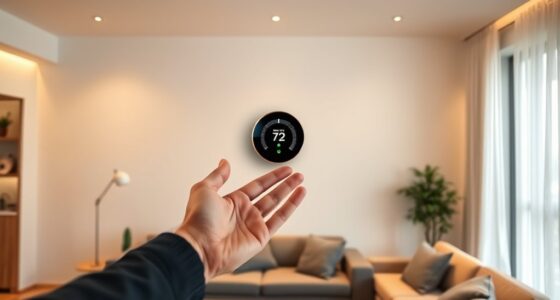
Creating custom voice commands for your thermostat makes controlling your home more convenient and energy-efficient. You can personalize commands to match your routines, such as saying “Good morning” to set the temperature or “I’m leaving” to adjust your thermostat and other smart devices automatically. Many thermostats offer easy setup options for customizing phrases, improving responsiveness. Keep exploring to discover how to perfectly tailor your voice control system and make your smart home even smarter.
Key Takeaways
- Identify specific phrases that match your daily routines for intuitive thermostat control.
- Use your smart thermostat’s app or voice assistant to program custom voice commands easily.
- Incorporate personalized commands like “Good morning” or “I’m leaving” to automate temperature adjustments.
- Ensure commands are clear and distinct to improve recognition accuracy with natural language processing.
- Integrate custom commands with other smart home routines for seamless climate and energy management.

Voice commands have revolutionized how you control your thermostat, making it easier to adjust your home’s temperature without reaching for a manual or touchscreen. This technology not only simplifies daily routines but also promotes energy efficiency. By speaking your desired temperature, you can fine-tune your environment quickly and accurately, reducing unnecessary energy consumption. For example, instead of fiddling with buttons or sliders, you might say, “Set the thermostat to 72 degrees,” which the system executes instantly. This precision helps prevent overheating or overcooling, saving you money on energy bills over time. Furthermore, voice commands enable you to implement energy-saving habits effortlessly, such as lowering the temperature when you’re away or asleep, without having to remember to manually adjust your device. Enhanced natural language processing improves human-computer interaction, allowing for more intuitive command recognition. User personalization is a core advantage of crafting custom voice commands for your thermostat. You can tailor commands to match your routines and preferences, making the system more intuitive and responsive. For instance, you might create a voice command like “Good morning,” which automatically sets the temperature to your preferred waking-up level, or “Movie time,” which adjusts the climate for a cozy evening. These personalized commands streamline your day, eliminating the need for multiple adjustments and ensuring your environment is always optimized for comfort and efficiency. By customizing commands, you also avoid confusion caused by generic phrasing, allowing the system to recognize and execute your intentions accurately. Creating custom voice commands involves simple setup steps. Many smart thermostats allow you to program specific phrases that trigger particular temperature changes or modes. This customization enhances user experience by aligning device functionality with your lifestyle. When you speak naturally, your thermostat responds seamlessly, creating a hands-free experience that feels both effortless and smart. Additionally, you can integrate these commands into routines that include other smart home devices, further enhancing energy efficiency and user personalization. For example, saying “I’m leaving” could trigger a series of actions: lowering the thermostat, turning off lights, and activating security systems. This interconnected control helps you conserve energy while maintaining a comfortable home environment.
Frequently Asked Questions
Can Voice Commands Control Multiple Thermostats Simultaneously?
Yes, you can control multiple thermostats simultaneously through voice commands. Many smart systems support group control and multi-zone management, allowing you to adjust all thermostats in a specific area or zone with a single command. Just make certain your smart home platform and thermostats are compatible with these features. This way, you can easily set the temperature for your entire home or specific zones without needing to adjust each thermostat individually.
How Secure Are Voice-Activated Thermostat Commands?
Your voice-activated thermostat’s security depends on the system’s voice recognition technology, which is generally reliable but not foolproof. While it offers convenience, you should be aware of privacy concerns, as voice data might be stored or transmitted. Think of it as locking the door; it’s secure enough, but staying vigilant helps keep your privacy safe. Regular updates and strong authentication add extra layers of protection.
Are There Any Compatibility Issues With Specific Smart Home Ecosystems?
Yes, you might face ecosystem compatibility issues when integrating custom thermostat commands. Some smart home systems have limited support or integration challenges, making it tricky to get everything working smoothly. Before you set up, check if your thermostat and smart home ecosystem are compatible. Confirm your devices support the same protocols, like Zigbee or Z-Wave, to avoid frustration and ensure seamless integration.
Can Voice Commands Override Manual Thermostat Settings?
Imagine walking into your room, and with a simple voice command, you adjust the temperature, overriding manual settings. Yes, voice command customization can override manual thermostat settings, but there are manual override limitations. Your voice controls typically take precedence, but some thermostats may revert to manual mode if they don’t support seamless integration. Always verify your device’s capabilities to ensure smooth operation without conflicting commands.
How to Troubleshoot Unresponsive Voice Commands for Thermostats?
If your voice commands aren’t working, start troubleshooting by checking for voice recognition issues. Make sure your device’s microphone isn’t blocked and that you’re speaking clearly. Next, verify if your thermostat’s firmware is up to date, as outdated software can cause responsiveness problems. Restart your thermostat and app, then test your commands again. If issues persist, contact support or perform firmware update troubleshooting to resolve the problem effectively.
Conclusion
Using voice commands for your thermostat makes controlling your home’s temperature effortless and convenient. Some might worry about privacy or accidental changes, but with modern devices, you can easily set permissions and confirm commands. Once you get the hang of it, you’ll wonder how you ever managed without this hands-free control. Embrace the simplicity—your home becomes smarter, comfier, and more responsive to your needs, all with just your voice.