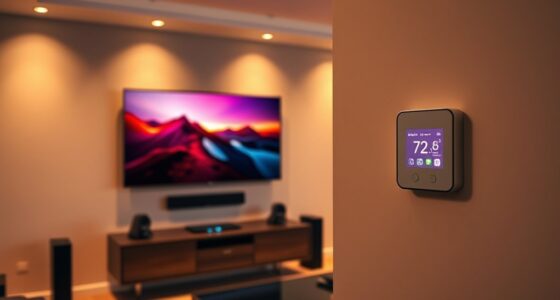
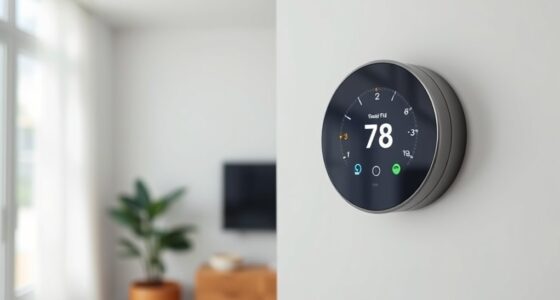
To set up smart thermostat routines with IFTTT, first check if your thermostat is compatible, like Nest or Ecobee, and make certain your other devices support IFTTT integrations. Then, create routines based on your schedule, location, or weather forecasts, such as lowering the temperature when you’re away or at night. Connect your thermostat with other smart devices or voice assistants for seamless control. If you explore further, you’ll discover how to maximize energy savings and home comfort through tailored routines.

Get home appliances delivered free with Prime
- Fast, free delivery on millions of items
- Prime Video, Amazon Music and more included
- Member-only deals all year
Key Takeaways
- Verify your smart thermostat’s compatibility with IFTTT before setup.
- Connect your thermostat to IFTTT and authorize necessary permissions.
- Create routines based on location, schedule, or weather triggers within IFTTT.
- Integrate other smart home devices for seamless automation and energy efficiency.
- Test routines thoroughly to ensure they activate correctly and optimize your home environment.

Smart thermostats have transformed how we manage home comfort, and with IFTTT, you can take their automation to the next level. By creating routines that automatically adjust your heating and cooling based on your schedule, weather, or other smart devices, you can substantially improve energy savings while maintaining a comfortable environment. The key is understanding how to set up these routines effectively, and that starts with ensuring your devices are compatible. Many popular smart thermostats, like Nest, Ecobee, and Honeywell, integrate seamlessly with IFTTT, but compatibility can vary depending on the model and firmware version. Before diving into routines, check that your thermostat and other smart home devices support IFTTT integration to avoid any compatibility issues.
Once you’ve confirmed device compatibility, you can begin designing routines that save energy and enhance convenience. For example, you might create an automation that lowers the temperature when you leave the house or at night, reducing unnecessary heating or cooling. When you leave your home, a simple IFTTT applet can trigger your thermostat to switch to an eco-friendly mode, saving you money on energy bills. Similarly, you can set routines to adjust your thermostat based on weather forecasts—if a hot day is forecasted, your system can pre-cool your house during off-peak hours, leading to energy savings and increased comfort when you arrive home. The flexibility of IFTTT allows you to customize routines based on your lifestyle, whether you want to sync your thermostat with your smartphone’s location, calendar, or other smart devices.
Automation also helps you avoid the common mistake of forgetting to turn off heating or cooling when you’re away. With IFTTT, you can connect your smart thermostat to your security system or GPS location, so it automatically adjusts when you leave or return home. This not only conserves energy but also extends the lifespan of your HVAC system by reducing unnecessary operation. Additionally, integrating your thermostat with voice assistants like Alexa or Google Assistant enables quick manual adjustments, making it easier to fine-tune your home’s climate without disrupting your routine.
As an affiliate, we earn on qualifying purchases.
Frequently Asked Questions
Can I Use IFTTT to Control Multiple Smart Thermostats Simultaneously?
Yes, with IFTTT, you can achieve multi thermostat control and routine synchronization across multiple devices. By creating applets that trigger actions for each thermostat simultaneously, you guarantee consistent heating or cooling settings. This setup allows you to efficiently manage your home’s climate, saving energy and maintaining comfort. Just connect your thermostats to IFTTT, and set the routines to control them together for seamless multi thermostat control.
Are There Any Security Concerns With Integrating IFTTT and Smart Thermostats?
Yes, there are security concerns when integrating IFTTT with smart thermostats. You should be aware of privacy concerns, as personal data might be shared across platforms. Make sure your devices use data encryption to protect your information. Regularly update your firmware, use strong passwords, and review app permissions to reduce risks. Taking these steps helps safeguard your smart home from potential security breaches.
How Do I Troubleshoot Routine Failures in IFTTT for Thermostats?
When a routine error occurs, don’t panic—troubleshooting tips can reveal the culprit. First, check your IFTTT app for any failed applets and review their activity logs. Make sure your thermostat and applet are connected correctly, and verify your internet connection. Reauthorize the applet if needed, and test the routine manually. If issues persist, updating firmware or resetting the devices often clears glitches and restores smooth operation.
Can I Set Geofencing Triggers for Thermostats With IFTTT?
Yes, you can set geofencing triggers for thermostats with IFTTT, but keep in mind the limitations. Geofencing depends on your device’s location accuracy, which can vary and sometimes cause triggers to fire late or not at all. To improve reliability, make certain your device’s location services are precise, and be aware that small or densely built areas might affect geofencing performance.
Is There a Way to Customize Temperature Settings Within Routines?
Yes, you can customize temperature settings within routines. For example, imagine arriving home after work; you set a routine that adjusts your thermostat to a comfortable 72°F. With routine personalization, you can specify custom temperature settings for different times or activities, ensuring your space is always cozy when you want it. This flexibility allows you to tailor your smart thermostat experience to fit your lifestyle perfectly.
Ecobee smart thermostat with IFTTT
As an affiliate, we earn on qualifying purchases.
As an affiliate, we earn on qualifying purchases.
Conclusion
By setting up smart thermostat routines with IFTTT, you gain control over your home’s comfort effortlessly. Just like a well-tuned orchestra, these routines harmonize your devices, saving energy and money. Remember, a stitch in time saves nine—taking a moment now to automate can prevent bigger issues later. Embrace these tools, and watch your home become smarter, more efficient, and more cozy every day.
smart thermostat compatible with IFTTT
As an affiliate, we earn on qualifying purchases.
As an affiliate, we earn on qualifying purchases.
voice controlled smart thermostat
As an affiliate, we earn on qualifying purchases.
As an affiliate, we earn on qualifying purchases.
Fall yard work Picks
leaf blowers
As an affiliate, we earn on qualifying purchases.