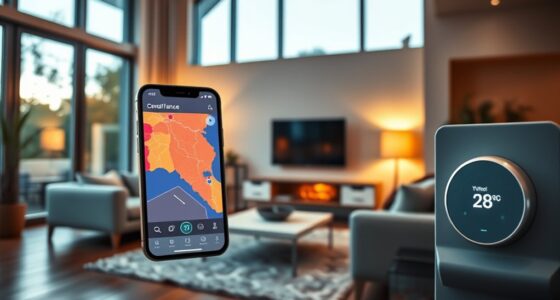
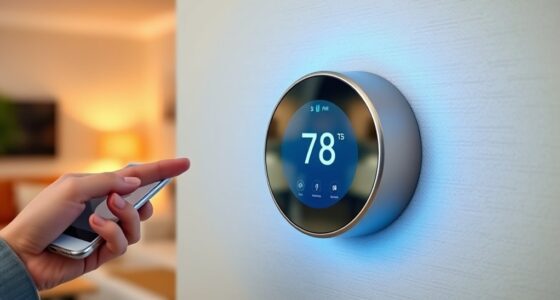
Integrating your smart thermostat with Amazon Alexa lets you control your home’s climate effortlessly through voice commands. You can ask Alexa to set temperatures, switch modes, or adjust schedules, making energy management simple and hands-free. This setup also boosts efficiency by enabling automation with other smart devices, creating a more connected environment. To get started and discover how to maximize your smart home’s potential, explore the steps detailed below.
Key Takeaways
- Enable Alexa skill for your smart thermostat via the Alexa app for seamless voice control.
- Link your smart thermostat account to Alexa through the app’s device setup process.
- Use voice commands like “Alexa, set the thermostat to 70 degrees” for instant adjustments.
- Create routines and automation within Alexa to manage your thermostat based on schedules or sensors.
- Ensure your smart thermostat and Alexa devices are on the same Wi-Fi network for proper integration.

Integrating smart thermostats with Amazon Alexa makes controlling your home’s temperature more convenient and hands-free. With just your voice, you can adjust your thermostat without getting up or reaching for your phone, making your daily routine simpler. This setup not only enhances comfort but also helps you save energy and reduce utility bills. When you use voice commands, you can effortlessly set your desired temperature, ensuring your home is always at the perfect level when you need it.
By connecting your smart thermostat to Alexa, you gain the ability to customize your heating and cooling schedule easily. Instead of manually adjusting settings on the device or app, you can ask Alexa to change the temperature, turn the system on or off, or switch modes. This flexibility encourages more mindful energy use because you’re more likely to optimize your system when it’s easy to make quick adjustments. For example, you might say, “Alexa, set the thermostat to 72 degrees,” or “Alexa, turn off the heater,” and your system responds instantly. These simple voice commands enable you to fine-tune your environment in real-time, reducing unnecessary energy consumption.
In addition, integrating with Alexa allows you to set routines that automatically adjust your thermostat based on your schedule or preferences. You could create a routine that lowers the temperature at night or when you’re away, helping you conserve energy without sacrificing comfort. These routines make it easier to stick to energy-saving practices because you don’t have to remember to make manual adjustments; Alexa does it for you seamlessly. As a result, you’ll notice a tangible decrease in your monthly energy bills over time.
Furthermore, the compatibility between smart thermostats and Alexa promotes better home automation. You can integrate your thermostat with other smart devices, like smart lights or window sensors, to create a holistic energy-efficient environment. For instance, if your smart sensor detects that a window is open, Alexa can automatically lower the heating or cooling to prevent waste. This interconnected system maximizes energy savings and keeps your home comfortable without your constant input. Additionally, understanding energy-saving practices can help you optimize your smart home setup for maximum efficiency.

Amazon Smart Thermostat, Save money and energy, Works with Alexa and Ring, C-wire required
- Smart Alexa Thermostat: Easy upgrade from traditional thermostats
- Automated Comfort Zones: Adjusts heating and cooling automatically
- Energy and Cost Savings: Includes rebate information from energy providers
As an affiliate, we earn on qualifying purchases.
As an affiliate, we earn on qualifying purchases.
Frequently Asked Questions
Can I Control Multiple Thermostats With Alexa Simultaneously?
Yes, you can control multiple thermostats with Alexa simultaneously. With multi-thermostat control, you can make simultaneous temperature adjustments for all connected devices. Simply group your thermostats in the Alexa app, and then give a voice command like “Set all thermostats to 72 degrees.” This allows you to efficiently manage your home’s climate without needing individual commands for each thermostat.
Is There a Monthly Fee for Using Alexa With My Smart Thermostat?
Using Alexa with your smart thermostat is like steering a ship—you don’t need a monthly fee to keep it sailing. Most features are free, but some advanced options might have subscription costs. Keep privacy concerns in mind; Amazon collects data to improve services, so review privacy settings. Overall, you won’t be billed just for controlling your thermostat, but watch for optional paid features to avoid surprises.
How Secure Is My Data When Integrating With Alexa?
Your data stays secure when you integrate your smart thermostat with Alexa because Amazon uses data encryption to safeguard your information. However, privacy concerns still exist, so it’s smart to review Alexa’s privacy settings and permissions regularly. You control what data is shared, and Amazon’s security measures help keep your data safe. Stay vigilant and adjust your privacy preferences to ensure your personal information remains protected.
Can Alexa Learn My Temperature Preferences Over Time?
Coincidentally, as you speak with Alexa, its learning algorithms and voice recognition capabilities allow it to learn your temperature preferences over time. When you adjust the thermostat verbally, Alexa records these preferences, improving its ability to anticipate your needs. This ongoing learning process means your smart thermostat becomes more personalized, adapting to your routines and habits, making your home more comfortable without requiring constant manual adjustments.
What Should I Do if My Smart Thermostat Isn’t Responding to Alexa?
If your smart thermostat isn’t responding to Alexa, start troubleshooting connectivity issues. Check your Wi-Fi connection and make certain both devices are on the same network. Try resetting your thermostat and reconnecting it to your Wi-Fi. You can also disable and re-enable the Alexa skill for your thermostat in the app. If problems persist, restart your router and devices, then test the connection again to restore proper communication.

ecobee Smart Thermostat Essential – WiFi Thermostat, Energy Star Certified
- Energy Savings: Save up to 23% annually on energy costs
- System Compatibility: Compatible with 85% of HVAC systems
- Easy Temperature Control: Adjust temperature via touchscreen or app
As an affiliate, we earn on qualifying purchases.
As an affiliate, we earn on qualifying purchases.
Conclusion
By integrating your smart thermostat with Amazon Alexa, you can effortlessly control your home’s temperature with just your voice. Studies show that 65% of smart home users feel more convenient and efficient with voice commands. So, don’t miss out on the comfort and energy savings. With simple setup, you’ll enjoy a smarter, more responsive home that adapts to your lifestyle. Start today and experience the seamless convenience Alexa can bring to your everyday routine.

Govee WiFi Thermometer Hygrometer H5103 with Electronic Ink Display
- Wireless Connectivity: Supports Wi-Fi and Bluetooth via Govee App
- Real-Time Monitoring: Provides updates every 2 seconds
- Accurate Sensor: Swiss-made sensor for precise readings
As an affiliate, we earn on qualifying purchases.
As an affiliate, we earn on qualifying purchases.
Amazon Smart Thermostat – Save money and energy – Works with Alexa and Ring – C-wire required
- Smart Alexa Thermostat: Easy upgrade from traditional thermostats
- Automated Comfort Zones: Adjusts heating and cooling automatically
- Energy and Cost Savings: Includes rebate information from energy providers
As an affiliate, we earn on qualifying purchases.
As an affiliate, we earn on qualifying purchases.