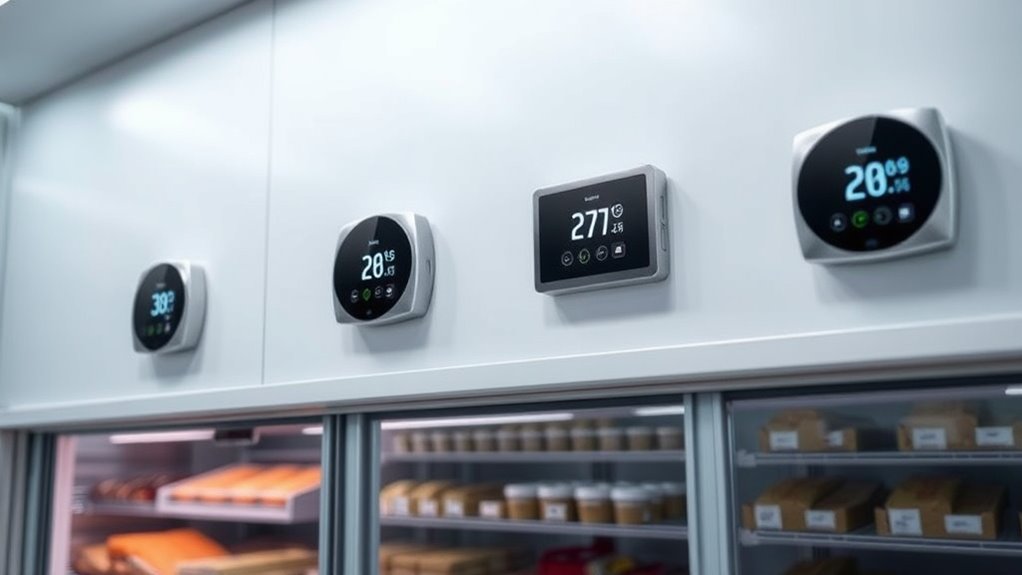

A smart thermostat for cold storage can help monitor temperatures and control compatible heating or cooling equipment, but the right choice depends on more than app access. I rank the Inkbird WiFi ITC-308 Digital Temperature Controller as the best overall for its Wi-Fi monitoring and heating-and-cooling control. The Pymeter Wi-Fi Temperature Controller stands out for dual-probe monitoring, while the BN-LINK Digital Cooling Thermostat is a simpler choice for buyers who need basic cooling control. The main tradeoffs are remote alerts versus simpler operation, probe flexibility versus setup effort, and smart features versus dependable local control. Read on for the full breakdown, selection criteria, and guidance on matching a controller to your storage setup.

Get home appliances delivered free with Prime
- Fast, free delivery on millions of items
- Prime Video, Amazon Music and more included
- Member-only deals all year
Complete the kit


Key Takeaways
- The Inkbird WiFi ITC-308 Digital Temperature Controller is my best overall pick because it combines Wi-Fi monitoring with separate heating and cooling control, making it more adaptable than cooling-only outlets.
- Pymeter is the standout for dual-probe monitoring. That feature can help compare temperatures at two points, but it adds setup and interpretation work compared with a single-probe controller.
- The two Inkbird ITC-308 listings should not be treated as interchangeable without checking the exact model. Confirm the Wi-Fi version, outlet functions, probe setup, and included accessories before ordering.
- Basic plug-in controllers trade remote visibility for simpler operation. The Digital Plug-In Thermostat and BN-LINK are more appropriate when local control matters more than app-based monitoring.
- Wi-Fi does not replace a cold-storage backup plan. Probe placement, outage response, equipment compatibility, and independent temperature checks still matter regardless of which controller you choose.
| Meross Smart Temperature Controller with HomeKit, Alexa, Google Home, and SmartThings |  | Best Smart-Home Integration | Maximum load: 15A | Maximum power: 1800W at 120V; 3600W at 240V | Temperature measurement range: -22°F to 230°F | VIEW ON AMAZON | See Our Full Breakdown |
| Digital Plug-In Thermostat with Heating and Cooling Modes and Countdown Timer |  | Best Simple Plug-In Backup | Power supply: 120V | Maximum power: 1800W | Temperature range: -40°F to 248°F (-40°C to 120°C) | VIEW ON AMAZON | See Our Full Breakdown |
| DEWENWILS Smart Wi-Fi Temperature Controller Outlet with 24-Hour Timer |  | Best for Scheduled Operation | Voltage: 120V | Temperature range: -4°F to 240°F | Timer: 24-hour schedule | VIEW ON AMAZON | See Our Full Breakdown |
| DEWENWILS Smart Wi-Fi Temperature Controller with Memory |  | Best for Power-Outage Recovery | Current: 15A | Voltage and wattage: 120V; 1800W | Temperature range: -40°F to 240°F in title; -40°F to 210°F in description | VIEW ON AMAZON | See Our Full Breakdown |
| Pymeter Wi-Fi Temperature Controller with Dual Probes and Heating and Cooling Outlets |  | Best for Two-Zone Monitoring | Model: PY-W25TT | Sensors: Two temperature probes | Outlets: Two independent heating and cooling outlets | VIEW ON AMAZON | See Our Full Breakdown |
| Inkbird WiFi ITC-308 Digital Temperature Controller |  | Best for Remote Cold-Storage Monitoring | Model: ITC-308-US | Temperature control: Heating and cooling | Connectivity: 2.4 GHz Wi-Fi | VIEW ON AMAZON | See Our Full Breakdown |
| BN-LINK Digital Cooling Thermostat Temperature Controller Outlet Switch |  | Best for Simple Cooling-Only Setups | Model: BNQ-T7B(C) | Temperature control: Cooling only | Temperature range: 40–108°F | VIEW ON AMAZON | See Our Full Breakdown |
| Inkbird ITC-308 WiFi Temperature Controller |  | Best for App-Based Heating and Cooling Control | Model: ITC-308-WIFI-LW | App: InkbirdSmart | Connectivity: 2.4 GHz Wi-Fi | VIEW ON AMAZON | See Our Full Breakdown |
| smart thermostat for cold storage | Display | Connectivity | Temperature range | Voltage |
|---|---|---|---|---|
| Meross Smart Temperature Contr | Backlit LCD | — | — | — |
| Digital Plug-In Thermostat wit | — | — | -40°F to 248°F (-40°C to 120°C) | — |
| DEWENWILS Smart Wi-Fi Temperat | Backlit VA LCD | Wi-Fi and Bluetooth | -4°F to 240°F | 120V |
| DEWENWILS Smart Wi-Fi Temperat | Backlit LCD | Wi-Fi | -40°F to 240°F in title; -40°F to 210°F in description | — |
| Pymeter Wi-Fi Temperature Cont | LED | Wi-Fi | — | — |
| Inkbird WiFi ITC-308 Digital T | — | 2.4 GHz Wi-Fi | — | 110 V |
| BN-LINK Digital Cooling Thermo | — | — | 40–108°F | 120 VAC, 60 Hz |
| Inkbird ITC-308 WiFi Temperatu | LCD | 2.4 GHz Wi-Fi | — | 110 V |
More Details on Our Top Picks
Meross Smart Temperature Controller with HomeKit, Alexa, Google Home, and SmartThings
For cold-storage owners who want thermostat control to fit into an existing smart home, I rank the Meross ahead of simpler app-only controllers. It works with Apple Home, Alexa, Google Home, and SmartThings, and adds schedules, temperature history, and energy monitoring that can help track operating patterns. Its 79-inch probe can be placed in water, offering flexibility for monitoring a liquid or a spot away from the outlet. Compressor protection and power-off memory are useful safeguards for equipment and settings. Compared with the DEWENWILS Smart Wi-Fi Temperature Controller with Memory, Meross lists broader platform support and a longer, water-placeable sensor, but its default control ceiling is 95°F unless adjusted in the app. The display may also go dark during inactivity, which makes quick checks less convenient.
Pros:- Supports Apple Home, Alexa, Google Home, and SmartThings
- 79-inch sensor can be placed in water
- Schedules, temperature history, and energy monitoring support remote oversight
- Compressor protection and power-off memory help protect equipment and settings
Cons:- Default temperature control ceiling is 95°F unless changed in the app
- Display may turn off after inactivity and requires a button hold to reactivate
Best for: Cold-storage owners already using Apple Home, Alexa, Google Home, or SmartThings who want remote monitoring, schedules, and a sensor that can be placed in water.
Not ideal for: Buyers who need a high default control limit or an always-visible display; the range needs app adjustment above 95°F, and the screen may turn off after inactivity.
- Maximum load:15A
- Maximum power:1800W at 120V; 3600W at 240V
- Temperature measurement range:-22°F to 230°F
- Default temperature control limit:Up to 95°F; adjustable in the app
- Sensor length:79 inches
- Connectivity and platforms:Wi-Fi; Apple Home, Alexa, Google Home, SmartThings
- Display:Backlit LCD
- Scheduling:Up to 12 periods per day
Our verdict“Choose Meross if broad smart-home compatibility and flexible probe placement matter more than an always-on screen or a higher default control limit.”
Digital Plug-In Thermostat with Heating and Cooling Modes and Countdown Timer
I’d place this ecoartheating plug-in thermostat on the shortlist for a straightforward cold-storage setup where local button control is enough. Its listed temperature range spans -40°F to 248°F, and settings persist after a power loss, so the controller can resume without re-entering its configuration. Heating and cooling modes cover different equipment needs, while the countdown and cycle timing modes add basic run-time control. Unlike the Meross Smart Temperature Controller, this model does not list Wi-Fi or smart-home integration, so it cannot offer the same remote oversight or temperature history. Its central tradeoff is that temperature control and timer functions cannot run at the same time. The 1800-watt limit also makes this a better fit for modest loads than higher-power equipment.
Pros:- Supports both heating and cooling modes
- Broad listed temperature range from -40°F to 248°F
- Settings are saved after power loss
- Cycle timing and countdown modes provide basic timing options
Cons:- Temperature control and timer functions cannot be used simultaneously
- Maximum power is limited to 1800 watts
- No Wi-Fi or smart-home control is listed
Best for: Owners of a small cold room, refrigerator, or similar setup who want a simple plug-in controller with a broad listed sensing range and no need for app access.
Not ideal for: Buyers who need remote alerts, smart-home integration, simultaneous temperature and timer control, or equipment above 1800 watts.
- Power supply:120V
- Maximum power:1800W
- Temperature range:-40°F to 248°F (-40°C to 120°C)
- Temperature accuracy:±1%
- Timer range:0–99 hours 59 minutes
- Sensor probe length:1.7m
- Display and control:Digital LCD; button control
- Power source:Electric; requires 2 AA batteries
Our verdict“Pick this controller for basic local temperature switching and power-loss setting retention, but choose Meross if remote monitoring is a priority.”
DEWENWILS Smart Wi-Fi Temperature Controller Outlet with 24-Hour Timer
The DEWENWILS Smart Wi-Fi Temperature Controller Outlet suits cold-storage owners who want temperature control and recurring on/off timing in one compact plug-in unit. Its six modes separate heating, cooling, timer, and combined timer options, while the daily schedule can support repeated operating windows. App control and temperature monitoring add remote access that the basic ecoartheating digital thermostat does not list. The backlit VA display also gives a local way to check status, and surge protection plus a flame-retardant housing add practical hardware protections. The main compromise is connectivity: remote app access requires Wi-Fi. Its listed temperature range starts at -4°F, so buyers storing goods below that point should compare it with the Meross or ecoartheating models, both of which list lower measurement limits.
Pros:- Six modes cover heating, cooling, timer, and combined operation
- Daily schedule supports multiple on/off times
- App control and temperature monitoring offer remote oversight
- Surge protection and flame-retardant housing add equipment safeguards
Cons:- Remote app control requires Wi-Fi
- Listed temperature range begins at -4°F, limiting suitability for colder environments
Best for: Cold-storage users with recurring daily operating windows who want app monitoring, multiple heating and cooling modes, and a compact outlet controller.
Not ideal for: Buyers who need operation below -4°F or dependable remote app control where Wi-Fi is unavailable.
- Voltage:120V
- Temperature range:-4°F to 240°F
- Timer:24-hour schedule
- Modes:Cooling + Timer, Heating + Timer, Cooling, Heating, Timer Only, Off
- Connectivity:Wi-Fi and Bluetooth
- Display:Backlit VA LCD
- Control:App and push button
- Dimensions:4.3 × 2.5 × 3.2 inches
Our verdict“Choose this DEWENWILS model for scheduled app-managed operation above -4°F, but look at Meross or ecoartheating for a lower listed temperature range.”
DEWENWILS Smart Wi-Fi Temperature Controller with Memory
I’d favor this DEWENWILS controller with memory when restoring a cold-storage setting after a power interruption matters more than a broad smart-home ecosystem. It supports app control, scheduling, and multiple heating, cooling, and timer modes, while previous settings return after an outage. That helps reduce the chance of a cold-storage unit sitting in the wrong mode after power resumes. Compared with the DEWENWILS outlet model with a 24-hour timer, this version lists power-outage memory and a 0.1°F accuracy figure, but its temperature-range data conflict: the title lists -40°F to 240°F, while the description says -40°F to 210°F. I would verify the usable upper limit before buying. Like Meross, it offers Wi-Fi control, but the supplied details do not list Meross’s broad platform compatibility.
Pros:- Restores previous settings after a power outage
- App-based remote control and scheduling
- Multiple heating, cooling, and timer modes
- Backlit LCD and a listed accuracy of 0.1°F
Cons:- Temperature range conflicts between the title and description
- Wi-Fi is the listed connectivity, with no broader smart-home platform support specified
Best for: Cold-storage owners who want app scheduling and automatic restoration of settings after a power interruption, and who can confirm the range they need.
Not ideal for: Buyers who require an unambiguous temperature specification, smart-home platform compatibility, or control without Wi-Fi.
- Current:15A
- Voltage and wattage:120V; 1800W
- Temperature range:-40°F to 240°F in title; -40°F to 210°F in description
- Temperature accuracy:0.1°F
- Connectivity:Wi-Fi
- Modes:Cooling + Timer, Heating + Timer, Cooling, Heating, Timer, Off
- Display:Backlit LCD
- Warranty:1 year
Our verdict“Pick this model when power-restored settings are the priority, but confirm its temperature range before relying on it for a specific cold-storage target.”
Pymeter Wi-Fi Temperature Controller with Dual Probes and Heating and Cooling Outlets
The Pymeter PY-W25TT stands apart from the single-probe controllers here by including two temperature probes and separate heating and cooling outlets. That layout can help a buyer monitor two locations or manage heating and cooling equipment independently, rather than relying on one sensor point as with the Meross or DEWENWILS models. App readings and alerts add remote awareness, while calibration can help align the readings with a chosen reference. For cold storage, the key limitation is its listed 1200-watt capacity, lower than the 1800-watt limits stated for several alternatives in this group. Remote app access also depends on Wi-Fi. I’d choose it for a divided space or paired equipment where its two-probe design solves a real monitoring need, not simply as a more feature-rich replacement for a single-probe controller.
Pros:- Two probes allow temperature monitoring in separate locations
- Separate heating and cooling outlets support independent equipment
- App readings and alerts provide remote monitoring
- Calibration and button control supplement app operation
Cons:- Listed wattage is limited to 1200W
- Remote app control requires Wi-Fi
Best for: Owners monitoring two cold-storage zones or coordinating separate heating and cooling equipment who can work within the 1200-watt limit.
Not ideal for: Buyers with a single sensor location, equipment that exceeds 1200 watts, or a site without Wi-Fi for remote app access.
- Model:PY-W25TT
- Sensors:Two temperature probes
- Outlets:Two independent heating and cooling outlets
- Voltage and wattage:120V; 1200W
- Connectivity:Wi-Fi
- Control:App, push button, and digital controls
- Display:LED
- Dimensions:1.57 × 2.16 × 8.26 inches
Our verdict“Choose Pymeter when two-location monitoring and separate outlets justify the lower power limit; for a single probe and higher listed capacity, compare Meross.”
Inkbird WiFi ITC-308 Digital Temperature Controller
For a cold-storage setup where temperature changes need attention even when nobody is nearby, the ITC-308’s Wi-Fi monitoring and high- and low-temperature alarms make it a strong fit. Its heating and refrigeration control can manage either type of connected equipment, while the sensor-malfunction alert adds a useful warning if the probe has a problem. Compared with the BN-LINK Digital Cooling Thermostat, this Inkbird offers remote app access and heating control, rather than a straightforward local cooling-only setup. The tradeoff is a 2.4 GHz Wi-Fi requirement and an 1100 W maximum load at 110 V, so buyers should confirm their equipment stays within that limit. I’d choose it for a monitored freezer room or refrigerator that needs alerts, not for a high-power appliance beyond its rating.
Pros:- Remote monitoring and control through an iOS or Android app
- Supports both heating and refrigeration equipment
- High- and low-temperature alarms include a sensor-malfunction alert
- Temperature calibration and Celsius or Fahrenheit display
Cons:- Limited to 2.4 GHz Wi-Fi
- 1100 W maximum output at 110 V rules out higher-load equipment
Best for: Owners of small cold rooms, refrigerators, or freezers who want app-based temperature checks and alarm notifications while away.
Not ideal for: Buyers with equipment drawing more than 1100 W at 110 V, or sites without a 2.4 GHz Wi-Fi network.
- Model:ITC-308-US
- Temperature control:Heating and cooling
- Connectivity:2.4 GHz Wi-Fi
- Voltage:110 V
- Maximum output load:1100 W at 110 V
- Alarms:High temperature, low temperature, and sensor malfunction
- Temperature units:Celsius or Fahrenheit
- Dimensions:1.2 × 2.6 × 6.7 inches
Our verdict“Choose this Inkbird for modest-load cold storage when remote monitoring and sensor alerts matter more than broad Wi-Fi compatibility.”
BN-LINK Digital Cooling Thermostat Temperature Controller Outlet Switch
The BN-LINK is the uncomplicated choice for a cold-storage appliance that only needs cooling control and a local temperature readout. Its three-button interface, probe, and status lights keep day-to-day operation simple, while ETL listing provides a stated safety certification. Unlike the Inkbird WiFi ITC-308, it does not offer app monitoring, heating control, or remote alarms; in return, it avoids dependence on Wi-Fi and keeps the job focused on switching cooling equipment. The 40–108°F range is a key limitation for cold storage: this unit is unsuitable if your target temperature falls below 40°F. Its 1000 W load ceiling and short power cord also mean buyers need to check appliance demands and outlet placement before choosing it. I’d favor it for a modest cooling device in a location where someone can check the display in person.
Pros:- Simple three-button control with a clear digital display
- Includes a temperature probe for monitoring the controlled area
- Cooling control suits compatible fans and other cooling devices
- ETL listed and equipped with status indicator lights
Cons:- Cooling-only operation does not support heating equipment
- 40–108°F range excludes freezer temperatures below 40°F
- 1000 W maximum load and 3.94 ft power cord may limit installation options
Best for: Owners of small refrigerators or cooling fans with target temperatures at or above 40°F who want a basic, locally operated controller.
Not ideal for: Freezer operators needing sub-40°F control, remote alerts, heating mode, or a load above 1000 W.
- Model:BNQ-T7B(C)
- Temperature control:Cooling only
- Temperature range:40–108°F
- Voltage:120 VAC, 60 Hz
- Maximum load:8.3 A, 1000 W
- Power cord length:3.94 ft
- Temperature probe length:4.92 ft
- Certification:ETL listed
Our verdict“Pick the BN-LINK for straightforward, attended cooling control above 40°F, but choose an Inkbird Wi-Fi model for remote oversight or lower-temperature needs.”
Inkbird ITC-308 WiFi Temperature Controller
This ITC-308 variant makes sense for cold-storage owners who want to check conditions through the InkbirdSmart app and switch between connected heating and cooling equipment. Its dual relays and high- and low-temperature alarms give it more control flexibility than the BN-LINK cooling-only controller, which relies on local operation and cannot manage heating. Temperature calibration and dual-unit readings help match the display to a chosen monitoring setup. The stated 1100 W maximum load still limits which appliances it can control, and the 2.4 GHz Wi-Fi requirement may not fit every network. Compared with the other listed Inkbird ITC-308, its supplied details specifically name the InkbirdSmart app and LCD display; both share a similar core feature set and load ceiling. I’d pick this version when app access is the priority, after checking device compatibility and electrical demand.
Pros:- InkbirdSmart app supports remote temperature monitoring
- Dual relay outputs support heating and cooling devices
- High- and low-temperature alarms help flag excursions
- Temperature calibration and Celsius or Fahrenheit readings
Cons:- Requires a 2.4 GHz Wi-Fi network
- 1100 W maximum output limits compatible equipment
- iOS app support requires iOS 13 or later
Best for: Cold-storage operators with compatible, modest-load equipment who want app monitoring plus both heating and cooling control.
Not ideal for: Users with equipment exceeding 1100 W, networks that lack 2.4 GHz Wi-Fi, or iPhone users running an iOS version earlier than 13.
- Model:ITC-308-WIFI-LW
- App:InkbirdSmart
- Connectivity:2.4 GHz Wi-Fi
- Relay outputs:Dual
- Temperature modes:Heating and cooling
- Voltage:110 V
- Maximum output load:1100 W
- Display:LCD
- Temperature units:Celsius and Fahrenheit
Our verdict“Choose this Inkbird when app-based oversight and dual-mode control are useful, provided your network and equipment meet its limits.”

How We Picked
I ranked these controllers around the demands of cold storage rather than treating smart-home compatibility as the main measure of quality. My criteria include whether a unit can control heating, cooling, or both; how its probe setup can serve a real storage space; the availability of remote monitoring or alerts; and the clarity of its day-to-day controls. I also weighed practical fit, such as memory or timer functions, against the added setup burden and the need to verify outlet and equipment compatibility.
The Inkbird WiFi ITC-308 Digital Temperature Controller leads for its combination of remote monitoring and heating-and-cooling control. Pymeter ranks close behind for buyers who benefit from two probes, while the Meross model earns a place for broader smart-home integration. The remaining options serve narrower priorities: simpler local control, Wi-Fi with timer or memory features, or a second Inkbird listing whose exact configuration deserves careful verification. These are temperature controllers for compatible equipment, not a substitute for a purpose-built refrigeration system or a backup alarm plan.
| smart thermostat for cold storage | Display | Model |
|---|---|---|
| Meross Smart Temperature Contr | Backlit LCD | — |
| Digital Plug-In Thermostat wit | — | — |
| DEWENWILS Smart Wi-Fi Temperat | Backlit VA LCD | — |
| DEWENWILS Smart Wi-Fi Temperat | Backlit LCD | — |
| Pymeter Wi-Fi Temperature Cont | LED | PY-W25TT |
| Inkbird WiFi ITC-308 Digital T | — | ITC-308-US |
| BN-LINK Digital Cooling Thermo | — | BNQ-T7B(C) |
| Inkbird ITC-308 WiFi Temperatu | LCD | ITC-308-WIFI-LW |
Factors to Consider When Choosing Smart Thermostat For Cold Storage
Before choosing a controller, I would start with the storage equipment and the consequences of a temperature excursion—not the app. A useful match depends on control mode, sensor placement, electrical compatibility, and what happens when power or Wi-Fi drops. The following checks can help prevent a feature-rich device from becoming the wrong tool for the job.
Match the Controller to the Equipment
Check whether your setup needs cooling control, heating control, or both before comparing smart features. A cooling-only outlet may suit a refrigerator or freezer arrangement that accepts an external temperature switch, but it will not serve a setup that also needs heat control. Dual-mode models can handle a wider range of equipment, though they still require compatible plugs, loads, and operating conditions. Read the controller’s specifications alongside the appliance manual, especially for electrical ratings and compressor-related restrictions. Do not assume that a smart outlet is safe for every refrigerator or commercial cooling unit. If the appliance has its own thermostat or control electronics, confirm that adding an external controller is allowed.
Plan Probe Placement Before Installation
A sensor reading is only useful if it reflects the temperature you need to protect. Air near a door, cooling outlet, or evaporator can vary from the temperature in stored goods, so choose a probe location that represents the space rather than the easiest place to hang it. For sensitive stock, compare the controller reading with an independent thermometer during setup. Dual probes can help reveal differences between locations, but they do not automatically identify which spot best represents the contents. Avoid pinching probe wires in doors or placing sensors where they can be knocked loose. Check whether the probe and cable are suitable for the temperatures and moisture in your storage area.
Treat Alerts and Connectivity as One Layer of Protection
Remote monitoring is valuable when you cannot regularly check the storage area, but it relies on power, network access, app permissions, and a working notification path. Before relying on alerts, test them and confirm that more than one person can receive them if a missed message could cause a loss. A Wi-Fi controller may still operate locally during an internet outage, but app visibility and remote alerts can disappear; verify the behavior for the specific model. Consider whether the controller has audible alarms or local status indicators as a separate warning channel. For high-consequence storage, use an independent thermometer or alarm rather than making one connected device the only safeguard. Keep a response plan for outages, equipment failure, and probe faults.
Check Temperature Range, Accuracy, and Switching Behavior
Compare the controller’s supported temperature range with the actual setpoint you need, including expected defrost cycles or seasonal conditions. Accuracy and display resolution are not the same thing: a display that shows fine increments does not prove that the sensor measures to that precision. Look for published sensor tolerances and control differentials so you can judge how much temperature swing to expect. A narrow switching differential may cause equipment to cycle more often, while a wider one can allow larger swings. Follow the cooling equipment maker’s guidance on cycling and compressor protection. If the product information does not clearly state the relevant limits, ask the manufacturer rather than guessing.
Decide Whether Smart-Home Integration Adds Real Value
Compatibility with voice assistants or a smart-home platform matters most when it fits an existing routine, such as bringing temperature status into a dashboard you already monitor. It matters less if you only need a local setpoint and a clear alarm. Confirm which functions are available through each platform; compatibility does not always mean every setting or alert can be controlled there. App setup may also depend on a specific Wi-Fi band, account, or cloud service, so check requirements before installation. If several people need access, look at sharing and notification options rather than assuming a single phone is enough. Choose integration for a defined task, not simply because the feature list is longer.
Build a Plan for Power Loss and Routine Checks
A temperature controller cannot keep equipment running during a power failure, and a connected model may lose alerts at the same time. Decide how you will monitor the space if power, Wi-Fi, or the controller itself stops working. For valuable or safety-sensitive contents, consider backup power for the refrigeration equipment where appropriate, a separate alarm, and written steps for moving or protecting stored items. Check probe cables and plugs during routine inspections, since a loose connection can make a reliable-looking display misleading. Review the setpoint after maintenance or equipment changes. The more costly a temperature excursion would be, the less sensible it is to rely on a single controller as the whole protection system.
Frequently Asked Questions
Can I use one of these controllers with any refrigerator or freezer?
No. Compatibility depends on the appliance’s electrical load, plug type, control design, and the controller’s permitted use. Check both manuals before connecting an external switch, and confirm whether the appliance maker allows power to be switched by an external thermostat. Some refrigeration equipment may require specific compressor delays or other protections. If the ratings or restrictions are unclear, ask the manufacturer or a qualified technician rather than testing the connection on valuable stock.
Will Wi-Fi alerts still reach me if the internet goes down?
Usually, remote notifications depend on a working internet connection and the manufacturer’s app or service, so they may stop during an outage. The controller may continue switching equipment locally, but that behavior varies by model and should be confirmed in its documentation. For storage where a missed temperature rise has serious consequences, add an independent local alarm or monitoring device. Test notifications after setup and periodically afterward, including what happens when the network or power is interrupted.
Is a dual-probe controller worth choosing for a single cold room?
It can be useful if temperatures differ between shelves, zones, or locations, or if you want to compare a sensor near the equipment with one near stored contents. For a small, uniform space, a well-placed single probe may be easier to manage and interpret. Two sensors do not guarantee better control; check how the unit uses each reading and whether it can control equipment from the probe you intend to use. If you cannot act on differences between the readings, the extra probe may add complexity without much practical benefit.
Should I choose a Wi-Fi controller or a basic plug-in thermostat?
Choose Wi-Fi when remote status or alerts can change how quickly you respond to a problem. A basic plug-in thermostat can be a better fit when you mainly need local temperature switching and prefer fewer setup steps or fewer app dependencies. Neither type removes the need to check the sensor, setpoint, and equipment compatibility. If you choose smart features, test the alert path; if you choose a basic model, decide how often someone will inspect the space and how they will notice a failure between checks.
How can I tell whether an Inkbird ITC-308 listing is the Wi-Fi model?
Compare the complete model name and specifications rather than relying on the ITC-308 label alone. Look for explicit confirmation of Wi-Fi connectivity, app support, probe configuration, outlet functions, and included parts in the listing and manufacturer documentation. The roundup includes two similarly named Inkbird entries, so the listing details matter before you choose between them. If a feature is missing or ambiguous, confirm it with the seller or manufacturer before buying, especially if remote alerts are a requirement.
Conclusion
My best overall recommendation is the Inkbird WiFi ITC-308 Digital Temperature Controller for buyers who want remote monitoring alongside heating-and-cooling control. For best value in basic operation, I would look first at the BN-LINK Digital Cooling Thermostat or the Digital Plug-In Thermostat, choosing between them based on the required control mode and timer needs rather than app features. The best premium-style feature set here is the Pymeter Wi-Fi controller for buyers who can put its dual probes to work, while Meross is the better fit for someone prioritizing integration with an existing smart-home setup. For beginners, a straightforward plug-in unit may be easier to set up than a Wi-Fi model with more configuration choices. For specific monitoring needs, Pymeter suits two-point comparison; whichever controller you choose, verify the exact model, equipment compatibility, and outage plan before trusting it with cold storage.