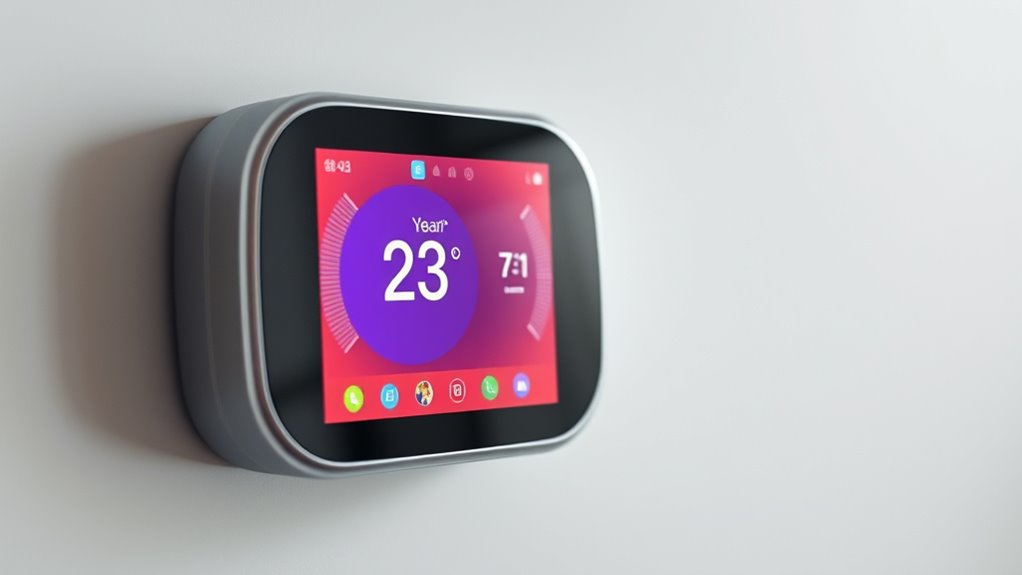

A smart thermostat with a pinch-to-zoom display should make on-device control easier, but not every touchscreen thermostat offers pinch-to-zoom. My best overall pick is the Google Nest Learning Thermostat (4th Gen) with its room sensor, while the Honeywell Home X8S stands out for a premium touchscreen experience and the Vine TJ550 for its straightforward 2.8-inch display. The main tradeoffs are display interaction, HVAC compatibility, smart-home support, and how much control you want from the wall unit versus an app. Touchscreen features and gesture support can vary, so check the manufacturer’s specifications before buying. Read on for how the 11 options compare and which one best fits your home.

Get home appliances delivered free with Prime
- Fast, free delivery on millions of items
- Prime Video, Amazon Music and more included
- Member-only deals all year
Complete the kit



Key Takeaways
- No confirmed pinch-to-zoom winner: The listed products include touchscreens and smart displays, but the supplied product names do not confirm pinch-to-zoom support; verify that specific gesture with the manufacturer before choosing.
- Google Nest Learning Thermostat (4th Gen) leads for adaptive control: Its bundled second-generation temperature sensor gives it a stronger case for homes where temperatures vary by room than a thermostat judged only by its wall display.
- Honeywell Home X8S is the premium display-focused option: It is the most natural pick for shoppers prioritizing a premium wall interface, though display sophistication does not by itself establish pinch-to-zoom support.
- Vine TJ550 offers a simpler touchscreen path: Its 2.8-inch screen makes it a straightforward option for shoppers who want direct touch controls, but the smaller display is not the same as a confirmed zoom gesture.
- Ecobee and Honeywell models split into different tiers: Ecobee’s Essential, Enhanced, and Premium give buyers a range of feature levels, while Honeywell’s T5, X8S, and color thermostat span basic connectivity to more display-oriented options.
| Vine TJ550 Wi-Fi Smart Thermostat with 2.8-Inch Touchscreen |  | Best Value for Scheduled Control | Display: 2.8-inch LCD touchscreen | Connectivity: Wi-Fi | Voltage: 24 volts | VIEW ON AMAZON | See Our Full Breakdown |
| Aqara Smart Thermostat W200 with Apple Adaptive Temperature |  | Best for Smart-Home Integration | Display: 4-inch full-color touchscreen | Connectivity: Matter 1.4, dual-band Wi-Fi (2.4/5GHz), Zigbee hub, Thread border router | Smart-home compatibility: Apple Home, Google Home, Amazon Alexa, Samsung SmartThings, Home Assistant | VIEW ON AMAZON | See Our Full Breakdown |
| Google Nest Learning Thermostat (4th Gen) with Nest Temperature Sensor (2nd Gen), Silver |  | Best for Automatic Learning | Display: 3.5-inch touchscreen | Color: Polished Silver | Connectivity: Wi-Fi | VIEW ON AMAZON | See Our Full Breakdown |
| ecobee Smart Thermostat Enhanced, Wi-Fi Programmable Thermostat |  | Best for Flexible Installation | Display: 4-inch LCD | Connectivity: Wi-Fi | Voltage: 24 volts | VIEW ON AMAZON | See Our Full Breakdown |
| Honeywell Home T5 Smart Wi-Fi Thermostat |  | Best for Geofencing and a Large Screen | Model: RTH8800WF2022 | Display: 4.95-inch LCD touchscreen | Connectivity: Wi-Fi | VIEW ON AMAZON | See Our Full Breakdown |
| Sensi Touch 2 Smart Wi-Fi Thermostat, Alexa Compatible, ENERGY STAR Certified (ST76) |  | Best for Room-by-Room Comfort | Model: Sensi Touch 2 (ST76) | Connectivity: Wi-Fi, 2.4 and 5.0 GHz | Display: LCD touchscreen | VIEW ON AMAZON | See Our Full Breakdown |
| ecobee Smart Thermostat Essential, Wi-Fi |  | Best for Smart-Home Flexibility | Connectivity: Wi-Fi | Display: 3.74-inch LCD touchscreen | Power: Battery powered; Power Extender Kit may be needed without a C-wire | VIEW ON AMAZON | See Our Full Breakdown |
| Amazon Smart Thermostat with Alexa and Ring Compatibility |  | Best for Alexa-First Homes | Model: S6ED3R | Dimensions: 3.56 × 3.56 × 0.84 in | Weight: 3.86 oz | VIEW ON AMAZON | See Our Full Breakdown |
| ecobee Smart Thermostat Premium with Wi-Fi, Siri and Alexa |  | Best Premium Home-Comfort Package | Connectivity: Wi-Fi | Voice assistants: Siri and Alexa built in | Included sensor: SmartSensor | VIEW ON AMAZON | See Our Full Breakdown |
| Honeywell Home X8S Premium Smart Wi-Fi Thermostat, Black |  | Best for a Large Customizable Touchscreen | Display: 5-inch touchscreen | Connectivity: Wi-Fi, 2.4 or 5 GHz | Smart-home compatibility: Matter, Amazon Alexa, Google Assistant, Apple Home | VIEW ON AMAZON | See Our Full Breakdown |
| Honeywell Home RTH9585WF1004 Wi-Fi Smart Color Thermostat |  | Best for Customizable Display and Scheduling | Model: RTH9585WF1004 | Display: Color touchscreen; pinch-to-zoom support not specified | Connectivity: Wi-Fi | VIEW ON AMAZON | See Our Full Breakdown |
| smart thermostat with pinchtozoom display | Connectivity | Display |
|---|---|---|
| Vine TJ550 Wi-Fi Smart Thermos | Wi-Fi | 2.8-inch LCD touchscreen |
| Aqara Smart Thermostat W200 wi | Matter 1.4, dual-band Wi-Fi (2.4/5GHz), Zigbee hub, Thread border router | 4-inch full-color touchscreen |
| Google Nest Learning Thermosta | Wi-Fi | 3.5-inch touchscreen |
| ecobee Smart Thermostat Enhanc | Wi-Fi | 4-inch LCD |
| Honeywell Home T5 Smart Wi-Fi | Wi-Fi | 4.95-inch LCD touchscreen |
| Sensi Touch 2 Smart Wi-Fi Ther | Wi-Fi, 2.4 and 5.0 GHz | LCD touchscreen |
| ecobee Smart Thermostat Essent | Wi-Fi | 3.74-inch LCD touchscreen |
| Amazon Smart Thermostat with A | — | — |
| ecobee Smart Thermostat Premiu | Wi-Fi | — |
| Honeywell Home X8S Premium Sma | Wi-Fi, 2.4 or 5 GHz | 5-inch touchscreen |
| Honeywell Home RTH9585WF1004 W | Wi-Fi | Color touchscreen; pinch-to-zoom support not specified |
More Details on Our Top Picks
Vine TJ550 Wi-Fi Smart Thermostat with 2.8-Inch Touchscreen
The Vine TJ550 is a practical pick for shoppers who want app control and a clear touchscreen without paying for a large smart-home hub. Its 7-day schedule with eight periods supports different routines across the week, while Home/Away mode, temperature alerts, and filter reminders take care of common day-to-day tasks. Compared with the more connected Aqara W200, the Vine has a smaller, simpler display and lacks Matter, radar presence sensing, and built-in device hubs. Its 2.8-inch screen is still useful for basic adjustments, but it is not a pinch-to-zoom display, and the supplied details do not list pinch-to-zoom support. The main installation constraint is the required C-wire; buyers also need to verify system compatibility before ordering.
Pros:- 7-day scheduling with eight periods supports tailored weekday and weekend routines
- Vine and Smart Life app control plus Alexa and Google Assistant compatibility
- Automatic Home/Away mode, temperature alerts, and filter reminders
- Includes trim and mounting plates, wiring labels, and installation hardware
Cons:- C-wire is required, limiting use in homes without compatible wiring
- 2.8-inch display is smaller than the Aqara W200 and ecobee Enhanced screens
- Pinch-to-zoom support is not specified, and HVAC compatibility needs checking
Best for: Budget-conscious homeowners with compatible 24-volt HVAC systems who want weekly schedules, app access, and voice control.
Not ideal for: Buyers specifically seeking pinch-to-zoom, a large display, Matter integration, or installation without a C-wire.
- Display:2.8-inch LCD touchscreen
- Connectivity:Wi-Fi
- Voltage:24 volts
- Programming:7-day schedule, 8 periods
- Compatible systems:Conventional (2H/2C), heat pump (4H/2C), dual fuel
- Voice assistants:Amazon Alexa, Google Assistant
- Required wiring:C-wire
- Dimensions:0.98 x 3.54 x 3.54 inches
Our verdict“Choose the Vine TJ550 for scheduled app and voice control on a compatible wired system, but skip it if pinch-to-zoom is a must.”
Aqara Smart Thermostat W200 with Apple Adaptive Temperature
The Aqara W200 is the strongest fit here for buyers building a connected home around more than thermostat control. Its 4-inch full-color touchscreen is larger than the Vine TJ550’s, and Matter 1.4, dual-band Wi-Fi, Zigbee, and Thread support give it unusually broad ways to join a home ecosystem. The built-in mmWave presence radar can detect occupancy beyond simple motion triggers, which can make automatic comfort adjustments more responsive. That range of connectivity sets it apart from the more straightforward Honeywell Home T5, which focuses on scheduling and geofencing. However, the product information does not specify pinch-to-zoom, so buyers should not assume the screen supports it. Apple Adaptive Temperature also depends on compatible Apple hardware and software, and some accessories are separate.
Pros:- 4-inch full-color touchscreen provides more viewing area than the Vine TJ550
- Matter 1.4 supports Apple Home, Google Home, Alexa, and SmartThings
- Built-in Zigbee hub and Thread border router can consolidate smart-home hardware
- mmWave radar adds presence detection for occupancy-based adjustments
Cons:- Pinch-to-zoom support is not specified in the supplied product details
- Requires a C-wire; a C-wire adapter and W100 wireless sensor are sold separately if needed
- Apple Adaptive Temperature and Clean Energy Guidance have platform or geographic limits
Best for: Smart-home enthusiasts who use Matter-compatible devices across Apple, Google, Alexa, or SmartThings and want presence-based temperature control.
Not ideal for: Buyers who need confirmed pinch-to-zoom, want a simple thermostat setup, or do not have a C-wire or compatible adapter.
- Display:4-inch full-color touchscreen
- Connectivity:Matter 1.4, dual-band Wi-Fi (2.4/5GHz), Zigbee hub, Thread border router
- Smart-home compatibility:Apple Home, Google Home, Amazon Alexa, Samsung SmartThings, Home Assistant
- HVAC compatibility:Approximately 85% of systems, including furnaces, AC, heat pumps, boilers, and PTAC
- Presence sensor:mmWave radar
- Power:C-wire required; adapter sold separately if needed
- Model:W200
Our verdict“Pick the Aqara W200 if broad smart-home integration and presence sensing matter more than confirmed pinch-to-zoom support.”
Google Nest Learning Thermostat (4th Gen) with Nest Temperature Sensor (2nd Gen), Silver
The Google Nest Learning Thermostat suits buyers who would rather let the thermostat adapt to household routines than build every schedule by hand. Its automatic scheduling and included second-generation temperature sensor address two separate needs: less routine programming and better awareness of room-to-room temperature differences. That sensor is a notable advantage over the Vine TJ550, which lists schedules and reminders but no included remote room sensor. The Nest’s 3.5-inch touchscreen is larger than the Vine’s 2.8-inch panel, though smaller than the ecobee Smart Thermostat Enhanced and Aqara W200 4-inch screens. Pinch-to-zoom is not specified in the product details, so this is a learning-and-sensing pick rather than a confirmed zoom-display option. Most homes do not need a C-wire, but compatibility still needs checking.
Pros:- Learns temperature preferences and adjusts its schedule to routine changes
- Includes a second-generation Nest Temperature Sensor for room-to-room comfort management
- Works with most 24-volt systems and does not require a C-wire in most homes
- Supports control through the Google Home app and compatible voice assistants
Cons:- Pinch-to-zoom support is not specified in the supplied product details
- Some features require the Google Home app
- System compatibility should be checked before installation
Best for: Households with changing routines or uneven room temperatures that want automatic scheduling and an included remote temperature sensor.
Not ideal for: Buyers whose main requirement is a confirmed pinch-to-zoom display or who want a larger touchscreen than 3.5 inches.
- Display:3.5-inch touchscreen
- Color:Polished Silver
- Connectivity:Wi-Fi
- System compatibility:Most 24V systems, including gas, electric, oil, forced air, heat pump, and radiant
- Scheduling:Automatic scheduling
- Included sensor:Nest Temperature Sensor (2nd gen)
- C-wire:Not required for installation in most homes
- Certification:ENERGY STAR
Our verdict“Choose the Nest Learning Thermostat for automatic routine learning and an included room sensor, not for a confirmed pinch-to-zoom interface.”
ecobee Smart Thermostat Enhanced, Wi-Fi Programmable Thermostat
The ecobee Smart Thermostat Enhanced is a good match for buyers who want a large, readable screen and occupancy-based adjustments without making a separate C-wire run in many homes. Its included Power Extender Kit addresses a common installation obstacle that the Vine TJ550 does not: the Vine requires a C-wire. The ecobee also works with Alexa, Google Assistant, Apple HomeKit, and SmartThings, giving it broader listed platform coverage than the simpler Vine. Its 4-inch LCD is bigger than the Nest’s 3.5-inch display, but the supplied details do not confirm pinch-to-zoom on either screen. Room-by-room comfort is possible with optional SmartSensors, though buying them separately adds another decision and expense. HVAC compatibility should be checked for the specific system.
Pros:- 4-inch LCD is larger than the Nest Learning Thermostat’s 3.5-inch screen
- Power Extender Kit supports many installations without a C-wire
- Works with Alexa, Google Assistant, Apple HomeKit, and SmartThings
- Occupancy and schedule adjustments support automatic comfort management
Cons:- Pinch-to-zoom support is not specified in the supplied product details
- SmartSensors for room-by-room control are sold separately
- Compatibility with a specific HVAC system should be confirmed
Best for: Homeowners who want a larger touchscreen, occupancy-aware temperature control, and a C-wire alternative included for many installations.
Not ideal for: Buyers who want an included remote room sensor or require confirmed pinch-to-zoom support before purchasing.
- Display:4-inch LCD
- Connectivity:Wi-Fi
- Voltage:24 volts
- Compatible systems:Air conditioner, boiler, furnace, heat pump, humidifier
- Smart-home compatibility:Amazon Alexa, Google Assistant, Apple HomeKit, SmartThings
- Included installation accessories:Power Extender Kit and Trim Kit
- Warranty:3 years
- Certification:ENERGY STAR
Our verdict“Choose the ecobee Enhanced for a larger screen and flexible wiring support, while treating pinch-to-zoom as unconfirmed.”
Honeywell Home T5 Smart Wi-Fi Thermostat
The Honeywell Home T5 stands out for its 4.95-inch touchscreen, the largest listed display in this group, and location-based geofencing that can adjust the home as occupants come and go. Its 7-day schedule and Vacation mode also give buyers straightforward ways to set routines when they are home or away. Compared with the Vine TJ550, the T5 offers a much larger display and adds geofencing, while the Vine has a smaller screen and focuses on schedule-based controls and reminders. The T5’s product details do not specify pinch-to-zoom, so the larger panel should not be mistaken for confirmed zoom functionality. Installation can be less convenient: most homes need a C-wire power adapter, and setup may feel involved for buyers without existing smart-home equipment.
Pros:- 4.95-inch LCD touchscreen is larger than the other displays listed in this batch
- Geofencing and Auto Home/Away can adjust settings based on household location
- 7-day scheduling and Vacation mode support varied routines
- Works with Alexa, Google Assistant, and Apple HomeKit
Cons:- Most homes require a C-wire power adapter
- Not compatible with heating-only oil furnace systems without a C-wire
- Pinch-to-zoom is not specified, and setup may challenge buyers new to smart-home devices
Best for: Households that want a large touchscreen, geofencing, weekly schedules, and Alexa, Google Assistant, or Apple HomeKit support.
Not ideal for: Buyers without a C-wire who want a simple installation, or anyone requiring confirmed pinch-to-zoom display support.
- Model:RTH8800WF2022
- Display:4.95-inch LCD touchscreen
- Connectivity:Wi-Fi
- Power:Corded electric (24V)
- Features:Geofencing, Auto Home/Away, 7-day scheduling, Vacation mode
- Compatibility:Amazon Alexa, Android, Apple HomeKit, Google Assistant, iOS
- Certification:ENERGY STAR
- Mounting:Wall mount
Our verdict“Pick the Honeywell Home T5 for the largest listed screen and geofencing, but do not buy it on the assumption that it supports pinch-to-zoom.”
Sensi Touch 2 Smart Wi-Fi Thermostat, Alexa Compatible, ENERGY STAR Certified (ST76)
The Sensi Touch 2 is a strong fit for homes where one thermostat reading misses temperature differences between rooms. It supports up to 15 separately sold room sensors, giving it more expansion potential than the Amazon Smart Thermostat, which has no room-sensor support listed here. Its LCD touchscreen provides direct on-wall control, while app access, flexible schedules, and usage reports add ways to manage heating and cooling remotely. Guided setup can help DIY installers, but this model requires a C-wire, so it is less flexible for homes without one than the ecobee Smart Thermostat Premium, which includes a Power Extender Kit. The pinch-to-zoom display promise should not be assumed: the supplied details confirm a touchscreen, not pinch-to-zoom gestures. Sensor hardware also costs extra and is not included.
Pros:- Supports up to 15 separately sold room sensors for addressing room-to-room temperature differences
- Flexible schedules, remote access, and energy usage reports
- Works with Amazon Alexa and Google Assistant
- App-guided DIY installation
Cons:- Requires a C-wire
- Room sensors are sold separately
- Provided product details do not confirm pinch-to-zoom display control
Best for: Homeowners with uneven temperatures between rooms who have a C-wire and want the option to add multiple room sensors over time.
Not ideal for: Renters or owners without a C-wire, and buyers who want room sensors included or confirmed pinch-to-zoom controls.
- Model:Sensi Touch 2 (ST76)
- Connectivity:Wi-Fi, 2.4 and 5.0 GHz
- Display:LCD touchscreen
- Voice assistants:Amazon Alexa, Google Assistant
- Power:Common wire (C-wire)
- HVAC compatibility:Air conditioner, boiler, furnace, heat pump
- Room sensor support:Up to 15 sensors, sold separately
- Dimensions:5.6 × 3.25 × 0.77 in
Our verdict“Choose the Sensi Touch 2 if you have a C-wire and want expandable room sensing, but not if pinch-to-zoom is a must-have feature.”
ecobee Smart Thermostat Essential, Wi-Fi
The ecobee Smart Thermostat Essential suits buyers who want an accessible touchscreen thermostat that works across several major smart-home systems. Its Apple HomeKit, Google Assistant, and Alexa compatibility gives it broader platform reach than the Amazon Smart Thermostat, which centers control on Alexa and Ring. Auto-scheduling, humidity detection, and time-of-use adjustments can help tailor operation to household routines and utility plans, with controls available on the thermostat or in the app. The tradeoff is power planning: homes without a C-wire may need a Power Extender Kit sold separately, unlike the ecobee Smart Thermostat Premium, which includes one. A SmartSensor is also an extra purchase. The listed touchscreen does not establish pinch-to-zoom support, so I would not select it on that specific interaction alone.
Pros:- Works with Apple HomeKit, Google Assistant, and Alexa
- Schedule controls are available on the touchscreen and in the app
- Auto-scheduling, auto-away, humidity detection, and time-of-use adjustments
- Supports a broad range of common 24 VAC HVAC systems
Cons:- A Power Extender Kit may be needed without a C-wire and is sold separately
- SmartSensor is sold separately
- Product details do not confirm pinch-to-zoom functionality
Best for: Households using a mix of Apple, Google, and Alexa devices that want scheduling and humidity features in a touchscreen thermostat.
Not ideal for: Buyers who need an included room sensor or power adapter, or who require verified pinch-to-zoom controls.
- Connectivity:Wi-Fi
- Display:3.74-inch LCD touchscreen
- Power:Battery powered; Power Extender Kit may be needed without a C-wire
- Smart-home compatibility:Apple HomeKit, Google Assistant, Alexa
- Compatible systems:Most 24 VAC HVAC equipment, including gas, oil, electric, dual fuel, forced air, heat pumps, and boilers
- Additional features:Auto-away, auto-scheduling, fan control, humidity detection, time-of-use adjustments
- Mounting:Wall mount
- Color and material:White plastic
Our verdict“Pick the ecobee Essential for cross-platform smart-home control and scheduling, not for included sensors or a confirmed pinch-to-zoom screen.”
Amazon Smart Thermostat with Alexa and Ring Compatibility
The Amazon Smart Thermostat is the simplest choice here for households already using Alexa or Ring, with app, schedule, and compatible-device voice control covering the main ways to adjust the temperature. Compared with the Sensi Touch 2, it offers fewer listed on-device controls: this model uses three touch buttons, not a touchscreen, so it is a poor match for anyone seeking a pinch-to-zoom display. Its guided Alexa-app installation and support for most 24V systems make it a practical option for compatible homes, and the energy dashboard adds a way to track operation. There are limits: it only supports 2.4 GHz Wi-Fi, needs a C-wire or separately sold adapter, and voice control requires another Alexa-enabled device. It also will not work with 110–240V electric baseboard systems.
Pros:- Control through Alexa and Ring apps, schedules, and compatible Alexa devices
- Guided setup through the Alexa app
- Supports humidity sensing, vacation mode, emergency heat mode, and an energy dashboard
- ENERGY STAR and ECOLOGO Gold certifications
Cons:- Three touch buttons do not provide a touchscreen or pinch-to-zoom display
- Requires a C-wire or separately sold power adapter
- Supports 2.4 GHz Wi-Fi only and is not compatible with 110–240V electric baseboard heat
Best for: Alexa- or Ring-centered households with a compatible 24V HVAC system that prefer app-based adjustments over a full touchscreen.
Not ideal for: Buyers who want pinch-to-zoom or touchscreen controls, need 5 GHz Wi-Fi, or have electric baseboard heating.
- Model:S6ED3R
- Dimensions:3.56 × 3.56 × 0.84 in
- Weight:3.86 oz
- Controls:Three touch buttons, Alexa app, Ring app, compatible Alexa voice control
- Wi-Fi:2.4 GHz, 802.11 b/g/n; does not support 5 GHz
- Power requirement:C-wire or separately sold power adapter kit
- HVAC compatibility:Most 24V systems, including conventional forced air, heat pumps, and radiant boilers
- Features:Indoor humidity sensing, schedules, emergency heat mode, vacation mode, energy dashboard
Our verdict“Choose this model for straightforward Alexa- and Ring-based control, but skip it if an on-device pinch-to-zoom display is your priority.”
ecobee Smart Thermostat Premium with Wi-Fi, Siri and Alexa
The ecobee Smart Thermostat Premium earns its premium role by bundling more than temperature control: it includes a SmartSensor, occupancy sensing, and built-in air-quality monitoring. That makes it a more complete room-comfort package than the Sensi Touch 2, where sensors must be purchased separately, and more capable for in-home voice interaction than the ecobee Essential, which does not list built-in Siri or Alexa speakers. A Power Extender Kit is included for homes without a C-wire, reducing one common installation hurdle. Buyers should still check the details: Siri requires an Apple home hub, and some security features require an ecobee Smart Security subscription. The supplied information does not describe display size or pinch-to-zoom gestures, so this is the strongest pick for bundled comfort features, not a verified pinch-to-zoom interface.
Pros:- Includes a SmartSensor and occupancy sensing for broader comfort management
- Built-in air-quality monitoring, alerts, and filter reminders
- Built-in Siri and Alexa voice control
- Includes a Power Extender Kit for homes without a C-wire
Cons:- Siri requires an Apple home hub
- Some security features require an ecobee Smart Security subscription
- Provided product details do not specify display size or pinch-to-zoom support
Best for: Homeowners seeking an all-in-one comfort and air-quality setup, with an included room sensor and voice control built into the thermostat.
Not ideal for: Buyers focused specifically on a large or confirmed pinch-to-zoom display, or those unwilling to use an Apple home hub for Siri.
- Connectivity:Wi-Fi
- Voice assistants:Siri and Alexa built in
- Included sensor:SmartSensor
- Air-quality monitoring:Built in
- HVAC compatibility:Compatible with 95% of HVAC systems
- Installation:Power Extender Kit included for homes without a C-wire
- Warranty:3 years
- Energy certification:ENERGY STAR certified
Our verdict“Choose the ecobee Premium for bundled sensing, air-quality monitoring, and built-in voice control, rather than for a confirmed pinch-to-zoom display.”
Honeywell Home X8S Premium Smart Wi-Fi Thermostat, Black
The Honeywell Home X8S is the most display-forward option in this batch, with a customizable 5-inch touchscreen that gives on-wall controls more space than the Sensi Touch 2’s LCD touchscreen. That makes it the clearest fit for buyers who want a prominent interface, though the supplied product details still do not confirm pinch-to-zoom gestures. It also goes beyond temperature scheduling with humidity and ventilation controls, plus compatibility with Matter, Alexa, Google Assistant, and Apple Home. The tradeoff is system setup: a C-wire is required, compatibility depends on the HVAC configuration, and doorbells, room sensors, or other equipment may be needed for some functions. Unlike the ecobee Premium, its listed package does not include a room sensor. It is best for buyers who value screen size and air controls over an all-in-one sensor bundle.
Pros:- Large, customizable 5-inch touchscreen
- Supports humidity and ventilation control for indoor air management
- Compatible with Matter, Amazon Alexa, Google Assistant, and Apple Home
- Remote control through the First Alert app
Cons:- Requires a C-wire
- Does not work with 120–240V electric baseboard heat
- Some compatible doorbells, room sensors, and HVAC accessories are sold separately or need additional equipment
Best for: Homeowners who want a large, customizable wall display, indoor humidity and ventilation controls, and compatibility with several smart-home platforms.
Not ideal for: Homes without a C-wire, electric baseboard systems, or buyers who need confirmed pinch-to-zoom gestures or a room sensor included.
- Display:5-inch touchscreen
- Connectivity:Wi-Fi, 2.4 or 5 GHz
- Smart-home compatibility:Matter, Amazon Alexa, Google Assistant, Apple Home
- HVAC compatibility:Up to 3 heat/2 cool heat pump or 2 heat/2 cool conventional systems
- Power requirement:C-wire required
- Voltage:27 volts
- Mounting:Wall mount
- Color and certification:Black; ENERGY STAR certified
Our verdict“Choose the X8S for its large customizable touchscreen and air controls, but verify system fit and pinch-to-zoom support before buying.”
Honeywell Home RTH9585WF1004 Wi-Fi Smart Color Thermostat
The customizable color touchscreen gives this Honeywell a more personal feel than the simpler displays on the Honeywell Home T5 and Amazon Smart Thermostat. It also supports flexible 7-day programming, so households with different weekday and weekend routines can set schedules directly rather than relying only on automatic adjustments. Wi-Fi app access, Alexa and Google Home compatibility, monthly energy reports, and alerts for filter changes or extreme temperature and humidity add useful control beyond the screen.
For this roundup’s pinch-to-zoom focus, though, the product data confirms a color touchscreen but does not specify pinch-to-zoom support; buyers who require that exact gesture should verify it before choosing. The tradeoff is also installation flexibility: it requires a C-wire and excludes electric baseboard systems. Compared with newer, feature-rich models such as the ecobee Smart Thermostat Premium, this is a more schedule-centered pick, not a documented pinch-to-zoom specialist.
Pros:- Customizable color touchscreen can be matched to home décor.
- Flexible 7-day programming accommodates changing weekday and weekend routines.
- Works with Alexa, Google Home, and iOS and Android apps.
- Energy Star certification, monthly energy reports, and temperature, humidity, and filter alerts provide useful monitoring.
Cons:- Pinch-to-zoom support is not specified in the supplied product information.
- Requires a C-wire, which may call for an adapter or added installation work.
- Does not support 120–240V electric baseboard heat or heating-only oil systems without a C-wire.
Best for: Homeowners with compatible forced-air, hot-water/steam, or heat-pump systems who want a customizable color screen, hands-on 7-day schedules, and app or voice control.
Not ideal for: Buyers who require confirmed pinch-to-zoom functionality, homes without a C-wire, and households using 120–240V electric baseboard heat or heating-only oil systems without a C-wire.
- Model:RTH9585WF1004
- Display:Color touchscreen; pinch-to-zoom support not specified
- Connectivity:Wi-Fi
- Voice and app compatibility:Alexa, Google Home, iOS and Android apps
- System support:Forced air, hot water/steam, and heat pumps with electric backup
- Power:AC power; C-wire required
- Programming:Flexible 7-day scheduling
- Certification and mounting:Energy Star certified; wall mount
Our verdict“Choose this Honeywell for its configurable touchscreen and 7-day scheduling if your system is compatible, but pick a model with confirmed pinch-to-zoom support if that gesture is essential.”

How We Picked
I ranked these thermostats by how well their known features address the specific request for touchscreen control and a zoom-friendly display, then weighed practical ownership factors: HVAC compatibility, room-temperature sensing, smart-home integration, setup complexity, and the usefulness of controls available on the device itself. A larger or color touchscreen can improve readability, but I did not treat that as proof of pinch-to-zoom support. The product information provided does not verify that gesture for any of the 11 models, so shoppers who require it should confirm the feature directly with the manufacturer.
The order favors products with a clear advantage beyond a generic touchscreen claim, such as the Nest’s included room sensor or the X8S’s premium positioning, while simpler models remain relevant for buyers who want basic on-wall control. I also considered lineup tradeoffs: Ecobee’s tiered range lets buyers match features to needs, and Honeywell’s options span different levels of interface and connectivity. Because compatibility and gesture support can vary by system and software, the rankings are decision aids, not guarantees for every home.
| smart thermostat with pinchtozoom display | Connectivity |
|---|---|
| Vine TJ550 Wi-Fi Smart Thermos | Wi-Fi |
| Aqara Smart Thermostat W200 wi | Matter 1.4, dual-band Wi-Fi (2.4/5GHz), Zigbee hub, Thread border router |
| Google Nest Learning Thermosta | Wi-Fi |
| ecobee Smart Thermostat Enhanc | Wi-Fi |
| Honeywell Home T5 Smart Wi-Fi | Wi-Fi |
| Sensi Touch 2 Smart Wi-Fi Ther | Wi-Fi, 2.4 and 5.0 GHz |
| ecobee Smart Thermostat Essent | Wi-Fi |
| Amazon Smart Thermostat with A | — |
| ecobee Smart Thermostat Premiu | Wi-Fi |
| Honeywell Home X8S Premium Sma | Wi-Fi, 2.4 or 5 GHz |
| Honeywell Home RTH9585WF1004 W | Wi-Fi |
Factors to Consider When Choosing Smart Thermostat With Pinchtozoom Display
Before choosing a model, separate the feature you want from the feature a listing merely suggests. A touchscreen is not automatically pinch-to-zoom, and an app that supports zooming does not mean the wall thermostat does. These checks can prevent a costly mismatch and help you decide whether screen interaction, room comfort, or smart-home integration deserves priority.
Confirm Pinch-to-Zoom on the Thermostat Itself
Start by checking whether the manufacturer explicitly describes pinch-to-zoom on the wall unit, rather than zooming in a mobile app or enlarging text through accessibility settings. Product photos rarely show whether a screen recognizes two-finger gestures. Ask whether the gesture works on the live temperature screen, menus, schedules, or only on a particular view. Also check whether a firmware update is needed and whether the feature remains available after setup. If zoom is a firm requirement for low vision or easier reading, get confirmation from the manufacturer before buying instead of inferring support from the word “touchscreen.”
Match the Display to How You Read It
Display size is only one part of readability; contrast, text size, viewing angle, glare, and the distance from the thermostat matter too. A bright screen in a sunlit hallway may be harder to read than a smaller, higher-contrast display in a shaded spot. Consider who will use the controls: guests may need obvious temperature adjustments, while household members who rely on enlarged text may need accessible settings rather than gestures alone. Check whether the interface lets you change brightness or text size without using a phone. Paying for a premium screen makes more sense when people regularly adjust settings at the wall.
Check HVAC Wiring and System Compatibility First
Smart thermostats are not universal replacements, even when their wiring looks familiar. Identify your system type and existing wires, then use the manufacturer’s compatibility checker for heat pumps, multi-stage systems, boilers, or other less common setups. A missing common wire can affect power and installation, and some models may need an adapter or professional help. Do not assume that a thermostat’s Wi-Fi or smart-home support says anything about HVAC compatibility. Verifying the system before comparing screens can rule out a tempting model before it becomes an installation problem.
Decide Whether Room Sensors Matter More Than Screen Gestures
A thermostat’s built-in sensor measures conditions near its wall location, which may not match a bedroom or another frequently used room. A compatible remote sensor can help the system respond to temperatures elsewhere, but check how the thermostat uses that reading: some systems let you prioritize rooms by schedule or occupancy, while others offer fewer choices. A sensor can solve uneven comfort that a zoomable screen cannot. Think about where temperature complaints happen and whether those rooms need separate attention. If one room is consistently too warm or cold, sensor support may bring more day-to-day benefit than a more elaborate display.
Choose Smart-Home Features You Will Actually Use
Compatibility with Alexa, Apple Home, Google Home, or Ring can affect how easily a thermostat fits into your routines, but platform support and available commands differ. Check the exact ecosystem you use, including whether voice control, automations, and remote access require an additional hub or subscription. A thermostat with fewer integrations may still suit a household that mainly changes settings at the wall or in one app. Avoid paying for overlapping voice features if you already have a preferred control method. Prioritize the platform that other household members can use reliably, not the longest compatibility list.
Balance Upfront Complexity Against Long-Term Control
A feature-rich thermostat can provide more scheduling, sensing, and smart-home options, but it may also take longer to configure and explain to other household members. Simpler models can be a better match when the main goal is dependable temperature adjustment and a readable screen. Before buying, review whether schedules, remote access, and advanced settings are managed on the thermostat or in an app. Consider who will maintain the system if Wi-Fi changes or a family member needs help. Paying more is most defensible when a specific feature—such as room sensing or a premium wall interface—solves a real problem in your home.
Frequently Asked Questions
Does any thermostat in this roundup definitely support pinch-to-zoom on its wall display?
The product information available here does not confirm pinch-to-zoom for any listed thermostat. Several models have touchscreen or color-display features, but those labels do not establish support for a two-finger zoom gesture. Check the manufacturer’s current product documentation or ask support to confirm the gesture works on the thermostat itself. If you need zoom for accessibility, ask whether the interface also supports larger text or other display adjustments.
Is a larger touchscreen a better choice than a thermostat with a room sensor?
That depends on whether your main problem is reading and adjusting the wall unit or getting comfortable temperatures throughout the home. A larger, clearer screen can help people who frequently make changes at the thermostat, but it cannot measure conditions in another room. A remote sensor may be more helpful when a bedroom or upstairs area stays uncomfortable despite the thermostat’s reading. Compare the display and sensor features as separate benefits, then decide which one addresses a recurring issue in your home.
Can I install one of these thermostats without a C-wire?
Possibly, but the answer depends on the thermostat model and your HVAC wiring. Some systems need a common wire for steady power, while certain models may offer another supported wiring approach or require an adapter. Check the wiring guide and compatibility tool for the exact model before removing your existing thermostat. If your system has unusual wiring or multiple heating and cooling stages, ask a qualified installer to confirm the setup.
Should I choose a Nest or an Ecobee if room temperature varies across my home?
Compare the sensor included with a particular package against the sensors supported by the Ecobee model you are considering; product tiers and bundles differ. The Google Nest Learning Thermostat (4th Gen) listing here includes a second-generation temperature sensor, giving it a clear starting point for addressing room-to-room differences. Ecobee’s Essential, Enhanced, and Premium models offer different feature levels, so check sensor compatibility and how room readings affect scheduling. The better fit is the one that can prioritize the rooms and times that matter to your household.
Is it worth choosing a premium model just for a more advanced display?
A premium display may be worthwhile if several people use the thermostat directly and need clearer, more convenient on-device controls. It is a weaker reason to pay more if nearly all adjustments happen in an app or through voice commands. A premium screen also should not be treated as evidence of pinch-to-zoom; confirm that gesture separately. Compare the added interface features with practical extras such as room sensing, compatibility, and the controls your household will use each week.
Conclusion
For the strongest all-around case in this lineup, I’d start with the Google Nest Learning Thermostat (4th Gen), especially if the included room sensor addresses uneven temperatures. The Vine TJ550 is my value-oriented pick for buyers who want simple touchscreen control, while the Honeywell Home X8S is the premium choice for shoppers drawn to a more advanced wall interface. For beginners who prefer a familiar, straightforward connected thermostat, compare the Amazon Smart Thermostat with the ecobee Smart Thermostat Essential based on ecosystem fit and setup needs. Buyers who want more feature choices can compare Ecobee’s Enhanced and Premium models; Honeywell’s T5 and color thermostat offer alternatives across its range. If pinch-to-zoom is non-negotiable, pause before ordering any of them and get direct confirmation from the manufacturer—the supplied model details do not verify that capability.