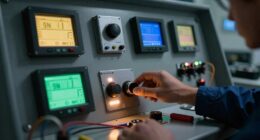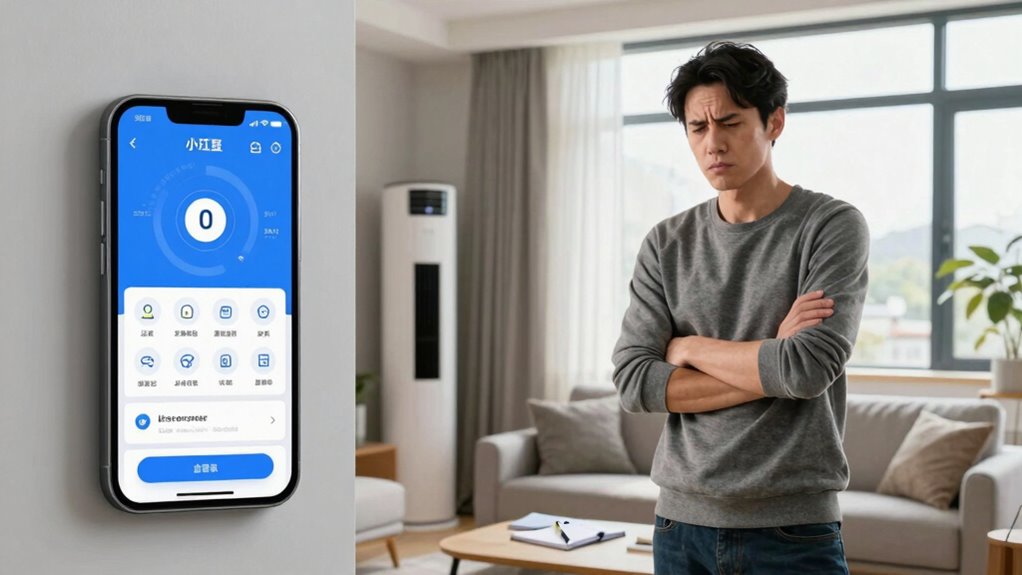
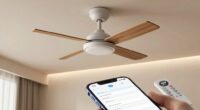
If your app pairs but the HVAC system doesn’t respond, start by checking your Wi-Fi stability and ensuring the system’s within range. Restart both the app and the HVAC unit to clear temporary glitches. Confirm that your HVAC model is compatible with the app and that all settings are correctly configured. Don’t forget to check for software updates for both the app and the HVAC system. There are more tips to explore that can enhance your troubleshooting.
Key Takeaways
- Ensure the HVAC system is powered on and functioning properly before attempting to connect via the app.
- Check your Wi-Fi network stability and ensure the HVAC unit is within range of the router.
- Verify that the HVAC model is compatible with the app by consulting the user manual or the official website.
- Restart both the app and the HVAC unit to resolve any temporary glitches that may be causing the issue.
- Update the app and HVAC firmware to the latest versions to improve connectivity and functionality.
You’ve successfully paired your app with your HVAC system, but it’s frustrating when nothing happens next. You expect seamless control, but instead, you’re left wondering if you’ve missed a step. Don’t worry; you can tackle this situation with some focused app troubleshooting.
First, check for any connectivity problems. Verify that your Wi-Fi network is stable and that your HVAC system is within range of your router. Sometimes, a weak signal can hinder communication between the app and the system. If you’re unsure, try moving your router closer or resetting it. After that, restart both the app and your HVAC unit. A simple reboot can often resolve temporary glitches that prevent them from syncing.
Next, consider device compatibility. Not all HVAC systems work seamlessly with every app. Take a moment to verify that your HVAC model is indeed supported by the app you’re using. You’ll often find this information on the app’s official website or in the user manual of your HVAC system. If compatibility is an issue, it might be time to explore other apps or even updates that could bridge the gap.
If you’ve gone through the basics and the HVAC still doesn’t respond, investigate deeper into the app settings. Check if there are any required configurations you may have overlooked. Sometimes, you need to enable specific permissions for the app to communicate effectively with your HVAC system. Don’t hesitate to consult the troubleshooting section of the app; it often contains valuable tips tailored to common HVAC issues.
Another avenue to explore is software updates. Both your app and HVAC system may require the latest firmware to function effectively. Check for updates in the app store and your HVAC system’s settings. Keeping everything current can eliminate many connectivity problems that arise from outdated software. Additionally, understanding the communication protocols used by your HVAC system can help you troubleshoot more effectively.
Finally, if you’re still facing challenges, consider reaching out to customer support for your HVAC system or the app. They can provide targeted assistance for your specific model and situation. Sometimes, the issue might be a known bug or a larger problem that only a professional can address.

TP-Link AC1200 WiFi Extender – 1.2Gbps Home Signal Booster, Dual Band 5GHz/2.4GHz, Up to 1600 Sq.ft and 32 Devices, EasyMesh Compatible, One Ethernet Port (RE315)
𝐒𝐭𝐫𝐨𝐧𝐠𝐞𝐫 𝐖𝐢-𝐅𝐢 𝐢𝐧 𝐄𝐯𝐞𝐫𝐲 𝐂𝐨𝐫𝐧𝐞𝐫 – Enjoy extended coverage with strong performance powered by Adaptive Path Selection and…
As an affiliate, we earn on qualifying purchases.
As an affiliate, we earn on qualifying purchases.
Frequently Asked Questions
Can I Use the HVAC Without the App?
Yes, you can use the HVAC without the app. Just locate your thermostat and adjust the settings manually. You’ll find options to change the temperature, switch between heating and cooling, or set a schedule. Make sure the thermostat is powered and functioning properly. If the HVAC doesn’t respond, check the power source or circuit breaker. Remember, manual control gives you immediate access, so you don’t have to rely on the app all the time.
How Do I Reset the HVAC System?
To reset your HVAC system, locate the circuit breaker and turn it off for about 30 seconds, then turn it back on. Next, check your thermostat for any troubleshooting options, ensuring it’s connected properly. If you’re having app connectivity issues, try reinstalling the app or re-pairing it with your HVAC. This can often resolve any lingering issues, allowing your system to function smoothly again.
Is My HVAC Still Under Warranty?
Like a knight checking his armor before battle, you should first confirm your HVAC warranty. Most warranties last between five to ten years, so if you’ve purchased it recently, you might still be covered. Check the paperwork for warranty expiration dates. If you’re uncertain, contact the manufacturer or retailer to clarify your HVAC warranty status. It’s better to know now than to face unexpected repair costs later!
What Is the App’s Compatibility With Older HVAC Models?
The app’s functionality varies with older HVAC models due to certain model limitations. You may find that while the app pairs successfully, it doesn’t support all features of older systems. Check the compatibility list provided by the app’s developer to confirm your HVAC model is supported. If it isn’t, you might need a different control method or consider upgrading your HVAC system for full app functionality.
How Can I Improve Wi-Fi Signal for the HVAC?
Think of your Wi-Fi signal like a water hose; if it’s kinked or blocked, the flow stops. To improve your HVAC’s Wi-Fi, try moving your router closer, reducing interference from walls or appliances. Using Wi-Fi extenders or signal boosters can help, too. Check your app settings for peak performance and monitor network congestion during busy times. These tweaks can guarantee your HVAC gets a strong, reliable connection.

ecobee Smart Thermostat Essential – WiFi Thermostat, Energy Star Certified
Save up to 23% every year on heating and cooling costs, adjusts to your set schedule to save…
As an affiliate, we earn on qualifying purchases.
As an affiliate, we earn on qualifying purchases.
Conclusion
When the app pairs but your HVAC isn’t responding, don’t lose hope. Think of it as a puzzle waiting to be solved. Check your Wi-Fi connection, power cycle your unit, and verify everything’s set up correctly. Sometimes, it’s just a tiny glitch in the system, like a hiccup in a song. With a bit of patience and troubleshooting, you’ll have your home comfortable again in no time. Just remember, every problem has a solution waiting to be uncovered!

VIVOHOME 110V 1/3 HP 5CFM Single Stage A/C Vacuum Pump and 4 Way AC Manifold Gauge Set Kit with Leak Detector 5ft Hoses for R134a R12 R22 R502 R410a HVAC Air Conditioning Refrigeration Recharging
FAST & EFFICIENT AC SERVICE: Quickly removes air and non-condensable gases with this 5 CFM HVAC vacuum pump…
As an affiliate, we earn on qualifying purchases.
As an affiliate, we earn on qualifying purchases.

HVAC Service & Troubleshooting Log: Step-by-Step Diagnostic Workbook for AC, Heat Pump, Furnace & Refrigeration Technicians – Track Electrical, Airflow, and System Repairs
As an affiliate, we earn on qualifying purchases.
As an affiliate, we earn on qualifying purchases.