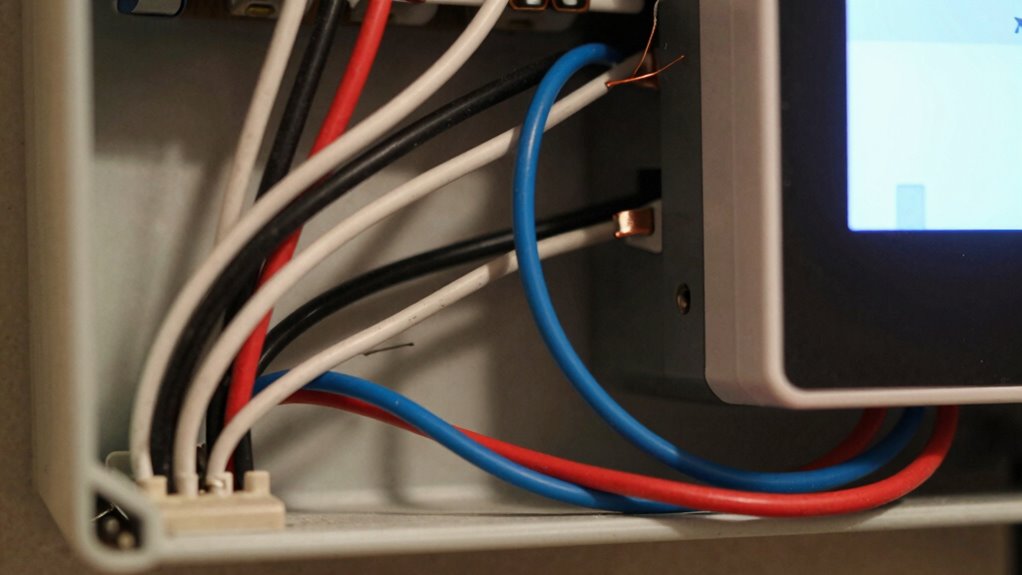

Many thermostat installation issues come down to the absence or improper wiring of the C-wire, which supplies continuous power to smart thermostats. Without a proper C-wire, your thermostat might flicker, reset, or simply won’t turn on. You can identify if your system has one by inspecting the wiring connections, especially the “C” terminal. If there’s no C-wire, options like power extender kits or battery-powered models can help. Keep going to discover how to fix these common problems effectively.

Get home appliances delivered free with Prime
- Fast, free delivery on millions of items
- Prime Video, Amazon Music and more included
- Member-only deals all year
Key Takeaways
- Many installations fail due to missing or improperly identified C-wires, causing power and functionality issues.
- Confirming the presence of a C-wire before installation prevents system malfunctions or the need for rework.
- Lack of a C-wire often leads to thermostat flickering, resets, or incomplete smart features.
- Using alternative solutions like power extender kits can resolve C-wire absence without rewiring.
- Properly diagnosing and confirming C-wire availability avoids costly installation errors and system damage.
As an affiliate, we earn on qualifying purchases.
What Is a C-Wire and Why Is It Important?

Ever wondered what a C-wire is and why it matters for your thermostat? A C-wire, or common wire, provides a continuous power source to your thermostat, ensuring it runs smoothly without relying on batteries. In a smart home, this is especially important because many smart thermostats need consistent power to operate advanced features like remote control and energy management. Without a C-wire, your thermostat might struggle to maintain energy efficiency or lose connection, leading to less ideal heating or cooling. Installing a C-wire can improve your system’s reliability and help you better control your energy consumption. Understanding electrical wiring and how it impacts smart devices can help you make informed decisions about home upgrades. Additionally, understanding home automation components can assist in optimizing your entire system for better performance. Proper wiring installation is key to ensuring your system functions correctly and safely, especially when considering potential system upgrades that could require compatible wiring setups. Being aware of cable safety practices, such as managing heat buildup and preventing toxic fumes during fires, can also contribute to a safer and more reliable installation. Overall, having a C-wire supports a smarter, more efficient home, making your thermostat smarter and your energy bills lower.
power extender kit for thermostats
As an affiliate, we earn on qualifying purchases.
As an affiliate, we earn on qualifying purchases.
How Do You Know If Your Home Has a C-Wire?

To determine if your home has a C-wire, start by turning off your thermostat and removing its cover to inspect the wiring. Look for a dedicated wire connected to the “C” terminal, which supplies continuous power. If you see a wire there, your home likely has a C-wire. Many older systems with a Historical HVAC setup relied on wired connections, so a C-wire might be present but hidden behind walls. With modern wireless technology, some thermostats don’t require a C-wire, but if your system was installed before these innovations, it probably does. If you’re unsure, consult your thermostat’s manual or check the wiring at the furnace or air handler. This simple check helps clarify your setup before considering other installation options.
battery-powered smart thermostat
As an affiliate, we earn on qualifying purchases.
As an affiliate, we earn on qualifying purchases.
Signs You Might Not Have a C-Wire During Installation

If you’re installing a new thermostat and notice the wiring setup looks unfamiliar or incomplete, it might indicate you don’t have a C-wire. Common signs include:
- Missing a dedicated wire behind the decorative covers—nothing labeled “C” or “Common.”
- Wiring diagrams that show only power and control wires, with no extra terminal for a C-wire.
- Thermostat displays that flicker or reset frequently, suggesting insufficient power. Understanding your digital content and how it relates to wiring can help diagnose issues. For example, some thermostats use power-sharing techniques that can mask the absence of a dedicated C-wire, leading to confusion during installation. Additionally, the electrical system of your home may influence whether a C-wire is necessary or if alternative solutions are better.
- Unusual wire colors that don’t match standard wiring conventions, making it hard to identify the C-wire.
- Standby generator systems often require reliable power sources, and understanding your wiring setup can help avoid installation issues. Additionally, a lack of a C-wire can sometimes lead to performance problems with your thermostat.
thermostat wiring troubleshooting kit
As an affiliate, we earn on qualifying purchases.
As an affiliate, we earn on qualifying purchases.
Common Smart Thermostats That Need a C-Wire

Many popular smart thermostats require a C-wire to function properly because they need a continuous power source to operate their advanced features. Devices like the Nest Learning Thermostat, Ecobee SmartThermostat, and Honeywell Home T9 are common choices for a smart home. These models often use the C-wire to guarantee reliable operation, especially when utilizing energy efficiency features like adaptive scheduling and remote control. Without a C-wire, some thermostats may struggle to power their displays or sensors consistently, limiting their smart capabilities. Proper wiring is essential to ensure the device functions as intended and takes full advantage of efficient energy management. Understanding the importance of power supply requirements can help you plan for proper wiring and energy-efficient setup, which can be crucial for maintaining consistent device operation and leveraging mind-body healing practices in your home environment.
Easy Ways to Work Around a Missing C-Wire

When your thermostat doesn’t have a dedicated C-wire, there are several simple methods to provide the necessary power without rewiring your entire system. First, you can use a power extender kit that connects to your existing wiring, ensuring your smart thermostat stays powered. Second, consider a smart thermostat with built-in power that draws energy from the heating or cooling system itself. Third, install remote sensors that can help optimize comfort and reduce reliance on constant voice control commands, saving power. Fourth, opt for a battery-powered thermostat with Wi-Fi and voice control capabilities, removing the need for a C-wire altogether. These options keep your system running smoothly, even if the original wiring falls short. Additionally, choosing extension cord standards can help ensure safe and reliable power delivery to your thermostat and related devices. Ensuring proper power supply is crucial for the longevity and safety of your smart home devices. To further enhance your setup, consider power management strategies that can extend battery life and improve efficiency. Notably, understanding the traditional Indonesian decor principles can inspire aesthetic choices that complement your functional upgrades.
Wireless and Battery-Powered Thermostats: Pros and Cons

Wireless and battery-powered thermostats offer a practical solution for those who struggle with missing or incompatible wiring, especially without a dedicated C-wire. They can improve user convenience by eliminating complex wiring setups and making installation easier. These thermostats often feature energy-efficient operations, as they can optimize heating and cooling schedules without being constrained by wiring limitations. Additionally, some models include smart features that enhance home automation capabilities. However, battery-powered models may require regular battery changes, which can be inconvenient over time. While they provide flexibility and ease of use, their reliance on batteries might slightly reduce overall energy efficiency compared to wired options. Consider your priorities carefully—if you value simple installation and user convenience, wireless and battery-powered thermostats are a solid choice, but watch out for potential maintenance needs. Additionally, compatibility concerns can arise if the thermostat’s features do not fully align with your existing HVAC system. Choosing a model with long-lasting batteries can help mitigate some of these concerns.
Step-by-Step: Installing a C-Wire or Alternatives

First, you’ll want to check if your thermostat already has a C-wire or if there’s a different solution. Next, you’ll learn how to install a C-wire safely or explore reliable alternatives if a C-wire isn’t available. We’ll guide you through each step to guarantee a smooth and secure setup. Considering eco-friendly options like natural filtration systems can also be beneficial if you’re designing or upgrading your backyard or pool area. Additionally, understanding Twin Flame connections can provide insight into the importance of emotional harmony and spiritual balance during your home improvement journey. Recognizing emerging trends in digital publishing can help you stay informed about the latest innovations and tools for sharing your projects effectively. Being aware of electrical basics ensures you understand the wiring involved and can prevent common mistakes during installation.
Identifying C-Wire Presence
To determine if your thermostat has a C-wire, start by removing the thermostat cover and inspecting the wiring. Look for a wire connected to the common terminal labeled “C,” which indicates the presence of a C-wire. Keep in mind, thermostat compatibility depends on whether this wire exists and is connected properly.
Visualize these steps:
- You see a bundle of wires, some with different colors, emerging from the wall.
- The wire connected to the terminal marked “C” is intact and securely attached.
- Wiring color codes can vary, but often blue or black signifies the C-wire.
- If no wire connects to the “C” terminal, your system may lack a C-wire, requiring alternatives.
This inspection helps you confirm if you can proceed with a direct C-wire installation.
Installing a C-Wire Safely
If your thermostat lacks a C-wire or you’re unable to locate one, installing a new C-wire involves careful steps to guarantee safety and proper function. Historically, C-wires became standard as HVAC systems grew more sophisticated, ensuring consistent power. Today, safety is paramount: turn off power at the breaker, use a multimeter to confirm voltage, and carefully follow wiring diagrams. Proper insulation and secure connections prevent shorts or damage. Future trends point toward wireless solutions and smart thermostats that eliminate the need for dedicated wires, but for now, a correctly installed C-wire remains reliable. Always double-check your work, consult manufacturer instructions, and consider professional help if unsure. Proper installation guarantees your system runs efficiently and safely, avoiding costly mistakes.
Exploring Alternative Solutions
Are there effective alternatives to installing a traditional C-wire that can power your smart thermostat? Yes, several options focus on maintaining energy efficiency and wiring compatibility without adding new wires.
- Use a Power Extender Kit (PEK): This device taps into existing wiring, providing a stable power source without rewiring.
- Employ a C-Wire Adapter: It connects to your existing wiring, converting signals into power.
- Smart Thermostat with Power Sharing: Some models share power from other wires, reducing the need for a dedicated C-wire.
- Battery-Powered Thermostats: These work independently of wiring, but may require regular battery changes.
These alternatives can simplify installation, improve energy efficiency, and guarantee compatibility with your existing wiring setup.
Troubleshooting When Your Thermostat Won’t Power On?

When your thermostat refuses to turn on, it can disrupt your entire heating and cooling system. First, check the wiring; use wiring diagrams to understand how everything connects. Look for loose or disconnected wires, especially around the C-wire and power source. Color coding can help identify wires quickly—common colors like red, white, and green indicate specific functions. If the thermostat still won’t power up, verify the power supply by inspecting the breaker or fuse. Sometimes, a dead circuit causes the issue. Reset the system if needed. If these steps don’t work, you might have a faulty thermostat or wiring problem. Troubleshooting systematically guarantees you catch the root cause and prevent unnecessary replacements.
Frequently Asked Questions
Can I Upgrade My Existing Thermostat Without Rewiring?
Yes, you can upgrade your existing thermostat without rewiring by exploring wiring alternatives or using a C-wire adapter. First, check your thermostat’s compatibility with your HVAC system. If a C-wire isn’t available, consider options like a power extender kit or a smart thermostat designed for low or no wiring. These solutions help guarantee your upgrade works smoothly without the hassle of rewiring.
What Are the Risks of Bypassing the C-Wire?
Bypassing the C-wire can pose safety risks and cause wiring compatibility issues. Without proper C-wire safety measures, your thermostat might not get consistent power, leading to malfunctions or damage. If you ignore wiring compatibility, you risk short circuits or overheating. It’s best to consult a professional or check your system’s wiring before bypassing the C-wire, ensuring safe, reliable operation without risking your HVAC system’s integrity.
How Long Does It Typically Take to Install a C-Wire?
Installing a C-wire is like wiring a bridge between your thermostat and your HVAC system, and it usually takes about 30 minutes to an hour. If your system has wireless compatibility, it might be quicker, but make certain you have the right tools on hand. Rushing can turn a smooth installation into a tangled web, so take your time. Proper wiring guarantees your thermostat functions reliably, avoiding future headaches.
Are There Any Compatibility Issues With Smart Thermostats and C-Wires?
You may face compatibility concerns with smart thermostats and C-wires, especially if your existing wiring setup has challenges. Some thermostats require a C-wire for consistent power, while others can operate without one, using power-stealing technology. Before installation, check your system’s wiring and the thermostat’s compatibility. If wiring challenges exist, you might need a C-wire adapter or professional assistance to guarantee proper operation and avoid future issues.
What Is the Cost Difference Between Wired and Wireless Thermostats?
The cost difference between wired and wireless thermostats mainly hinges on the wireless setup. Wireless models tend to be more expensive upfront due to added technology and installation needs, often costing $50 to $150 more. However, they save you money on installation since they don’t require wiring work. A clear cost comparison shows that while wireless thermostats might cost more initially, they could save you on installation costs and offer greater flexibility.
Conclusion
Without a properly installed C-wire, your smart thermostat might as well be a paperweight, leaving your home stuck in the dark ages. Don’t let a missing wire wreck your comfort or sabotage your smart home dreams. With the right knowledge and some simple tricks, you can conquer this electrical obstacle and enjoy seamless, reliable control. Take action now—because nothing’s worse than a thermostat that refuses to work when you need it most!
NFL season / tailgating Picks
team gear
As an affiliate, we earn on qualifying purchases.