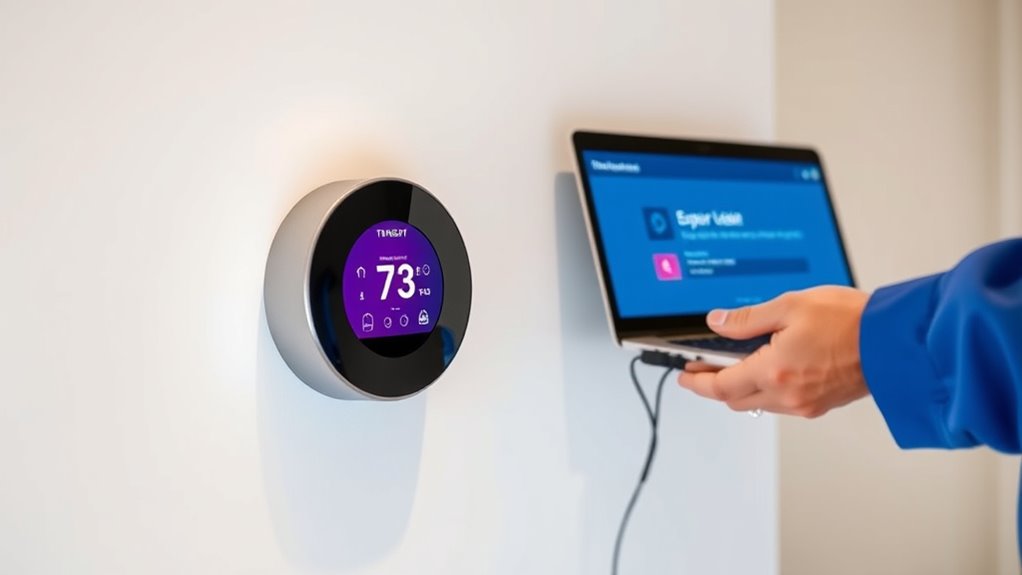
Regularly updating your smart thermostat’s firmware is vital for maintaining top performance, security, and energy efficiency. Updates fix bugs, improve user interface, and add new features, making it easier to control your home environment. They also patch security flaws, protecting your system from cyber threats. Keeping your device current ensures smooth operation and prevents malfunctions. Stay informed about the benefits and steps to update—there’s more to discover that can enhance your experience.
Key Takeaways
- Firmware updates improve device responsiveness, accuracy, and overall functionality for optimal heating and cooling performance.
- Regular updates enhance user interface navigation, controls, and introduce new features for better user experience.
- Keeping firmware current patches security vulnerabilities, protecting your smart thermostat from hacking and cyber threats.
- Updates fix bugs, improve compatibility with other smart devices, and ensure reliable, stable operation.
- Routine firmware checks and updates promote energy efficiency, extend device lifespan, and prevent costly maintenance issues.

Have you ever wondered why your smart thermostat suddenly stops responding or seems less efficient? One common reason is outdated firmware. Firmware updates are essential because they directly influence how your device performs, especially concerning energy efficiency and user interface. When your thermostat’s firmware is current, it operates smoothly, responds quickly to commands, and optimizes your home’s heating and cooling systems to save energy. Conversely, outdated firmware can cause sluggish responses, inaccuracies in temperature readings, and even reduced functionality, all of which can waste energy and increase your utility bills.
Outdated firmware can cause your thermostat to respond slowly and use energy inefficiently.
Keeping your firmware updated also enhances the user interface. Manufacturers often release updates that improve navigation, make controls more intuitive, and add new features. If your thermostat’s interface feels clunky or confusing, a firmware upgrade might be the answer. Updated firmware can introduce clearer menus, better touchscreen responsiveness, and more streamlined settings, making it easier for you to customize and control your environment. This improved user experience encourages more consistent usage and helps you take full advantage of your smart thermostat’s capabilities.
Firmware updates also patch security vulnerabilities, safeguarding your device from potential cyber threats. As smart devices become more integrated into your home network, they can become targets for hacking. An outdated firmware leaves your thermostat exposed, which could lead to unauthorized access or manipulation of your home’s climate controls. Regular updates ensure your device remains secure, giving you peace of mind that your data and home environment are protected.
Additionally, updates often include bug fixes that resolve known issues, preventing glitches that could disrupt your comfort. For example, a bug might cause your thermostat to ignore scheduling commands or misread temperature sensors. Firmware updates address these problems, ensuring your device works as intended without hiccups. They can also improve compatibility with other smart home devices, allowing you to create a more integrated and seamless system. Staying informed about firmware update notifications can help you maintain optimal performance.
To get the most out of your smart thermostat, it’s crucial to check for firmware updates regularly. Many devices offer automatic updates, but it’s wise to verify periodically. Manufacturers typically notify you when an update is available, prompting you to install it promptly. Keeping your firmware current maximizes energy efficiency, enhances the user interface, and ensures your smart thermostat functions reliably and securely. This simple step can markedly improve your comfort, save you money, and extend the lifespan of your device.

ecobee Smart Thermostat Essential – Energy Star Certified programmable Wi-Fi Thermostat – Works with Siri, Alexa, and Google Assistant
Save up to 23% every year on heating and cooling costs, adjusts to your set schedule to save…
As an affiliate, we earn on qualifying purchases.
As an affiliate, we earn on qualifying purchases.
Frequently Asked Questions
How Often Should I Check for Firmware Updates?
You should check for firmware updates at least once a month to keep your smart thermostat running smoothly. Incorporate update frequency into your maintenance schedule to guarantee you don’t miss important improvements or security patches. Regular updates help optimize performance, fix bugs, and enhance features. Setting a reminder or enabling automatic updates, if available, makes it easier to stay current without extra effort.
Can I Update Firmware Manually or Only Automatically?
You can typically do a manual update or depend on automatic updates for your smart thermostat. Most devices allow you to initiate a manual firmware update through the settings menu, which is handy if you want to guarantee you’re using the latest version right away. Automatic updates usually happen in the background when your device is connected to Wi-Fi, ensuring your thermostat stays current without you needing to lift a finger.
What Risks Are Involved in Updating Firmware?
When you update your firmware, there’s a small risk of encountering firmware bugs or compatibility issues, which could temporarily disrupt your smart thermostat’s performance. Sometimes, updates may cause the device to malfunction or lose certain features. To minimize these risks, make certain you follow the manufacturer’s instructions carefully, back up settings if possible, and wait until any initial update issues are resolved before proceeding.
Do Firmware Updates Improve Smart Thermostat Security?
Ever wonder if firmware updates really boost your smart thermostat’s security? They do, by fixing security vulnerabilities that hackers might exploit. Plus, updates often improve device compatibility with other smart home systems, making your setup more secure and seamless. Skipping updates leaves you exposed to potential threats. So, yes, regularly updating your firmware is a smart move to keep your device and home safe.
Will Firmware Updates Affect My Thermostat’s Custom Settings?
Firmware updates generally won’t erase your custom settings if the update is compatible with your thermostat. However, sometimes updates may reset settings due to firmware compatibility issues or bugs. To avoid losing your preferences, it’s a good idea to back up your custom settings before updating. After the update, check your settings and reconfigure if necessary. Staying aware of firmware compatibility helps make sure your custom preferences stay intact.

Honeywell Home RTH9585WF1004 Wi-Fi Smart Color Thermostat, 7 Day Programmable, Touch Screen, Energy Star, Alexa Ready, Gray
COMFORT COMES IN YOUR COLOR. Personalize your Wi-Fi Smart Color Programmable Thermostat to fit your décor.
As an affiliate, we earn on qualifying purchases.
As an affiliate, we earn on qualifying purchases.
Conclusion
Staying on top of firmware updates for your smart thermostat isn’t just about security or features — it’s about ensuring your system runs smoothly when you need it most. Sometimes, a simple update coincidentally improves your comfort or even saves energy without you realizing. So, make it a habit to check for updates regularly. After all, in the quiet moments of routine, your thermostat might just surprise you with better performance when you least expect it.

Emerson Sensi Wi-Fi Smart Thermostat for Smart Home, DIY, Works With Alexa, Energy Star Certified, ST55
PRIVACY PROTECTION*: Sensi won’t sell your personal information to third parties
As an affiliate, we earn on qualifying purchases.
As an affiliate, we earn on qualifying purchases.
Emerson Sensi Wi-Fi Smart Thermostat for Smart Home, DIY, Works With Alexa, Energy Star Certified, ST55
PRIVACY PROTECTION*: Sensi won’t sell your personal information to third parties
As an affiliate, we earn on qualifying purchases.
As an affiliate, we earn on qualifying purchases.