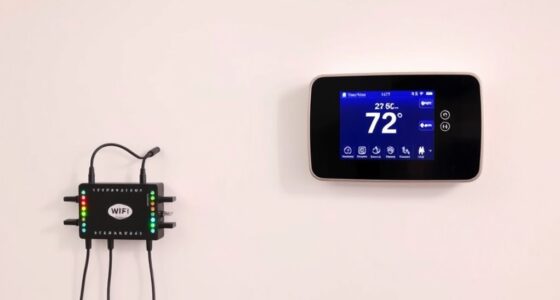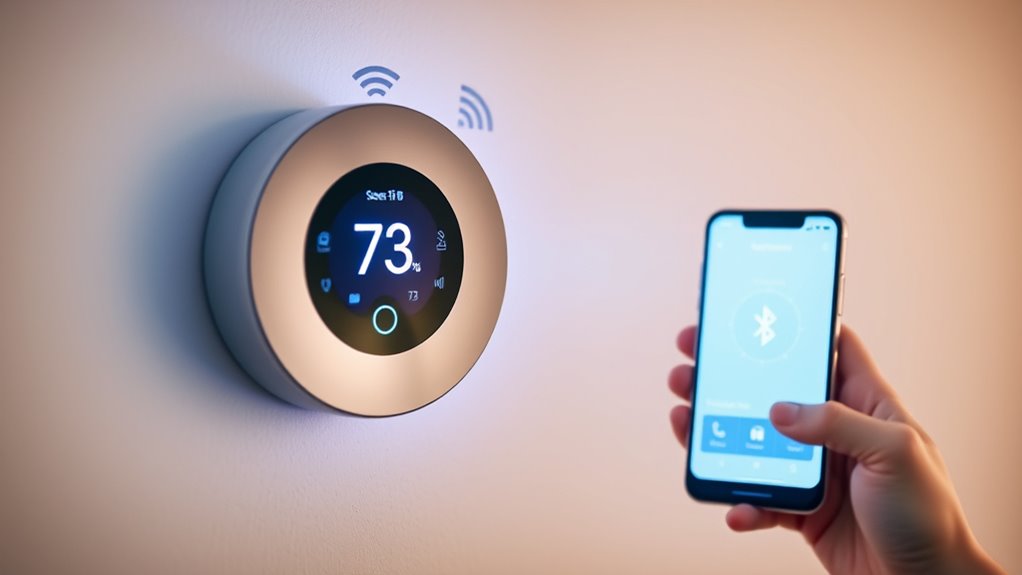

Smart thermostats connect to your home network using Wi-Fi, allowing you to control and monitor your system remotely through apps or control panels. They also use Bluetooth for quick, secure setup and local control, especially before switching to Wi-Fi. Bluetooth guarantees a simple installation process and protects your data during initial configuration. When you continue exploring, you’ll discover how these technologies work together to keep your home comfortable and energy-efficient.

Get home appliances delivered free — and shop member deals
- Fast, free delivery on millions of items
- Access to Prime Big Deal Days deals on October 6–7
- Prime Video, Amazon Music and more included
Key Takeaways
- Smart thermostats use Bluetooth for initial setup and local control before switching to Wi-Fi for remote access.
- Wi-Fi enables communication with cloud servers to update settings, monitor energy usage, and receive weather data.
- Bluetooth provides secure, short-range data exchange for quick installation and local device control.
- Wi-Fi allows real-time remote management via apps, adjusting temperatures, schedules, and receiving alerts.
- During operation, thermostats transmit real-time data over both Bluetooth and Wi-Fi to ensure optimal performance.

Have you ever wondered how smart thermostats communicate with your home’s devices and the internet? It’s fascinating how they seamlessly connect and share information to keep your home comfortable while saving energy. These devices primarily use Wi-Fi and Bluetooth technologies to establish communication channels, allowing you to control your thermostat remotely and receive real-time updates. Understanding how they do this can help you better appreciate their role in enhancing energy efficiency and providing an intuitive user interface.
When your smart thermostat connects via Wi-Fi, it taps into your home’s existing internet network. This connection enables you to access and modify your thermostat settings from anywhere using your smartphone or computer. The Wi-Fi connection also allows the thermostat to communicate with cloud servers, where data about your energy usage and local weather forecasts are processed. This data exchange helps optimize your heating and cooling schedules, making your system more energy-efficient. The user interface on your device — the app or control panel — acts as the gateway for these commands. It’s designed to be user-friendly, providing clear options to set temperatures, create schedules, or enable eco-modes. The smooth interaction between the interface and the thermostat’s internal systems ensures you can make adjustments effortlessly, even if you’re away from home.
Bluetooth is another communication protocol that some smart thermostats utilize, especially for initial setup or local control. Bluetooth offers a direct, short-range connection between your smartphone and the thermostat, eliminating the need for Wi-Fi during setup. This makes the installation process quick and straightforward. Once paired, some models switch to Wi-Fi for remote access and ongoing updates. Bluetooth also plays a role in secure communication, ensuring that your commands and data exchanges are protected from unauthorized access. Moreover, high refresh rates in projectors significantly improve the gaming experience by providing smoother motion and reducing motion blur, which is essential for fast-paced games.
Both Wi-Fi and Bluetooth enable your smart thermostat to receive real-time feedback about your home’s temperature and system performance. This information is vital for maintaining energy efficiency because it allows the device to adjust heating and cooling precisely when needed, avoiding unnecessary energy use. The combination of these communication methods, along with a well-designed user interface, gives you thorough control over your home’s climate. You’re empowered to set preferences, monitor energy consumption, and receive alerts—all from a device that feels intuitive and responsive.
smart thermostat Wi-Fi Bluetooth setup
As an affiliate, we earn on qualifying purchases.
As an affiliate, we earn on qualifying purchases.
Frequently Asked Questions
How Secure Are Wi-Fi and Bluetooth Connections for Smart Thermostats?
Wi-Fi and Bluetooth connections for smart thermostats are generally secure, but vulnerabilities exist. Encryption protocols like WPA2 or WPA3 protect your data during transmission, making unauthorized access difficult. However, wireless interference from other devices can weaken signals, potentially exposing your system to risks. To stay safe, regularly update firmware, use strong passwords, and keep your network protected, ensuring your smart thermostat remains secure against potential threats.
Can Smart Thermostats Communicate With Multiple Devices Simultaneously?
Your smart thermostat can handle multi-device synchronization and allow for simultaneous control, making it feel like you’re orchestrating an entire smart home symphony. It communicates with multiple devices via Wi-Fi and Bluetooth, ensuring seamless operation. This setup enables you to adjust temperature settings from your phone, tablet, or voice assistant all at once. So, yes, your thermostat can communicate with multiple devices simultaneously, giving you effortless control over your environment.
What Is the Typical Range of Bluetooth Communication for Thermostats?
The typical Bluetooth range for thermostats is around 30 feet, but this can vary depending on obstacles and interference. When you perform Bluetooth pairing, signals may weaken due to signal interference from walls or other electronic devices. To guarantee a stable connection, keep your thermostat within the effective range and minimize potential sources of interference, which helps maintain reliable communication between your thermostat and your paired devices.
Do Smart Thermostats Require an Internet Connection to Function?
Smart thermostats do require an internet connection for full functionality, like remote control and energy efficiency features. Without Wi-Fi, you can still manually adjust the temperature using the user interface, but you won’t access remote features or updates. An internet connection helps optimize energy use, saving you money, and guarantees you can control your thermostat from anywhere, making your home more comfortable and efficient.
How Do Firmware Updates Affect Communication Protocols?
A stitch in time saves nine, and firmware updates are no different. They can improve firmware compatibility and optimize communication protocols. These updates might alter Wi-Fi or Bluetooth functions, so frequent updates guarantee seamless connectivity. If you ignore them, your smart thermostat could face compatibility issues or slow communication. Regular updates ensure your device stays in sync with the latest protocols, making your smart home more reliable and efficient.
best smart thermostats with remote control
As an affiliate, we earn on qualifying purchases.
As an affiliate, we earn on qualifying purchases.
Conclusion
So, here you are, trusting your smart thermostat to keep things just right, all while it secretly whispers through Wi-Fi and Bluetooth. You’d think it’s just about comfort, but really, it’s quietly sharing your habits with the world. Ironically, the very technology designed to make life easier might be the one watching your every move. So next time you tweak the temperature, remember, your thermostat’s always listening—and maybe learning a little too much.
smart thermostat energy monitoring app
As an affiliate, we earn on qualifying purchases.
As an affiliate, we earn on qualifying purchases.
smart thermostat with weather integration
As an affiliate, we earn on qualifying purchases.
As an affiliate, we earn on qualifying purchases.
Fall Picks
fall essentials
As an affiliate, we earn on qualifying purchases.