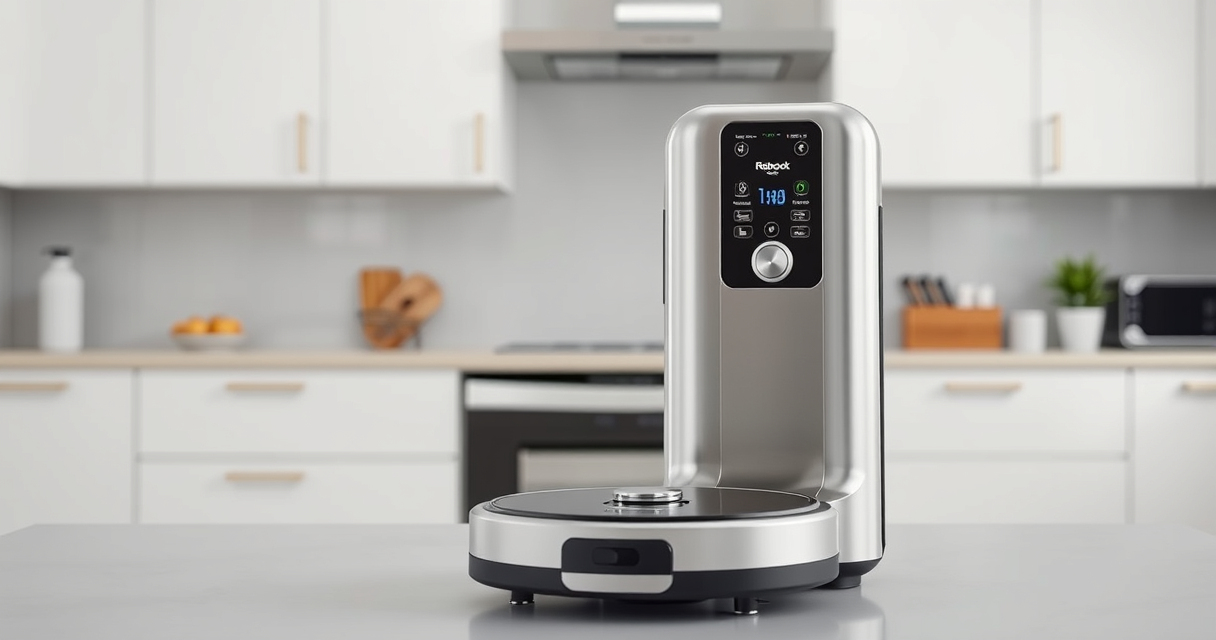
Setting up your new Roborock Q7 M5+ robot vacuum is straightforward, but following the correct steps ensures optimal performance and safety. This guide walks you through everything from unboxing to initial calibration, helping you get the most out of your device.

Get home appliances delivered free with Prime
- Fast, free delivery on millions of items
- Prime Video, Amazon Music and more included
- Member-only deals all year
Whether you plan to use the vacuum for pet hair, deep carpet cleaning, or mopping, proper setup will make your cleaning routines more effective and hassle-free.
Key Takeaways
| Easy setup | Follow clear steps to assemble and connect your vacuum. |
| Optimal performance | Proper initial setup maximizes cleaning efficiency. |
| Maintenance tips | Learn how to keep your vacuum running smoothly. |
| Safety first | Avoid common pitfalls and ensure safe operation. |
Unboxing and Initial Inspection
- Carefully take out the Roborock Q7 M5+ from its packaging. Check that all components are included: the main unit, charging dock, power cable, and accessories.
- Inspect the device for any visible damage or missing parts. Confirm that the dust bag is properly installed in the sealed compartment.
Charging Your Roborock
- Place the charging dock against a wall in an open area, ensuring at least 1-2 feet of clearance on each side and 4 feet in front.
- Connect the power cable to the dock and plug it into an outlet.
- Position the vacuum onto the dock, aligning the charging contacts. Wait until the device indicates it’s charging—usually a blinking light or a message in the app.
Connecting to the App and Basic Setup
- Download the Roborock app on your smartphone and create an account or log in.
- Follow the app instructions to connect the vacuum via Wi-Fi. Ensure your phone is on the 2.4 GHz band for compatibility.
- Assign a name to your device and configure basic settings such as cleaning schedules and zones.
Calibrating and Testing
- Once connected, run a short test cleaning cycle through the app to ensure the device navigates correctly.
- Check that the suction power and mop settings are appropriate for your floors.
- Adjust the virtual boundaries or no-go zones if needed to protect delicate areas.
Maintenance and Troubleshooting Tips
- Regularly empty the 2.7L sealed dust bag, which can last up to 7-9 weeks between emptying.
- Clean the brushes and sensors weekly to prevent tangles and ensure effective navigation.
- If the device encounters issues, restart it, check Wi-Fi connection, and ensure firmware is up to date via the app.
The Products in This Guide

roborock Q7 M5+ Robot Vacuum and Mop
- ✔ Model: Q7 M5+
- ✔ Color: Black
- ✔ Connectivity: Wi-Fi

4 Pack Washable Filter
- ✔ Type: HEPA
- ✔ Washable: Yes
- ✔ Compatibility: Multiple models
roborock Q7 M5+ Robot Vacuum and Mop
The Roborock Q7 M5+ offers up to 7-9 weeks of self-emptying, 10000Pa suction power, and advanced navigation, making it ideal for pet owners and busy households.
Pros:
- Long-lasting self-emptying dust bag
- Powerful suction for pet hair and debris
- Advanced PreciSense LiDAR navigation
- App control for customization
Cons:
- Higher initial investment
- Requires Wi-Fi setup
- Limited to specific models
Best for: Pet owners and large homes needing deep cleaning and minimal maintenance
Not ideal for: Users seeking a budget-friendly or simple vacuum without app controls
Bottom line: A high-capacity, smart vacuum perfect for pet hair and large spaces.
4 Pack Washable Filter
This 4-pack washable HEPA filters are compatible with multiple Roborock models including Q7 and Q5 Max+, ensuring your vacuum maintains peak filtration performance.
Pros:
- Effective HEPA filtration
- Washable and reusable
- Easy to install
- Maintains air quality
Cons:
- Requires regular cleaning
- Not OEM but compatible
- Limited to specific models
Best for: Maintaining clean air and optimal filtration in your home
Not ideal for: Users looking for OEM filters or different filtration types
Bottom line: A cost-effective way to keep your vacuum’s filtration system in top shape.
Frequently Asked Questions
How often should I empty the dust bag?
The self-emptying dust bag can last up to 7-9 weeks, depending on usage and pet hair accumulation. Check periodically to ensure optimal suction.
Can I use the mop function on hardwood floors?
Yes, the Roborock Q7 M5+ is suitable for sealed floors like hardwood, tiles, and stone. Ensure the mop cloth is clean and correctly attached.
How do I update the device firmware?
Open the Roborock app, connect to your vacuum, and navigate to device settings. If an update is available, you’ll be prompted to install it.
What should I do if the vacuum gets stuck or doesn’t navigate properly?
Check for obstructions, clean sensors and brushes, and ensure no virtual boundaries are blocking its path. Restart the device if necessary.
Getting Your Roborock Ready for Daily Cleaning
With these straightforward setup steps, you’ll have your Roborock Q7 M5+ ready to tackle pet hair, dirt, and more. Regular maintenance and familiarizing yourself with app controls will keep your home spotless and your device operating smoothly for years to come.
Affiliate disclosure: As an Amazon Associate we earn from qualifying purchases. Prices and availability are accurate as of the time of publishing.