Smart thermostats can read warm or cool incorrectly for several reasons. Sensor calibration might be off, especially if you haven’t recalibrated recently. Installation errors, like improper wiring, can affect communication with your HVAC system. Placement is essential too; if sensors are near heat sources or drafts, readings can be skewed. Even blocked airflow can lead to inaccuracies. By understanding these factors, you can guarantee your thermostat performs accurately—and there’s more to evaluate to keep it running smoothly.
Key Takeaways
- Inaccurate readings can stem from sensor drift, necessitating regular calibration to maintain precision.
- Poor sensor placement near heat sources or drafts can lead to misleading temperature measurements.
- Installation errors, such as improper wiring or mounting, can disrupt communication with HVAC systems.
- Blocked airflow around the thermostat can cause incorrect readings; ensure the area is clear of obstructions.
- Ambient interference from nearby appliances or drafts can affect sensor performance and accuracy.

Smart thermostats can sometimes give inaccurate readings, and if you’re relying on one, it’s frustrating when it doesn’t reflect your home’s true temperature. The reasons for these discrepancies can range from sensor calibration issues to various environmental factors. If you want to understand what’s going on, it helps to know the common culprits.
One of the primary reasons for incorrect readings is sensor calibration. Over time, sensors can drift from their original settings, causing them to misinterpret the actual temperature. Regular calibration can help, but if you haven’t done it in a while, it might be time to check. You can often find instructions in your thermostat’s manual, and taking a few minutes to recalibrate could save you from unnecessary discomfort.
Temperature fluctuations can also play a significant role. If your thermostat’s sensor is located near a heat source, like a sunny window or a heating duct, it might read higher than the actual temperature in the rest of the room. Conversely, if it’s placed in a drafty area, it could read cooler than it should. Ideally, you’ll want to position your thermostat where it can accurately gauge the temperature of your living space. Proper sensor placement is essential to ensure accurate readings. Additionally, environmental conditions like humidity levels can sometimes affect sensor performance, further emphasizing the importance of optimal placement.
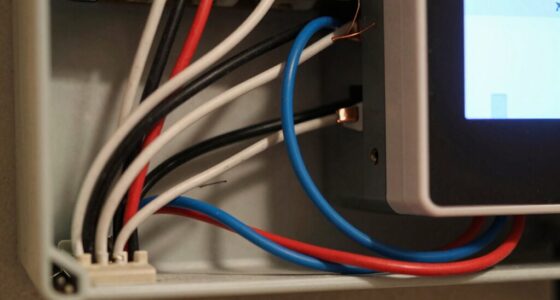
Installation errors can’t be overlooked either. If the thermostat wasn’t installed correctly, it might not be able to communicate effectively with your heating and cooling system. Verify that all wiring is properly connected and that the thermostat is securely mounted. If you suspect installation issues, it might be worth consulting a professional to assess the situation.
Airflow issues can also impact the thermostat’s readings. If furniture or other objects block airflow around the thermostat, it could lead to inaccurate temperature readings. Make sure the area around your thermostat is clear to confirm it can monitor the ambient temperature accurately. Proper airflow is crucial for reliable operation. Ensuring proper air circulation around the device can help maintain accurate readings.
Lastly, ambient interference can disrupt your smart thermostat’s ability to read the temperature correctly. Things like drafts from windows, heat from appliances, or even the heat generated by the thermostat itself can affect its performance. Additionally, understanding how sensor calibration impacts overall accuracy can help you troubleshoot more effectively. External factors such as nearby heat sources or drafts can cause the sensor to misread the temperature, emphasizing the importance of a well-chosen location. Being mindful of these influences can help you maintain a consistent and accurate temperature reading.
If you’re experiencing inconsistencies, it’s worth considering these factors. By addressing sensor calibration, installation errors, airflow issues, and ambient interference, you can help guarantee that your smart thermostat gives you accurate readings, keeping your home comfortable year-round.

900-002 for Pneumatic Thermostat Calibration Kit
900-002 for Pneumatic Thermostat Calibration Kit
As an affiliate, we earn on qualifying purchases.
As an affiliate, we earn on qualifying purchases.
Frequently Asked Questions
Can I Manually Calibrate My Smart Thermostat?
Yes, you can manually calibrate your smart thermostat to improve its accuracy. First, check the current temperature with a reliable thermometer. If there’s a discrepancy, access your thermostat settings and look for calibration options. Adjust the temperature reading accordingly until it matches your thermometer. Remember, slight adjustments can make a big difference in maintaining comfort and efficiency. Regular calibration keeps your thermostat functioning at its best and helps you save on energy bills.
Do Smart Thermostats Work With All HVAC Systems?
Smart thermostats typically thrive with various HVAC systems, but compatibility can create complications. You’ll find that many models suit standard heating and cooling setups, yet some sophisticated systems might face compatibility issues. Always check your specific system types against the thermostat’s specifications. Don’t let confusion cloud your choices; research guarantees you select a smart thermostat that seamlessly syncs with your HVAC, maximizing your home’s comfort and efficiency.
How Often Should I Replace My Thermostat Batteries?
You should replace your thermostat batteries every 1 to 2 years, depending on battery lifespan and usage. Keep an eye out for replacement indicators, like a low battery warning or your thermostat acting erratically. If you notice your system isn’t responding as it should, it might be time for a change. Regularly checking your batteries helps maintain efficiency and guarantees your home stays comfortable year-round.
Can Location Affect Thermostat Temperature Readings?
Yes, your location can definitely impact thermostat temperature readings. If you place the thermostat near heat sources like windows, appliances, or vents, it may read warmer than the actual room temperature. Similarly, if it’s in a cold corner, it might register lower temperatures. To get accurate readings, make certain the sensor placement is central and away from drafts or heat sources. This way, your thermostat can better reflect the room’s true temperature.
Are There Maintenance Tips for Smart Thermostats?
Are you keeping your smart thermostat in top shape? For peak performance, regularly check for system updates and install them to enhance functionality. Don’t forget to clean the sensors, as dust can interfere with accurate readings. You should also verify that it’s installed away from heat sources or direct sunlight. A little maintenance goes a long way in ensuring your thermostat operates efficiently, helping you save energy and keep your home comfortable.

Google Nest Temperature Sensor (2nd Gen) – Room Comfort Sensor with Scheduling – Works with The Nest Learning Thermostat (3rd and 4th Gen) and Nest Thermostat E – Porcelain, White
The Google Nest Temperature Sensor (2nd gen) makes it easy to manage hot and cold spots throughout your…
As an affiliate, we earn on qualifying purchases.
As an affiliate, we earn on qualifying purchases.
Conclusion
In the world of smart thermostats, accuracy can feel like a game of chance. While you expect precise readings, factors like placement and airflow can lead to frustrating discrepancies. Imagine the comfort of a perfectly regulated home versus the annoyance of unexpected temperature swings. By understanding these causes, you can bridge the gap between expectation and reality, ensuring your thermostat works for you, not against you. Embrace these insights and enjoy a consistently cozy environment!

Aoebwpwi 12PCS Swage Tool HVAC Repairing Set with Bit Holder, Air Conditioner Copper Tube Expander Swaging Tool Drill Bit Copper Pipe Swage, 1/4'', 3/8'',1/2'',5/8'',3/4'',7/8'' Bits Set (12PCS)
[6 Pipe Sizes Swage Tool HVAC] – 6 different sizes of drill bits, including 1/4", 3/8", 1/2", 5/8",…
As an affiliate, we earn on qualifying purchases.
As an affiliate, we earn on qualifying purchases.

W3230 DC 12V 20A LED Digital Temperature Controller Thermostat Thermometer Temperature Control Switch Sensor Meter(DV12V)
Can be used for domestic freezer, water tanks, refrigerator, industrial chiller, steamer, industrial equipment and other temperature-controlled system.
As an affiliate, we earn on qualifying purchases.
As an affiliate, we earn on qualifying purchases.