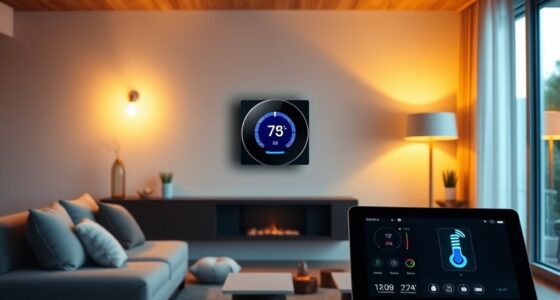
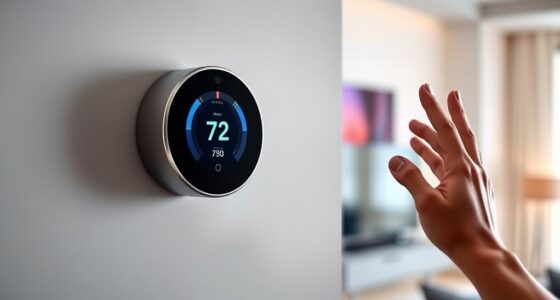
Using geofencing with your smart thermostat and other devices lets you automate your home based on your location. When you leave or approach, the system adjusts your thermostat for energy savings or comfort. You can also control lighting, security, and appliances effortlessly. This setup improves convenience and reduces utility bills. If you want to learn how to set up and maximize these features, there’s more to discover about creating a smart, efficient home.

Get home appliances delivered free with Prime
- Fast, free delivery on millions of items
- Prime Video, Amazon Music and more included
- Member-only deals all year
Key Takeaways
- Set a geofence boundary in your app to automate temperature adjustments based on your location.
- Use geofencing to automatically switch devices to energy-saving mode when leaving home.
- Customize device behaviors, such as lighting and security, triggered by your arrival or departure.
- Ensure privacy by managing location sharing settings and enabling security features like two-factor authentication.
- Regularly update device firmware and review privacy controls to maintain security and optimize performance.

Smart technology has transformed how you manage your home, making it more efficient and convenient. One of the most practical innovations is using geofencing with your smart thermostat and other connected devices. Geofencing relies on your smartphone’s location to automatically adjust settings based on whether you’re home or away. This means your thermostat can lower the temperature when you’re not around, saving energy and reducing utility bills without requiring manual adjustments. As a result, you enjoy energy savings, which benefits both your budget and the environment. However, while this technology offers great benefits, it also raises privacy concerns. Sharing your location data with smart devices means trusting that your information will be protected from unauthorized access or misuse. It’s essential to understand how your data is stored and to review privacy settings regularly to maintain control over your information.
Using geofencing effectively starts with setting clear boundaries within the app. You’ll specify the radius around your home where the system detects your presence. When you leave this designated zone, your smart thermostat can automatically switch to an energy-saving mode, turning down the heat or air conditioning. As you return, the system recognizes your device entering the zone and adjusts to a comfortable temperature. This seamless automation ensures you’re not wasting energy when you’re away while providing comfort when you’re home. Besides thermostats, geofencing can also control smart lighting, security cameras, and even appliances, creating a cohesive system that responds to your movements and preferences. Incorporating cybersecurity best practices can help protect your data from potential threats associated with connected devices.
While the convenience is undeniable, it’s important to stay aware of privacy concerns. Sharing your location data means your movements could be tracked, which might be a concern if data security isn’t robust. To address this, make sure to enable security features such as two-factor authentication and regularly update your device firmware. Many smart device manufacturers are also committed to privacy, so look for products that prioritize data encryption and transparency about data use. Additionally, you can adjust privacy settings to limit data sharing or turn off location services when you’re not actively using geofencing features.
smart thermostat with geofencing
As an affiliate, we earn on qualifying purchases.
As an affiliate, we earn on qualifying purchases.
Frequently Asked Questions
Can Geofencing Trigger Multiple Devices Simultaneously?
Yes, geofencing can trigger multiple devices simultaneously. Your device integration setup allows this, so when you enter or leave a designated area, it activates all connected devices at once. Just guarantee your location accuracy is high; otherwise, you might experience false triggers or delays. Proper configuration ensures smooth automation, letting your smart thermostat, lights, and other devices respond together, enhancing your convenience and energy efficiency seamlessly.
How Accurate Is Geofencing With Different Smartphone Models?
Ever wondered how precise geofencing really is across different smartphones? You’ll find that device compatibility and location accuracy vary among models. Some phones have advanced GPS chips, offering pinpoint accuracy, while others rely on Wi-Fi or cell signals, which can be less reliable. Overall, newer smartphones tend to provide better geofencing results, but environmental factors like urban canyons or poor signal areas can impact performance regardless of device.
What Are Privacy Concerns With Geofencing Technology?
You might worry about privacy when using geofencing technology, as it relies on location tracking that can expose your movements. This data could be vulnerable if not properly secured, risking unauthorized access or misuse. To protect yourself, make certain your device and app settings prioritize data security, and be mindful of what location information you share. Always review privacy policies to understand how your data is stored and used.
How Does Battery Life Affect Geofencing Performance?
Battery life considerably impacts geofencing performance, as frequent location updates cause battery drain. Studies show that if your device’s battery is low, geofencing accuracy drops by up to 30%. Poor battery health can lead to missed triggers or delays. To guarantee peak performance, check device compatibility and keep your batteries charged. This way, your geofencing system remains reliable, saving you energy and maintaining smart device responsiveness.
Can Geofencing Be Customized for Specific Times or Days?
Yes, you can customize geofencing for specific times or days. Many smart devices let you set time-specific settings or day-based customization, so your thermostat adjusts only during certain hours or days. You simply configure these preferences in the app, enabling your device to respond to your schedule. This way, you conserve energy and ensure comfort precisely when you need it, without manual adjustments.
As an affiliate, we earn on qualifying purchases.
Conclusion
By leveraging geofencing with your smart thermostat and devices, you can effortlessly optimize energy use and enhance comfort. Did you know that homes equipped with geofencing technology can reduce energy consumption by up to 30%? This smart feature not only saves you money but also promotes eco-friendly living. Embrace geofencing today, and enjoy a more convenient, efficient, and sustainable lifestyle tailored perfectly to your daily routines.
smart lighting system compatible with geofencing
As an affiliate, we earn on qualifying purchases.
As an affiliate, we earn on qualifying purchases.
home automation hub for smart devices
As an affiliate, we earn on qualifying purchases.
As an affiliate, we earn on qualifying purchases.
NFL season / tailgating Picks
team gear
As an affiliate, we earn on qualifying purchases.