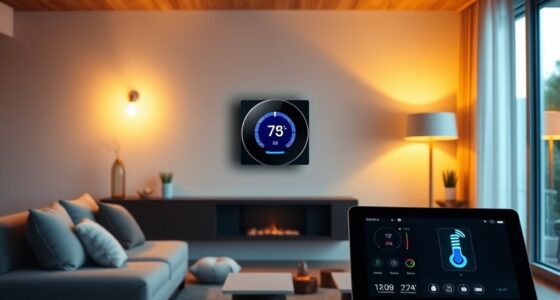
Connecting your smart thermostat to your energy utility app is usually straightforward. First, check if your thermostat is compatible with your utility’s system, then follow the pairing steps, which often involve logging into your account or scanning a QR code. Once connected, you’ll gain real-time energy insights, remote control options, and opportunities for savings through demand response and dynamic pricing programs. Keep exploring to discover how this integration can optimize your home’s energy use even further.

Get home appliances delivered free with Prime
- Fast, free delivery on millions of items
- Prime Video, Amazon Music and more included
- Member-only deals all year
Key Takeaways
- Verify compatibility between your smart thermostat and the utility app before setup.
- Download and install the utility app, then follow pairing instructions to connect your device.
- Use account credentials or scan QR codes during setup for seamless linking.
- Enable energy management features and grant necessary permissions within the app.
- Take advantage of real-time data, scheduling, and demand-response options offered through the integration.
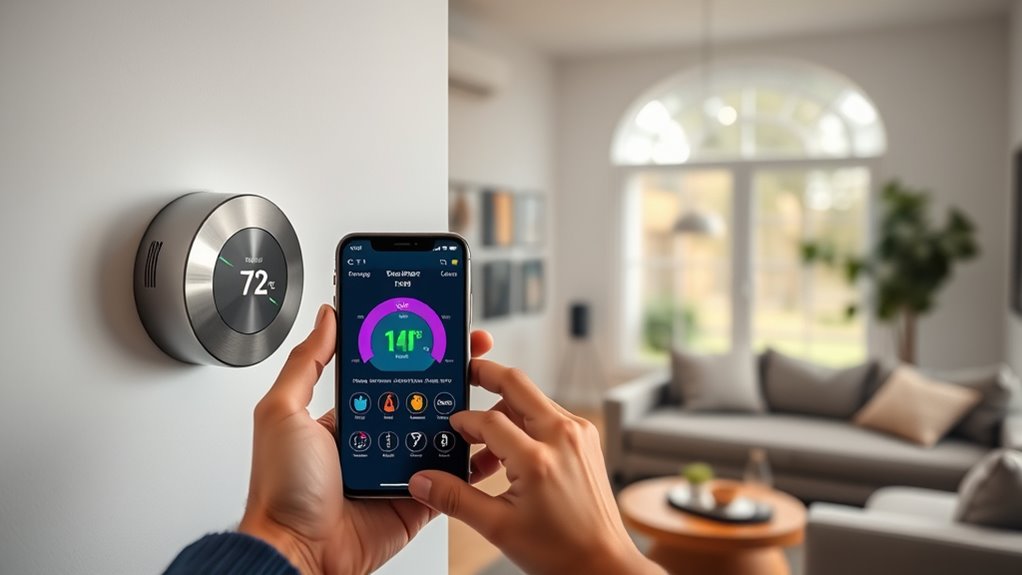
Connecting your smart thermostat to energy utility apps can considerably enhance your home’s energy management. When you integrate these devices, you open the door to more effective control over your energy consumption, which directly translates into potential energy savings. By linking your thermostat with your utility’s app, you gain access to real-time data, tailored recommendations, and demand-response programs that help you optimize your heating and cooling schedules. This seamless connection allows you to adjust your settings remotely, guaranteeing you’re not wasting energy when you’re away or asleep. As a result, you can lower your utility bills while reducing your carbon footprint.
Device compatibility is a vital factor to contemplate when connecting your smart thermostat to energy utility apps. Not all thermostats are compatible with every utility provider’s platform, so you need to verify that your device can communicate effectively with the app you intend to use. Most major brands support standard protocols like Wi-Fi or Zigbee, but some utilities have specific requirements or proprietary systems. Checking compatibility beforehand prevents frustration and guarantees a smooth setup process. Once confirmed, you’ll be able to link your thermostat with the utility app through simple pairing procedures, often involving just a few taps or clicks. This setup process usually involves entering account credentials or scanning QR codes, making the connection straightforward even for beginners.
Additionally, understanding device compatibility can help you avoid issues related to incompatible systems or protocols, ensuring a more efficient setup process.
After establishing compatibility, you’ll find that connecting your smart thermostat unlocks a suite of features designed to maximize energy savings. Utility apps often provide insights into your energy use patterns, enabling you to identify habits that may be wasting energy. They may also offer automated scheduling options, adjusting your thermostat based on your daily routines or weather forecasts. Some apps even support dynamic pricing programs, where your thermostat responds automatically to fluctuating electricity rates, helping you save money during peak hours. The integration also allows you to participate in demand response initiatives, where your utility can temporarily adjust your thermostat during high-demand periods, reducing strain on the grid and earning you incentives.
smart thermostat compatible with utility apps
As an affiliate, we earn on qualifying purchases.
As an affiliate, we earn on qualifying purchases.
Frequently Asked Questions
Can I Connect Multiple Smart Thermostats to One Utility App?
Yes, you can connect multiple smart thermostats to one utility app, but a multi-thermostat setup may present app synchronization challenges. You’ll want to verify the app supports multiple devices and check for compatibility issues. Sometimes, managing several thermostats can be tricky, so follow the manufacturer’s instructions carefully. With proper setup, you can control all your smart thermostats efficiently from a single app, simplifying your home climate management.
What Security Measures Protect My Energy Data During Integration?
During integration, your energy data is protected through data encryption, which secures your information from unauthorized access, and user authentication, ensuring only you can access your account. These security measures work together to keep your data safe while connecting your smart thermostat to the utility app. Rest assured, reputable systems prioritize these protections, so your personal energy usage remains private and secure throughout the process.
Are There Compatibility Issues With Certain Utility Providers?
You might encounter utility provider compatibility issues during smart thermostat integration, as not all providers support the latest standards or app connections. To avoid problems, check if your utility provider offers compatible integration options before purchasing or setting up your thermostat. If compatibility is limited, consider upgrading your provider or using alternative solutions to guarantee seamless energy management. Staying informed helps you maximize your smart thermostat’s benefits effortlessly.
How Does App Integration Affect My Smart Thermostat’s Warranty?
Did you know 65% of smart thermostat users report issues linked to app integration? App integration risks can impact your warranty, as some manufacturers specify that modifications or third-party app use may void coverage. Consequently, it’s essential to review your warranty implications before linking your thermostat to energy utility apps. By understanding these risks, you can enjoy smart features without unintentionally jeopardizing your warranty protection.
Can I Control My Thermostat Remotely Without Internet Access?
Yes, you can control your thermostat remotely without internet access if it supports offline control and local network access. Using a local Wi-Fi network, you can adjust settings directly through the device’s app or interface, even when the internet is down. Just make certain your thermostat is connected to your home network beforehand, and you’ll be able to manage your heating or cooling remotely without relying on an internet connection.
energy utility app for smart thermostats
As an affiliate, we earn on qualifying purchases.
As an affiliate, we earn on qualifying purchases.
Conclusion
So, now that you’ve linked your smart thermostat to your energy utility app, you’re officially a tech-savvy, eco-friendly superhero—minus the cape, of course. Who knew saving energy could be so effortless? Just sit back, relax, and let those apps do all the heavy lifting while you enjoy guilt-free comfort and lower bills. Remember, if your thermostat starts plotting world domination, you might want to reconsider your home automation choices. Enjoy your smart, connected life!
smart thermostat remote control app
As an affiliate, we earn on qualifying purchases.
As an affiliate, we earn on qualifying purchases.
demand response smart thermostat
As an affiliate, we earn on qualifying purchases.
As an affiliate, we earn on qualifying purchases.
Halloween Picks
halloween
As an affiliate, we earn on qualifying purchases.