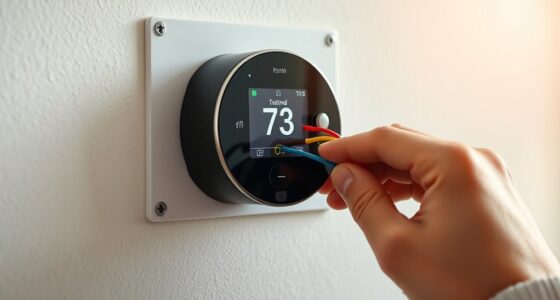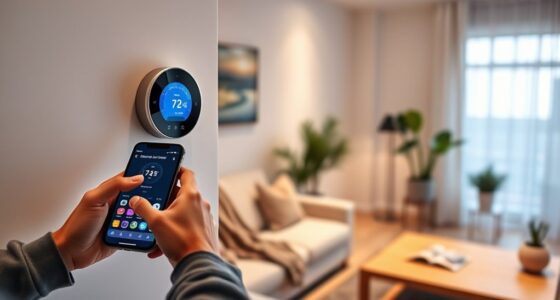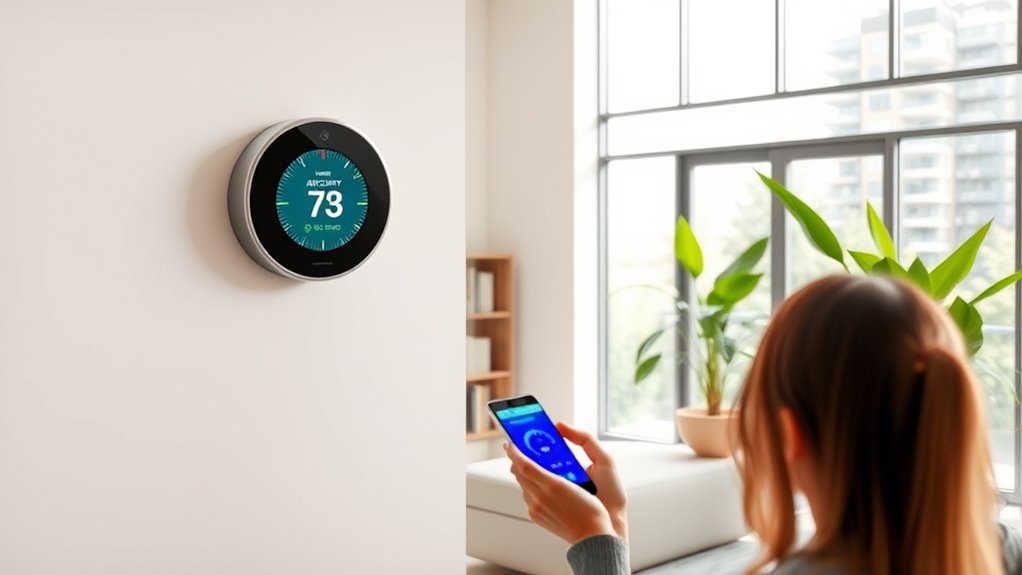

To set up air quality alerts with your smart thermostat, start by opening the device’s app or interface and navigate to the air quality or notification settings. From there, establish pollutant thresholds based on your household’s needs, and enable alerts via phone or email for when levels are exceeded. You can also automate responses, like activating vents or purifiers, to maintain healthy indoor air. Exploring these options further helps you optimize your home’s air quality management.
Key Takeaways
- Access your thermostat’s app or interface and navigate to the air quality or notifications settings.
- Set pollutant level thresholds based on your household’s needs and sensitivities.
- Enable alerts for when indoor air quality exceeds safe limits via phone or email notifications.
- Automate ventilation actions like activating exhaust fans or air purifiers when pollution levels rise.
- Regularly review and adjust alert thresholds and automation settings to maintain optimal indoor air quality.

With increasing concerns about air pollution and indoor air quality, many modern thermostats now offer integrated alerts to keep you informed. These alerts can be vital for maintaining a healthy living environment, especially as indoor pollution levels fluctuate due to activities like cooking, cleaning, or even outdoor pollution seeping inside. When you set up air quality alerts on your smart thermostat, you get real-time notifications if the indoor air quality drops below a safe threshold. This proactive approach helps you take immediate action, whether that’s increasing ventilation, adjusting your HVAC system, or opening windows to improve airflow.
Indoor pollution can accumulate quickly if your ventilation strategies aren’t effective. Many homes rely on passive ventilation, which might not be enough to keep pollutants like dust, allergens, volatile organic compounds (VOCs), or cigarette smoke at bay. Smart thermostats can help you monitor these pollutants by integrating air quality sensors that track particulate matter, carbon dioxide, and other harmful substances. When levels rise, your thermostat’s alert system prompts you to improve ventilation, such as turning on exhaust fans, opening windows, or activating air purifiers. This not only reduces indoor pollution but also guarantees you’re breathing cleaner air daily.
Indoor pollution can build up quickly without effective ventilation, making air quality sensors vital for cleaner indoor air.
Setting up these alerts is straightforward. Typically, you’ll access your thermostat’s app or interface, navigate to the air quality or notifications section, and set thresholds for various pollutants. Once configured, you’ll receive alerts via your phone or email whenever pollutant levels exceed safe limits. You can customize these thresholds based on your sensitivity or household needs, making the system adaptable to your living environment. Some thermostats even allow you to automate ventilation strategies—like activating exhaust fans or adjusting HVAC settings—whenever air quality drops below your preferred standard. This automation minimizes your need for manual intervention and guarantees consistent indoor air quality management.
The key benefit of integrating air quality alerts with your thermostat is maintaining a healthier environment without constant oversight. You become aware of pollution spikes instantly and can respond promptly, reducing potential health risks associated with poor indoor air quality. Over time, these alerts help you identify patterns—such as pollution increases during certain times of day or activities—so you can refine your ventilation strategies further. Additionally, understanding the offensive security aspects of these systems can help you protect your smart devices from vulnerabilities, ensuring your air quality data remains secure. Plus, many smart thermostats connect to other home automation devices, allowing you to create thorough air quality management systems that automatically respond to changing conditions.

Quietcool QC CL-7000 RF Classic Advanced Whole House Fan with Wireless Control - Up to 6924 CFM - Two Speed - Covers up to 3,462 SQFT - 10 Year Warranty - Removable Grille
QuietCool advanced whole house fans use and improve upon the principle of ventilation cooling with savings off traditional...
As an affiliate, we earn on qualifying purchases.
Frequently Asked Questions
Can I Customize Air Quality Alert Thresholds?
Yes, you can customize air quality alert thresholds on most smart thermostats. You simply access the alert customization settings in the app or device interface, then adjust the air quality thresholds to your preferred levels. This way, you’re notified when indoor air quality drops below or rises above your set parameters. Customizing these alerts helps you stay proactive about maintaining a healthy environment in your home.
Do All Smart Thermostats Support Air Quality Monitoring?
Not all smart thermostats support air quality monitoring. To check if yours does, look at the thermostat compatibility and whether it has built-in air quality sensors. Many popular models offer this feature, but some basic thermostats don’t include air quality sensors. If monitoring air quality is important, confirm your device supports it before purchasing or upgrading. Compatibility varies, so always verify features with the manufacturer or product specifications.
How Accurate Are the Air Quality Sensors in Thermostats?
The air quality sensors in thermostats are generally quite accurate, but their precision depends on proper sensor calibration and regular maintenance. They detect common pollutants like VOCs and particulate matter effectively, giving you reliable alerts. However, for the most precise pollutant detection, consider calibration updates and understanding that some models may have limitations compared to professional-grade monitors. Regularly checking and calibrating your device ensures maximum accuracy.
Can I Integrate Alerts With Other Smart Home Devices?
Yes, you can integrate alerts from your smart thermostat with other smart home devices. You can sync with lighting to turn on or change color when air quality drops, or integrate with security systems to notify you of potential hazards. This seamless integration allows you to create a holistic smart home experience, ensuring you’re promptly alerted and can take action, whether it’s adjusting lighting or securing your home.
What Should I Do if I Receive a False Air Quality Alert?
Imagine your smart thermostat’s air quality alert as a weather vane—sometimes it swings too easily. If you get false alarms, first check if the sensor needs calibration; a simple reset or recalibration often fixes the issue. Regularly maintain your device, and if false alarms persist, contact support. You’re the captain steering through a fog of misinformation, so stay proactive to keep your home’s air quality accurate and safe.

Quietcool QC CL-4700 RF Classic Advanced Whole House Fan with Wireless Control - Up to 4415 CFM - Two Speed - Covers up to 2,208 SQFT - 10 Year Warranty - Removable Grille
QuietCool advanced whole house fans use and improve upon the principle of ventilation cooling with savings off traditional...
As an affiliate, we earn on qualifying purchases.
Conclusion
Now that you know how to set up air quality alerts with your smart thermostat, you’ll stay ahead of pollution and allergens. Imagine your home as a modern version of a Victorian parlor, where comfort and safety are always in harmony. By taking these simple steps, you create a healthier environment for you and your loved ones. So, don’t wait—embrace the future of home comfort and keep those pesky air quality issues at bay!
Quietcool QC CL-3100 RF Classic Advanced Whole House Fan with Wireless Control - Up to 3126 CFM - Two Speed - Covers up to 1,608 SQFT - 10 Year Warranty - Removable Grille
QuietCool advanced whole house fans use and improve upon the principle of ventilation cooling with savings off traditional...
As an affiliate, we earn on qualifying purchases.
QuietCool QC CL-6000 RF Classic Advanced Whole House Fan with Wireless Control - Up to 5665 CFM - Two Speed - Covers up to 2,833 SQFT - 10 Year Warranty - Removable Grille
QuietCool advanced whole house fans use and improve upon the principle of ventilation cooling off traditional cooling methods...
As an affiliate, we earn on qualifying purchases.